Archive for the ‘Raspberry Pi’ Category
Posted by jpluimers on 2020/07/16
Thomas Rini (of U-Boot and Yocto fame) mentioned these solutions for remote power control of IoT devices and remote updating SD cards in this slide State of the U-Boot – Thomas Rini, Konsulko Group :
FlashAir WiFi enabled SD cards
Two power solutions I like myself are:
The combination of these allows for really flexible production and testing environments.
Slides at [WayBack ] ELC2017 – State of the U-Boot.pdf
–jeroen
Read the rest of this entry »
Posted in Arduino , Development , ESP8266 , ESP8266X , Hardware Development , Hardware Interfacing , IoT Internet of Things , Network-and-equipment , Odroid , Power User , Raspberry Pi | Leave a Comment »
Posted by jpluimers on 2020/06/15
I want to use btrfs as filesystem on a Raspberry Pi with opensuse Tumbleweed.
It is hard to find out how, so here are a few links that should help me from “opensuse” “tumbleweed” “btrfs” “raspberry” pi :
–jeroen
Posted in *nix , *nix-tools , Development , Hardware Development , Linux , openSuSE , Power User , Raspberry Pi , SuSE Linux , Tumbleweed | Leave a Comment »
Posted by jpluimers on 2020/05/28
WayBack ] GitHub – dschmenk/apple2pi: Apple II client/server for Raspberry Pi : hybrid computer of a Raspberry Pi inside an Apple II (either ][, or ][+, or //e) so the Apple II can be a front-end to the Raspberry Pi which then can run an Apple IIGS emulator, talk to the Apple II storage hardware and much more.
It can run [WayBack ] RASPPLE II: A2CLOUD, A2SERVER, Apple II Pi for Raspberry Pi
Lot’s of videos below, all by David Schmenk https://www.youtube.com/user/dschmenk/videos
Via:
–jeroen
VIDEO
VIDEO
VIDEO
VIDEO
VIDEO
VIDEO
VIDEO
VIDEO
VIDEO
Posted in *nix , *nix-tools , //e , 6502 , Apple , Apple ][ , Development , Hardware Development , Hardware Interfacing , History , Power User , Raspberry Pi , USB | Leave a Comment »
Posted by jpluimers on 2020/05/25
It looks like OpenSuSE has stopped supporting Raspberry Pi 1, so the best likely is to recycle it into a Pi-Hole as basically it’s been dead since mid 2017: [WayBack ] Raspberry Pi 1B OpenSuSE Tumbleweed zypper upgrade problem · GitHub .
Build status for armv6l support: [WayBack ] Project openSUSE:Factory:ARM Status Monitor – openSUSE Build Service
–jeroen
Read the rest of this entry »
Posted in *nix , *nix-tools , Debian , Development , Hardware Development , History , Linux , openSuSE , Power User , Raspberry Pi , Raspbian , SuSE Linux , Tumbleweed | Leave a Comment »
Posted by jpluimers on 2020/04/24
A while ago I had a "fsck.ext4: unable to set superblock flags on ROOT" on an SD card in a Raspberry Pi: it basically means the SD card is dead.
Back then Google found only one entry: [WayBack ] Bad Superblock – Raspberry Pi Forums
–jeroen
Posted in *nix , *nix-tools , Development , Hardware Development , Power User , Raspberry Pi | Leave a Comment »
Posted by jpluimers on 2020/04/16
These are cool devices: the [WayBack ] LBS008AE and LBS005AE-R2, 10-100 Switches USB powered – Black Box .
Both are the size of a Raspberry Pi and USB powered.
The first is 8-port, the second 5-port. Ideal for a stack of Pis.
There are 5V powered 8-port Gigabyte switches from other vendors as well at around `1A (effectively using ~5W), but they are bigger.
Via: [WayBack ] How to Build a Kubernetes Cluster with ARM Raspberry Pi then run .NET Core on OpenFaas – Scott Hanselman
–jeroen
Posted in Development , Hardware Development , Power User , Raspberry Pi | Leave a Comment »
Posted by jpluimers on 2020/03/04
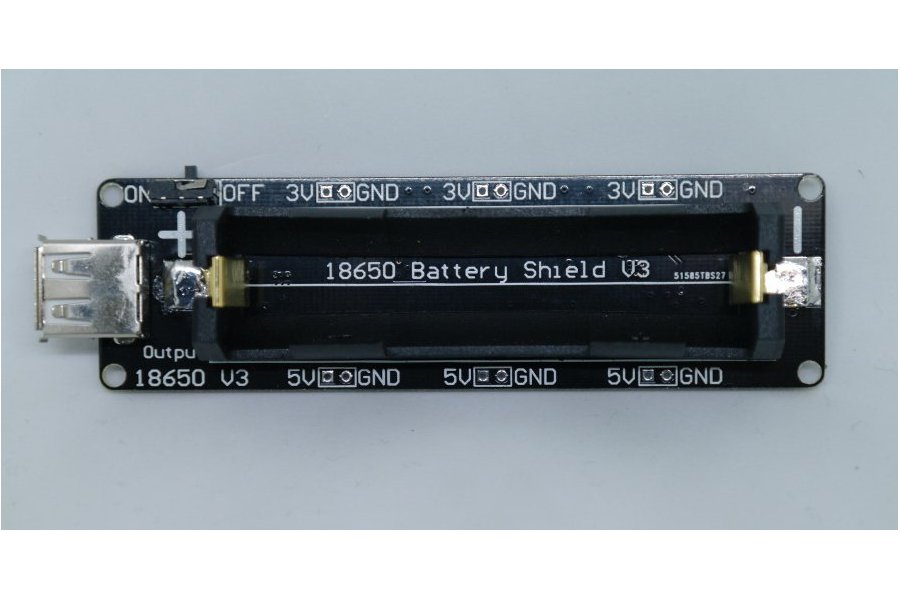
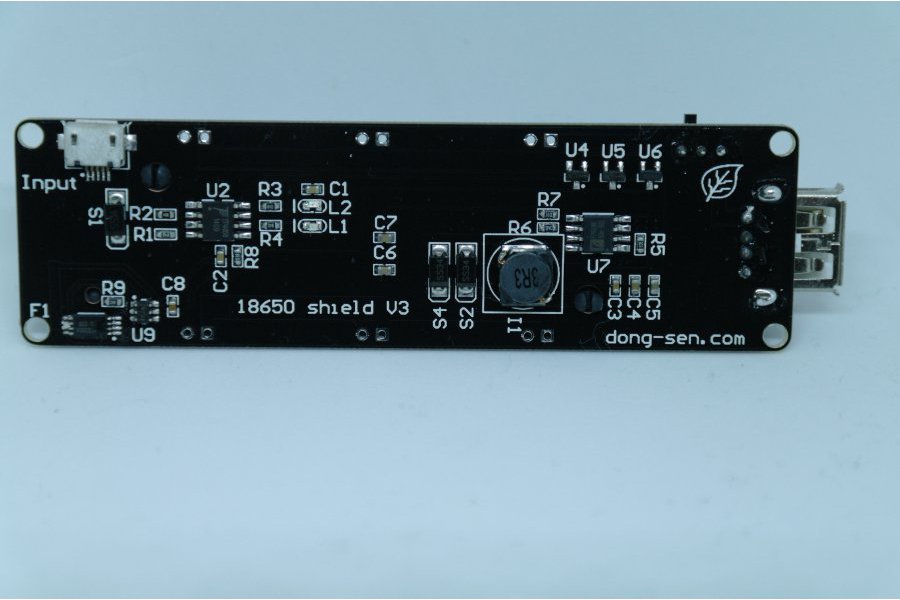
As you know Tesla has thousands of 18650 batteries. The 18650 battery is a strong existence. So we made this 18650 battery shield for maker.
Features:
Battery protection(Over charge or Over discharge)
Micro USB port Input
Type-A USB Output
0.5A current charging
1 switch control USB output
5~8V Input Voltage
3V & 1A Output
5V & 2A Output
LED indicate(Green means full,Red means charging)
3V output port x3
5V output port x3
Charging can only be done at 0.5A, so using it as a sort of UPS seems not possible, but an interesting device nonetheless.
The other products referenced from the same page are interesting too and will undoubtedly bring me some new ideas for some projects.
Source: [WayBack ] 18650 Battery shield V3(RaspberryPi&Arduino) from lspoplove on Tindie
Via:
–jeroen
Posted in 18650 , Arduino , Batteries , Development , ESP8266 , Hardware Development , Li-Ion , Odroid , Power User , Raspberry Pi | Leave a Comment »
Posted by jpluimers on 2020/02/28
Two links that help me identify the Raspberry Pi devices from my collection (which misses quite a few, but is too extensive to get them all right in the blink of an eye):
–jeroen
Posted in *nix , Development , Hardware Development , Power User , Raspberry Pi | Leave a Comment »





 The Wiert Corner - irregular stream of stuff