
The usage of tee - image courtesey of Wikipedia
The tee command stems from a *nix background.
It is a command-line filter that allows you to deviate a stream from the regular stdout/stdin redirected pipeline into a file.
Recently, I needed this in a Windows Embedded Stadard (a.k.a. WES) system for logging purposes.
This way, a post-install-script (similar to the Windows Post-Install Wizard, but command-line based) could log to both the console and a log-file at the same time.
WES is the successor Windows XP Embedded (a.k.a. XPe), which is a modularized version of Windows XP.
Se WES usually means that you don’t have the luxury of everything that Windows XP has.
This in turn means that you need to be careful when selecting external tools: a lot of stuff that works on plain Windows XP won’t work.
There are various Win32 ports of tee available.
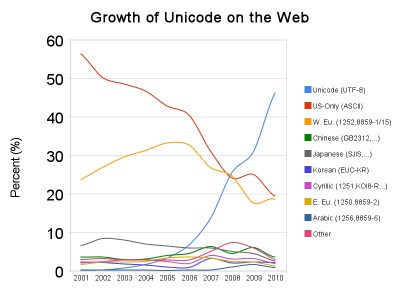
This time however, I needed a Unicode implementation, so I searched for a .NET based implementation.
Windows PowerShell 2.0 does contain a tee implementation, but:
- We don’t have the luxury of having PowerShell in our WES image
- PowerShell tee first writes the contents to e temporary file, which interferes with how we build this WES image.
Luckily Sterling W. “Chip” Camden started with such a .NET implementation of tee – in Visual C++ – back in 2005.
Though his TEE page indicates it is based on .NET 1.1, his current implementation is done in Visual Studio 2008 using C++.
Now that is a problem for the targeted WES image: that image is based on .NET 2.0.
But when using Visual C++ in .NET, you need additional run-time libraries (for instance the ones for Visual C++ 2005, or the ones for Visual C++ 2008).
If you don’t have these installed, tee.exe does not start, and you get error messages like this on the command-line:
K:\Post-Install-Scripts>tee
The system cannot execute the specified program.
and entries like this in the Eventlog:
Event Type: Error
Event Source: SideBySide
Event Category: None
Event ID: 59
Date: 01/04/2010
Time: 19:09:22
User: N/A
Computer: MYMACHINE
Description:
Generate Activation Context failed for K:\Post-Install-Scripts\tee.exe. Reference error message: The operation completed successfully.
The odd thing in this error message is “The operation completed successfully”: it didn’t :-)
Anyway: translating the underlying C++ code to C# is pretty straightforward, so:
The C# implementation
I did change a few things, none of them major:
- replaced some for statements with foreach
- renamed a few variables to make them more readable
- added using statements for stdin and stdout
- added try…finally for cleaning up the binary writers
- moved the logic for duplicate filenames into a separate method, and moved the moment of checking to the point of adding the filename to the filenames
- moved the help into a separate method
- added support for the -h (same behaviour as –help or /?) command-line argument
The implementation is pretty straightforward:
- Perform parameter parsing
- Catch all input bytes from the stdin stream
- Copy those bytes to both the stdout stream, and the files specified on the command-line
- Send errors to the stderr stream
- Do the proper initialization and cleanup
This is the C# code:
using System;
using System.IO;
using System.Collections.Generic;
// Sends standard input to standard output and to all files in command line.
// C# implementation april 4th, 2010 by Jeroen Wiert Pluimers (https://wiert.wordpress.com),
// based on tee Chip Camden, Camden Software Consulting, November 2005
// 	... and Anonymous Cowards everywhere!
//
// TEE [-a | --append] [-i | --ignore] [--help | /?] [-f] [file1] [...]
//    Example:
// 	tee --append file0.txt -f --help file2.txt
//    will append to file0.txt, --help, and file2.txt
//
// -a | --append	Appends files instead of overwriting
// 			  (setting is per tee instance)
// -i | --ignore	Ignore cancel Ctrl+C keypress: see UnixUtils tee
// /? | --help		Displays this message and immediately quits
// -f			Stop recognizing flags, force all following filenames literally
//
// Duplicate filenames are quietly ignored.
// Press Ctrl+Z (End of File character) then Enter to abort.
namespace tee
{
    class Program
    {
        static void help()
        {
            Console.Error.WriteLine("Sends standard input to standard output and to all files in command line.");
            Console.Error.WriteLine("C# implementation april 4th, 2010 by Jeroen Wiert Pluimers (https://wiert.wordpress.com),");
            Console.Error.WriteLine("Chip Camden, Camden Software Consulting, November 2005");
            Console.Error.WriteLine("	... and Anonymous Cowards everywhere!");
            Console.Error.WriteLine("http://www.camdensoftware.com");
            Console.Error.WriteLine("http://chipstips.com/?tag=cpptee");
            Console.Error.WriteLine("");
            Console.Error.WriteLine("tee [-a | --append] [-i | --ignore] [--help | /?] [-f] [file1] [...]");
            Console.Error.WriteLine("   Example:");
            Console.Error.WriteLine(" tee --append file0.txt -f --help file2.txt");
            Console.Error.WriteLine("   will append to file0.txt, --help, and file2.txt");
            Console.Error.WriteLine("");
            Console.Error.WriteLine("-a | --append    Appends files instead of overwriting");
            Console.Error.WriteLine("                 (setting is per tee instance)");
            Console.Error.WriteLine("-i | --ignore    Ignore cancel Ctrl+C keypress: see UnixUtils tee");
            Console.Error.WriteLine("/? | --help      Displays this message and immediately quits");
            Console.Error.WriteLine("-f               Stop recognizing flags, force all following filenames literally");
            Console.Error.WriteLine("");
            Console.Error.WriteLine("Duplicate filenames are quietly ignored.");
            Console.Error.WriteLine("Press Ctrl+Z (End of File character) then Enter to abort.");
        }

        static void OnCancelKeyPressed(Object sender, ConsoleCancelEventArgs args)
        {
            // Set the Cancel property to true to prevent the process from
            // terminating.
            args.Cancel = true;
        }

        static List<String> filenames = new List<String>();

        static void addFilename(string value)
        {
            if (-1 == filenames.IndexOf(value))
                filenames.Add(value);
        }

        static int Main(string[] args)
        {
            try
            {
                bool appendToFiles = false;
                bool stopInterpretingFlags = false;
                bool ignoreCtrlC = false;

                foreach (string arg in args)
                {
                    //Since we're already parsing.... might as well check for flags:
                    if (stopInterpretingFlags)  //Stop interpreting flags, assume is filename
                    {
                        addFilename(arg);
                    }
                    else if (arg.Equals("/?") || arg.Equals("-h") || arg.Equals("--help"))
                    {
                        help();
                        return 1; //Quit immediately
                    }
                    else if (arg.Equals("-a") || arg.Equals("--append"))
                    {
                        appendToFiles = true;
                    }
                    else if (arg.Equals("-i") || arg.Equals("--ignore"))
                    {
                        ignoreCtrlC = true;
                    }
                    else if (arg.Equals("-f"))
                    {
                        stopInterpretingFlags = true;
                    }
                    else
                    {	//If it isn't any of the above, it's a filename
                        addFilename(arg);
                    }
                    //Add more flags as necessary, just remember to SKIP adding them to the file processing stream!
                }

                if (ignoreCtrlC) //Implement the Ctrl+C fix selectively (mirror UnixUtils tee behavior)
                    Console.CancelKeyPress += new ConsoleCancelEventHandler(OnCancelKeyPressed);

                List<BinaryWriter> binaryWriters = new List<BinaryWriter>(filenames.Count); //Add only as many streams as there are distinct files
                try
                {
                    foreach (String filename in filenames)
                    {
                        binaryWriters.Add(new BinaryWriter(appendToFiles ?
                            File.AppendText(filename).BaseStream :
                            File.Create(filename)));  // Open the files specified as arguments
                    }
                    using (BinaryReader stdin = new BinaryReader(Console.OpenStandardInput()))
                    {
                        using (BinaryWriter stdout = new BinaryWriter(Console.OpenStandardOutput()))
                        {
                            Byte b;
                            while (true)
                            {
                                try
                                {
                                    b = stdin.ReadByte();  // Read standard in
                                }
                                catch (EndOfStreamException)
                                {
                                    break;
                                }
                                // The actual tee:
                                stdout.Write(b); // Write standard out
                                foreach (BinaryWriter binaryWriter in binaryWriters)
                                {
                                    binaryWriter.Write(b); // Write to each file
                                }
                            }
                        }
                    }
                }
                finally
                {
                    foreach (BinaryWriter binaryWriter in binaryWriters)
                    {
                        binaryWriter.Flush();  // Flush and close each file
                        binaryWriter.Close();
                    }
                }
            }
            catch (Exception ex)
            {
                Console.Error.WriteLine(String.Concat("tee: ", ex.Message));  // Send error messages to stderr
            }

            return 0;
        }
    }
}
Some alternatives that might (or might not) support unicode:
http://www.commandline.co.uk/mtee/
http://unxutils.sourceforge.net/ (cannot be downloaded any more – pitty, as they were pretty good)
–jeroen
Update: 201009041030 – Syntax highlighting didn’t work, so changed
sourcecode language=”C#“
into
sourcecode language=”csharp“



 The Wiert Corner - irregular stream of stuff