The Wiert Corner – irregular stream of stuff

Jeroen W. Pluimers on .NET, C#, Delphi, databases, and personal interests

  • My badges

  • Twitter Updates

  • My Flickr Stream

  • Pages

  • All categories

  • Enter your email address to subscribe to this blog and receive notifications of new posts by email.

    Join 1,860 other subscribers

Archive for the ‘PlasticSCM’ Category

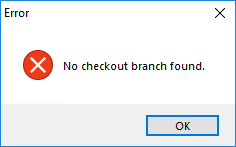
Woes from last year: While checking in to @plasticscm server and having a branch selected in the PlasticSCM GUI: Error — No checkout branch found.

Posted by jpluimers on 2019/04/03

I bumped into a similar situation again, and my conclusion is that getting out of PlasticSCM woes is more cumbersome to me than getting out of similar git woes.

[WayBack] Jeroen Pluimers on Twitter: “While checking in to @plasticscm server and having a branch selected in the PlasticSCM GUI: ————————— Error ————————— No checkout branch found. ————————— OK —————————… https://t.co/k13K06mOFX”

Basically

---------------------------
Error
---------------------------
No checkout branch found.
---------------------------
OK   
---------------------------

is the Plastic GUI way of saying “I think you have checked out branch A, but while checking that one in, I could not find it on the server, could it be that it got renamed or deleted?”.

The way to reliably get out of this situation (even if you are in a merge):

  1. Make a full backup of your directory tree (robocopy /mir is your friend here)
  2. Keep a note of your check-in comment
  3. Undo your changes in the current branch
  4. Checkout a branch that never got renamed
  5. Quit the Plastic GUI
  6. Start the Plastic GUI
  7. Checkout the branch you want to apply your changes on
  8. Use Beyond Compare to compare the backup tree and the current checked out tree
  9. Sync anything changed using Beyond Compare
  10. Checkin the changes in PlasticSCM using the saved check-in comment

–jeroen

PS, the Twitter thread:

Read the rest of this entry »

Posted in Development, PlasticSCM, Software Development, Source Code Management | Leave a Comment »

It looks like the PlasticSCM people are building a git-client, but it needs on-line installation and registration

Posted by jpluimers on 2018/12/15

gmaster is an interesting Windows based git client, but you cannot install it off-line, and by default it does not use the external git.exe.

See the below tweets.

–jeroen

Read the rest of this entry »

Posted in Development, DVCS - Distributed Version Control, git, PlasticSCM, Software Development, Versioning | Leave a Comment »

plasticscm – Plastic SCM: Add ignored file – Stack Overflow

Posted by jpluimers on 2018/12/14

If you want to add ignored files in Pastic SCM, there is no --force option like for instance git has. The only way is to:

  1. edit the ignore.conf file so the affected files are not ignored any more
  2. add the affected files
  3. undo the ignore.conf change
  4. check-in the changes

Source: [WayBackplasticscm – Plastic SCM: Add ignored file – Stack Overflow

jeroen

Posted in Development, PlasticSCM, Source Code Management | Leave a Comment »

PlasticSCM Workaround for “Can’t perform a checkout in an edited xlink.”

Posted by jpluimers on 2018/11/01

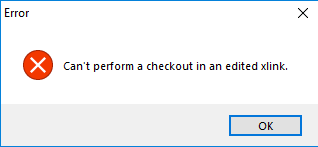
Error message during a commit (checkin) or shelve of some changes:

---------------------------
Error
---------------------------
Can't perform a checkout in an edited xlink.
---------------------------
OK
---------------------------

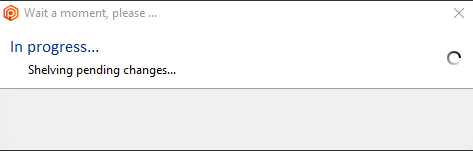
In this case it is during a shelve:

---------------------------
Wait a moment, please...
---------------------------
In progress...
Shelving pending changes
---------------------------
OK
---------------------------

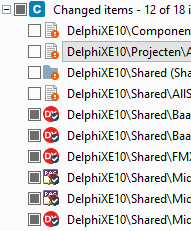
I cannot show all changes, but the third one is an xlink:

The error did not return any meaningful results when I searched for it, but the developers on the team indicated “Errors like these happen every now and then; there is no information in Google. Sit down, cry a little, then restart with a fresh repository”.

Workaround

The workaround for this undocumented behaviour is tedious, but works:

Read the rest of this entry »

Posted in Development, PlasticSCM, Software Development, Source Code Management | Leave a Comment »

Plastic SCM command-line for merge and diff

Posted by jpluimers on 2018/09/03

Just in case I have Plastic SCM without Beyond Compare:

Merge

"C:\Program Files\PlasticSCM5\client\mergetool" -b="%TEMP%\baseFile-guid.pas" -bn="baseSymbolicName" -bh="baseHash" -s="%TEMP%\sourceFile-guid.pas" -sn="srcSymbolicName" -sh="srcHash" -d="...\destinationPath\destinationFile.pas" -dh="destinationHash" -a -r="%TEMP%\resultFile.pas" -t="text" -i="NotIgnore" -e="NONE" -m="forced" -re="NONE" --progress="progressDescription" --extrainfofile="%TEMP%\extraInfoFile.tmp"

Diff

To be done

aa

Merge help (takes about 10 seconds to start):

"C:\Program Files\PlasticSCM5\client\mergetool.exe" --help

---------------------------
Mergetool usage
---------------------------
Usage: mergetool [ | ]

    diffOptions:  []

    mergeOptions:   [] [[] [] ] [] []

        baseFile:            {-b | --base}= 
        baseSymbolicName:    {-bn | --basesymbolicname}=
        automatic:           -a | --automatic
        silent:              --silent
        resultFile:          {-r | --result}=
        mergeType:           {-m | --mergeresolutiontype}={onlyone | onlysrc | onlydst | try | forced}

    generalFiles:  []  []

        sourceFile:          {-s | --source}=
        srcSymbolicName:     {-sn | --srcsymbolicname}=
        destinationFile:     {-d | --destination}= 
        dstSymbolicName:     {-dn | --dstsymbolicname}=

    generalOptions: [] [] [] []

        defaultEncoding:     {-e | --encoding}={none |ascii | unicode | bigendian | utf7 | utf8}
        comparisonMethod:    {-i | --ignore}={none | eol | whitespaces | eol&whitespaces}
        fileType:            {-t | --filestype}={text/csharp | text/XML | text}
        resultEncoding:      {-re | --resultencoding}={none |ascii | unicode | bigendian | utf7 | utf8}
        progress:            {--progress}=progress string indicating the current progress, for example: Merging file 1/8
        extraInfoFile:       {--extrainfofile}=path to a file that contains extra info about the merge

    Remarks:
          
        -a | --automatic:    Tries to resolve the merge automatically.
                             If the merge can't be resolved automatically (requires user interaction), the merge tool is shown.
        --silent:            This option must be used combined with the --automatic option.
                             When a merge can't be resolved automatically, this option causes the tool to return immediately
                             with a non-zero exit code (no merge tool is shown).
                             If the tool was able to resolve the merge automatically, the program returns exit code 0.

    Examples:

        mergetool
        mergetool -s=file1.txt -d=file2.txt
        mergetool -s=file1.txt -b=file0.txt --destination=file2.txt
        mergetool --base=file0.txt -d=file2.txt --source=file1.txt --automatic --result=result.txt
        mergetool -b=file0.txt -s=file1.txt -d=file2.txt -a -r=result.txt -e=utf7 -i=eol -t=text/csharp -m=onlyone
---------------------------
OK   
---------------------------

The merge extraInfoFile.tmp has a syntax like this:

Source (cs:-#)
    relative-sourceFile from cs:-# created by userName on timeStamp
    Comments: Source changeset description

Base (cs:#)
    relative-baseFile from cs:#@/baseBranch by userName on timeStamp
    Comments: BO's + CRUDS 

Destination (cs:#)
    relative-destinationFile from cs@/destinationBranch created by userName on timeStamp
    Comments: Destination changeset description

Where each cs is a change set number.

–jeroen

Posted in Beyond Compare, Development, Encoding, PlasticSCM, Power User, Software Development, Source Code Management | Leave a Comment »

Plastic SCM compare versus Beyond Compare; guess which screenshot I like most

Posted by jpluimers on 2018/08/20

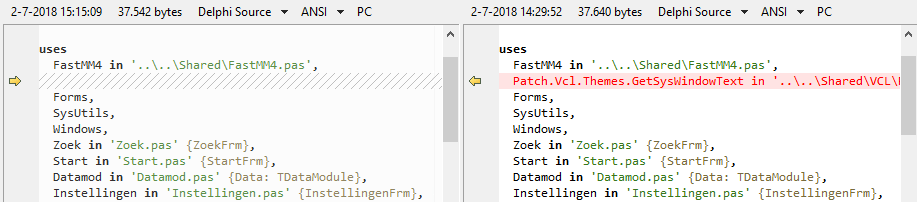
Same difference; two tools.

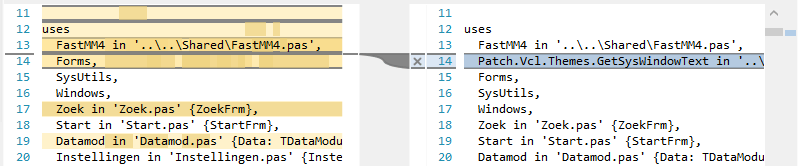
Plastic SCM compare: lots of clutter

Beyond Compare: just the things that are different.

–jeroen

Posted in Beyond Compare, Development, PlasticSCM, Power User, Source Code Management | 3 Comments »

Diffing binary files in PlasticSCM through Beyond Compare

Posted by jpluimers on 2018/08/02

The diff engine in PlasticSCM is nice in appearance, but it lacks a lot of features for file types that Beyond Compare handles out of the box.

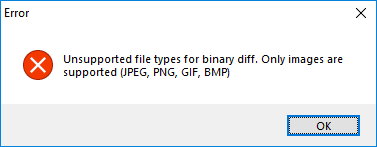
For instance, .RES files cannot be diffed:
---------------------------
Error
---------------------------
Unsupported file types for binary diff. Only images are supported (JPEG, PNG, GIF, BMP)
---------------------------
OK   
---------------------------

Read the rest of this entry »

Posted in Beyond Compare, Development, PlasticSCM, Power User, Source Code Management | 2 Comments »

The Plastic equivalent of .gitignore is ignore.conf

Posted by jpluimers on 2018/07/26

A while ago, I landed a place using Plastic SCM, so I had to adopt some idiom from the git world.

The [WayBack] .gitignore equivalent in Pastic SCM is ignore.conf. Here are some links to documentation on it:

There is another file with a similar, but deceptively different name and behaviour: hidden_changes.conf. There ignore.conf ignores changes, hidden_changes.conf completely hides them. I am still not sure what subtleties are involved in the difference between “ignore” and “hide”, as the documentation is confusing and hidden_changes.conf can also appear in the root of a repository:

hidden_changes.conf Contains the paths of the controlled files to hide from the Pending changes view. The hidden changes are controlled items that can be changed but the user doesn’t want them to appear by default on the Pending changes view.

This config file is located in the plastic4 directory (under $HOME/.plastic4 on Linux/Mac systems or C:\Users\user\AppData\Local\plastic4 on Windows), in the root directory of the workspace, or in the plastic-global-config repository so that all clients have the same settings by default.

Learn about how to configure the hidden changes list.

ignore.conf Contains the paths of the private files to be ignored in the Pending changes view. The ignored files are files that you have no intention of placing under source control.

This config file is placed at the root directory of the workspace, or in the plastic-global-config repository so that all clients have the same settings by default.

Learn about how to configure the ignored list.

These configuration files are supported:

Important: These are the files that can be globally configured:

So I based mine on Tortoise SVN Global Ignore Pattern for Delphi and Visual Studio containing at least these:

*.identcache
*.local
*.dcu
*.rsm
*.bak
*.~*
*.tvsconfig
__history
__recovery
ModelSupport_*

–jeroen

Posted in Development, DVCS - Distributed Version Control, git, PlasticSCM, Software Development, Source Code Management | Leave a Comment »

When learning a new VCS drives you crazy: Plastic SCM indicating it cannot undo changes, but not providing an alternative

Posted by jpluimers on 2018/07/25

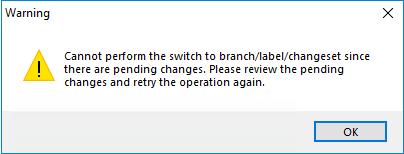
User experiences like this drives me crazy, this time in Plastic SCM, when you try to get the most recent files on a branch/label/changeset after you made some changes:

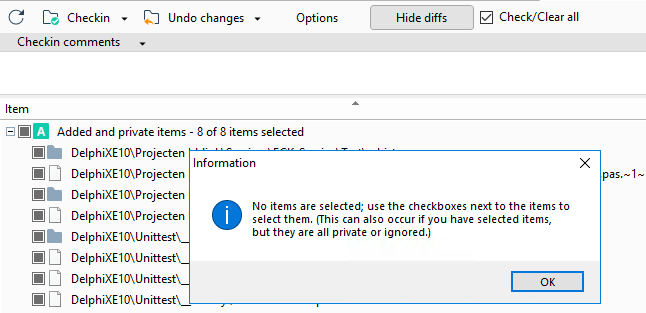
So you go to the pending changes, see it involves additions and you see a big “Undo changes” button that fails to work:

  • 8 of 8 items selected
  • plastic insisting there are none

The undocumented “secret” is at the end of the messages “added and private items” cannot be undone. You have to manually “delete” them, which the message does not tell you.

Of course there is no “Delete” entry in the toolbar. There is no “Delete” entry in the local menu either.

You have to know that you

  • can do “Delete” by using the keyboard,
  • after first manually selecting all the entries in the treeview (so they get blue, which is different than having checkmarks).

How is that for a lack of user-experience?

Versions

This is on a version 6 client with a version 6 server.

Later I found out this bit on versioning, which I totally did not expect, as it does not match semantic versioning:

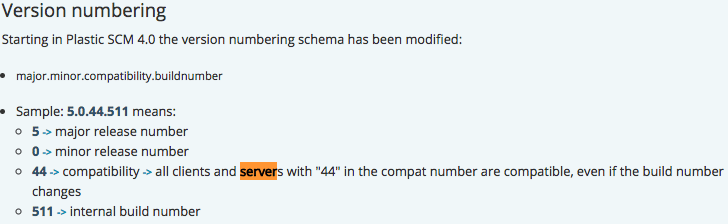
Version numbering

Starting in Plastic SCM 4.0 the version numbering schema has been modified:

  • major.minor.compatibility.buildnumber
  • Sample: 5.0.44.511 means:
    • 5 -> major release number
    • 0 -> minor release number
    • 44 -> compatibility -> all clients and servers with “44” in the compat number are compatible, even if the build number changes
    • 511 -> internal build number

So I have tried to to switch from

using the download at https://www.plasticscm.com/download/ to

with no difference.

–jeroen

Posted in Development, PlasticSCM, Source Code Management | Leave a Comment »

PlasticSCM: seriously? Comment size too long (which means your checkin message is too long), and why can’t I request a code review?

Posted by jpluimers on 2018/07/13

Good job PlasticSCM! Imposing limits on what you can write. Not!
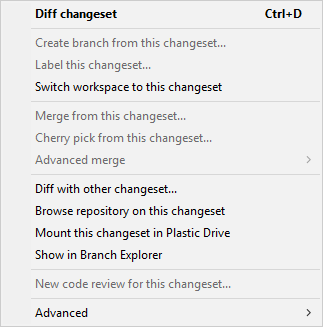
It is not actually the comment size, but the commit message length (naming things consistently is hard).

---------------------------
Error
---------------------------
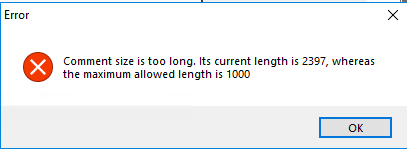
Comment size is too long. Its current length is 2397, whereas the maximum allowed length is 1000
---------------------------
OK
---------------------------

This after I had a big fight where the PlasticSCM “Undo Unchanged” action is unreliable: after that, if you refresh, then diff some of the files they show as “idental”, nor nothing at all happens (Beyond Compare is if big help showing “files are binary the same”).

After the commit (which is actually called “Checkin” in the UI button, so far for naming things consistently), I cannot even request for a code review:

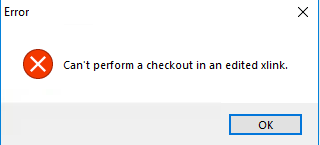
Finally I need to find out the cause of the below message when I click on “Checkin” (i.e. not Checkout):

---------------------------
Error
---------------------------
Can't perform a checkout in an edited xlink.
---------------------------
OK
---------------------------

/rant

–jeroen

Twitter threads:

https://twitter.com/TheRealMig_El/status/1017813424078802950


Posted in Development, PlasticSCM, Software Development, Source Code Management | Leave a Comment »