[WayBack] GitHub – dschmenk/apple2pi: Apple II client/server for Raspberry Pi: hybrid computer of a Raspberry Pi inside an Apple II (either ][, or ][+, or //e) so the Apple II can be a front-end to the Raspberry Pi which then can run an Apple IIGS emulator, talk to the Apple II storage hardware and much more.
Why did you choose to start aggressively de-protecting, archiving and re-distributing Apple II software? It’s tempting to rewrite history and give myself some noble purpose for starting this hobby, but in this case the truth [more…]
A git hub repository with wiki
[WayBack] Home · hoglet67/AtomBusMon Wiki
AtomBusMon – This project is an open-source In-Circuit Emulator for the 6502, 65C02, Z80, 6809 and 6809E 8-bit processors.
It’s where the function is going to return to, not where it came from.
And:
Bonus chatter: This reminds me of a quirk of the 6502 processor: When it pushed the return address onto the stack, it actually pushed the return address minus one. This is an artifact of the way the 6502 is implemented, but it results in the nice feature that the stack trace gives you the line number of the call instruction.
Of course, this is all hypothetical, because 6502 debuggers didn’t have fancy features like stack traces or line numbers.
mos6502: And don’t forget the crucial difference in PC on 6502 between RTS and RTI!
Jeroen Wiert Pluimers: +mos6502 I totally forgot about that one. Thanks for reminding me
<<Note that unlike RTS, the return address on the stack is the actual address rather than the address-1.>>
RTS pulls the top two bytes off the stack (low byte first) and transfers program control to that address+1. It is used, as expected, to exit a subroutine invoked via JSR which pushed the address-1.
RTS is frequently used to implement a jump table where addresses-1 are pushed onto the stack and accessed via RTS eg. to access the second of four routines.
Apple II Ethernet Module – This product is based on the Wiznet W5100 chip. It has an embedded hardware IP stack. Contiki, IP65, Marinetti and ADTPro have been updated to work with the new card.
We will be using Itead as our current PCB supplier.
The card will be assembled by Circuits Central
This month on Open Apple, we sit down with Glenda Adams, better known on the Apple II as The Atom. She was a cracker of some note back in the 1980s, and she shares great stories with us…
I expect few people to still have a functioning Apple LaserWriter Pro as – despite them bing very solid devices – having them last for almost 25 years is quite a feat.
But I do know many people have machines from the Apple II through Macintosh II era, and that’s what the first manual is about. Some of the contents:
Peripheral Interface Guide rev. Jan 91
Macintosh Family Computers
Introduction 3
Computer Port Locations 4
Computer Ports 6
Modem and Printer Connectors – DE-9 6
Modem and Printer Connectors – Mini DIN-8 7
SCSI Connector (Pins 1-12) 8
SCSI Connector (Pins 13-25) 9
Apple Desktop Bus Connector 10
Keyboard Connector 11
Mouse Connector 11
Audio Input Connector 12
Audio Output Connector – Monaural 12
Audio Output Connector – Stereo 12
External Disk Drive Connector 13
External Video Connector 14
External Video Connector – Macintosh Portable 14
Interface Cards 16
Macintosh Display Cards 4/8, 8/24, 16 and 8/24-GC
Macintosh II High-Resolution and I-bit Monochrome Video Cards 17
Macintosh II Portrait Display and Two-Page Monochrome Monitor Video Cards (Current Version) 18
Macintosh II Portrait Display and TWO-Page Monochrome Monitor Video Cards (Obsolete Version) 19
EtherTalk Interface and EtherTalk NB Cards 20
TokenTalk NB Interface Card 20
Coax/fwinax Interface Card – Coax Connector 21
Coax/fwinax Interface Card – Twinax Connector 21
Serial NB Interface Card (Pins 1-20) 22
Serial NB Interface Card (Pins 21-40) 23
Serial NB Interface Card (Pins 41-62) 24
Apple II Family Computers
Introduction 3
Computer Port Locations 4
Apple IIGS Computer Ports 5
Sound Input/Output Connector 5
Audio Connector 5
Composite Video Connector 5
Modem and Printer Connectors 6
Apple Desktop Bus Connector 6
Disk Drive Connector 7
RGB Video Connector 8
Joystick/Hand Controller Connector 9
Apple lIc/IIc plus Computer Ports 10
Modem and Printer Connectors – Mini DIN-5 10
Modem and Printer Connectors – Mini DIN-8 11
Joystick/Hand Controller/Mouse Connector 12
Video Expansion Connector 13
External Disk Drive Connector 14
Composite Video Connector 15
Audio Connector 15
Power Adapter Connector 15
Apple II/II Plus/lIe Computer Ports 16
Cassette Input Connector 16
Cassette Output Connector 16
Composite Video Connector 17
Auxiliary Video Connector 17
Game Controller Connector 18
Joystick/Hand Controller Connector 19
Apple II Interface Cards 20
Communications Card Pin-outs 20
Super Serial Card Pin-outs 21
Super Serial Card Printer Mode – Switch SW1 22
Super Serial Card Printer Mode – Switch SW2 23
Super Serial Card Communication Mode – Switch SWI 24
Super Serial Card Communication Mode – Switch SW2 25
Serial Interface Card Pin-outs 26
Serial Interface Card Switch Settings 27
Parallel Printer and Centronics Printer Interface Card Pin-outs 28
IEEE-488 Interface Pin-outs 29
Parallel Interface Card Pin-outs 30
Parallel Interface Card Switch Settings 31
Apple II Video Overlay Card Pin-outs 32
Apple II SCSI and High-Speed SCSI Cards Pin-outs 33


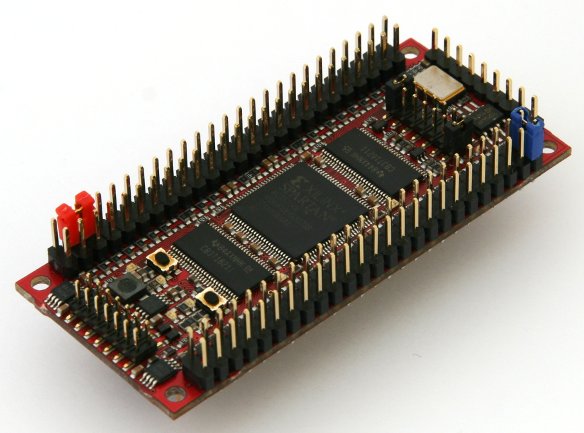

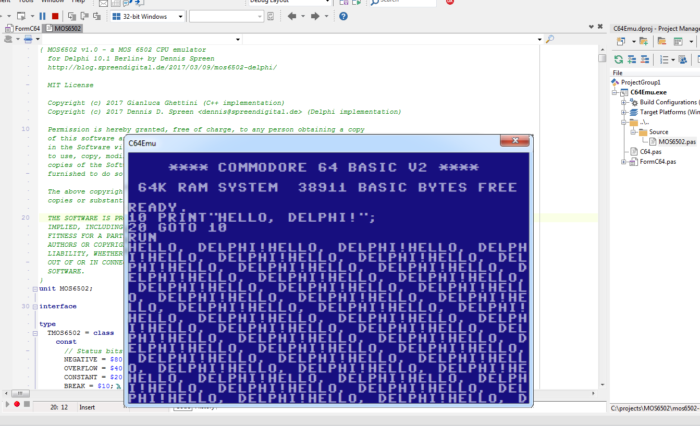

 Reminder to self: see if I can order this:
 The Wiert Corner - irregular stream of stuff