


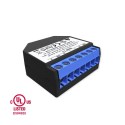
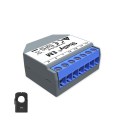
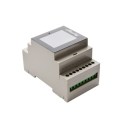
IoT power switching equipment at [WayBack] Shelly Shop Europe:
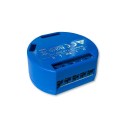
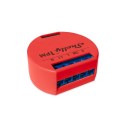
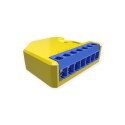
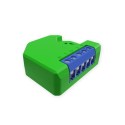

Via: [WayBack] Tweakers Gift Guide 2019 – Smarthome – Koophulp – Tweakers
–jeroen
Posted by jpluimers on 2021/09/01
IoT power switching equipment at [WayBack] Shelly Shop Europe:
Via: [WayBack] Tweakers Gift Guide 2019 – Smarthome – Koophulp – Tweakers
–jeroen

Posted in Development, Hardware Development, IoT Internet of Things, Network-and-equipment, Power User | Leave a Comment »
Posted by jpluimers on 2021/06/04
For my link archive: [WayBack] Grote Google-storing trof Gmail, YouTube en diensten van derden – IT Pro – Nieuws – Tweakers.
It has some interesting tips for IoT video doorbell products that are less depending on single-choice clouds:
Er bestaan er minimaal eentje; smart deurbel met camera en evt speaker, eigen intern netwerk, compatible met SIP (en video), zelf verantwoordelijk voor opnamen, etc. Enige nadeel is dan wel de prijs, het is een Duits kwaliteitsproduct, dus reken rond de 350 euro voor het absolute basismodel. Doorbird heet het; oa te koop bij Robbshop en CoolBlue of direct bij de fabiraknt’s website.
Nee hoor, ze hebben een LAN API: https://www.doorbird.com/downloads/api_lan.pdf?rev=0.25
Je moet je huis flink geautomatiseerd hebben wil je echt nut van die api willen hebben.als je alles zelf in de hand wil hebben doe je dat ook. Je zorgt er zelf voor dat je webinterface via een externe URL bereikbaar is en dan is het enkel je eigen hardware en internetverbindingen die als SPOF dienen en je kan dan ook makkelijker van solution-provider wisselen zonder vast te zitten.
wellicht is dit een oplossing voor jou?
–jeroen

Posted in Cloud Apps, Internet, IoT Internet of Things, Network-and-equipment, Power User | Leave a Comment »
Posted by jpluimers on 2021/03/24
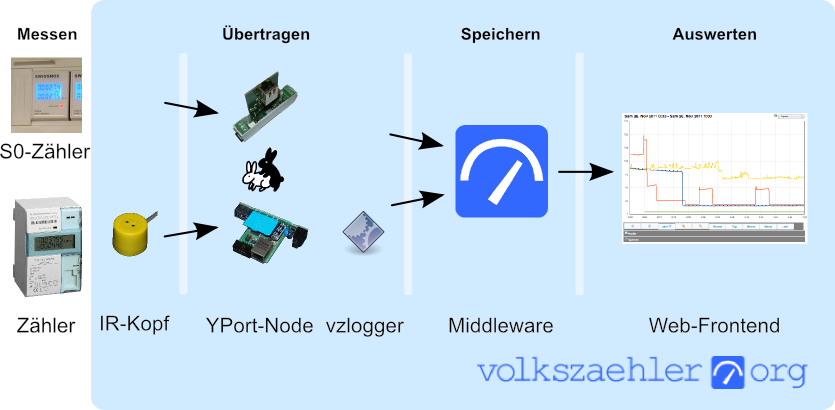
In German, but very interesting IR-Lesekopf für SmartMeter selber bauen | haus-automatisierung.com [4K] – YouTube:
- Manual steps (Genaue Anleitung) [WayBack] hardware:controllers:ir-schreib-lesekopf-ttl-ausgang [wiki.volkszaehler.org]
- Case (Gehäuse) [WayBack] IR Lesekopf für SmartMeter by klein0r – Thingiverse
- Ringmagnet – [Archive.is] Neodym Ringmagnet 27 x 5 mm mit 16 mm Bohrung, Grade N42, vernickelt, Supermagnet: AmazonSmile: Baumarkt
I could not find the promised follow-up video at haus-automatisierung.com – YouTube, but the manual steps and the site below have enough information for me.
Too bad the site is way to big to fully archive in the WayBack machine. I only saved the top pages:
Related: [WayBack] MQTT-Grundlagen-Kurs – haus-automatisierung.com
–jeroen

Posted in Development, Hardware Development, Hardware Interfacing, IoT Internet of Things, Raspberry Pi, Software Development | Leave a Comment »
Posted by jpluimers on 2020/07/16
Thomas Rini (of U-Boot and Yocto fame) mentioned these solutions for remote power control of IoT devices and remote updating SD cards in this slide State of the U-Boot – Thomas Rini, Konsulko Group:
Two power solutions I like myself are:
The combination of these allows for really flexible production and testing environments.
Slides at [WayBack] ELC2017 – State of the U-Boot.pdf
–jeroen

Posted in Arduino, Development, ESP8266, ESP8266X, Hardware Development, Hardware Interfacing, IoT Internet of Things, Network-and-equipment, Odroid, Power User, Raspberry Pi | Leave a Comment »
Posted by jpluimers on 2019/12/11
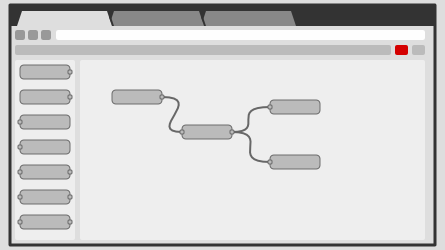
Node-RED is a programming tool for wiring together hardware devices, APIs and online services in new and interesting ways.It provides a browser-based editor that makes it easy to wire together flows using the wide range of nodes in the palette that can be deployed to its runtime in a single-click.
Seems one of the ways to automate our home: [WayBack] Node-RED, as it supports many input and output methods with all kinds of nodes between them:
input output inject debug catch status link link mqtt mqtt http http response websocket websocket tcp tcp udp udp serial serial
It is based on node.js, seems to need PM2 for running as a service, so I need to first figure out how well it runs on OpenSuSE (with more details than this gist).
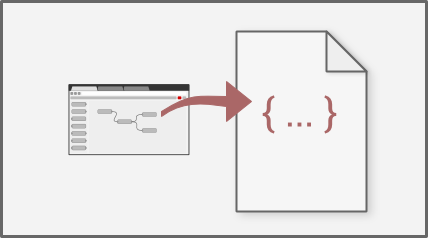
After that I need to figure out how to version your configurations using git and document as it looks like the configurations sources are stored in JSON format [WayBack].
For resources:
Code is published as JSON, but I wish more examples also showed the visual representation.
Via: [WayBack] Now I can go to bed :-) Added node-red [1] to my setup and thanks to node-red-contrib-ui [2] (replaced by node-red-dashboard [3]) I can now generate ni… – Jan Wildeboer – Google+ who also provided the large screenshot below.
–jeroen

Posted in Development, Hardware Development, IoT Internet of Things, Network-and-equipment, Power User, Raspberry Pi | Leave a Comment »
Posted by jpluimers on 2019/08/05
Reminder to self [WayBack] Just a small FTR. Yes, the IKEA TRÅDFRI lamps [1] when equipped with Firmware >= 1.2.217 intergrate seamlessly into the Philips Hue system, thanks to t… – Jan Wildeboer – Google+:
Links:
--jeroen
Posted in IKEA hacks, IoT Internet of Things, LifeHacker, Network-and-equipment, Power User | Leave a Comment »
Posted by jpluimers on 2019/07/15
Interesting stuff from a while back that I will be using soon: [WayBack] Sonoff Wireless Switch Family Gets a $3 IP66 Waterproof Enclosure.
Pictures via CNX Software; originally found via [WayBack] $2.90 waterproof case for +ITEAD Studio Sonoff switches… – Jean-Luc Aufranc – Google+
–jeroen

Posted in Development, ESP8266, Hardware Development, IoT Internet of Things, Network-and-equipment, Power User | Leave a Comment »
Posted by jpluimers on 2019/03/13
Interesting read and watch:
At the recent Embedded Linux Conference and OpenIoT Summit, Mozilla Technical Evangelist Dietrich Ayala proposed a simple and affordable solution to home automation: A discarded smartphone can handle some of the most useful home automation tasks without requiring expensive hubs and sensors — or risking data security in the cloud.
Source: [WayBack] Repurposing Old Smartphones for Home Automation | Linux.com | The source for Linux information.
Via Ruurd Pels.
GitHub Repository autonome/context by autonome (Dietrich Ayala)
–jeroen
Posted in Development, Hardware Development, IoT Internet of Things, Network-and-equipment, Power User, Software Development | Leave a Comment »
Posted by jpluimers on 2019/02/13
Of course you don’t want this. So by the time you read this, the connection has been closed.
For testing some Internet of Shit stuff from a client that cannot do SFTP, I needed a temporary FTP accessible connection.
These links helped:
TL;DR:
FtpDirectory)System, then FRITZ!Box UsersAdd userMyFtpUser)Add directorySelect folderFtpDirectory you just madeOKread and write checkboxes are enabledOKHome Network, then USB DevicesInternet, then Permit AccessFRITZ!Box ServicesInternet access to your storage media via FTP/FTPS enabledTCP Port for FTP/FTPS, fill in 21 (many IoT devices cannot use a different port)Allow only secure FTP connections (FTPS)FTP address (something like ftp://example.org:21`)Apply–jeroen
Posted in Communications Development, Development, Fritz!, Fritz!Box, FTP, Internet protocol suite, IoT Internet of Things, Network-and-equipment, Power User, Software Development, TCP | Leave a Comment »
Posted by jpluimers on 2018/11/22
One occasion I had SSH throw a Connection Reset by Peer on my when was the SD-card of a Raspberry Pi started failing and the ext4 filesystem got mounted in read-only mode.
Then sshd was still listening on port 22, but since it could not write to disk any more, it threw a Connection Reset by Peer to the client.
It was on OpenSuSE Tumbleweed, but would failed just as well using Raspbian.
Lessons learned:
ext4 breaks when the hardware breaks.–jeroen
Reference:
Posted in *nix, *nix-tools, Debian, Development, Hardware Development, IoT Internet of Things, Linux, Network-and-equipment, openSuSE, Power User, Raspberry Pi, Raspbian, SuSE Linux, Tumbleweed | Leave a Comment »

 The Wiert Corner - irregular stream of stuff