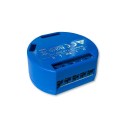
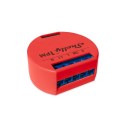
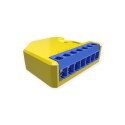
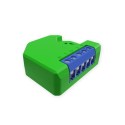
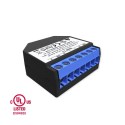
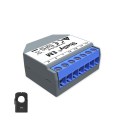
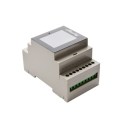
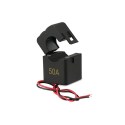
IoT power switching equipment at [WayBack] Shelly Shop Europe:
Via: [WayBack] Tweakers Gift Guide 2019 – Smarthome – Koophulp – Tweakers
–jeroen
Posted by jpluimers on 2021/09/01
IoT power switching equipment at [WayBack] Shelly Shop Europe:
Via: [WayBack] Tweakers Gift Guide 2019 – Smarthome – Koophulp – Tweakers
–jeroen
Posted in Development, Hardware Development, IoT Internet of Things, Network-and-equipment, Power User | Leave a Comment »
Posted by jpluimers on 2021/08/24
By default, the [WayBack] MikroTik RB960PGS hEX PoE comes with a 24V power supply.
Most PoE capable devices cannot be powered by 24V but need 48V. I wrote about this before in the midst of the long post Linus Torvalds – Google+: Working gadgets: Ubiquiti UniFi collection (and a whole bunch of Unifi/Ubiquiti/Ubtn links)
- Mikrotik needs to make up their mind, as they ship a 24V power supply which cannot power any 802.3af/802.3at devices. The 48POW power supply enables 802.3af for the RB960PGS hEX PoE: [WayBack] hEX PoE (RB960PGS) – Need 48V Power Supply – MikroTik
So now I re-mention it in a much smaller post so it easier to find back, and a few links to Power over Ethernet – Wikipedia, where especially these bits are relevant:
- 24VDC 0.5A 100 Mbit/s or 1 Gbit/s
- 24VDC 1.0A 100 Mbit/s or 1 Gbit/s
- 48VDC 1.0A 100 Mbit/s or 1 Gbit/s
- 56VDC 1.0A and 2.0A 1 Gbit/s (used for 45W+ load point to point microwave and millimeter band radios
The 24V is what MikroTik sticks to with their default power supply.
Posted in Internet, MikroTik, Network-and-equipment, Power User, routers, Unifi-Ubiquiti | Leave a Comment »
Posted by jpluimers on 2021/08/17
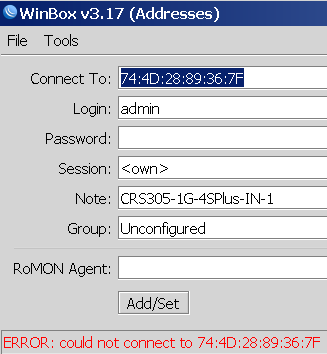
Not sure why, but Winbox 3.17 could not connect to out of the box blank MikroTik equipment at all.
Winbox 3.19 complains every now and than, but usually connects fine.
This was while configuring a bunch of [WayBack] MikroTik Routers and Wireless – Products: CRS305-1G-4S+IN.
Posted in Development, Hardware, Internet, MikroTik, Network-and-equipment, Power User, RouterOS, routers, Scripting, Software Development, WinBox | Leave a Comment »
Posted by jpluimers on 2021/08/16
If you own a Mikrotik CCR device based on NAND memory, then be prepared that it will die.
I had this on a (now discontinued [WayBack] MikroTik Routers and Wireless – Products: CCR1009-8G-1S-1S+PC, superseded by the less functional [WayBack] MikroTik Routers and Wireless – Products: CCR1009-7G-1C-1S+PC, which is also NAND based).
Many more people had this or very similar problems:
It also happens due to bad capacitors on the (also discontinued) [WayBack] MikroTik Routers and Wireless – Products: RB1200:
There have been quite a few NAND related changes to the firmware over the years that have to do with handling corruption:
If you are really lucky (I was not), then it is a bad power supply: [WayBack] bootloop on CCR1036-12g-4s (almost 5 years old) [SOLVED] – MikroTik.
Sometimes you can partially recover using the Console port or NetInstall, but eventually you will trip another part of the faulty NAND storage and it will die again, until it has spent all its lives.
Unlike a cat, those are usually far less than 9 lives.
If you do need to recover, the links might help you:
–jeroen
Posted in Internet, MikroTik, Power User, routers | Leave a Comment »
Posted by jpluimers on 2021/08/09
The chocolatey package for OpenVPN has not been updated for quite a while. It looks like it has to do with the current dependency to verify the OpenVPN signature.
The current [Wayback] Chocolatey Software | OpenVPN 2.4.7 version is both outdated on the major version number ([Wayback/Archive.is] Release OpenVPN v2.5.3 release · OpenVPN/openvpn) and minor version ([Wayback/Archive.is] Release OpenVPN v2.4.11 release · OpenVPN/openvpn). The version 2.4 Windows installers are now called “Legacy Windows Installers”.
Luckily less than a day after the start of the [Wayback/Archive.is] RFM – openvpn · Issue #1024 · chocolatey-community/chocolatey-package-requests, a volunteer stepped forward.
Hopefully by now the package is being maintained again.
–jeroen
Posted in Network-and-equipment, OpenVPN, Power User, VPN | Leave a Comment »
Posted by jpluimers on 2021/08/02
[WayBack] Manual:Reset – MikroTik Wiki:
unplug the device from power
2) press and hold the button right after applying power
Note: hold the button for 5 seconds (USER LED will start flashing)
3) release the button to clear configuration.
(see also [WayBack] Manual:First time startup – MikroTik Wiki)
Posted in Hardware, Internet, MikroTik, Network-and-equipment, Power User, routers, WinBox | Leave a Comment »
Posted by jpluimers on 2021/07/27
Note that by now, Unifi Controller is usually named Unifi Network Management Controller (somewhere in between it was called Unify Network Controller).
You can either run a local installation on a Linux box (usually Ubuntu), for instance the CloudKey ESXi Appliance, or from a Cloud Key (if you do, do not get a version 1 Cloud Key; too much SD card and other hardware trouble)
Steps to update both the Unifi Controller Firmware (Cloud Key only) and the Unifi Controller software (both Cloud Key and local installation) are below.
I am assuming that 192.168.71.50 is the IP address of your Cloud Key, and for brevity, I included few screenshots, but opted for URLs.
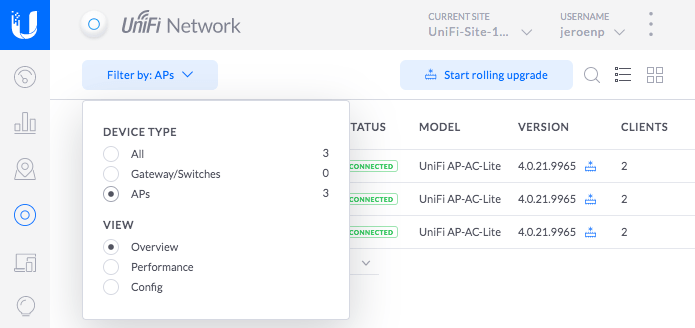
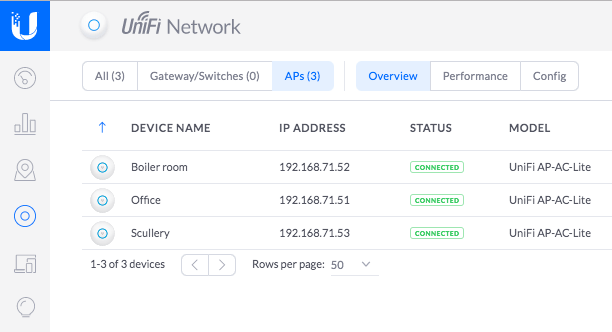
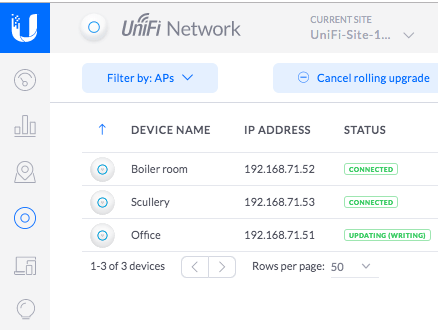
Screenshots for selecting “APs” with narrow and wide tab widths:
Posted in Cloud Key, Network-and-equipment, Power User, Unifi-Ubiquiti | Leave a Comment »
Posted by jpluimers on 2021/07/02
Having it accidentally made it to the CBL (Composite Blocking List – Wikipedia) a long time ago, I discovered the page started with (WayBack link mine):
IMPORTANT: Many CBL/XBL listings are caused by a vulnerability in Mikrotik routers. If you have a Mikrotik router, please check out the [WayBack] Mikrotik blog on this subject and follow the instructions before attempting to remove your CBL listing.
It wasn’t one of my Mikrotik devices, as first of all they had all being patched out of the box from a really empty internal network before being externally exposed to the internet or more busy internal networks, and second because the CBL entry was a one off on one specific day where someone used our guest network.
Some CBL entries in the range where it was displayed, quite a while after CVE-2018-14847 became public:
Posted in Firewall, Hardware, Infrastructure, Internet, MikroTik, Network-and-equipment, Power User, routers, SPAM, WinBox | Leave a Comment »
Posted by jpluimers on 2021/06/17
First of all: incoming Fritz!Box VPN behind an Experiabox version 10A fails, because the DMZ implementation of the Experiabox is faulty.
This worked just fine with the Fritz!Box as DMZ host behind a Ziggo Connectbox ([WayBack] Connectbox | Klantenservice | Ziggo).
First a few things to get regular TCP stuff to work: having your Fritz!Box as the DMZ host of an Experiabox.
I had a hart time figuring out some of them, so further below are also quite a few links just in case you bump into simular things.
ADMIN or KPN) you have to choose a new password, which has these undocumented restrictions:
!@#$%^&*()_+|~- =\`{}[]:";'<>?,./).
External port checker: [WayBack] Open Port Checker & Scanner | Test Port Forwarding | Internet Protocol Tools
Related:
Beste antwoord door wjb
Het wachtwoord staat echterop op een sticker, zichtbaar als je het kaartje er uit schuift.
–jeroen
Posted in Network-and-equipment, Power User, VPN | Leave a Comment »
Posted by jpluimers on 2021/06/07
Via [Archive.is] CloudKey ESXi Appliance – Google Search:
–jeroen
Posted in *nix, Cloud Key, ESXi6, ESXi6.5, ESXi6.7, Internet, Network-and-equipment, Power User, Unifi-Ubiquiti, Virtualization, VMware, VMware ESXi | Leave a Comment »