The Wiert Corner – irregular stream of stuff

Jeroen W. Pluimers on .NET, C#, Delphi, databases, and personal interests

  • My badges

  • Twitter Updates

  • My Flickr Stream

  • Pages

  • All categories

  • Enter your email address to subscribe to this blog and receive notifications of new posts by email.

    Join 1,854 other subscribers

Archive for the ‘Security’ Category

Client-Side Password Hashing – DelphiTools

Posted by jpluimers on 2018/05/03

Interesting thought on client-side password hashing: [Archive.isClient-Side Password Hashing – DelphiTools.

I’ve ambivalent feelings on it, especially since it will expose salt and other settings to the client.

On the other hand it tremendously helps when there are transparent proxies in between. Read the article for full details; here is just one quote below.

Maybe dual hashing would be in place: once at the client to prevent plain-text to go over MITM channels, and a second hash server side with different settings like salt to prevent brute force attacks.

I need to give this more thought.

The quote:

If you are using a regular Windows and a regular browser, access to HTTPS will go through the regular certificate chain, using regular certificate authority. You also benefit from extra security layers like Public Key Pinning.

But when a custom Root CA is installed, all that goes through the window: the custom Root CA allows the corporate proxies to issue “valid” certificates for any website (even google.com and the rest), and the public key pinning features are disabled:

How does key pinning interact with local proxies and filters?

Chrome does not perform pin validation when the certificate chain chains up to a private trust anchor. 

A key result of this policy is that private trust anchors can be used to proxy (or MITM) connections, even to pinned sites. “Data loss prevention” appliances, firewalls, content filters, and malware can use this feature to defeat the protections of key pinning.

All the major browsers have a similar behavior… because it is required to allow transparent proxies. And transparent proxies are the means through which the legal logging requirements are fulfilled.

So besides introducing a major MITM opportunity, this also means that there are legally-required corporate logs somewhere of all that went through HTTPS… including plain text passwords, if you did not hash them on the client-side.

These logs will have varying degrees of security when in the corporate domain… and next to none if they are ever requested by the legal system for an investigation.

–jeroen


Posted in Algorithms, Design Patterns, Development, Hashing, Power User, Security, Software Development | Leave a Comment »

beep, patch and ed – The Isoblog.

Posted by jpluimers on 2018/04/11

So we are all doomed: on debian, beep was an issue leading into a CVE. The fix is an issue too, and also has a CVE.

Source: [WayBack] beep, patch and ed – The Isoblog.

Related:

–jeroen

Posted in *nix, *nix-tools, Debian, Linux, Power User, Security | Leave a Comment »

Urgent security advisory – MikroTik – upgrade to 6.41.3 if you can change your bridge implementation, ensure SMB and WWW are not WAN accessible

Posted by jpluimers on 2018/03/31

I both understand the [WayBack] Urgent security advisory – MikroTik and the users reluctant to upgrade: Mikrotik has a history of updates breaking existing behaviour and underdocumenting features and release notes.

The attack is over the www or www-ssl services which by default run on port 80 and 443. You can see on which networks they are bound using this example from the terminal:

> ip service print where name=www
Flags: X - disabled, I - invalid 
 #   NAME       PORT ADDRESS                                        CERTIFICATE   
 0   www          80 192.168.71.0/24                               
                     192.168.171.0/24                              
                     192.168.124.0/24
> ip service print where name=www-ssl
Flags: X - disabled, I - invalid 
 #   NAME       PORT ADDRESS                                        CERTIFICATE   
 0   www-ssl     443 192.168.71.0/24                               
                     192.168.171.0/24                              
                     192.168.124.0/24

Note that if your device was infected, not all upgrades will remove the infection on all machines (even though it is mentioned in the FAQ below!). This is one of the “underdocumenting” aspects I mentioned.

There is no way to officially check if your device is infected. If you suspect it is and cannot upgrade to 6.41.3 or more recent, then you need to use [WayBack] Manual:Netinstall – MikroTik Wiki to wipe clean your router and re-install.

Be careful which version you upgrade to:

Somewhere in the middle of page 2 of the above post [WayBack], this is slightly addressed:

1) Upgrade to 6.38.5 fixes the botnet scanner and removes it.
2) Upgrade to 6.41.3 fixes SMB vulnerability.

Later this morning further below on page 2 of the above post [WayBack] it was elaborated more:

I recommend that you re-read all the posts from “normis”. Seems that we are going into circles.

1) Winbox port is used only to find out that this is RouterOS powered device (Winbox is not affected by vulnerabilities that we know of);
2) WWW service (“/ip service”) is used in order to “hack” your router if Firewall did not drop connections to this port (affected service was Webfig which by default is running on port 80, but you can change port under “/ip service” menu and then this other port must be protected). For example, “/ip firewall filter add chain=input action=drop in-interface=WAN connection-state=new”;
3) Issue with SMB is completely another thing but the same rules apply. If device (in this case SMB port) is protected by firewall, then no one can use this issue in order to mess up with your router. Usually attacks come to your router from public Internet (not from LAN) and in normal situation SMB access is not open for public Internet;
4) There is not and will not be an official way to gain access to routers shell.

You will be safe from both of these issues if you upgrade your routers (6.38.5 for WWW issue and 6.41.3 for SMB). In order to upgrade many devices at the same time – you can use MikroTik tool called The Dude or use scripts.

From the above post, at least read the FAQ:

FAQ:

What is affected?

– Webfig with standard port 80 and no firewall rules
– Winbox has nothing to do with the vulnerability, Winbox port is only used by the scanners to identify MikroTik brand devices. Then it proceeds to exploit WEBFIG through port 80.

Am I safe? 

– If you upgraded your router in the last ~12 months, you are safe
– If you had “ip service” “www” disabled: you are safe
– If you had firewall configured for port “80”: you are safe
– If you only had Hotspot in your LAN, but Webfig was not available: you are safe.
– If you only had User Manager in your LAN, but Webfig was not available: you are safe.
– If you had other Winbox port before this: you are safe from the scan, but not from the infection.
– If you had “winbox” disabled, you are safe from the scan, not from the infection.

– If you had “ip service” “allowed-from” set to specific network: you are safe if that network was not infected.
– If you had “Webfig” visible to LAN network, you could be infected by an infected device in your LAN.

How to detect and cure?

– Upgrading to v6.38.5 or newer will remove the bad files, stop the infection and prevent anything similar in the future.
– If you upgrade device and you still see attempts to access Telnet from your network – run Tool/Torch and find out a source of the traffic. It will not be router itself, but another device in local network which also is affected and requires an upgrade.

–jeroen

Posted in Internet, MikroTik, Power User, routers, Security | Leave a Comment »

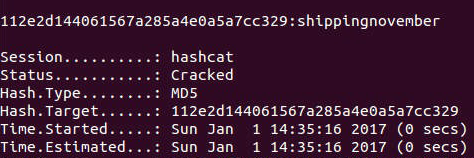
Cracking xkcd Passwords in little time, breaking 12 character passwords in more time… hashing algorithms…

Posted by jpluimers on 2018/03/29

via [WayBack] Cracking xkcd Passwords in 20 Seconds, breaking 12 character passwords and other cyber “I hope I’ve demonstrated that you need unique words, digits and … – Kristian Köhntopp – Google+

Some interesting reads:

–jeroen

Posted in Power User, Security | Leave a Comment »

A beginner’s guide to beefing up your privacy and security online

Posted by jpluimers on 2018/03/19

Want to protect your security and privacy? Here are some places to start:

via: [WayBackI think I’ll keep this article somewhere where I can easily share it with the famz the coming days :) – Roderick Gadellaa – Google+

–jeroen


Posted in Power User, Security | Leave a Comment »

Packet Sender is a good tool when debugging protocols: free utility to send & receive network packets. TCP, UDP, SSL

Posted by jpluimers on 2018/03/07

It was fitting to bump into [WayBack] Packet Sender is a good tool when debugging protocols…” Written by Dan Nagle… – Lars Fosdal – Google+ on the day presenting [WayBack] Conferences/Network-Protocol-Security.rst at master · jpluimers/Conferences · GitHub

It also means that libssh2-delphi is getting a bit more love soon and will move to github as well after a conversion from mercurial.

Some of the things I learned or got confirmed teaching the session (I love learning by teaching):

Here is some more info:

–jeroen

Read the rest of this entry »

Posted in Communications Development, Delphi, Development, Encryption, Hardware, Harman Kardon, Home Audio/Video, HTTP, https, HTTPS/TLS security, Internet protocol suite, Let's Encrypt (letsencrypt/certbot), OpenSSL, Power User, Security, Software Development, TCP, TLS | Leave a Comment »

»Smart car = vulnerable car Smart watch = vulnerable watch Smart home =…

Posted by jpluimers on 2018/03/02

I wonder what has become of Hypponen’s law:

Whenever an appliance is described as being “smart”, it’s vulnerable.

[WayBack»Smart car = vulnerable carSmart watch = vulnerable watchSmart home = vulnerable home«– https://twitter.com/mikko/status/808291700921737216 – Jeroen Wiert Pluimers – Google+

via:

[WayBack] »Smart car = vulnerable carSmart watch = vulnerable watchSmart home = vulnerable home«– https://twitter.com/mikko/status/808291700921737216 – Kristian Köhntopp – Google+

–jeroen


Posted in Power User, Security | Leave a Comment »

Does this company still exist today? ; DROP TABLE “COMPANIES”;– LTD

Posted by jpluimers on 2018/02/01

About a year ago, this company was incorporated: https://beta.companieshouse.gov.uk/company/10542519

; DROP TABLE “COMPANIES”;– LTD

[WayBack; DROP TABLE “COMPANIES”;– LTD – Overview (free company information from Companies House)

via: [WayBack] From the Trololo-Dept: https://beta.companieshouse.gov.uk/company/10542519 – Kristian Köhntopp – Google+

–jeroen

Posted in Database Development, Development, Power User, Security | Leave a Comment »

Using hardware security tokens cross-platform is only slightly more complicat…

Posted by jpluimers on 2018/01/17

Thanks for the excellent comment explaining how to use hardware tokens as a comment to [WayBack] Using hardware security tokens cross-platform is only slightly more complicated than piloting a Space Shuttle. ##sarcasm – Jan Wildeboer – Google+

Jan Wildeboer:

+Jeroen Wiert Pluimers OK. Let’s look a bit at how this works. There are several competing standards/ways to use a security token. Typically you’ll decide between the two most used ones. As a CCID device AKA SmartCard with OpenSC or using gpg-agent. And that’s an either/or question. Some of the security tokens can only work with gpg-agent, some can do both (but not at the same time) and some are only useful as CCID style (e.g. the Nitrokey HSM).

OK. So now we look at platforms. CCID using OpenSC mostly works everywhere, but you might need to install some additional software depending on your OS. Older versions of MacOS X were notoriously bad, since (High) Sierra it has become better.

On Linux it again really depends. The gnome-keyring-agent that is active in a Gnome session really messes everything up, so better deactivate that. Which is not really trivial. But you have to have a socket for ssh-agent to pick up the key, so some stuff goes to your .bash.rc and you have to make some changes to Gnome config.

If you want to use a Yubikey for 2FA, note that it cannot do TOTP (Time based One Time Password) which Amazon wants for AWS auth. So you need another helper app on your computer.

Here’s some articles that explain it in detail:

The middle two links are actually part of the series [WayBack] Yubikey All The Things | EngineerBetter | More than Cloud Foundry specialists which has a third post [WayBack] Yubikeys for Static Secrets | EngineerBetter | More than Cloud Foundry specialists

–jeroen

Posted in *nix, *nix-tools, Communications Development, Development, Internet protocol suite, Power User, Security, SSH, TCP | Leave a Comment »

badssl.com

Posted by jpluimers on 2018/01/11

I wish I had bumped into this when it got released in 2015: [WayBackbadssl.com hosted in the cloud and maintained by two people from Google and Mozilla.

Where ssllabs.com is for checking server-side certificates, this one is for checking clients against many, many (did I already write MANY?) server side configurations both good (with a varying set of security settings like cyphers and key exchanges) and bad.

One of the bad ones is expired.badssl.com which your clients should not be able to connect to without throwing a big error.

Sources are at [WayBack] GitHub – chromium/badssl.com: Memorable site for testing clients against bad SSL configs.

Before using, please read their

Disclaimer

badssl.com is meant for manual testing of security UI in web clients.

Most subdomains are likely to have stable functionality, but anything could change without notice. If you would like a documented guarantee for a particular use case, please file an issue. (Alternatively, you could make a fork and host your own copy.)

badssl.com is not an official Google product. It is offered “AS-IS” and without any warranties.

–jeroen

Posted in Communications Development, Development, HTTP, https, Internet protocol suite, Security, Software Development, TCP, TLS, Web Development | Leave a Comment »