


So you thought percussion was easy? Try repeating Joe Martone playing parts of West Side Story:
–jeroen
Posted by jpluimers on 2021/04/05
So you thought percussion was easy? Try repeating Joe Martone playing parts of West Side Story:
–jeroen

Posted in About, LifeHacker, Music, Personal, Power User | Leave a Comment »
Posted by jpluimers on 2021/04/02
I bumped into [WayBack] Print Friendly & PDF: Make a Printer Friendly & PDF version of any webpage.
Though Chrome has built-in PDF output support, often web sites render like a mess with it.
Hopefully the above site makes better PDFs in those cases.
I will try to use it for those, and get back if it works.
Via:
–jeroen
Posted in PDF, Power User | Leave a Comment »
Posted by jpluimers on 2021/04/02
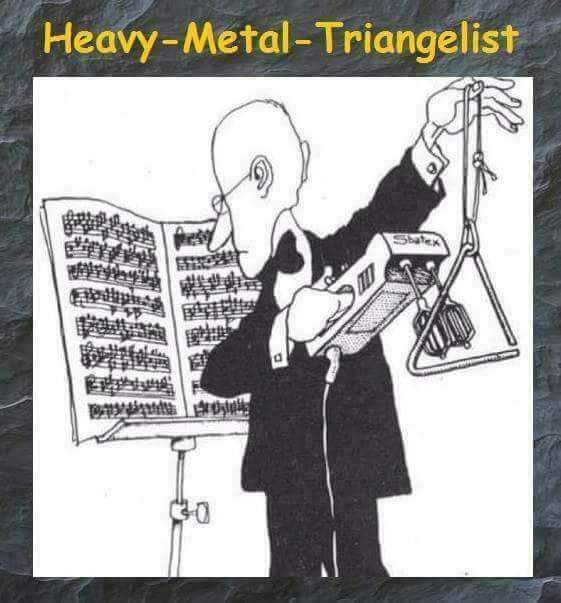
[WayBack] Do we have songs with Triangelist? 😁🤘 | Metal Amino
Via:
–jeroen

Posted in Fun, Music | Leave a Comment »
Posted by jpluimers on 2021/04/02
A similar ESXi 6.5 box worked well to ssh into, but on ESXi 6.7 it failed:
SSH into ESXi 6.7 box resulting in “
debug1: expecting SSH2_MSG_KEXDH_REPLY“, delay and after entering password “Permission denied, please try again.“
I had a hard time figuring out why: Login with the same user+password on the web user interface, DCUI and console shell work fine (see [WayBack] Enable SSH on VMware ESXi 6.x – VirtuBytes).
Searches that led me to EBCAK:
Posted in ESXi6.5, ESXi6.7, Hardware, IPMI, Mainboards, Power User, PowerCLI, SuperMicro, Virtualization, VMware, VMware ESXi | Leave a Comment »
Posted by jpluimers on 2021/04/01
rm -fr /Deletes all french files from the linux server.
Source: [WayBack] Czarkuberneteski on Twitter: “rm -fr / Deletes all french files from the linux server.”
–jeroen
Posted in Apri1st, Fun | Leave a Comment »
Posted by jpluimers on 2021/04/01
[WayBack] Exit Vim 2 Win shows the use of vim.js for a challenge.
Source code at [WayBack] GitHub – idoco/exit-vim-2-win: Exiting vim eventually
–jeroen
Posted in Apri1st, Development, Fun, JavaScript/ECMAScript, Software Development | Leave a Comment »
Posted by jpluimers on 2021/04/01
If you’re out of prank ideas: [WayBack] Ship Your Enemies Glitter
Prank your Friends and Enemies. Let us send them some stupid glitter that is guaranteed to go everywhere. You don’t have to move a muscle. Just tell us their address, write a funny note, and leave the rest up to the pros. Prank on Demand!<
Via:
–jeroen

Posted in Apri1st, Fun, LifeHacker, Power User, Prank | Leave a Comment »
Posted by jpluimers on 2021/03/31
Based on [WayBack] linux – How can I execute a series of commands in a bash subshell as another user using sudo? – Stack Overflow:
alias restart-spotlight-service-as-root="sudo bash -c 'echo stop;launchctl stop com.apple.metadata.mds;echo start;launchctl start com.apple.metadata.mds;echo started'"
The bold bits above sudo bash -c 'echo stop;launchctl stop com.apple.metadata.mds;echo start;launchctl start com.apple.metadata.mds;echo started' allow the commands between single quotes to executed in one new bash shell under sudo.
–jeroen
Posted in *nix, *nix-tools, Apple, bash, bash, Development, Mac OS X / OS X / MacOS, Power User, Scripting, Software Development | Leave a Comment »
Posted by jpluimers on 2021/03/31
Passing verbosity levels to msbuild on the one hand can help to quickly locate issues that go otherwise unnoticed, but also make your output so large that it is hard to search through.
Some build targets (Delphi!) do not pass the verbosity to their underlying tools, so for those cases you have to find other means to increase underlying verbosity.
You can always pass msbuild options by using the commandline (even abbreviate them as described in [WayBack] MSBuild Command-Line Reference – Visual Studio | Microsoft Docs: You can specify the following verbosity levels: q[uiet], m[inimal], n[ormal], d[etailed], and diag[nostic]).
Often you also can use your IDE can also specify verbosity levels, for instance:
Under Tools – Options – Projects and Solutions – Build and Run, there’s the MSBuild project build output verbosity combo box.
To control the level of output from MSBuild, use the Verbosity field on the Tools
-> Options ->
The currently specified verbosity values in ascending order according to [WayBack] LoggerVerbosity Enum (Microsoft.Build.Framework) | Microsoft Docs:
Quiet0 Quiet verbosity, which displays a build summary. Minimal1 Minimal verbosity, which displays errors, warnings, messages with MessageImportance values of High, and a build summary. Normal2 Normal verbosity, which displays errors, warnings, messages with MessageImportance values of High, some status events, and a build summary. Detailed3 Detailed verbosity, which displays errors, warnings, messages with MessageImportance values of High or Normal, all status events, and a build summary. Diagnostic4 Diagnostic verbosity, which displays all errors, warnings, messages, status events, and a build summary.
Note that in the past, Detailed was called Details:
[WayBack] visual studio 2010 – What is output at the different MSBuild output verbosity levels? – Stack Overflow:
- Quiet: only shows the result of your build.
- Minimal: shows some configurations of your msbuild, and the CSC task.
- Normal: This will show all the targets and its mainly steps.
- Details: In addition to normal, this flag shows the task and it’s implementation within the each target.
- Diagnostic: Contains all the information that a MSBuild need and produce, it’s switches, parameteres, prerequisites and etc. The input parameter of the target and task, and also contains the value of the input and output parameter, the detail steps of the task execution. The time execution for each task.
In matrix form, as per [WayBack] Obtaining Build Logs with MSBuild – Visual Studio | Microsoft Docs:
The following table shows how the log verbosity (column values) affects which types of message (row values) are logged.
Quiet Minimal Normal Detailed Diagnostic Errors ✅ ✅ ✅ ✅ ✅ Warnings ✅ ✅ ✅ ✅ ✅ High-importance Messages ✅ ✅ ✅ ✅ Normal-importance Messages ✅ ✅ ✅ Low-importance Messages ✅ ✅ Additional MSBuild-engine information ✅
–jeroen

Posted in Continuous Integration, Delphi, Development, msbuild, Software Development | 1 Comment »
Posted by jpluimers on 2021/03/31
Did you ever get this run-time error in a console or test project?
EOleException with message 'Microsoft MSXML is not installed'
It means that CoInitialize or CoInitializeEx needs to be called in the thread that uses MSXML.
Then an easy workaround is to:
System.Win.ComObj in any unit that (indirectly) uses Xml.XMLDoc (for instance any unit using an XML Data Binding generated unit),TProcedure used below)initialization section (which is what VCL TApplication.Initialize does):
if InitProc <> nil then TProcedure(InitProc); // Calls CoInitialize for the main thread and prevents "EOleException with message 'Microsoft MSXML is not installed'"
The initialization section of System.Win.ComObj sets up InitProc to cals CoInitialize for the main thread, which usually suffices for these simple VCL projects, but not for most console or test projects.
Based on ideas I got after reading [WayBack] 为什么LoadXMLDocument在线程类中使用会报错?-CSDN论坛 (for which Google Translate actually does a goot job [Archive.is])
–jeroen
Posted in Conference Topics, Conferences, Delphi, Development, Event, Software Development, Undocumented Delphi | Leave a Comment »




 The Wiert Corner - irregular stream of stuff