Archive for 2015
Posted by jpluimers on 2015/04/14
A few people asked, so below is a picture of just a piece of my books closet.
From left to right:
Object Professional 1.0 manuals volume 1-3BTree Filer 5.0 manualTurbo Professional manual (from 1985 !)Borland Paradox Engine 3.0 manualsCrystal Reports Developers Edition
Borland Open Architecture Handbook for PascalTurbo Pascal 5.5 OOP GuideTurbo Pascal 5.5 Reference Guide
Turbo Pascal 5.5 User’s Guide
Turbo Pascal Quick Reference Programming with Turbo Vision
This is only the front-left portion of one shelve. Most shelves are two deep and about 4 times as wide as what you see here (:
I have floppies somewhere in my archive too. Need to dig them up some day.
–jeroen
via:
Read the rest of this entry »
Posted in Delphi , Delphi XE8 , Development , History , Pascal , Software Development , Turbo Pascal | 6 Comments »
Posted by jpluimers on 2015/04/13
As a follow up on the Cntlm configuration post last week , here is a small batch file that will find Cntlm.exe (on x86 and x64 systems) then start it in verbose mode.
Learn more about bidirectional Unicode characters
call :start %ProgramFiles%
call :start %ProgramFiles(x86)%
goto :end
:start
startlocal
set cntlm = " %* \Cntlm\Cntlm.exe"
echo %cntlm%
if exist %cntlm% start " Cntlm verbose" %cntlm% -v
endlocal
goto :end
:end
–jeroen
Posted in Cntlm , Development , Fiddler , NTLM , Power User , Web Development , Windows , Windows 7 , Windows 8 , Windows 8.1 , Windows Server 2003 , Windows Server 2003 R2 , Windows Server 2008 , Windows Server 2008 R2 , Windows Vista , Windows XP , Windows-Http-Proxy | Leave a Comment »
Posted by jpluimers on 2015/04/10
This is an elaboration of How to fill proxy information in cntlm config file – Stack Overflow .
When digging around how to get authentication stuff going, I want as much information, so this was the command-line I used:
cntlm.exe -v -c cntlm.ini -I -M http://www.bbc.co.uk
The -v is important: it shows you why things fail, and where: It also shows you the NTLM headers sent back/forth over the wire.
These are the switches used:
-v verbose
-c configuration file
-I interactive (prompt for password)
-M magically detect the NTLM level used by the proxy
Since it is unsafe to store plain text passwords in configuration files, cntlm allows you to store the hashes .
Storing hashes not passwords locally is safer, but not much safer. See for instance Still Passing the Hash 15 Years Later: Guest Post: Let’s talk about Pass-the-Hash by Scriptjunkie the video How to own a Windows Domain or search for Mark Russinovich video windows hash ntlm hack .
Anyway: you can generate the password hashes using either Read the rest of this entry »
Posted in Development , DVCS - Distributed Version Control , Fiddler , git , HTTP , Internet protocol suite , Mercurial/Hg , NTLM , Power User , Software Development , Source Code Management , TCP , Web Development , Windows , Windows 7 , Windows 8 , Windows 8.1 , Windows Server 2008 , Windows Server 2008 R2 , Windows Vista | 1 Comment »
Posted by jpluimers on 2015/04/09
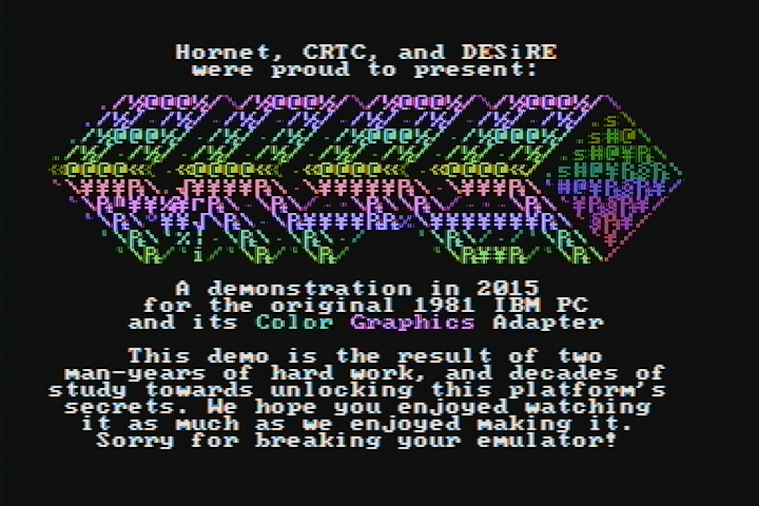
Oh Mein Gott… .
Demo party time. Amazing. As it runs on an early 4.77 Mhz IBM 8088 PC with CGA video.
–jeroen
Posted in History | Leave a Comment »
Posted by jpluimers on 2015/04/09
A while ago I wrote about Delphi XE7 is out with version 21.0.17017.3725; Spring4D is almost ready , now I can repeat parts of it for XE8.
The download links for Delphi XE8, C++Builder XE8 and RAD Studio XE8 are there: ftpd and altd . A whopping 7,217,184,768 bytes (compare that to XE7 update 1 at 5,649,917,952 bytes: almost 30% increase) that has been seeded a few days ago with the version time stamped at the end of last month (like xe7), here is the version number: 22.0.19027.8951 .
Before installing, note that in addition to the below documentation links:
Be sure to have at least 70 gigabytes of free disk space before you attempt to install.
This in addition to the almost 7 GiB ISO file (:
The download is fast as altd is on akamai: the 7 GiB downloaded in about 16 minutes. Google can do the math .
XE8 doc links
Spring4D
On the Spring4D side, Stefan and Honza have added XE8 support , so a new release of that can be near.
–jeroen
Posted in Delphi , Delphi XE8 , Development , Software Development | 9 Comments »
Posted by jpluimers on 2015/04/09
mos6502 wrote a really nice post on G+ with this quote:
“This is currently the oldest publicly available piece of source written by Bill Gates.”
A must read if you ever used Microsoft BASIC on a 6502 machine.
Lots of link to various sources of the Microsoft BASIC (it was developed on a PDP-10 that could even run the outputed 6502 assembly!)
–jeroen
via: We’ve already had some posts on the BASIC programming language for the 6502,… .
Posted in 6502 , BASIC , Development , History , Software Development | Leave a Comment »
Posted by jpluimers on 2015/04/08
On the research list because of this v1.5.1.90 feature:
{% for variable in Variables %}
{% if variable.Name == 'MyAwesomeBuildVariable' and variable.Value != '' %}
My Awesome Build Variable: {{ variable.Value }}
{% endif %}
{% endfor %}
Just to see if it can help solving this issue I am having :
Wish: expansion of both $$ and %% in the same string.
To circumvent this error (where %TargetVersion%=XE2):
Could not expand query ‘$Agent.Delphi.%TargetVersion%.Path$’. Object reference not set to an instance of an object.
–jeroen
via:
Posted in Continua CI , Continuous Integration , Development , Software Development | Leave a Comment »
Posted by jpluimers on 2015/04/07
During any software life cycle, you will want to phase out some code, and most likely want to mark code to be phased out in the future.
So here are two examples on how to do that in C# and in Delphi that just shows the effects of obsoleting/deprecating code.
Read the rest of this entry »
Posted in .NET , .NET 1.x , .NET 2.0 , .NET 3.0 , .NET 3.5 , .NET 4.0 , .NET 4.5 , C# , C# 1.0 , C# 2.0 , C# 3.0 , C# 4.0 , C# 5.0 , C# 6 (Roslyn) , Delphi , Delphi 2005 , Delphi 2006 , Delphi 2007 , Delphi 2009 , Delphi 2010 , Delphi 6 , Delphi 7 , Delphi 8 , Delphi XE , Delphi XE2 , Delphi XE3 , Delphi XE4 , Delphi XE5 , Delphi XE6 , Development , Software Development | 6 Comments »
Posted by jpluimers on 2015/04/06
My response to the comments in Cut and Paste Files & Folders in Mac OS X got a bit took long. So here is it in an article:
Indeed. CUA . The days (:CUA site:wiert.me stuff from the past) as it defines a lot of modern UI and user experience.
In fact the history of Ctrl-C and Command-C goes back until before System 1 (the OS for the first Macintosh) which indeed had the Open Apple Key shortcuts , but didn’t introduce them.
The Command Key was introduced in the Apple III and became more popular in the Apple //e and //c (I own both) where AppleWorks was already using these shortcuts in 1986 .
It is funny to notice that Apple keyboards lost their logo keys but Windows keyboards gained them .
Some Apple keyboard pr0n can be found on Wikipedia .
–jeroen
Posted in 6502 , History , IBM SAA CUA , Keyboards and Keyboard Shortcuts | 1 Comment »
Posted by jpluimers on 2015/04/06
Thanks User Chris Page – Stack Overflow for answering on StackOverflow:
How to open a Terminal from a selected Folder in the Finder Hoe wo open a Finder at the current Folder in a Terminal
Some quotes of his answer :
As of Mac OS X Lion 10.7, Terminal includes exactly this functionality as a Service. As with most Services, these are disabled by default, so you’ll need to enable this to make it appear in the Services menu.
System Preferences > Keyboard > Keyboard Shortcuts > Services
Enable New Terminal at Folder. There’s also New Terminal Tab at Folder, which will create a tab in the frontmost Terminal window (if any, else it will create a new window). These Services work in all applications, not just Finder, and they operate on folders as well as absolute pathnames selected in text.
…
In addition, Lion Terminal will open a new terminal window if you drag a folder (or pathname) onto the Terminal application icon, and you can also drag to the tab bar of an existing window to create a new tab.
…
Finally, if you drag a folder or pathname onto a tab (in the tab bar) and the foreground process is the shell, it will automatically execute a “cd” command. (Dragging into the terminal view within the tab merely inserts the pathname on its own, as in older versions of Terminal.)
…
You can also do this from the command line or a shell script:
open -a Terminal /path/to/folder
This is the command-line equivalent of dragging a folder/pathname onto the Terminal application icon.
–jeroen
via: osx – Open terminal here in Mac OS finder – Stack Overflow .
Posted in Apple , Mac , Mac OS X / OS X / MacOS , Mac OS X 10.7 Lion , OS X 10.8 Mountain Lion , OS X 10.9 Mavericks , Power User | 2 Comments »


 The Wiert Corner - irregular stream of stuff