


The Wine Country fires destroyed an irreplaceable piece of Silicon Valley history
Source: [WayBack/Archive.is] Loss of Hewlett-Packard Archive a Wake-Up Call for Computer Historians – IEEE Spectrum
Via: [WayBack] Alan Cox – Google+
–jeroen
Posted by jpluimers on 2017/10/31
The Wine Country fires destroyed an irreplaceable piece of Silicon Valley history
Source: [WayBack/Archive.is] Loss of Hewlett-Packard Archive a Wake-Up Call for Computer Historians – IEEE Spectrum
Via: [WayBack] Alan Cox – Google+
–jeroen

Posted in History | Leave a Comment »
Posted by jpluimers on 2017/10/31
The new [Archive.is] IDE Fix Pack 6.1 released | Andy’s Blog and Tools is huge, especially for Windows 10 targets:
Windows 10 Creators Update 1703 caused issues with all Delphi programs, libraries and packages because it changed how Windows loads imported DLLs in such a way that it causes performance issues and can crash the debugger.
Delphi 10.2 Tokyo Update 2 fixed this by not producing multiple dll import sections for one DLL anymore.
IDE Fix Pack 6.1 implements that “feature” for all previous Delphi versions (2009-10.1 Berlin) and extends it to not only eliminate duplicate dll imports but also duplicate delay dll imports.
There are also (optional) updates that you can enable with new compiler switches:
fwait instructions (but be careful, as they can confuse the debugger)There are some smaller changes too.
I’m going to try this soon.
–jeroen
Posted in Delphi, Development, Software Development | 2 Comments »
Posted by jpluimers on 2017/10/31
I needed the script in [WayBack] Firebird – generate time/date/timestamp values to reproduce a problem in Database Workbench <= 5.3.2 with exporting TIME and TIMESTAMP values to Excel xlsx format: the time portion got lost so
1900-01-00 (I think the 00 is because of the infamous 1900 problem that also makes this hard: Excel worksheet function – How do I get the weekday name of a date?)The bug is fixed so will appear in the next beta and release versions: [WayBack] 0001506: Timestamp export to Excel XLSX only shows date, Time fails, CSV shows both date and time – Bug & Feature Tracker @ Upscene.com
–jeroen
Posted in Database Development, Development, Firebird, Software Development, SQL | Leave a Comment »
Posted by jpluimers on 2017/10/31
A few tricks to write long strings to files when the Delphi debugger cuts them off (just because they like using 4k buffers internally);
TStringStream.Create(lRequestMessage).SaveToFile('c:\temp\temp.txt')TIniFile.Create('c:\a.txt').WriteString('a','a',BigStringVar)TFileStream.Create('c:\a.txt', fmCreate or fmShareDenyNone).WriteBuffer(Pointer(TEncoding.UTF8.GetBytes(BigStringVar))^,Length(TEncoding.UTF8.GetBytes(BigStringVar)))They all work form the debug inspector, but they do leak memory. See comments below.
Via:
–jeroen
Posted in About, Conference Topics, Conferences, Delphi, Development, Encoding, Event, Software Development | 6 Comments »
Posted by jpluimers on 2017/10/30
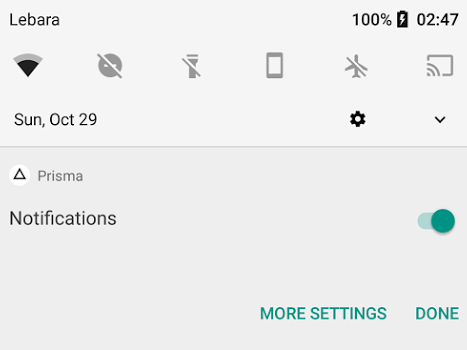
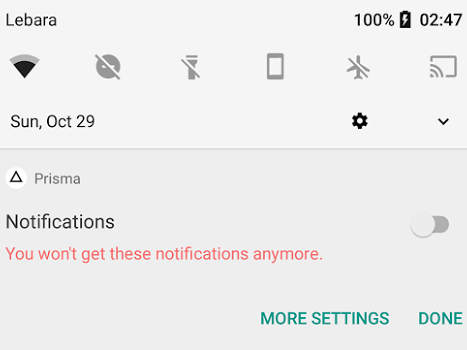
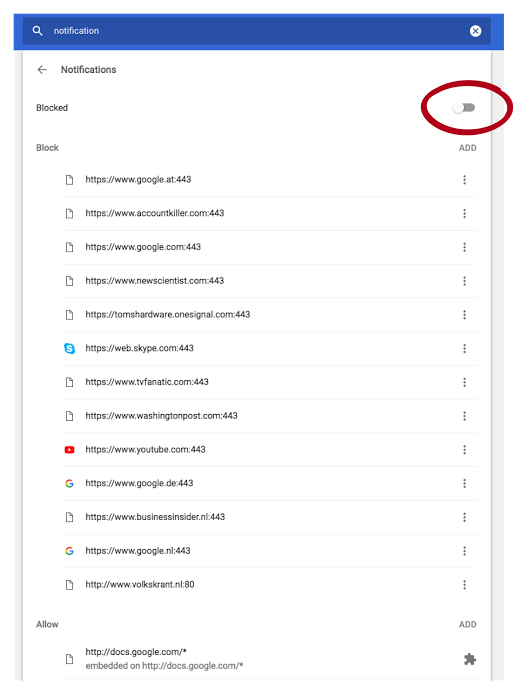
Android apps make sounds when posting notifications. So adding useless gets you on the blacklist quickly thereby disallowing your app for posting any notifications at all.
Kristian shows how and why at
How to lose notification privilege:
- Use notification for marketing.
- Long press.
- Disable.
It’s that easy. You never force grab my attention for marketing a second time, especially since Android notifications by default come with sound now. This one woke me up.
–jeroen

Posted in Android Devices, Google, Power User | Leave a Comment »
Posted by jpluimers on 2017/10/30
Mikrotik and SFP versus SFTP+ is always confusing especially as the text on their equipment and their documentation doesn’t show well which situations work.
Equipment text is further on, this is their text searchable documentation:
| Brand | Model | Distance | Rate | Connector/Cable type | Wavelength | Tested with | Works / Doesn’t |
|---|---|---|---|---|---|---|---|
| MikroTik | S+DA0003 | 3M | 10G | Twinax Copper | — | All MikroTik products with SFP/SFP+ interfaces | Natively supported |
As usually, a long search in the forums reveals the background information:
[WayBack] SFP in SFP+ slot – MikroTik RouterOS: 10Gb SFP+ sockets are usually backward compatible with SFP, but this is not guaranteed.
There are two tricks involved to get an SFP connection between these devices working:

Posted in Internet, MikroTik, Power User, routers | Leave a Comment »
Posted by jpluimers on 2017/10/30
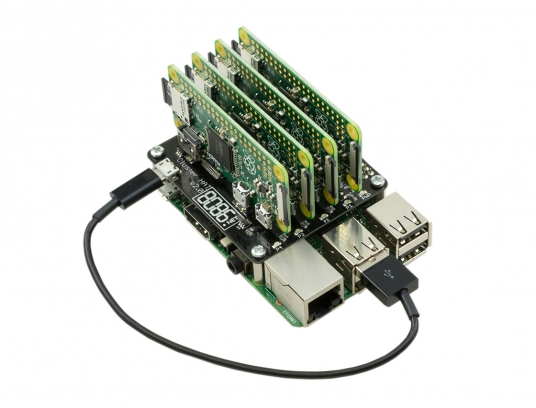 Interesting stuff; I wonder if there is a case for it as well:
The Cluster HAT interfaces a (Controller) Raspberry Pi A+/B+/2/3 with 4 Raspberry Pi Zeros Configured to use USB Gadget mode, it is an ideal tool for teaching, testing or simulating small scale clusters.
This Kit Includes 1 x Cluster HAT V2, 4 x Raspberry Pi Zero’s, 4 x 16GB Micro SD Cards.
Please Note. A Raspberry Pi B+/2/3, with SD Card & Power Supply are also required for set up. These items are NOT Included in the Kit but can be purchased separately.
Source: [WayBack] ModMyPi | Cluster HAT Kit Inc. 4 x Raspberry Pi Zero
Via Matthijs ter Woord.
–jeroen

Posted in Development, Hardware Development, Hardware Interfacing, Raspberry Pi | 2 Comments »
Posted by jpluimers on 2017/10/27
Maybe for my LoT (LAN of Things): having multiple (even many) local LANs some each with their section of LoT equipment nicely separated and partially being able to talk to some of the other LANs or part of the outside world.
Some links that might help me getting this set up:
The basic plan:
WinBox displays routes in various colors [WayBack]:
Sometimes they show as blue while still being legitimate. Not sure why yet.
–jeroen
Posted in Development, MikroTik, RouterOS, routers, Scripting, Software Development | Leave a Comment »
Posted by jpluimers on 2017/10/27

Accessibiity -> Zoom -> enable checkbox” class=”size-medium” /> Preferences -> Accessibiity -> Zoom -> enable checkbox
I didn’t know this was built-in since Mountain Lion and up, but it is, is startable from the keyboard and it’s tremendously convenient when presenting: [WayBack]: OS X Mountain Lion: Zoom content on the screen.
TL;DR:
–jeroen

Posted in Apple, iMac, Keyboards and Keyboard Shortcuts, Mac, Mac OS X / OS X / MacOS, MacBook, MacBook Retina, MacBook-Air, MacBook-Pro, MacMini, macOS 10.12 Sierra, OS X 10.10 Yosemite, OS X 10.11 El Capitan, OS X 10.8 Mountain Lion, OS X 10.9 Mavericks, Power User | Leave a Comment »
Posted by jpluimers on 2017/10/26
Just over a year after this got posted, I wonder what the current state of affairs is. Did it get a lot worse or just a little (as when writing this in November 2016 my guess is that it won’t get any better soon):
To repeat +Thomas Mueller ‘s words:
Internet of default passwords …
Sounds bad until you realize that it’s even worse. There are millions of devices out there that can be or have already been compromised and can get their owners into deep shit, without their owners even doing anything wrong. And keeping your virus scanner up to date won’t help at all (it doesn’t really protect your PC either, but that’s a different story).Just watch the first 10 minutes of the video, but be warned, it might ruin your day.
Via +Joe C. Hecht:
I found this to be a superior product – If you are into security, this episode was worth a listen. I hear they are into talking about home servers too. I like that.
A new TechSNAP is OUT: http://bit.ly/tsnap288
The Internet of Things is the Internet of Terrible, we’ll round up the week’s stories & submit the TechSNAP solution to you the audience. Plus the security cost of Android fragmentation, great questions & a packed round up!
Source:
Posted in IoT Internet of Things, Network-and-equipment, Opinions, Power User | Leave a Comment »

 The Wiert Corner - irregular stream of stuff