Visual Studio is a wonderful development environment, whose IntelliSense®, integrated debugging, online help, and code snippets help boost your performance as a developer. But just because you’re writing code fast doesn’t mean you’re writing fast code.
Over the few past months, the CLR performance team met with several customers to investigate performance issues in some of their applications. One recurring problem was client application startup time. So in this column, I’ll present lessons we learned analyzing these applications.
Planning for Performance
Your success in reaching your performance goals depends on the process you will be using. A good process can help you achieve the level of performance you need. These four simple rules will help:
Think in Terms of Scenarios Scenarios can help you focus on what is really important. For instance, if you are designing a component that will be used at startup, it is likely that the component will be called only once (when the app starts). From a performance point of view you want to minimize the use of external resources, such as network or disk, because they are likely to be a bottleneck. If you don’t take into account that the component will be used at startup, you could spend time optimizing code paths without seeing any significant improvement. The reason is that most of the startup time will be spent loading DLLs or reading configuration files.
For startup scenarios you should analyze how many modules are loaded and how your app is going to access configuration data (files on disk, the registry, and so on). Refactoring your code by removing some dependencies or by delay-loading modules (which I’ll cover later) could result in big performance improvements.
For code that is called repeatedly (such as a hash or parse function), speed is key. To optimize, you need to focus on the algorithms and minimize the cost per instruction. Data locality is also important. For example, if the algorithm touches large regions of memory, it is likely that L2 cache misses will prevent your algorithm from running at the fastest speed. Two metrics that you can use in this scenario are CPU cost per iteration and allocations per iteration. Ideally you want them both to be low. These examples should illustrate that performance is very context-dependent, and playing out scenarios can help you to tease out important variables.
Next time, before you start writing code, spend some time thinking about the scenarios in which the code will run, and identify which are the metrics and what are the factors that will impact performance. If you apply these simple recommendations, your code will perform well by design.
Set Goals It’s a trivial concept, but sometimes people forget that, in order to decide if an application is fast or slow, you need to have goals to measure against. All performance goals you define (for instance, that the main window of your application should be fully painted within three seconds of application launch) should be based on what you think is the customer expectation. Sometimes it is not easy to think in terms of hard numbers early in the product development cycle (when you are supposed to set your performance goals), but it is better to set a goal and revise it later than not to have a goal at all.
Make Performance Tuning Iterative The process should consist of measuring, investigating, refining/correcting. From the beginning to the end of the product cycle, you need to measure your app’s performance in a reliable, stable environment. You should avoid variability that’s due to external factors (for instance, you should disable anti-virus or any automatic update such as SMS, so they don’t interfere with performance test execution). Once you have measured your application’s performance, you need to identify the changes that will result in the biggest improvements. Then change the code and start the cycle again.
Know Your Platform Well Before you start writing code, you should know the cost of each feature you will use. You need to know, for instance, that reflection is generally expensive so you’ll need to be careful using it. (This doesn’t mean that reflection should be avoided, just that it has specific performance requirements.)
Now let’s move past the planning stage and tackle some coding problems. Startup time can be a problem for client applications with complex UI and connections to multiple data sources. End users expect the main window to appear as soon as they double-click on the app’s icon, so startup time has a big impact on how customers view your application. Knowing the two types of startup scenarios you will be dealing with, cold and warm startup, will help you focus your efforts.
An example of cold startup is when your application starts for the first time after a reboot. Another could be if you start an application, close it, and then launch it again after a long period of time. Cold startup is dominated by hard faults. When an application starts up, if the pages required (code, static data, registry, and so forth) are not present in the OS memory manager’s standby list, disk access is needed to bring those pages into memory. These page requests or page faults are known as hard faults.
In the warm startup scenario (for instance, you have already run a managed application once), it is likely that most of the pages for the main common language runtime (CLR) components are already loaded in memory from where the OS can reuse them, saving expensive disk access time. This is why a managed application is much faster to start up the second time you run it. These soft faults dominate warm startup.
Now that you know what cold and warm startup are, let’s see how you can improve them. The following sections address concrete measures you can take.
Load Fewer Modules at Startup
Cold startup can benefit from loading fewer modules (as you can imagine, the result is less disk access). Even warm startup benefits from loading fewer modules because the associated CPU overhead is avoided. To figure out which modules your application loads, you can use VAdump. VAdump is included in the Platform SDK. If you type vadump –sop <process#> you will see something like Figure 1.
There are some CLR modules that must be loaded every time but you may have some flexibility with others. In the previous example, if you are not using XML and you see System.Xml.ni.dll in the list of modules loaded, it means there is a module in your application that references System.Xml.dll. You can check the code and verify that the reference is actually necessary. If you remove the unnecessary reference, you can improve the startup profile and working set of your app.
To reduce the number of loaded modules you can also avoid code paths that require additional modules. Very often, minor code refactoring can help avoid loading additional DLLs. For example consider the following code:
void Start() {
    try {
        LaunchApplication();
    } catch (Exception e) {
        TypeInAnotherAssembly.DisplayMessageBox("error");
    }
}
When the CLR just-in-time (JIT) compiles the Start method it needs to load all assemblies referenced within that method. This means that all assemblies referenced in the exception handler will be loaded, even though they might not be needed most of the time the application is executed. In such cases, the code in the exception handler can be moved to a separate method, say ProcessException(Exception). Assuming ProcessException is large enough that it will not get inlined (otherwise the Microsoft® intermediate language, or MSIL code, would be very similar to the code generated for the previous example), the type from the other assembly is not referenced in the Start method, so the CLR JIT will not need to load it (if it is small enough to be inlined, you can use a MethodImplAttribute on the method to prevent inlining). It will be loaded only when the code throws the exception and ProcessException needs to be compiled. Of course, this is only a simple example; other times you might need to make more significant changes in order to achieve the same result.
Another way to reduce the number of modules loaded is by merging multiple modules into one. Clearly this applies only if you have control over them. In terms of the CPU, assembly loads have fusion binding and CLR assembly-loading overhead in addition to the LoadLibrary call, so fewer modules mean less CPU time. In terms of memory usage, fewer assemblies also mean that the CLR will have less state to maintain.
Avoid Unnecessary Initialization
It may seem obvious, but avoiding unnecessary initialization can also improve startup time, and it’s easy to get this wrong. In the Microsoft .NET Framework, any initialization that needs to happen for a class is performed in the class constructor. If that code references other classes, it can cause a cascading effect where a large number of class constructors are executed. Figure 2 shows a simple example.
The DatatType class initializes two fields, among others. This triggers the class constructors of the referenced classes. One instance is of the StringFacetChecker class, which creates an instance of the Regex class in its constructor. Even if the Regex instance is rarely used, you’ll still have to pay the cost of its initialization. By doing the Regex initialization on demand rather than as part of the class constructor, you can reduce the performance cost of the DataType class for most of the applications that will use it.
Place Strong-Named Assemblies in the GAC
If an assembly is not installed in the Global Assembly Cache (GAC), you will pay the cost of hash verification of strong-named assemblies along with native code generation (NGEN) image validation if a native image for that assembly is available in the machine. In other words, if an assembly is strong named, the CLR will ensure the integrity of the assembly binary by verifying that the cryptographic hash of the assembly matches the one in the assembly manifest. But if the assembly is in the GAC, this verification can be skipped because the verification is performed as part of installation into the GAC and any update requires administrative permissions. So the CLR is basically assured that changes have not occurred.
The hash verification process is expensive because it involves touching every page in the assembly, which can be bad for cold startup. Also, the hash computation is CPU-intensive and thus impacts warm startup, too. The extent of the impact depends on the size of the assembly being verified.
If an assembly has been precompiled using NGEN but it is not installed in the GAC, then during binding, fusion needs to verify that the native image and the MSIL assembly are the same version (to avoid cases where a newer version of the assembly is deployed on the machine but a newer version of the native image is not generated). In order to accomplish that, the CLR needs to access pages in the MSIL assembly, which can hurt cold startup time.
As an aside, if you are going to deploy assemblies marked with the AllowPartiallyTrustedCallersAttribute to the GAC, make sure you have carefully reviewed them to ensure they don’t make you vulnerable to any security exploits. Assemblies installed in the GAC can be called by any managed code application, including potential dangerous code downloaded from unsafe sites.
Use NGEN
The JIT compiler compiles methods as they are required during execution. This runtime compilation has several effects on performance. First, JIT compilation consumes CPU cycles. Second, compiled code lives in dynamically allocated heaps which are private to each process. This could have a big impact in scenarios like Terminal Server, where the app scalability can benefit from sharing pages among user sessions. Finally, lots of metadata pages are touched within referenced assemblies, an operation that otherwise might not be required.
CPU consumption during JIT compilation can become a bottleneck in warm startups, and the additional disk accesses incurred can also have a significant impact on cold startup scenarios.
The NGEN tool (installed with the .NET Framework) is used to precompile all methods in an assembly and installs a native image file on the machine so it can be used instead of JIT-compiling the code.
Using NGEN can improve startup because no CPU resources are consumed by the JIT compiler, fewer pages are touched (since the CLR does not need to look up metadata in referenced assemblies), and page sharing across processes is increased because code and data lie in NGEN image pages. (A large number of NGEN image pages are read-only and thus can be shared among processes).
Note the subtle tradeoff here. Using NGEN means trading CPU consumption for more disk access, since the native image generated by NGEN is likely to be larger than the MSIL image. You might be wondering if this could hurt cold startup as it results in increased disk activity. Interestingly, the CLR Performance team has observed that if JIT compilation is completely eliminated, cold startup time typically improves. This is because CLR loads far fewer pages from referenced assemblies as mentioned before, and it does not load mscorjit.dll and the MSIL assembly files.
Anyway, you should always measure cold startup time to determine the impact of NGEN on your scenario and then decide what is the best choice for you. You can get more information about NGEN at Native Image Generator and in the MSDN®Magazine article “NGEN Revs Up Your Performance With Powerful New Features” by Reid Wilkes.
Avoid Rebasing
If you use NGEN, you need to be aware that rebasing could occur when the native images are loaded in memory. If a DLL does not get to load at its preferred base address (because that address range is already allocated to another module or allocation), the OS loader will load it wherever it sees fit. This can be a very expensive operation because the loader has to update all addresses referring to locations within the DLL based on the new address where the DLL is loaded. From a performance point of view, this is bad because the OS loader has to read every page that contains an address, and once a page is written to, it becomes private to that process: the page now needs to be backed by the page file. In addition, cold startup time is impacted because there is a CPU cost associated with updating the DLL addresses, and there is more disk access because more pages must be touched. If you build more than one DLL as part of your application, rebasing will definitively occur when the application is loaded, since the default base address assigned to every DLL is always the same (0x400000).
The quickest way to approximate if one or more modules have been rebased is to use VAdump (vadump –sop <process ID>) and check if there are modules where all the pages are private. If so the module might have been rebased to a different address and thus its pages cannot be shared. You can also use tlist.exe (the Platform SDK command-line equivalent of the task manager) and cross-check if modules are loaded at their preferred address. tlist <process id> will list all modules loaded by the process with the address where they are loaded. You can find out which is the preferred base address by looking at the MSIL image using the Ildasm tool (installed with Visual Studio® 2005 under the SDK directory). If you double-click on the assembly’s manifest you will see, among other information, output like that shown in Figure 3.
The NGEN tool uses the imagebase property in the assembly’s manifest to set the base address for the native image. You can also use Link –dump –headers <native image file> to find out the preferred base address. Native image files can be found under %SystemRoom%\assembly\NativeImages_<.NET Framework version>.
If you detect that one or more modules are rebased, you can fix the problem by recompiling the code, specifying a different base address with the /baseaddress option. In Visual Studio, you can set the base address option from the advanced tab in the project properties by clicking on the Advanced button.
Also, you can use the Rebase tool that ships with the platform SDK, which does not require a recompilation. Native images are usually larger than the corresponding MSIL files, so make sure you take that into account when you set the preferred base addresses to avoid conflict due to the fact that native images are bigger. The Rebase tool does not work for strongly signed assemblies because it would invalidate the signature, and the assembly would not be considered valid.
Application Configuration
Application configuration also affects startup performance. The .NET Framework provides support for retrieving application configuration settings stored in XML format. While this is a convenient feature, you need to be aware of its performance cost. If your application has simple configuration requirements and has strict startup time goals, registry entries or a simple INI file might be a better alternative.
The table in Figure 4 compares two scenarios: using an XML-based config file and a simple text file to read some configuration settings for a simple client application.
As you can see, using config files has an impact on both working set and the number of DLLs that are loaded at startup time. There are, of course, scenarios where XML config files make sense, for instance to save complex settings (debugging/tracing options, configuration for different libraries used in your application, and so on), but they are an unnecessary cost if you have very simple config requirements. For instance, using an XML file to save only the location of the app’s main window is not a wise decision.
The Impact of AppDomains
Often, especially for security reasons, you cannot avoid using multiple AppDomains. However, doing so can limit performance at startup. You can reduce the impact of multiple App Domains if you take into account the following recommendations.
Load Assemblies as Domain Neutral If an assembly is loaded as domain neutral, it means its code can be reused in another AppDomain. If the assembly is loaded in more than one AppDomain as domain bound (which is the default) each AppDomain gets its own copy of the code. This has several bad performance characteristics. First there’s CPU cost. If there is a native image for the assembly, only the first AppDomain can use the native image. All other AppDomains will have to JIT-compile the code which can result in a significant CPU cost.
Next, the JIT-compiled code resides in private memory, so it cannot be shared with other processes or AppDomains. If the assembly did have an NGEN image, then the first AppDomain uses the image. All the other AppDomains have to JIT-compile the code, which means that the MSIL DLL for that assembly is also loaded. This is the worst possible scenario from a cold startup perspective because disk access for that assembly would double.
Loading the assembly as domain neutral ensures that the native image, if one exists, gets used in all AppDomains created in the application. If a native image does not exist there is still a benefit in loading assemblies as domain neutral because code gets compiled just once and then shared by all AppDomains in the application.
Enforce Efficient Cross-AppDomain Communication Needless to say, fewer cross-AppDomain calls are better from a performance standpoint. Calls with no arguments or with simple primitive type arguments offer the best performance.
For methods with reference type arguments, the more complex the object graph the poorer the performance is. In the .NET Framework 2.0, most cross-AppDomain calls have been optimized to perform much better than they did in the.NET Framework 1.1. But there are still cases where method calls may not be able to take advantage of the superior performance. Some common examples are calls on interfaces from domain-bound assemblies, calls with “ref” or “out” arguments, calls to AppDomains with shadow-copying of assemblies turned on, and partial trust AppDomains.
Use NeutralResourcesLanguageAttribute When asked for a resource, the ResourceManager first checks for the existence of satellite assemblies for the current UI culture, then for the parent of the current UI culture, and finally for the neutral culture. If the current UI culture is the neutral culture too, then the CLR can avoid two satellite assembly lookups by directly accessing the neutral culture resources. The NeutralResourcesLanguageAttribute allows a developer to tell the ResourceManager what the neutral culture is. If the ResourceManager finds that the current UI culture is the same as the neutral culture for that assembly, it will access the neutral culture resources directly. This avoids unsuccessful assembly lookups, which tend to be expensive in terms of CPU usage.
Use Serialization Wisely Using serialization (or deserialization) at startup can have a significant negative impact on performance. These are inherently expensive operations in terms of CPU and memory allocation. Moreover, a lot of code is loaded that would probably not have been needed otherwise.
If you must use serialization, it is better if you use the BinaryFormatter class instead of the XmlSerializer class. BinaryFormatter is implemented in the Base Class Library (BCL), or mscorlib.dll. XmlSerializer is implemented in System.Xml.dll, which might represent an additional DLL to load in some scenarios. BinaryFormatter also tends to be faster than XmlSerializer. But as I said, these are general guidelines that you need to test for your own scenario. The recommended approach is to measure speed and memory consumption of the two serialization approaches and then decide which one performs better in your scenario.
If you must use the XmlSerializer, you can achieve better performance if you pre-generate the serialization assembly, an option new to the .NET Framework 2.0. XmlSerializer works by generating an assembly to perform the serialization. This assembly is either generated on the fly, or can be pre-generated using the sgen tool (sgen ships with the .NET Framework 2.0 SDK). In addition to the actual serialization work, the on-the-fly generation involves the use of the CodeDOM to generate C# code. This means invoking the C# compiler to compile the code into MSIL, using reflection to load that assembly, and finally JIT-compiling code within that assembly. I don’t need to remind you how expensive these operations can be.
A must read is “Improving .NET Application Performance and Scalability“. In addition, you can learn more about garbage collection and performance in general at Rico Mariani’s blog and Maoni Stephens’ blog.
Send your questions and comments to  clrinout@microsoft.com.
© 2007 Microsoft Corporation and CMP Media, LLC. All rights reserved; reproduction in part or in whole without permission is prohibited.









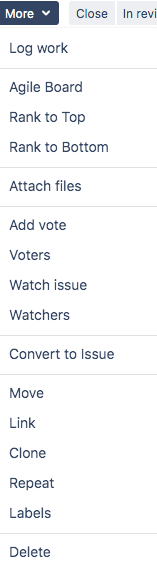
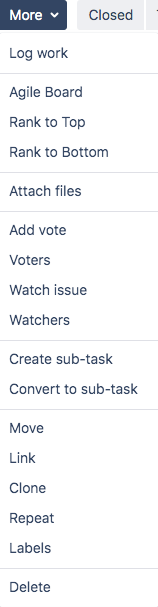 Depending on the issue type, a workflow might be different.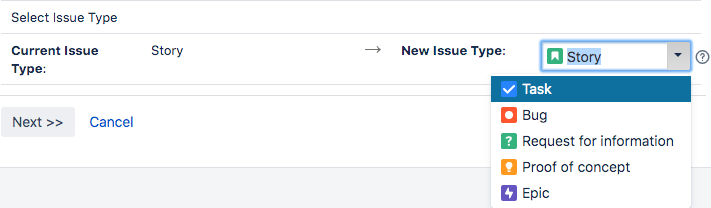

 The Wiert Corner - irregular stream of stuff