The Wiert Corner – irregular stream of stuff

Jeroen W. Pluimers on .NET, C#, Delphi, databases, and personal interests

  • My badges

  • Twitter Updates

  • My Flickr Stream

  • Pages

  • All categories

  • Enter your email address to subscribe to this blog and receive notifications of new posts by email.

    Join 1,861 other subscribers

Archive for the ‘Hardware Development’ Category

MCH2022 badge sneak previews from tweeps that attended the Bitlair 20220709 Sweatshop (@MCH2022Camp)

Posted by jpluimers on 2022/07/10

The MCH2022 badge has an ESP32 (with WiFi!), a RP2040 and an FPGA next to a full colour TFT LCD, buttons (including joystick!), LEDs, LiPo battery, USB-C connector, micro SD-card slot and more (see below) and SHA2017 badge compatibility. How cool is that!

There is a wealth on information for this at [Wayback/Archive] Badge.team (some 22 repositories and counting: [Wayback/Archive] Badge.team: search for repositories containing mch2022).

Good starts are [Wayback/Archive] MCH2022 badge | BADGE.TEAM and [Wayback/Archive] Software Development | BADGE.TEAM (yes of course you can write your own software for it and even distribute it through the [Wayback/Archive] hatchery.badge.team Hatchery).

Below are lots of tweets including some of the Twitter retrospect that organically grew (just like the sweatschop event) on Twitter the day after.

From the original announcement [Wayback/Archive] May Contain Hackers 2022: Presenting: The MCH2022 badge! , this is what hardware is in it

Read the rest of this entry »

Posted in Development, ESP32, Hardware Development, Raspberry Pi, RP2040, Soldering | Leave a Comment »

Jeff Geerling on Twitter: “I plug computers into my computers…” is indeed a PCIe KVM board based on a Raspberry Pi Compute Module 4

Posted by jpluimers on 2022/05/10

Last month, I wrote

Hopefully the picture below is the board of a PCIe KVM board based on a Raspberry Pi Compute Module 4 supporting Power over Ethernet (PoE). At least it seems to looking at the thread started by…

The thread was by Jeff Geerling on Twitter: “I plug computers into my computers…”.

Jeff followed up on this much sooner than I expected with [Wayback/Archive] Jeff Geerling on Twitter: “Hey look! That computer inside a computer thing is real now! It’s the PCIe version of the Blicube KVM: …”

Read the rest of this entry »

Posted in Compute Module, Development, Ethernet, Hardware, Hardware Development, KVM keyboard/video/mouse, Network-and-equipment, PiKVM / Pi-KVM, PoE - Power over Ethernet, Power User, Raspberry Pi, Wake-on-LAN (WoL) | Leave a Comment »

NPoole/BeanCounter

Posted by jpluimers on 2022/05/04

[Wayback/Archive] NPoole/BeanCounter

A Simple, Affordable, Counter for Cut Tape and Partial Reels.

Soon it should become available on [Wayback/Archive] BeanCounter | Crowd Supply

Via [Wayback/Archive] 🌟Cyber City Circuits🌟 on Twitter: “Get hyped. “.

–jeroen

Posted in Development, Hardware Development, LifeHacker, Power User, Soldering | Leave a Comment »

Jeff Geerling on Twitter: “I plug computers into my computers…”

Posted by jpluimers on 2022/04/20

Hopefully the picture below is the board of a PCIe KVM board based on a Raspberry Pi Compute Module 4 supporting Power over Ethernet (PoE).

At least it seems to looking at the thread started by [Wayback/Archive] Jeff Geerling on Twitter: “I plug computers into my computers… “:

It would also very much match the below issue that Jeff raised:

Read the rest of this entry »

Posted in Development, Ethernet, Hardware, Hardware Development, KVM keyboard/video/mouse, Network-and-equipment, PiKVM / Pi-KVM, PoE - Power over Ethernet, Power User, Raspberry Pi | Leave a Comment »

Legrand 7 824 94/96/97 documentation

Posted by jpluimers on 2022/02/10

Legrand 7 824 94/96/97 documentation I have found on-line:

--jeroen

Read the rest of this entry »

Posted in Development, DIY, Hardware Development, Power User | Leave a Comment »

ThinkPad T440p Touchpad Swap: Installing Correct Drivers – YouTube

Posted by jpluimers on 2022/02/08

[Wayback/Archive.is] ThinkPad T440p Touchpad Swap: Installing Correct Drivers – YouTube

One of the most common upgrades for any Haswell (xx40) series ThinkPad is to replace the awful button-less touchpad (sometimes referred to as the ClunkPad) with a T450 touchpad that has the proper buttons for TrackPoint users. However, getting the buttons to work properly on xx40 hardware can be tricky – particularly if you are running Windows 10. In this video you will see how to get drivers installed that will allow you to use the TrackPoint as if this were a T450! As always thanks for watching! Some of the guides I used for this video:

I have edited the link so they show forum post titles, added way-back links, and added some crucial information:

Via [Archive.is] ThinkPads Old and New | Facebook

–jeroen

Posted in Development, Hardware Development, Power User, ThinkPad | Leave a Comment »

The Seven Step Process to Creating an Amazing Demo | by Chris Bensen

Posted by jpluimers on 2022/01/20

On the reading list: [Wayback/Archive.is] The Seven Step Process to Creating an Amazing Demo | by Chris Bensen | Oracle Developers | May, 2021 | Medium

So you have some crazy idea and want to build a demo. This seven step process should help you turn that idea into something amazing

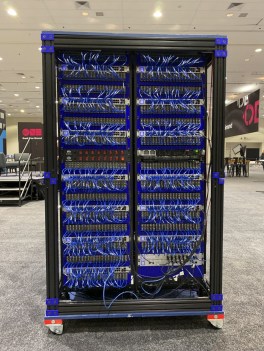
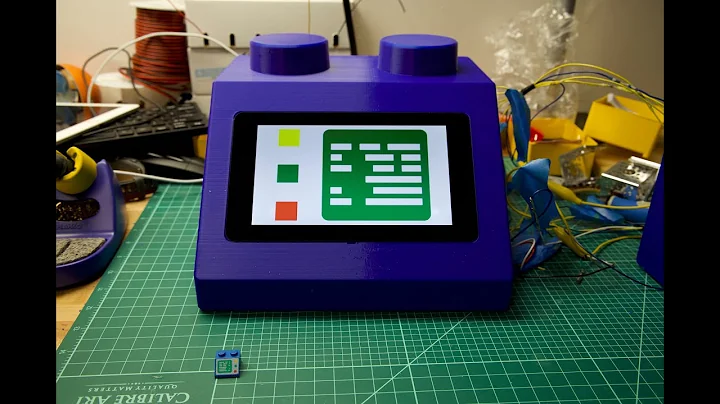
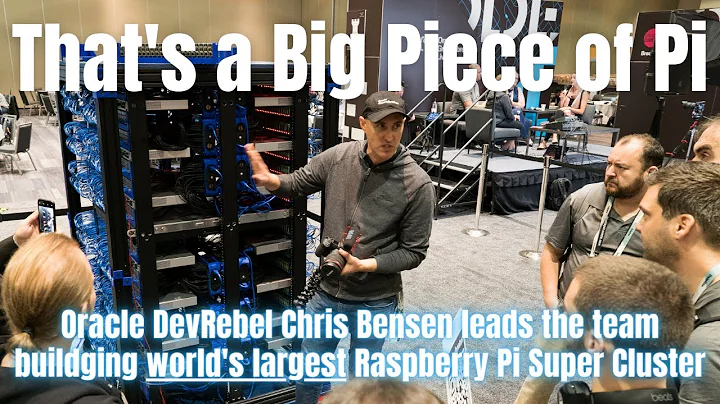
Chris created the World’s Largest 3D Printed Brick Computer and was the driving force behind the Raspberry Pi Mini Super Computer [Wayback].

World’s Largest 3D Printed Brick Computer

World’s Largest 3D Printed Brick Computer

Raspberry Pi Mini Super Computer

Raspberry Pi Mini Super Computer

–jeroen

Read the rest of this entry »

Posted in Development, Geeky, Hardware Development, Raspberry Pi, Software Development | Leave a Comment »

The Definitive T430 Modding Guide | by George Kushnir (https://n4ru.it) | Medium

Posted by jpluimers on 2022/01/13

Lots of ideas, also for the W530 model: [Wayback] The Definitive T430 Modding Guide | by George Kushnir (https://n4ru.it) | Medium.

–jeroen

Posted in Development, Hardware Development, Power User, ThinkPad | Leave a Comment »

LIDL Radio Controlled Wall Clock IAN 100489 English manual

Posted by jpluimers on 2022/01/06

Model 100489-14-01 wall clock

Model 100489-14-01 wall clock

Just in case I need it again.

The signal quality fluctuates during the day (it is a lot better at night when there is less inionisation in the atmosphere), and is worsened by concrete walls (like our home).

Best way to get prolonged reception is at night, on the top floor behind a window or outside.

The clock usually needs between 3 and 10 minutes to pick up the DCF77 signal from the transmitter.

Wall clock manual: [Wayback] 100489_EN.pdf of which this abstract:

DCF77 HD-1688 clock mechanism

DCF77 HD-1688 clock mechanism

Numbers:

  1. M.SET button
    • Press and keep pressed the M.SET button 1 at least 3 seconds. The wall clock switches into manual mode.
    • Press and keep pressed the M.SET button again until the hands reach the correct position for you to set the time.
    • Briefly pressing the M.SET button moves the hands forward in one minute steps to enable you to set the current time manually.
      Note: After 8 seconds without pressing the M.SET button, the wall clock switches out of manual mode and keeps the time as normal. The manually set value is overwritten as soon as reception of the DCF radio time signal is successful.
  2. RESET button
    • Press the RESET button 2 to reset the radio clock settings. Alternatively, remove the batteries from the device and insert them again.
    • The product now automatically starts to search for the DCF radio time signal.
  3. REC button
    • Press and keep pressed the REC button 3 at least 5 seconds. The wall clock attempts to receive the DCF radio time signal. This process takes a few minutes to complete.
  4. Battery compartment
    • Battery type: 1 x 1.5 V ⎓ AA, LR6


More on the signal, transmitter and encoding: DCF77 – Wikipedia, where the below images are from:

DCF77 reception area from Mainflingen

DCF77 signal strength over a 24-hour period measured in Nerja, on the south coast of Spain 1,801 km (1,119 mi) from the transmitter. Around 1 AM it peaks at ≈ 100 µV/m signal strength. During the day, the signal is weakened by ionization of the ionosphere due to solar activity.

Another DCF77 clock I have: CSL Bearware 302658 DCF clock manual

–jeroen

Posted in Development, Encoding, Hardware Development, LifeHacker, Power User, Software Development | 2 Comments »

Fixing a classic Ring Chime that does not power on any more (no blue light)

Posted by jpluimers on 2021/12/23

A well known classic Ring Chime problem is that shortly after warranty expires, it won’t power on any more (no blue light visible at all):

[Wayback] Ring Chime Pro no power – Products / Accessories – Ring Community

Usually the built-in power supply is toast, and it is relatively easy to replace this with a USB power supply.

The below video shows how to do that for a classic Ring Chime Pro.

I’ve repeated the steps for a classic Ring Chime (model 8AC3S5-0EU0) that I got from [Archive.is] Ring Chime – WLAN Türgong für Video Türklingel, weiß: Amazon.de: Alle Produkte

–jeroen

Read the rest of this entry »

Posted in Development, Hardware Development, IoT Internet of Things, Network-and-equipment, Power User, Ring Doorbell/Chime (Amazon) | Leave a Comment »