The Wiert Corner – irregular stream of stuff

Jeroen W. Pluimers on .NET, C#, Delphi, databases, and personal interests

  • My badges

  • Twitter Updates

  • My Flickr Stream

  • Pages

  • All categories

  • Enter your email address to subscribe to this blog and receive notifications of new posts by email.

    Join 1,839 other subscribers

Archive for the ‘Development’ Category

Anders Hejlsberg on Modern Compiler Construction | Seth Juarez | Channel 9

Posted by jpluimers on 2017/05/18

One of those “must watch” videos if you are remotely or more interested in how compilers influence our day to day coding activities.

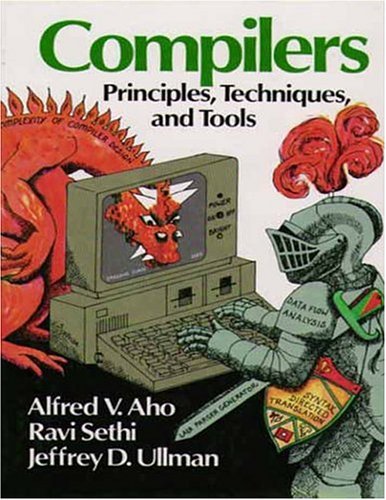
The Red Dragon Book, first edition: Compilers. Principles, Techniques and Tools.

The Red Dragon Book, first edition: Compilers. Principles, Techniques and Tools.

It starts out with referring to the Dragon Book (well, actually the first edition of the Red Dragon Book, as there are three) describing the compilers as having front-ends consisting of a Lexer, Parser and Type Checker and back-ends consisting of Code Generator and Emitter. A full compilation is going through all five stages and there is an increasing cost using these traditional stages when going from syntax highlighting via collapsible regions to red squiggles and code completion will need to go further along those stages taking an increasing time – like seconds or even longer – whereas the user experience requires responses in ~ 100 milliseconds where his code might not even compile in the first place.

Then Anders goes on describing Roslyn, TypeScript and Compiler API JSON interfaces to them so you can run them as a service and keep compiler state, rebuilding just enough of the state on source code changes. He goes on talking about how Visual Studio, Visual Studio Code, Command-Line Compiler, Sublime Text and other tools (can) use these APIs to interact with the compiler so it keeps state of slowly evolving code of which the tools than can emit what they need.

Anders explains this much better and much more visually than I do: so it’s a highly recommended video.

Read the rest of this entry »

Posted in .NET, C#, Delphi, Development, Software Development | 2 Comments »

Delphi Corner Weblog: New: Velthuis.AutoConsole unit – helps against the “optimised” Embarcadero FastMM fork.

Posted by jpluimers on 2017/05/17

Brilliant:

if it is a console program and it was started any other way (from the Windows Explorer, from the Delphi IDE with or without debugger, from another non-console program), then, before the console window can close, it will display:

Press any key...

Source: Delphi Corner Weblog: New: Velthuis.AutoConsole unit [WayBack]

via:

–jeroen

Posted in Delphi, Delphi 10 Seattle, Delphi 10.1 Berlin (BigBen), Delphi 2007, Delphi 2009, Delphi 2010, Delphi XE, Delphi XE2, Delphi XE3, Delphi XE4, Delphi XE5, Delphi XE6, Delphi XE7, Delphi XE8, Development, FastMM, Software Development | Leave a Comment »

If you were using Managed / IManaged in Spring4D, be aware they got renamed to Shared / IShared

Posted by jpluimers on 2017/05/17

Sometimes changes are breaking. In this case it’s a Spring4D change: https://bitbucket.org/sglienke/spring4d/commits/a7c9bc92f30f7b5ec71b4905c1f0d97339b3c807

It renames Managed / IManaged to Shared / IShared and introduces compatibility with weak references.

Together they are the Spring4D manifestation of smart pointers about which I wrote a few times before:

–jeroen

Posted in Delphi, Development, Software Development | 1 Comment »

Bitbucket – when you suddenly cannot login with git username/password from git any more

Posted by jpluimers on 2017/05/16

When logging in using the Web UI with a username

When logging in using the Web UI with a username

As of a few days, I was getting this error in my SourceTree output when pushing to git :

remote: Invalid username or password. If you log in via a third party service you must ensure you have an account password set in your account profile.

I think this is at least related to a change Bitbucket made 2 years ago for their site logon:

You can no longer log in with a username. Use your Atlassian account email address instead.

Source: Bitbucket

Pushing to bitbucket with cached credentials from SourceTree has worked for months. One thing that was different now (and should have given me a clue) the broken [WayBack] broken Git Credentials Manager popup showed but should not have.

When you get this credential manager you have to escape it as otherwise you will get an “Empty password” error.

Broken Git Credential Manager for Windows

Broken Git Credential Manager for Windows

Initially I blamed the error on the SourceTree 2.x upgrade I did last week. Unlike previous upgrades, this one had kept the old version (in my case 1.9.13.7) around and after a few clicks (skipping the “go to download page” prompt forever) and closing SourceTree 2.0, I fas able to start SourceTree 1.9 again.

SourceTree 1.9 had the same problem which meant it was either git itself, or the Bitbucket back-end.

To prove it was the Bitbucket back-end, I did everything An example of this is in the output below.

Solving the problem

What helped were these steps:

  1. Change the git repository from https://jeroenp@bitbucket.org/jeroenp/fastmm.git to
    https://bitbucket.org/jeroenp/fastmm.git
  2. Change the “username” field for the bitbucket repository to be my email address.
  3. Remove any bitbucket cached credentials from SourceTree.
  4. Restart SourceTree.
  5. Performing a push
  6. Cancel the Git Credential Manager popup
  7. Use my primary bitbucket email address for logon

Now SourceTree happily cached my credentials.

I’ve used this to scan the git config files for ones starting with a username:

grep -inSwl jeroenp@bitbucket config

Notes:

From the console

Reproduction of the issue:

C:\Users\jeroenp\Versioned\FastMM>git --version
git version 2.12.2.windows.1

C:\Users\jeroenp\Versioned\FastMM>git -c diff.mnemonicprefix=false -c core.quotepath=false push -v --tags --set-upstream bitbucket develop:develop
Pushing to https://jeroenp@bitbucket.org/jeroenp/fastmm.git
Logon failed, use ctrl+c to cancel basic credential prompt.
Password for 'https://jeroenp@bitbucket.org/':
remote: Invalid username or password. If you log in via a third party service you must ensure you have an account password set in your account profile.
fatal: Authentication failed for 'https://jeroenp@bitbucket.org/jeroenp/fastmm.git/'

This has worked for months (after [WayBack] canceling the Git Credentials Manager popup as that has been broken for a very long time and gives you a remote: Empty password).

What helped was this:

C:\Users\jeroenp\Versioned\FastMM>git -c diff.mnemonicprefix=false -c core.quotepath=false push -v --tags --set-upstream bitbucket develop:develop
Pushing to https://bitbucket.org/jeroenp/fastmm.git
Logon failed, use ctrl+c to cancel basic credential prompt.
Username for 'https://bitbucket.org/': jeroen...@....com
Password for 'https://jeroen...@....comcom@bitbucket.org/':
Total 0 (delta 0), reused 0 (delta 0)
POST git-receive-pack (196 bytes)
remote:
remote: Create pull request for develop:
remote:   https://bitbucket.org/jeroenp/fastmm/pull-requests/new?source=develop&t=1
remote:
To https://bitbucket.org/jeroenp/fastmm.git
   xxxxxxxx..xxxxxxxx  develop -> develop
updating local tracking ref 'refs/remotes/bitbucket/develop'
Branch develop set up to track remote branch develop from bitbucket.

–jeroen


Posted in BitBucket, Development, DVCS - Distributed Version Control, git, Software Development, Source Code Management | Leave a Comment »

On the design of the Delphi TStream classes – why aren’t they decomposed better?

Posted by jpluimers on 2017/05/16

Ever since I started using Delphi more than 2 decades ago, I wondered about the design of the TStream classes, especially as “stream16.zip” by Duncan Murdoch from the DOS Turbo Pascal era (which I copied in the below gist) showed how to perform composition using streams.

Even though by now there is TStreamReader/TStreamWriter allowing some level of composition, it always bugged me that large parts of the resource handling and component (de)serialisation is in it (centred around ReadComponentRes/WriteComponentRes in stead of fully being in TFiler/TReader/TWriter or even further decomposed), that you cannot interrogate capabilities (like supporting seeking, length, directionality and such) and that a lot of overloads (for instance Read/ReadBuffer/ReadBufferData/Write/WriteBuffer/WriteBufferData) are still based on signed or 32-bit types (though it has improved back in the early days they were even signed 16-bit types).

I’m not the only one who wonders about this: Faster FileStream with TBufferedFileStream • DelphiABall mentioned a new Berlin piece the TStream hierarchy and – being in the field a lot longer – Stefan Glienke rightly asked why the buffering isn’t done with the decorator pattern like JclStreams does, and Asbjørn Heid chimed in with a very dense version of more gripes.

Even TZCompressionStream/TZDecompressionStream (though relatively new) aren’t doing composition really well (by not abstracting the compression/decompression from the write-only/read-only behaviour).

Now that all key players from the early TStream design day and age have left the core Delphi R&D team, maybe one of them can step in and explain why.

–jeroen

via: [WayBack] I was wondering if the TBufferedFileStream (see https://delphiaball.co.uk/2016/04/29/faster-filestream-tbufferedfilestream/) would not have been implemented using the decorator pattern… – Stefan Glienke – Google+ -> https://github.com/project-jedi/jcl/blob/master/jcl/source/common/JclStreams.pas#L207

TJclBufferedStream = class(TJclStreamDecorator)

Read the rest of this entry »

Posted in Delphi, Development, Software Development | 2 Comments »

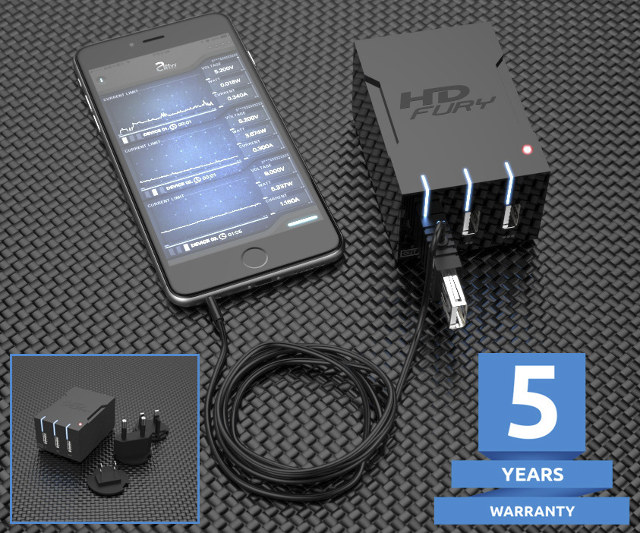
$59 HDFury Universal PSU Doctor Supports Power Monitoring via iOS or Android

Posted by jpluimers on 2017/05/11

Interesting device [WayBack]: $59 HDFury Universal PSU Doctor Supports Power Monitoring via iOS or Android which has a lot more details.

Via: [WayBack] +HDfury has launched a 3-port USB charger/power supply with power monitoring function. – Jean-Luc Aufranc – Google+

–jeroen

Posted in Android Devices, Apple, Development, Hardware Development, Hardware Interfacing, iOS, Power User, USB | Leave a Comment »

git encoding trouble: recursively removing a directory where git prints out a different name than it accepts

Posted by jpluimers on 2017/05/11

The story so far:

A few years back I put all my conferences material in a GitHub repository https://github.com/jpluimers/Conferences/. There were a lot directories and files so I didn’t pay much attention to the initial check-in list. The files had been part of copy.com syncing between Windows and Mac machines.

Often git on a Mac is a bit easier than on Windows (on a Mac you can install them with the xcode-select --install trick which installs only the Command Line Tools without having to install the full Xcode [WayBack]).

I choose a Mac because it is closer to a Linux machine than Widows so I expected no encoding trouble (as git has a Linux origin: it “was created by Linus Torvalds in 2005 for development of the Linux kernel“).

Boy I was wrong:

Recently I cloned the repository in a different place and found out a few strange things:

  1. Directories with accented characters had been duplicated, for instance in https://github.com/jpluimers/Conferences/tree/master/2011
    1. …/EKON15-Renaissance-Hotel-D%FCsseldorf
    2. …/EKON15-Renaissance-Hotel-Düsseldorf
  2. Beyond Compare would show the same content
  3. After a check-out git would not understand the %FC encoded directory name (%FC is IEC_8859-1 encoding for ü and \374 is the octal representation of 0xFC [WayBack]) and a git status would show stuff like this:
    • Untracked files:
        (use "git add ..." to include in what will be committed)
      
          EKON15-Renaissance-Hotel-D%FCsseldorf/

      or

      deleted: "EKON15-Renaissance-Hotel-D\374sseldorf/Delphi-XE2-Debugging/BO-EKON15-Delphi-XE2-Debugging.pdf"
  4. A git rm -r --cached call [WayBack] would not work, as both these would fail:
    • $ git rm -r --cached EKON15-Renaissance-Hotel-D%FCsseldorf
      fatal: pathspec 'EKON15-Renaissance-Hotel-D%FCsseldorf' did not match any files
      

      and

      $ git rm -r --cached "EKON15-Renaissance-Hotel-D\374sseldorf"
      fatal: pathspec 'EKON15-Renaissance-Hotel-D\374sseldorf' did not match any files
      
  5. a

So git could:

  • detect the directories and files
  • display the names of the detected directories and files
  • not translate back the specified names into directories and files

All if this was with:

$ git --version
git version 1.9.5 (Apple Git-50.3)

This is how I fixed it

First I created an alias:

alias git-config="echo global: ; git config --list --global ; echo local: ; git config --lis --local ; echo system: ; git config --list --system"

That allowed me to view the git settings on various levels in my system.

It revealed I didn’t have the core.precomposeunicode setting at all (valid values are true or false). I also read various stories about one or both being the correct value: osx – Git and the Umlaut problem on Mac OS X – Stack Overflow [WayBack].


–jeroen

Result of git status:


$ git status .
On branch master
Your branch is up-to-date with 'origin/master'.
Changes not staged for commit:
(use "git add/rm <file>…" to update what will be committed)
(use "git checkout — <file>…" to discard changes in working directory)
deleted: "EKON15-Renaissance-Hotel-D\374sseldorf/Delphi-XE2-Debugging/BO-EKON15-Delphi-XE2-Debugging.pdf"
deleted: "EKON15-Renaissance-Hotel-D\374sseldorf/Delphi-XE2-Unit-Testing/BO-EKON15-Delphi-XE2-Unit-Testing.pdf"
deleted: "EKON15-Renaissance-Hotel-D\374sseldorf/Delphi-XE2-Workshop/BO-EKON15-2011-XE2-Wokshop-0-sample-code.txt"
deleted: "EKON15-Renaissance-Hotel-D\374sseldorf/Delphi-XE2-Workshop/BO-EKON15-2011-XE2-Wokshop-1-Delphi-64bit.pdf"
deleted: "EKON15-Renaissance-Hotel-D\374sseldorf/Delphi-XE2-Workshop/BO-EKON15-2011-XE2-Wokshop-2-LiveBindings-DataBinding.pdf"
deleted: "EKON15-Renaissance-Hotel-D\374sseldorf/Delphi-XE2-Workshop/BO-EKON15-2011-XE2-Wokshop-3-Delphi-VCL Styles.pdf"
deleted: "EKON15-Renaissance-Hotel-D\374sseldorf/Delphi-XE2-Workshop/BO-EKON15-2011-XE2-Wokshop-4-Delphi-FireMonkey.pdf"
deleted: "EKON15-Renaissance-Hotel-D\374sseldorf/Delphi-XE2-Workshop/BO-EKON15-2011-XE2-Wokshop-5-Delphi-FireMonkey-xPlatform.pdf"
deleted: "EKON15-Renaissance-Hotel-D\374sseldorf/Delphi-XE2-and-XML/BO-EKON15-2011-Delphi-XE2-and-XML.pdf"
deleted: "EKON15-Renaissance-Hotel-D\374sseldorf/XSL-transforming-XML/BO-EKON15-2011-XSL-transforming-XML.pdf"


Posted in Development, DVCS - Distributed Version Control, Encoding, git, ISO-8859, Software Development, Source Code Management | Leave a Comment »

URLs and domains that OS-es use to detect Captive Portals

Posted by jpluimers on 2017/05/11

OS X

Android / Chromebook:

  • clients3.google.com

iOS 6:

  • gsp1.apple.com
  • *.akamaitechnologies.com

iOS 7:

  • www.appleiphonecell.com
  • www.airport.us
  • *.apple.com.edgekey.net
  • *.akamaiedge.net
  • *.akamaitechnologies.com

iOS 8/9:

Windows

Amazon Kindle (Fire)

OS X settings are in:

  • /Library/Preferences/SystemConfiguration/CaptiveNetworkSupport/Settings.plist

--jeroen

via:

Posted in Captive Portal, Communications Development, Development, Hardware, Internet, Internet protocol suite, Network-and-equipment, Power User, Software Development, TCP | Leave a Comment »

Research list: export issues from Bitbucket to import them later

Posted by jpluimers on 2017/05/10

This has been bugging me for a while: some Bitbucket repositories are abandoned but have a useful list of issues.

When forking them, you don’t get the issues and you cannot export them either (because the source repository is not yours).

Some links that might help me get started to solve this:

Being able to import from a non-exportable repository would allow me to keep issue # references in sync which would make it a lot easier for relating commit history with issues.

–jeroen

Posted in BitBucket, Development, Source Code Management | Leave a Comment »

Applications that scale badely on High-DPI Displays: How to Stop the Madness – via: SQLServerCentral

Posted by jpluimers on 2017/05/10

Many applications still scale badly on High-DPI displays: dialogs way too small, icons you need a microscope for, etc.

SSMS in High-DPI Displays: How to Stop the Madness – SQLServerCentral explains a great trick that works for many applications, for intance:

The trick comes down to enabling the PreferExternalManifest registry setting and then create a manual manifest for the application that forces the application to use “bitmap scaling” by basically telling it does not support “XP style DPI scaling”.

You name manifest file named after the exe and stored it in the same directory as the exe.

After that, you also have to rename the exe to a temporary name and then back in order to refresh the cache.

A quote from the trick:

In Windows Vista, you had two possible ways of scaling applications: with the first one (the default) applications were instructed to scale their objects using the scaling factor imposed by the operating system. The results, depending on the quality of the application and the Windows version, could vary a lot. Some scaled correctly, some other look very similar to what we are seeing in SSMS, with some weird-looking GUIs. In Vista, this option was called “XP style DPI scaling”.

The second option, which you could activate by unchecking the “XP style” checkbox, involved drawing the graphical components of the GUI to an off-screen buffer and then drawing them back to the display, scaling the whole thing up to the screen resolution. This option is called “bitmap scaling” and the result is a perfectly laid out GUI.

In order to enable this option in Windows 10, you need to merge this key to your registry:

Windows Registry Editor Version 5.00

[HKEY_LOCAL_MACHINE\SOFTWARE\Microsoft\Windows\CurrentVersion\SideBySide]
"PreferExternalManifest"=dword:00000001

Then, the application has to be decorated with a manifest file that instructs Windows to disable DPI scaling and enable bitmap scaling, by declaring the application as DPI unaware. The manifest file has to be saved in the same folder as the executable (ssms.exe) and its name must be ssms.exe.manifest. In this case, for SSMS 2014, the file path is “C:\Program Files (x86)\Microsoft SQL Server\120\Tools\Binn\ManagementStudio\Ssms.exe.manifest”.

Paste this text inside the manifest file and save it in UTF8 encoding:


<?xml version="1.0" encoding="UTF-8" standalone="yes"?>
<assembly xmlns="urn:schemas-microsoft-com:asm.v1" manifestVersion="1.0" xmlns:asmv3="urn:schemas-microsoft-com:asm.v3">
<dependency>
<dependentAssembly>
<assemblyIdentity type="win32" name="Microsoft.Windows.Common-Controls" version="6.0.0.0" processorArchitecture="*" publicKeyToken="6595b64144ccf1df" language="*">
</assemblyIdentity>
</dependentAssembly>
</dependency>
<dependency>
<dependentAssembly>
<assemblyIdentity type="win32" name="Microsoft.VC90.CRT" version="9.0.21022.8" processorArchitecture="amd64" publicKeyToken="1fc8b3b9a1e18e3b">
</assemblyIdentity>
</dependentAssembly>
</dependency>
<trustInfo xmlns="urn:schemas-microsoft-com:asm.v3">
<security>
<requestedPrivileges>
<requestedExecutionLevel level="asInvoker" uiAccess="false"/>
</requestedPrivileges>
</security>
</trustInfo>
<asmv3:application>
<asmv3:windowsSettings xmlns="http://schemas.microsoft.com/SMI/2005/WindowsSettings"&gt;
<ms_windowsSettings:dpiAware xmlns:ms_windowsSettings="http://schemas.microsoft.com/SMI/2005/WindowsSettings">false</ms_windowsSettings:dpiAware&gt;
</asmv3:windowsSettings>
</asmv3:application>
</assembly>

This “Vista style” bitmap scaling is very similar to what Apple is doing on his Retina displays, except that Apple uses a different font rendering algorithm that looks better when scaled up. If you use this technique in Windows, ClearType rendering is performed on the off-screen buffer before upscaling, so the final result might look a bit blurry.The amount of blurriness you will see depends on the scale factor you set in the control panel or in the settings app in Windows 10. Needless to say that exact pixel scaling looks better, so prefer 200% over 225% or 250% scale factors, because there is no such thing as “half pixel”.

–jeroen

Source: SSMS in High-DPI Displays: How to Stop the Madness – SQLServerCentral

Posted in Database Development, Delphi, Development, Eclipse IDE, Encoding, Java, Java Platform, Software Development, SQL, SQL Server, SSMS SQL Server Management Studio, UTF-8, UTF8 | 4 Comments »