Archive for the ‘Software Development’ Category
Posted by jpluimers on 2026/02/17
I always forget nomenclature, so in my mind the terms for the two consoles in the Chrome web development tools (official nomenclature: Chrome DevTools) are these:
- The primary console in a separate tab of the DevTools
- The secondary console at the bottom lf all tabs in the DevTools
I did know that you can close the secondary console by pressing the cross on its top-right corner.
I did not know how to reopen, apart from it occasionally reopening by itself.
So I did digging, found the official nomenclature, and more importantly that the Esc key toggles the secondary console.
Official nomenclature in the same order are above from [Wayback/Archive] Console features reference | Chrome DevTools | Chrome for Developers:
Read the rest of this entry »
Posted in Development, Software Development, Web Development | Leave a Comment »
Posted by jpluimers on 2026/02/17
Yesterday, an important question appeared at almost the same time on Tweakers.net and Security.nl. It is about 2D barcodes on some packages delivered by PostNL. Some of these – I call them Data Matrix, as that is what they are – seem to include the e-mail address of the recipient.
The posts caused some uproar, and in order for myself to understand what is going on and what questions should be asked to PostNL, I wrote this blog post.
In any case: always remove parcel labels before disposing of the parcels, then destroy the labels. This has always been good privacy practice and will stay that way forever.
Regrettably, Tweakers.net blocks both the Wayback Machine and Archive Today, which makes their information ephemeral. Therefore I archived some of the Tweakers.net information in the gist [Wayback/Archive] “E-mailadres van ontvanger kan in PostNL barcode staan” archived from https://gathering.tweakers.net/forum/list_messages/2327530/0 · GitHub
Read the rest of this entry »
Posted in base64, Development, Encoding, Font, KIX Font PostNL, Power User, Python, Scripting, Software Development | Leave a Comment »
Posted by jpluimers on 2026/02/16
The easiest way to get rid of DRM from PDF files is to use the Calibre plugin DeDRM with the instructions at [Wayback/Archive] Exactly how to remove DRM · apprenticeharper/DeDRM_tools Wiki
The reason that I promote this tool is that the user experience of is that the user experience of Adobe Digital Editions is mediocre at best: keyboard navigation usually does not work, viewing 2 pages next to each other is impossible and almost none of the Acrobat Reader functionality is available.
[Wayback/Archive] How to view 2 pages, side-by-side in PDF within Ad… – Adobe Support Community – 10666132
Read the rest of this entry »
Posted in Development, PDF, Power User, Python, Scripting, Software Development | Leave a Comment »
Posted by jpluimers on 2026/02/13
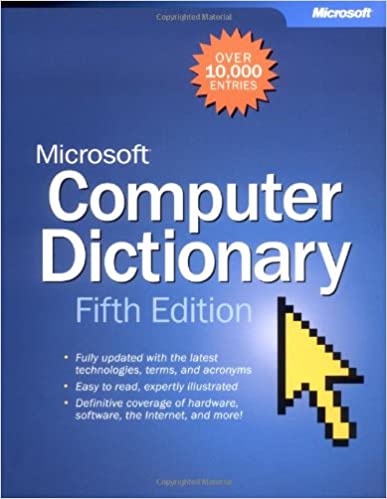 While researching early Intel 8087 documentation distributed via LISTSERV, the below blast from the past also turned up: back in 2002 computer dictionaries were also available as … books!
[Wayback/Archive] Microsoft® Computer Dictionary, Fifth Edition (Cpg-Other): 9780735614956: Computer Science Books @ Amazon.com
- Publisher : Microsoft Press; 5th ed. edition (June 1, 2002)
- Language : English
- Paperback : 637 pages
- ISBN-10 : 0735614954
- ISBN-13 : 978-0735614956
- Item Weight : 2.85 pounds
- Dimensions : 7.33 x 1.76 x 9.25 inches
It is available from various sources including [Wayback/Archive] Microsoft Computer Dictionary – Microsoft Press – Google Books and [Wayback/Archive] microsoft_computer_dictionary__fifth_edition1.pdf.
Read the rest of this entry »
Posted in 6502, 68k, 8086, 8087, 8087, 8088, Development, History, Software Development | Leave a Comment »
Posted by jpluimers on 2026/02/12
From quite a while back but still very relevant today, especially when debugging problems (most people would post them in the order integers, floats, but Julia did it in the opposite way):
- [Wayback/Archive] Julia Evans on Twitter: “had a great discussion of how floating point arithmetic can betray you on Mastodon yesterday, there are tons of good examples in the replies”
[Wayback/Archive] Julia Evans: “today I’m thinking about how floating point numbers can be treacherous — what are specific examples of when they’ve betrayed you?so far I have:…” – Mastodon
- [Wayback/Archive] Julia Evans on Twitter: “examples of problems with integers”
Usually I tend to explain integer versus floating point math as lossless versus lossy data compression (for instance WavPack and FLAC versus MP3 compression of PCM audio data, or BMP versus JPEG compression of 2D digital image data).
Either way: floating point and integer problems cause real harm. One interesting comment illustrating that was [Wayback/Archive] Ian Kirker on Twitter: “@b0rk I didn’t see this one in the list, which sticks in my memory: science.org – Fatal Error: How Patriot Overlooked a Scud”
[No wayback/Archive] Fatal Error: How Patriot Overlooked a Scud | Science
If you like listening instead of reading, then [Wayback/Archive] 452: Numbers on Computers Are Weird — Embedded is a great podcast episode where Julia gets interviewed by Christopher White, and Elecia White which I found via [Wayback/Archive] Julia Evans on Twitter: “was on the @embeddedfm podcast this week talking about our upcoming “How Integers and Floats Work” zine, plus some meta discussion about making zines”
Either way, be sure to read the other replies to b0rk’s posts too as many interesting tidbits did not make it in her underlying blog posts:
Read the rest of this entry »
Posted in Conference Topics, Conferences, Development, Event, Software Development | Leave a Comment »
Posted by jpluimers on 2026/02/11
This was the easiest tool to remove HTML from select tags while keeping line breaks: [Wayback/Archive] Online HTML Stripper. Remove HTML and formatting from text.
Especially the client-side on-line tools I tried failed that option:
This just does not work at all for me: [Wayback/Archive] HTML Cleaner (cannot paste HTML text: needs to paste formatted text which does not work with select elements).
Could I have done this on a command-line? Of course, but I don’t need it often enough to warrant investigating and remembering how to do that in an efficient manner.
Queries:
Read the rest of this entry »
Posted in Blogging, Development, HTML, JavaScript/ECMAScript, LifeHacker, PHP, Power User, Scripting, SocialMedia, Software Development, Web Development | Leave a Comment »
Posted by jpluimers on 2026/02/11
A while ago I bumped into [Wayback/Archive] Quick Accent steals the WordPress classic editor space after a hyphen-minus sign or asterisk · Issue #24623 · microsoft/PowerToys.
In the WordPress Classic Editor, the * or - combinations quickly generate an empty bulleted list:
When enabling the PowerToys Quick Accent (formerly [Wayback/Archive] PowerAccent) with their default settings this fails (but it does work in the WordPress Gutenberg editor, Word and some other tools I tested).
The easiest way to work around this is to switch from the default “Activation Keys” setting “Left, Right or Space” to “Left/Right Arrow”.
Hopefully besides the workaround there will also be a full fix.
The related C++ and C# source files:
Read the rest of this entry »
Posted in .NET, C#, C++, Classic editor, Development, Gutenberg editor, Power User, PowerToys, SocialMedia, Software Development, Windows, WordPress | Leave a Comment »
Posted by jpluimers on 2026/02/10
Sometimes Wikipedia entries are way too short, for instance Philip A. Kaufman – Wikipedia, who in 1992 – at the age of around 50 – died way to early, does not do justice to his time at Intel.
His name rang a bell when searching for early Intel 8087 documentation distributed via LISTSERV, so below is a bit more information on Phil.
True, his life after Intel was very important especially on the front of electronic design automation. That in fact sparked the posthumous instantiation of the Phil Kaufman Award which you can read for instance at [Wayback/Archive] The Phil Kaufman Award Dinner Is Later this Month. Who Was Phil Kaufman? – Breakfast Bytes – Cadence Blogs – Cadence Community.
After his floating-point endeavours at Intel and the IEEE, he was also very instrumental at Intel in finding another big market for silicon: network controller chips (and getting the Ethernet standard going: think DIX (Digital/Intel/Xerox) [Wayback/Archive] Ethernet Blue Book (1980) which was named that way earlier than the PostScript Blue Book (1986) and CD Blue Book (1986)).
This period is very well described in the [Wayback/Archive] 1988 Computer History Museum interview of Phil Kaufman by James L. Pelkey (via [Wayback/Archive] Phil Kaufman | History of Computer Communications).
Back to floating point: Phil’s post from 1987 way better describes what early processor technologies at Intel he was involved with than the above links. That period was instrumental in getting IEEE_754-1985 going (it was released way after the 8087!) and still shapes the floating point aspects of almost any CPU from any vendor today so I quote it in full from [Wayback/Archive] Info-IBMPC V6 #59:
Read the rest of this entry »
Posted in 8086, 8087, 8087, 8088, Algorithms, Assembly Language, Development, Floating point handling, History, x86 | Leave a Comment »


 The Wiert Corner - irregular stream of stuff