I like that you can add git repositories inside eachother using git submodule add but when it’s time to say goodbye to a submodule you need some convoluted statements. So I really wish one day there will be git submodule remove.
Until then, these links will help you to get rid of a git submodule:
Besides the very good point it raises about DVCS (Git, Mercurial and most other DVCSes treat the whole state of the repository as the atom) it also indicates quite a few shortcomings:
most people hardly ever need the full history to be off-line
having the full history means repositories get huge in size, including your off-line clone
pseudo-solutions for huge repository sizes – like git-LFS or git-annex – are a no-go because now you loose atomicity
huge repositories in file or commit counts make them slow, especially when the trees are deep
splitting up repositories isn’t a good idea either because again: you loose atomicity
all DVCS are hard, not just git, because they are distributed and full of features
the workflow for submitting pull requests is quite a bit longer than submitting a patch, even though merging in a DVCS can be hard too (despite atomicity which does help a lot for DVCS systems)
I see many other advantages of DVCS systems (for instance that you only need to locally have the branches you are interested in, way better tooling for DVCS systems, ditto for sites hosting DVCS), but it always a good thing to know the weak spots of what you are working with.
This file contains hidden or bidirectional Unicode text that may be interpreted or compiled differently than what appears below. To review, open the file in an editor that reveals hidden Unicode characters. Learn more about bidirectional Unicode characters
Time to experiment with [WayBack] Gitless: a simple version control system built on top of http://gitless.com/:
…
Gitless is an experiment to see what happens if you put a simple veneer on an app that changes the underlying concepts. Because Gitless is implemented on top of Git (could be considered what Git pros call a “porcelain” of Git), you can always fall back on Git.
git-complete-tip completes a few staged tips inside any forward-ported non-staged unstaged indices, and a few checked out subtrees fscked by histories in the tree, but that are not in HOLD_SUBTREE, are checked out in a temporary pack.
The difficulty of using Git in common situations is belied by the apparent simplicity of its use in tutorial-style situations. Committing and sharing changes is fairly straightforward, for instance, but recovering from situations such as accidental commits, pushes or bad merges is difficult without a solid understanding of the rather large and complex conceptual model. For instance, three of the top five highest voted questions on Stack Overflow are questions about how to carry out relatively simple tasks: undoing the last commit, changing the last commit message, and deleting a remote branch.
Actually the “easy to learn” means “there is easy to find documentation for it“.
[WayBack] Plastic SCM – Plastic SCM for Git Users How to move from Git and what Plastic offers you: support for large files, consistent GUIs, handles huge repos, semantic diffing and merging, and more.
In my own experience, PlasticSCM needs a lot of work, especially on the usability side:
PlasticSCM call themselves a DVCS, but in order to have a local full repository like all other DVCS systems, you have to run a local server (and a license for it, I still need to sort out if that is free or paid). For the DVCS definition, see Distributed version control – Wikipedia. This means you run a client, a local PlasticSCM server and a remote PlasticSCM server.
Despite there being a CLI version (more on that in a future post), the GUI does not show the exact CLI syntax for commands (unlike most git tools that do). This means you need to think thrice when translating them from GUI to CLI, made even harder by most UI access paths having different ways to copy their information to the clipboard.
When you run the Plastic SCM GUI client long enough, even on a small repository, you will get errors about not enough quota being available (the dreaded 0x718): [WayBack] System Error Codes (1700-3999) | Microsoft DocsERROR_NOT_ENOUGH_QUOTA 1816 (0x718): Not enough quota is available to process this command.
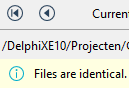
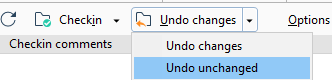
Often after scanning for changes, you see a lot of changed files. If you click each file, you see “Files are identical”
One thing that baffled me is that you can edit commit messages. Changing them does not result in another commit. This means that these are not set in stone which is very odd when you see all changes in the commit history.
The commit message textbox is editable, start typing and then push save.
—
I realized that in the Branch Explorer one can edit them using the procedure you’ve described, but if you open a changset from “Changesets” or somewhere else, the comment on the top is readonly. Maybe it would be nice to be have a way to edit it there, though I guess, it would be a rarely used feature.
—
At the changesets view you are also able to do it by cliking in the “Show extended information” button.






 The Wiert Corner - irregular stream of stuff