The Wiert Corner – irregular stream of stuff

Jeroen W. Pluimers on .NET, C#, Delphi, databases, and personal interests

  • My badges

  • Twitter Updates

  • My Flickr Stream

  • Pages

  • All categories

  • Enter your email address to subscribe to this blog and receive notifications of new posts by email.

    Join 1,860 other subscribers

Archive for the ‘Apple ][’ Category

More old Apple documentation

Posted by jpluimers on 2018/04/27

It’s been a while back, but these are part of bitsavers.org:

  1. [WayBack] http://bitsavers.trailing-edge.com/pdf/apple/service/PN_072-0213F_Apple_Service_Technical_Procedures_Peripheral_Interface_Guide-Jan_1991.pdf
  2. [WayBack] http://bitsavers.trailing-edge.com/pdf/apple/service/Apple_Service_Source_LaserWriter_Pro.pdf

I expect few people to still have a functioning Apple LaserWriter Pro as – despite them bing very solid devices – having them last for almost 25 years is quite a feat.

But I do know many people have machines from the Apple II through Macintosh II era, and that’s what the first manual is about. Some of the contents:

Peripheral Interface Guide rev. Jan 91

Macintosh Family Computers

  • Introduction 3
  • Computer Port Locations 4
  • Computer Ports 6
    • Modem and Printer Connectors – DE-9 6
    • Modem and Printer Connectors – Mini DIN-8 7
    • SCSI Connector (Pins 1-12) 8
    • SCSI Connector (Pins 13-25) 9
    • Apple Desktop Bus Connector 10
    • Keyboard Connector 11
    • Mouse Connector 11
    • Audio Input Connector 12
    • Audio Output Connector – Monaural 12
    • Audio Output Connector – Stereo 12
    • External Disk Drive Connector 13
    • External Video Connector 14
    • External Video Connector – Macintosh Portable 14
  • Interface Cards 16
    • Macintosh Display Cards 4/8, 8/24, 16 and 8/24-GC
    • Macintosh II High-Resolution and I-bit Monochrome Video Cards 17
    • Macintosh II Portrait Display and Two-Page Monochrome Monitor Video Cards (Current Version) 18
    • Macintosh II Portrait Display and TWO-Page Monochrome Monitor Video Cards (Obsolete Version) 19
    • EtherTalk Interface and EtherTalk NB Cards 20
    • TokenTalk NB Interface Card 20
    • Coax/fwinax Interface Card – Coax Connector 21
    • Coax/fwinax Interface Card – Twinax Connector 21
    • Serial NB Interface Card (Pins 1-20) 22
    • Serial NB Interface Card (Pins 21-40) 23
    • Serial NB Interface Card (Pins 41-62) 24

Apple II Family Computers

  • Introduction 3
  • Computer Port Locations 4
  • Apple IIGS Computer Ports 5
    • Sound Input/Output Connector 5
    • Audio Connector 5
    • Composite Video Connector 5
    • Modem and Printer Connectors 6
    • Apple Desktop Bus Connector 6
    • Disk Drive Connector 7
    • RGB Video Connector 8
    • Joystick/Hand Controller Connector 9
  • Apple lIc/IIc plus Computer Ports 10
    • Modem and Printer Connectors – Mini DIN-5 10
    • Modem and Printer Connectors – Mini DIN-8 11
    • Joystick/Hand Controller/Mouse Connector 12
    • Video Expansion Connector 13
    • External Disk Drive Connector 14
    • Composite Video Connector 15
    • Audio Connector 15
    • Power Adapter Connector 15
  • Apple II/II Plus/lIe Computer Ports 16
    • Cassette Input Connector 16
    • Cassette Output Connector 16
    • Composite Video Connector 17
    • Auxiliary Video Connector 17
    • Game Controller Connector 18
    • Joystick/Hand Controller Connector 19
    • Apple II Interface Cards 20
    • Communications Card Pin-outs 20
    • Super Serial Card Pin-outs 21
    • Super Serial Card Printer Mode – Switch SW1 22
    • Super Serial Card Printer Mode – Switch SW2 23
    • Super Serial Card Communication Mode – Switch SWI 24
    • Super Serial Card Communication Mode – Switch SW2 25
    • Serial Interface Card Pin-outs 26
    • Serial Interface Card Switch Settings 27
    • Parallel Printer and Centronics Printer Interface Card Pin-outs 28
    • IEEE-488 Interface Pin-outs 29
    • Parallel Interface Card Pin-outs 30
    • Parallel Interface Card Switch Settings 31
    • Apple II Video Overlay Card Pin-outs 32
    • Apple II SCSI and High-Speed SCSI Cards Pin-outs 33
    • Graphics Tablet Interface Pin-outs – Pen 34
    • Graphics Tablet Interface Pin-outs – Tablet 34
    • Peripheral Connections 35
    • Apple II/II Plus/IIe Peripheral Connections 35
    • Apple lIe Peripheral Connections 36
    • Apple IIGS and lIe Plus Peripheral Connections 37
Apple III & Lisa/Mac XL Computers
  • Introduction 3
  • Computer Port Locations 4
  • Apple III/III Plus Computer Ports 5
    • Audio Connector 5
    • Monochrome Video Connector 5
    • Serial Connector 5
    • External Disk Drive Connector 6
    • Color Video Connector 7
    • Joystick A Connector 8
    • Joystick B Connector 9
  • Apple ill/III Plus Interface Cards 10
    • Universal Parallel Interface Card Pin-outs 10 (Pins 1-20)
    • Universal Parallel Interface Card Pin-outs 11 (Pins 21-40)
    • Serial Card III Pin-outs 12
  • Peripheral Connections 13
    • Apple III and III Plus Peripheral Connections 13
  • Lisa/Macintosh XL Computer Ports 14
    • Serial A Connector 14
    • Serial B Connector 15
    • Mouse Connector 16
    • Composite Video Connector 16
    • Parallel Connector 17
  • Lisa/Macintosh XL Interface Cards 18
    • Two-Port Parallel Card Pin-outs 18
  • Peripheral Connections 19

Peripherals

  • Introduction 3
  • Laser Printers 4
    • Personal LaserWriter NT, LaserWriter II NT and NTX Pin-outs – RS-422 4
    • Personal LaserWriter NT – Thumbwheel Switch 6
    • Personal LaserWriter NT, LaserWriter II NT and NTX Pin-outs – RS-232 4
    • LaserWriter II NTX – Switch 1 5
    • LaserWriterIINl-Switch1 5
    • LaserWriter II SC and Personal LaserWriter SC 7
    • Pin-outs LaserWriter and LaserWriter Plus Pin-outs AppleTalk 8
    • LaserWriter and LaserWriter Plus Pin-outs – RS-232 8
  • Non-Laser Printers
    • ImageWriter II and II/L Pin-outs 9
    • ImageWriter II and II/L – Switch 1 10
    • ImageWriter 11 and II/L – Switch 2 11
    • ImageWriter LQ Pin-outs 12
    • ImageWriter LQ – Switch 1 13
    • ImageWriter LQ – Switch 2 14
    • ImageWriter LQ – Switch 3 15
    • ImageWriter and ImageWriter 15-Inch Pin-outs 16
    • ImageWriter and ImageWriter 15-Inch – Switch 2 16
    • ImageWriter and ImageWriter 15-Inch – Switch 1 17
    • Daisy Wheel Printer Pin-outs 18
    • Daisy Wheel Printer – Inside Front Panel Switch 19
    • Daisy Wheel Printer – Rear Panel Switch 1 20
    • Daisy Wheel Printer – Rear Panel Switch 2 21
    • Scribe Pin-outs 22 Scribe – Switch 1 23
    • Dot Matrix Printer Pin-outs 24
    • Dot Matrix Printer – Switch 1 25
    • Dot Matrix Printer – Switch 2 26
    • Color Plotter Pin-outs
    • Color Plotter – Switch 1 27 28
  • Modems and Communication Devices 29
    • Apple Personal Modem Pin-outs 29
    • AppleFax Modem and Apple Data Modem 2400 – Pin-outs 29
    • Modem 300/1200 Pin-outs 30
    • Modem 300 – Switches 30
    • Modem 1200 – Switches 31
    • AppleLine Pin-outs 32
    • Cluster Controller Pin-outs – Asynchronous Direct Port 33
    • Cluster Controller Pin-outs — Modem Port 33
  • Monitors 34
    • AppleColor High-Resolution RGB Monitor Pin-outs 34
    • Apple High-Resolution Monochrome Monitor Pin-outs 35
    • Macintosh Portrait Display and Two-Page Monochrome Monitor Pin-outs 36
    • AppleColor RGB and Color Monitor 100 Pin-outs 37
  • Miscellaneous
    • Apple Scanner, CD SC, HD SC, and Tape Backup 40 SC Pin-outs 38
    • Apple MIDI Interface Pin-outs 39

Cables


–jeroen

Posted in //e, 6502, 68k, Apple, Apple ][, Classic Macintosh, History, Macintosh SE/30, Power User | Leave a Comment »

For everyone who still loves and uses old computers.

Posted by jpluimers on 2017/11/13

For everyone who still loves and uses old computers.

Quite a few nice products for your vintage Apple II, //e and //c machines.

Posted in //e, 6502, Apple, Apple I, Apple ][, History, Power User | Leave a Comment »

Please Help Us Track Down Apple II Collections « ASCII by Jason Scott

Posted by jpluimers on 2017/04/03

Conditions are very, very good right now for easy, top-quality, final ingestion of original commercial Apple II Software and if you know people sitting on a pile of it or even if you have a small handful of boxes, please get in touch with me to arrange the disks to be imaged. apple@textfiles.com.

For example, piles and piles of educational software has returned from potential oblivion, because it’s about the preservation, not the title. Wonderfully done works are being brought back to life and are playable on the Internet Archive.

In other words: if you have or know someone who has disks with original, uncracked software that cannot be copied easily, let the team at the WayBack machine know as they have the resources that can help preserve that software.

–jeroen

Source: [WayBackPlease Help Us Track Down Apple II Collections « ASCII by Jason Scott

Posted in //e, 6502, Apple, Apple ][, History, Power User | Leave a Comment »

Interesting historic read of notes on end 1970s Apple SSAFE project – how it started and ended

Posted by jpluimers on 2017/02/27

This appeared a few days back: [WayBackhttp://bitsavers.trailing-edge.com/pdf/apple/ssafe/Apple_SSAFE_Project.pdf

It’s about “Software and Security from Apple Friends and Enemies” an early exchange of ideas and possibilities for DRM in the Apple ][ and Apple III era.

I got it via my bitsavers.org RSS subscription, but it has been over the net in quite a few other places as well:

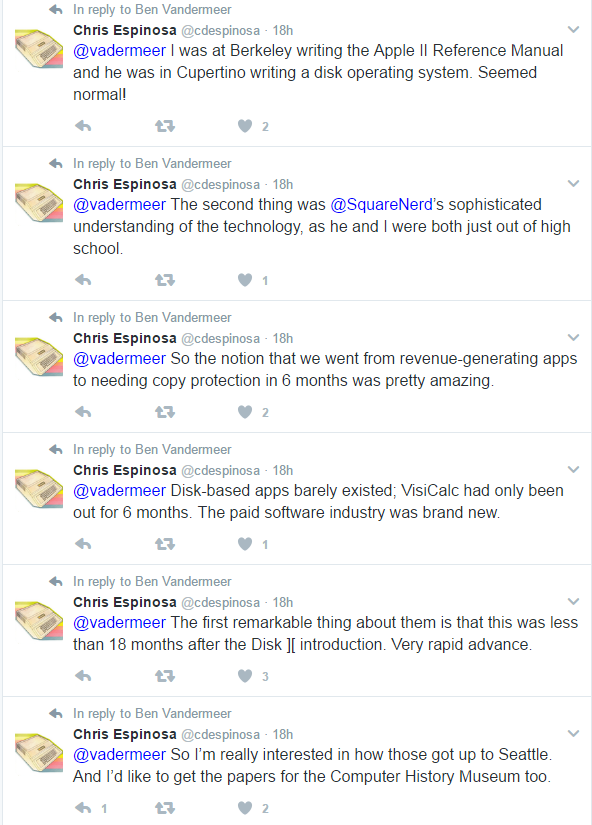
I think the most important quote is from the one on reddit, submitted 20170223 by vadermeer  for which I added some WayBack/Archive.is links:

[WayBackFound Internal Apple Memos about copy protection for Apple II, SARA, LISA(self.VintageApple)

Yesterday at the Seattle Goodwill Outlet, where everything is sold by the pound, I noticed the Apple logo on letterhead sticking out from a bin of books, so I started digging. What I found were the 1979-1980 files of Jack MacDonald, manager of system software for the Apple II and /// at the time

They tell the story of project “SSAFE” or “Software Security from Apples Friends and Enemies.” This was a proposal to bring disk copy protection in-house to sell as a service to outside developers. Inter-office memos, meeting notes and progress reports all give a good idea of what a project lifecycle was like. Different schemes and levels of protection are considered, as well as implementation primarily on the Apple II+ and the upcoming SARA (The Apple ///) and Lisa computers. [WayBackRandy Wigginton is featured prominently throughout, along with mentions of Woz and many other familiar names.

The documents were all a jumble so I’ve put them in chronological order and scanned the collection, please enjoy. [Archive.is]

The reddit thread is very nice reading as it explains how close we are now to this Level 1:

Level 1. Totally secure. Absolutely no method of stealing the software. 100% effective. Note that the ideal, level 1, is achievable only through disallowing any access of any kind to the software and the computer. Not very practical in our circumstances.

and this one from boingboing:

It’s so neatly packaged and well-documented it could be a Harvard Business Review case-study.

Edit 20240819: the above Googl links pointed to [Wayback/Archive] Apple SSAFE Project.pdf – Google Drive.

--jeroen

Posted in 6502, Apple, Apple ][, History, Power User | Leave a Comment »

Apple ][ history – Nibble magazine

Posted by jpluimers on 2017/02/16

I recently found some old magazine issues of my early programming escapades. It reminded me of the really old days where – as a school kid – I tried to buy Nibble magazine at a regular base. It was expensive (I think it was around 8 Dutch Guilders (or NLG) – close to EUR 4 – which was a lot for me, though less expensive than diskettes that were like NLG 10 each).

But it was fun as the magazine focussed at computer programs and programming transitioned my life. From Integer Basic via AppleSoft Basic (and various smaller attempts in FORTH, MuSimp, LISA Assembler and LOGO) to Turbo Pascal on CP/M.

Recently I learned that all issues (16k pages total!) have been scanned and OCR-ed and can be obtained on DVD for a modest price. Even better: all their software is available for free.

Just follow these links:

For some history:

–jeroen

Posted in //e, 6502, Apple, Apple ][, Development, History, Pascal, Power User, Software Development, Turbo Pascal | Leave a Comment »

Lots of new Apple related scans at BitSavers

Posted by jpluimers on 2017/01/22

New scans at BitSavers

Sun Remarketing MFM controller:

Sony disk drive OA-D34V-22 pictures

Service documentation:


–jeroen

Posted in Apple, Apple ][, Classic Macintosh, History, Power User | Leave a Comment »

The Codeless Code: Ancient code

Posted by jpluimers on 2016/08/10

something like: 100 PRINT “&F2&B&H3&W2Hello, world!”would select font #2, bold, with triple height and double width, and render “Hello!” on the high-res screen

Source: The Codeless Code: Ancient code – hand coded (on paper) 6502 assembly!

via: 6502 assemblerbeen there, done that – Thomas Mueller (dummzeuch) – Google+

–jeroen

Posted in //e, 6502, 6502 Assembly, Apple, Apple ][, Assembly Language, Development, History, Power User | Leave a Comment »

Apple Floppy Emu « Blondihacks

Posted by jpluimers on 2016/03/11

Floppy Emu « Blondihacks tested this:

Plug-and-play disk emulation for your vintage Macintosh, Apple II, or Lisa! Floppy Emu is a floppy and hard disk emulator for classic Apple computers. It uses a removable SD memory card and custom hardware to mimic an Apple floppy disk and drive, or an Apple hard drive. The Emu behaves exactly like a real disk […]

Source: Floppy Emu Disk Emulator | Big Mess o’ Wires

–jeroen

via: This week, solid state storage for your 6502.


Posted in //e, Apple, Apple ][, Classic Macintosh, Power User | Leave a Comment »

Liz Kimber: My first computer, is responsible for who i am today.

Posted by jpluimers on 2015/02/21

Liz Kimber hits the nail on the head:

My first computer, is responsible for who i am today.

That’s one of the reaons I bought both an Applle //e and //c last summer (:

–jeroen

via: Alen Cox’ computer history reshare – Google+.

Posted in //e, About, Apple, Apple ][, Personal, Power User | Leave a Comment »

Great page on Z80: Apple II with Softcard

Posted by jpluimers on 2014/10/13

If you ever used an Apple II with a Z80 card, then this page will look very familiar to you: Apple II with Softcard.

–jeroen

Posted in //e, Apple, Apple ][, Power User | Leave a Comment »