The Wiert Corner – irregular stream of stuff

Jeroen W. Pluimers on .NET, C#, Delphi, databases, and personal interests

  • My badges

  • Twitter Updates

  • My Flickr Stream

  • Pages

  • All categories

  • Enter your email address to subscribe to this blog and receive notifications of new posts by email.

    Join 1,860 other subscribers

Archive for the ‘Boot’ Category

More ESXi5 installation steps

Posted by jpluimers on 2013/06/10

(note: part of this post is unfinished, but I wanted to make sure all the links are publicly accessible, so I posted earlier and incomplete)

I already did a few ESXi5 postings (they apply to 5.1 as well) of which the most important are:

Time to finish up some additional installation steps (with a big thanks to Matthijs ter Woord):

Read the rest of this entry »

Posted in BIOS, Boot, ESXi5, ESXi5.1, Hardware, HP XW6600, Keyboards and Keyboard Shortcuts, Power User, PowerCLI, Virtualization, VMware, VMware ESXi, Wake-on-LAN (WoL), Windows, Windows 7, Windows 8, Windows Server 2000, Windows Server 2003, Windows Server 2003 R2, Windows Server 2008, Windows Server 2008 R2, Windows Vista, Windows XP | Leave a Comment »

Screenshots: Creating vSphere 5 ESXi embedded USB Stick with MBR partition table

Posted by jpluimers on 2013/05/03

A long time ago, I promised steps how to install VMware 5 ESXi using the MBR boot format.

The steps with screenshots are below, but first some background information.

As of VMware ESXi 5, GPT (short for GUID partition table) is the default partition table used by VMware ESXi.

Disks smaller than 2 TB can boot with MBR, but GPT It is a requirement for disks bigger than 2 TB. GPT also needs a UEFI compatible  BIOS.

Some older BIOSes (like those of my HP XW6600 machines: still running strong after many years of fine service) do not support GPT.

Luckily, weasel (the open source Operating System Installer that VMware ESXi uses) can be forced to use MBR using runweasel formatwithmbr.

Forcing MBR is a 2-step process.

  1. Get to the boot prompt: press Shift+O when the progress bar appears
  2. Running weasel with the MBR option: after the “runweasel”, type a space, then formatwithmbr

Below are the screenshots of a VMware ESXi 5.0.0 installation I did this way.

But it works equally well in ESXi 5.1.x

After writing this post, I found out about ESXi 5 Won’t Boot From USB which solves this exact problem for an HP XW8600 configuration (those are slightly larger machines than the XW6600 I have, but the architecture is the same).

Screenshots

Click on the image or link for larger screenshots, or view the series here at Flickr. Read the rest of this entry »

Posted in BIOS, Boot, ESXi5, ESXi5.1, Hardware, HP XW6600, Power User, UEFI, Virtualization, VMware, VMware ESXi | 1 Comment »

ThinkPad W701: Win7 Ultimate x64 suddenly only saw 8GB RAM of 16GB (via: [H]ard|Forum)

Posted by jpluimers on 2013/04/10

This recently happened to me, but not sure when it started:

My ThinkPad W701 had 16GB of RAM, and everything worked fine for about 2 years, but now the BIOS and Windows only saw 8GB of it.

The odd thing: SpeedFan would see 4 memory modules of 4 gigabyte each for a total of 16 gigabyte.

This solution helped:

the easiest (and most embarrassing) fix worked – just took out the new RAM sticks and re-seated them into different sockets instantly fixed the problem.

The steps I followed: Read the rest of this entry »

Posted in BIOS, Boot, Power User, ThinkPad, W701 | 1 Comment »

ESX/ESXi/vSphere BIOS Release Date to version mapping (via: the birdhouse in my soul: Which ESX version am I running on ?)

Posted by jpluimers on 2012/10/01

It is possible from inside a guest VM to determine the kind of VMware host it runs on by looking at the BIOS information and for instance map the version of VMware Tools to install.

Still need to find out about the 04/15/11 BIOS Release Date, but this should give me a start (vSphere matches ESX/ESXi):

VMware version BIOS Release Date Address (hex) (bytes)
ESX 2.5 04/21/2004 0xE8480 97152
ESX 3.0 04/17/2006 0xE7C70 99216
ESX 3.5 01/30/2008 0xE7910 100080
ESX 4 08/15/2008 0xEA6C0 88384
ESX 4U1 09/22/2009 0xEA550 88752
ESX 4.1 10/13/2009 0xEA2E0 89376
ESX 5 01/07/2011 0xE72C0 101696
ESX 5.1 22/06/2012 0xEA0C0 89920

–jeroen

Via:

Posted in BIOS, Boot, ESXi4, ESXi5, Power User, VMware, VMware ESXi | Leave a Comment »

Creating vSphere 5 ESXi embedded USB Stick (failed at first in HP XW6600, but with MBR partition table it works)

Posted by jpluimers on 2012/07/30

Installing and booting ESXi 5 from USB allows you to keep your storage exclusively for VMs and separately make backup of your boot configuration and data configuration (note you cannot put the DataStore on your USB stick).

A small stick (minimum 1 gigabyte) will suffice, and works on many systems, but at first not on my HP XW6600, despite the latest BIOS version 1.36a. You get a nice “Non-System disk or disk error” message.

Both methods I tried failed at first. I thought they failed because the BIOS on the HP has limited USB boot support. It did boot from single partition USB sticks, but seemed not to boot from multi-partition ones, no matter if they are removable or HDD (with the removable bit flipped).

The ESXi5 installer is a single partition one. The final ESXi5 installed image is a multi-partition one. That’s what got me thinking into the multi-partiton direction.

Since the problem is similar to the impossibility of booting VMware workstation VMs from USB stick, (this fails even from the BIOS), I tried Plop since Plop works for VMware Workstation. The Plop USB boot manager failed too. My final thought was to install Plop on a FAT formatted USB stick(which does boot) and continue from there to the ESXi5 one: that failed too.

Boy I was wrong: the failure was not caused by the multi-partition setup, but because of my “Google blindness”: I searched in the wrong direction with the wrong keywords, therefore not getting the right links as search results.

A VMware Communities forum threads on “No bootable device” after successful ESXI5 installation on Intel DG35EC desktop motherboard” and No boot after clean install  finally got me in the right direction:

As of ESXi5, the default partition table type is GPT (GUID Partition Table), not MBR (Master Boot Record) any more (thats why an ESXi4 install will work fine).

Booting from GPT is in the EFI standards (now in its second generation UEFI or United Extensible Firmware), allowing – among others – to boot from disks bigger than 2 terrabyte. You need a BIOS that is compatible with GPT to do so, and the HP XW6600 BIOS clearly isn’t compatible with GPT.

Not all is lost, as while installing ESXi5, you have an option – though well hidden – to force it to use MBR boot. That worked, and I will blog on the steps later.

The good news: it now works on my HP XW6600 workstations (that support both VT-x and VT-d, which means I can do PCI pass through).

How to create an ESXi5 install on a USB stick

First things first though: creating the USB stick in the first place. Read the rest of this entry »

Posted in BIOS, Boot, ESXi4, ESXi5, Hardware, HP XW6600, Power User, UEFI, Virtualization, VMware, VMware ESXi | 4 Comments »

Uninstalling stray SoundMAX remnants

Posted by jpluimers on 2011/06/17

Recently, I upgraded from a T61p laptop to a W701.

Moving the HDD to the new system was relatively straight forward: you get a 0xC000000E error during boot because the BIOS HDD setup by default is in RAID mode; switching it to AHCI lets you boot fine.

I installed the drivers needed for the new hardware and uninstalled all the unneeded drivers.

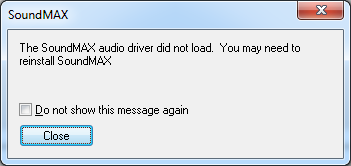
Still the system kept complaining with this message from:

[SoundMAX]
The SoundMAX audio driver did not load. You may need to reinstall SoundMAX.
[ ] Do not show this message again
[Close]

Disabling is not a good solution: it is a per user setting in the Registry, so logging in as a different user will still bring up the same message.

The real solution is to remove the remnants that the uninstall of the SoundMAX driver package left around.

Process Explorer from SysInternals has a nice “Find Window’s Process” feature to find out which process did show the message, and the executable started for that process:  “C:\Program Files (x86)\Analog Devices\Core\smax4pnp.exe

Then I used autoruns from SysInternals to find where smax4pnp.exe was started from: a Registry entry under HKEY_LOCAL_MACHINE\SOFTWARE\Wow6432Node\Microsoft\Windows\CurrentVersion\Run:  SoundMAXPnP containing the above path.

I deleted that registry key from within autoruns, moved the “C:\Program Files (x86)\Analog Devices” directory tree to the recycle bin using Windows explorer, then rebooted: problem solved.

–jeroen

Posted in BIOS, Boot, Power User | Leave a Comment »

Mapping of Lenovo ThinkPad W701 SATA bays to boot devices

Posted by jpluimers on 2011/04/22

The Lenovo ThinkPad W701 can have three (3!) SATA spindles, one of which is through the Serial Ultrabay Enhanced bay, the other 2 can be hard drives.

Below is the mapping between the bays and the boot devices.

The bays are numbered as in the ThinkPad W700, W700ds, W701, and W701ds Hardware Maintenance Manual.

  1. Internal SATA Port 1; ATA HDD0 or ATA CD0: 1030 Serial Ultrabay Enhanced device (page 90)
  2. Internal SATA Port 2; ATA HDD1: 1040 Hard disk drive (HDD) slot 1 (page 92)
  3. Internal SATA Port 0; ATA HDD2: 1040 Hard disk drive (HDD) slot 0 (page 92)
  4. External SATA Port 4: unknown
  5. External SATA Port 5: unknown

Note that the slot order and the boot device order is counter intuitive, espcially since the W701 ships with a HDD in slot 1 (which is ATA HDD0), and the SATA ports don’t map to the HDD numbers.

I don’t know yet which External SATA Port maps to the USB/eSATA combo connector mentioned on page 195.

Some remarks:

The Serial Ultrabay Enhanced bay is probably HDD0 because it is also CD0, and it makes sense to boot from CD first when you install a machine.

ATA CD0 is for one these optical devices:

ATA HDD0, 1 and 2 can be one of those HDD devices (for ATA HDD2 you need a Serial Ultrabay Enhanced adapter, either 9.5mm or 12.7 mm high):

  • 1.8 inch SATA SSD through adapter FRU 42W7888
  • 2.5 inch SATA SSD
  • 2.5 inch SATA HDD

The Serial Ultrabay Enhanced adapter can hold 12.5 mm drives, the other bays can only hold 9.5 mm drives.

It looks like the W701 is the last ThinkPad that ships with a 1920 x 1200 screen (all newer models have HD screens of 1920 x 1080, so you loose 10% of your screen height).

I learned that the yellow USB port is the powerd one (if it is disabled, you can enable the power in the BIOS)

–jeroen

Posted in BIOS, Boot, Power User, ThinkPad, W701 | 1 Comment »

x64 support in ESXi4.1 requires VT, I know that! but why warn so late?

Posted by jpluimers on 2010/08/16

I know that ESXi 4.1 requires VT (the Intel support for hardware assisted virtualization) to be enabled to run x64 VMs.
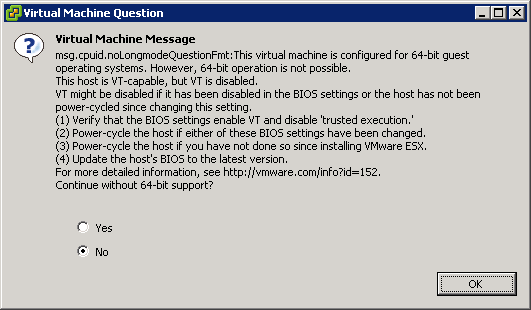
This is the warning that you get when starting an x64 VM, and you don’t have VT enabled:

[Window Title]
Virtual Machine Message
[Main Instruction]
Virtual Machine Message
msg.cpuid.noLongmodeQuestionFmt: This virtual machine is configured for 64-bit guest
operating systems. However, 64-bit operation is not possible.
This host is VT-capable, but VT is disabled.
VT might be disabled if it has been disabled in the BIOS settings or the host has not been
power-cycled since changing this setting.
(1) Verify that the BIOS settings enable VT and disable ‘trusted execution.’
(2) Power-cycle the host if either of these BIOS settings have been changed.
(3) Power-cycle the host if you have not done so since installing VMware ESX.
(4) Update the hosts’s BIOS to the latest version.
For more detailed information, see http://vmware.com/info?id=152
Continue without 64-bit support?
[Yes] [No] [OK]

Read the rest of this entry »

Posted in BIOS, Boot, ESXi4, Hardware, HP XW6600, Power User, Virtualization, VMware, VMware ESXi | 3 Comments »