I love Google:
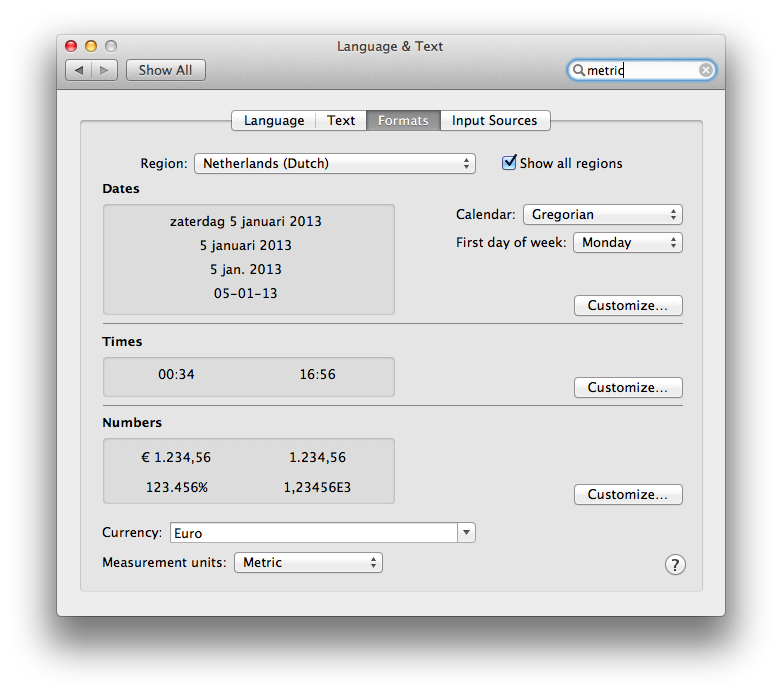
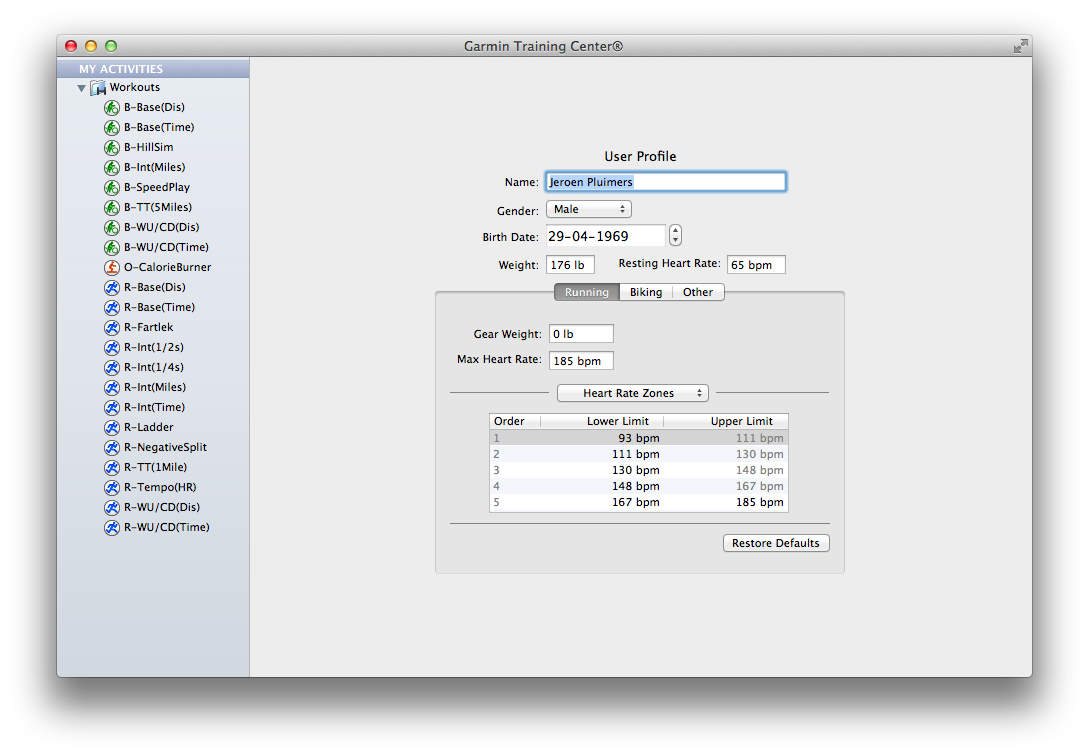
Especially since there is still software like Garmin Training Center for Mac on Mac OS X with – in the System Preferences – the Measurement Units set as Metric, insists on entering weight as lb, and workout distance in miles.
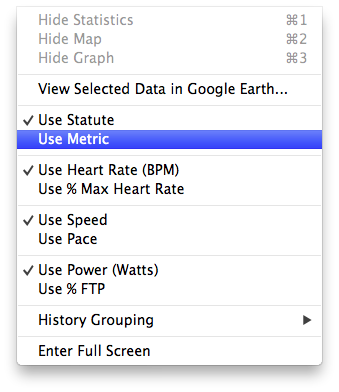
The reason is that Garmin Training Center on Mac OS X has its own “Measurement Units” settings. Where Mac OS lets the system wide setting be either “Metric” or ” US”, Garmin choose between “Metric” and “Statute” (the latter is default, not the OS X setting).
The problem is twofold:
Garmin has head offices and most of their customers outside the USA, so why insist on US units being default, and why not link the setting to the Mac OS X Preference?
UX #fail.
Oh BTW: if you connect your Garmin device, and GTC still indicates “no fitness device was found”, then use a different USB Cable and don’t connect it through a hub: the device is very picky on talking over USB (charging over USB works with virtually any USB cable).

Garmin Training Center on Mac OS X insists in imperial units, even though the system is configured as metric.

Garmin Training Center on Mac OS X has its own “Measurement Units” settings. Where Mac OS lets the system wide setting be either “Metric” or ” US”, Garmin choose between “Metric” and “Statute” (the latter is default, not the OS X setting).

Even after setting the Garmin Training Center to “Metric”, it still lists “Miles” in your workouts.
–jeroen




 The Wiert Corner - irregular stream of stuff