Archive for the ‘Hardware’ Category
Posted by jpluimers on 2018/11/26
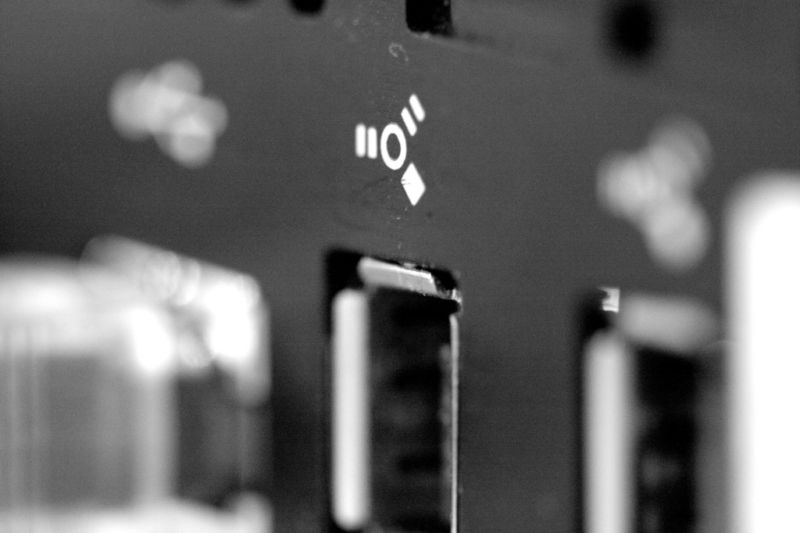
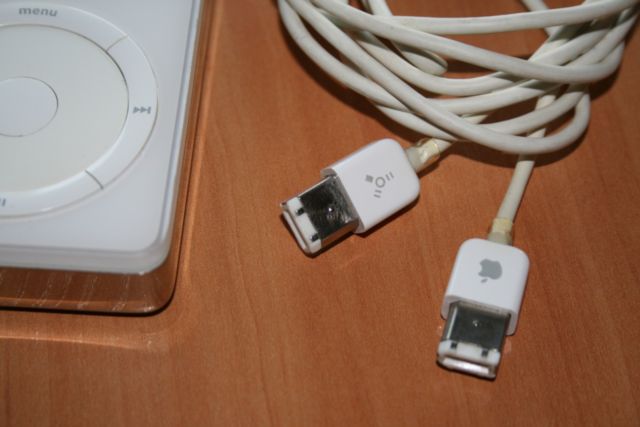
Another piece of history: FireWire also known as IEEE-1394 [WayBack].
[WayBack] The tragedy of FireWire: Collaborative tech torpedoed by corporations | Ars Technica
I still have that iPod, cables and IEEE-1394 adapters to communicate with it (:
It didn’t help that by now various types of connections – including FireWire, USB and others – are also used for DMA hacking. One less connection type, one less risk of entry:
via: [WayBack] Firewire and what could have been.. – Roderick Gadellaa – Google+ and [WayBack] Fred Dresken (Maverick) – Google+
–jeroen
Posted in Development, FireWire, FireWire, Hardware, Hardware Interfacing, History, Power User, USB, USB-C | Leave a Comment »
Posted by jpluimers on 2018/11/22
One occasion I had SSH throw a Connection Reset by Peer on my when was the SD-card of a Raspberry Pi started failing and the ext4 filesystem got mounted in read-only mode.
Then sshd was still listening on port 22, but since it could not write to disk any more, it threw a Connection Reset by Peer to the client.
It was on OpenSuSE Tumbleweed, but would failed just as well using Raspbian.
Lessons learned:
- IoT hardware will fail.
ext4 breaks when the hardware breaks.
–jeroen
Reference:
Posted in *nix, *nix-tools, Debian, Development, Hardware Development, IoT Internet of Things, Linux, Network-and-equipment, openSuSE, Power User, Raspberry Pi, Raspbian, SuSE Linux, Tumbleweed | Leave a Comment »
Posted by jpluimers on 2018/11/22
While researching what the cgi-bin of Fritz!Box devices expose, I found this post on http://fritz.box/cgi-bin/system_status:
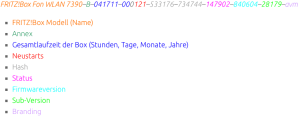 [WayBack] FRITZ!Box „Service Code“ auslesen und dekodieren – Antary
FRITZ!Box Fon WLAN 7390–B–041711–000121–533176–734744–147902–840604–28179–avm
- FRITZ!Box Modell (Name)
- Annex
- Gesamtlaufzeit der Box (Stunden, Tage, Monate, Jahre)
- Neustarts
- Hash
- Status
- Firmwareversion
- Sub-Version
- Branding
The site has the entries colour coded, but WordPress doesn’t allow for that.
I found out that on a Fritz!Box 7490 you do not need to logon, but on a Fritz!Box 7360 you have to.
The site has a few other interesting Fritz!Box posts as well:
–jeroen
Read the rest of this entry »
Posted in Fritz!, Fritz!Box, Internet, Power User | Leave a Comment »
Posted by jpluimers on 2018/11/19
From a long time ago: EVGA motherboard are very similar to EPOX ones (they
Once I had an FF motherboard code before even the POST started on an EP-8RDA3i motherboard.
Basically taking everything out, clearing the CMOS and putting everything back in solved the problem:
The capacitors were still OK.
–jeroen
Read the rest of this entry »
Posted in Hardware, Power User | Leave a Comment »
Posted by jpluimers on 2018/11/02
Nice find on not so nice packet conversion: [WayBack] Fun with IPv6 We were investigating packet loss. The loss rate was very low (smaller than 1 of 1000) but as UDP was used, it caused rare but noticeab… – Martin Seeger – Google+
Basically the load balancer could not cope well converting empty IPv4 UDP checksums to IPv6 and back.
Or like Kris mentioned it: [WayBack] Null. In Zahlen: -1., causing a nice set of comments to be posted on short term solutions versus long time forgotten problems.
–jeroen
Posted in Internet, IPv4, IPv6, Network-and-equipment, Power User, routers | Leave a Comment »
Posted by jpluimers on 2018/09/28
A while ago, I documented some links for In case I ever need to record calls on my Fritz!Box devices.
By now, I’ve done a bit more investigation: I’ve enabled the call monitor, did some port scans, installed domoticz and got deeper into fritzcap.
Oh and I got packet capturing to work too: Fritz!Box – capture network packets in Wireshark format or ISDN in dtrace format.
A small recap so I don’t forget what I did and what the effects were.
Enabling CallMonitor
[WayBack] Fritzbox – Domoticz showed how to enable the CallMonitor option in your Fritz!Box
- Dial
#96*5* to enable (response “CallMonitor On”)
- Dial
#96*4* to disable (response “CallMonitor Off”)
- It seems not possible to ask for the current state (enabled/disabled)
- After it is enabled, the TCP port 1012 on your Fritz!Box is available for tools like [WayBack] Domoticz and
fritzcap.
Read the rest of this entry »
Posted in *nix, Fritz!, Fritz!Box, Internet, Linux, openSuSE, Power User, SuSE Linux | Leave a Comment »


 The Wiert Corner - irregular stream of stuff