The Wiert Corner – irregular stream of stuff

Jeroen W. Pluimers on .NET, C#, Delphi, databases, and personal interests

  • My badges

  • Twitter Updates

  • My Flickr Stream

  • Pages

  • All categories

  • Enter your email address to subscribe to this blog and receive notifications of new posts by email.

    Join 1,854 other subscribers

Archive for the ‘Network-and-equipment’ Category

Shodan (via SCADA systems accessible through the internet)

Posted by jpluimers on 2021/10/27

Just 2 years ago I bumped into shodan.io through [Wayback] Onderzoekers: zestig slecht beveiligde Nederlandse scada-systemen op internet – Computer – Nieuws – Tweakers and saved the entry [Wayback] Shodan (website) – Wikipedia:

Shodan is a search engine that lets the user find specific types of computers (webcamsroutersservers, etc.) connected to the internet using a variety of filters. Some have also described it as a search engine of service banners, which are metadata that the server sends back to the client.[1] This can be information about the server software, what options the service supports, a welcome message or anything else that the client can find out before interacting with the server.

Shodan collects data mostly on web servers (HTTP/HTTPS – ports 80, 8080, 443, 8443), as well as FTP (port 21), SSH (port 22), Telnet (port 23), SNMP (port 161), IMAP (ports 143, or (encrypted) 993), SMTP (port 25), SIP (port 5060),[2] and Real Time Streaming Protocol (RTSP, port 554). The latter can be used to access webcams and their video stream.[3]

It was launched in 2009 by computer programmer John Matherly, who, in 2003,[4] conceived the idea of searching devices linked to the Internet.

It looked promising, but I was really pressed for time (having impromptu arrange all care for my mom, and became even more so when I got diagnosed with rectum cancer later that year), so did not pay much attention apart from registering.

Last year in the midst of my chemos I noted [Archive.is] Nate Warfield on Twitter: “https://t.co/16969jRfuL The latest Citrix vulnerability looks bad but there might be time to fix them before PoC comes out. The @shodanhq query above might help. (support.citrix.com/article/CTX269106 has more details)… “ (I think via @jilles_com) , so put it on my list of things to look into a bit further.

Since then, I found out a lot of people dislike Shodan and want to blacklist it because they see it as a threat. It feels like people think the internet is like the [Wayback] Ravenous Bugblatter Beast of Traal | Hitchhikers | Fandom

The Ravenous Bugblatter Beast of Traal is a vicious wild animal from the planet of [Wayback] Traal, known for its never-ending hunger and its mind-boggling stupidity. One of the main features of the Beast is that if you can’t see it, it assumes it can’t see you.

(This by the way is one of the reasons for Towel Day – Wikipedia)

Anyway: a few lists of Shodan IPv4 addresses and hostnames, and means to maintain them for the ones interested:

Reality is that the internet is much smarter, so if you block Shodan from seeing you, others from the internet still will and if you have vulnerable services, one day they will be abused. For instance, this personal anecdote:

I forgot I had a port redirection on my router for RDP access a non longer existing Windows system any more. I forgot that this Windows machine had no fixed DHCP-lease while in use (it kept it’s lease as it was always on).

When that machine was long gone, another temporary Windows machine obtained the same internal machine (the router had been rebooted and after reboot hands out previously handed out IP address), and boom: the new Windows machine was bombarded with RDP logon requests.

In the end, the new Windows machine was not compromised, so I was lucky as it could have been.

Back when registering, shodan.io sent SMTP mail via sky.census.shodan.io, so you might want to not blacklist it if you blacklist at all (incidentally, when writing the IP address  servicing that hostname was hosted in The Netherlands: [Wayback] 80.82.77.33 – sky.census.shodan.io – Netherlands – IP Volume inc – IP address geolocation).

It is good to think of you use Shodan, as not all usage might be legal where you live or where you travel to.

Some discussion in Dutch on the risks of using Shodan are in the above Tweakers.net link. It boils down to:

  • Searching should be OK
  • Accessing the devices found can be totally illegal

That’s basically with anything you find on the internet, for instance by Googling, so nothing new here.

I mainly use Shodan to see if I have any known vulnerabilities exposed. There are not that many ports open, but given the anecdote above, I might screw up again and not be so lucky.

This article has a balanced explanation of Shodan, how you use it, and how to stay safe: [Wayback] How to remove your device from the Shodan IoT search engine.

jeroen


Posted in Development, IoT Internet of Things, Network-and-equipment, Power User, Security, Software Development, Web Development | Leave a Comment »

Using Google/Cloudflare/central DNS can bite you with large downloads

Posted by jpluimers on 2021/10/22

If you think download speeds are slow for large downloads (or multi-media playback is slow or quality is low) on a fast link, then consider your DNS.

Many people report that using one of the centralised DNS services (like Google/Cloudflare/…) causes slowness because they direct CDN lookups to a small pool of servers that get overloaded.

Some links:

Via [WayBack] How to check whether DNS is working through a browser? – Super User

Google DNS also allows for interactive querying, for example [WayBack] Google Public DNS

Read the rest of this entry »

Posted in Cloud, Cloudflare, DNS, Hardware, Infrastructure, Internet, Network-and-equipment, Power User | Leave a Comment »

For WiFi guest networks with a fixed SSID: QR code – Wikipedia

Posted by jpluimers on 2021/10/06

Access Denied

Access Denied

I knew it was possible to generate QR codes to access quest networks (as the QR code has credentials) for WiFi networks having a fixed SSID.

I just never bothered, but did when needed home care with quite a few different people providing the care.

Generating was easier than I anticipated, though I hoped I just could put the parameters in a URL and fire off to get a page including the QR code.

Alas, the pages I found require you to enter the SSID name and key/password phrase.

That’s OK: I have saved the PNG files for our network and my brother’s as images so I can put them on-line, and printed them out so guests can scan and use the network at once.

Here we go:

  • 124 network Access Denied, key 2171TB24
  • 171 network Disconnected, key 1060NP71

Related:

Read the rest of this entry »

Posted in Barcode, Development, Fritz!, Fritz!Box, JavaScript/ECMAScript, Network-and-equipment, Power User, QR code, Scripting, Software Development, Web Development, WiFi | Leave a Comment »

UniFi USG link dump

Posted by jpluimers on 2021/10/04

I wanted to setup a UniFi USG (Ubiquiti Unifi Security Gateway) with round robin multi-WAN and incoming port forwarding on both WAN connections.

Quite a few links were the result:

Adoption was another headache. Some links on that too:

If you end up in a cannot adopt state, then a reset is the only practical way to go:

–jeroen

Posted in Network-and-equipment, Power User, Unifi-Ubiquiti, USG Ubiquiti Unifi Security Gateway | Leave a Comment »

UCM6200 series IP PBX for Unified Communications- Grandstream Networks

Posted by jpluimers on 2021/10/04

The UCM6200 IP PBX series allows businesses to unify multiple communication technologies, such as voice, video calling, video conferencing, video surveillance, data tools, mobility options and facility access management onto one common network.

[WayBack] UCM6200 series IP PBX for Unified Communications- Grandstream Networks

–jeroen

Posted in Hardware, Network-and-equipment, Power User, Telephony, VoIP | Leave a Comment »

MikroTik PoE: automatically power cycle and reboot device when it becomes unresponsive.

Posted by jpluimers on 2021/09/24

In the past I had these manual scripts to power-cycle a hung RaaspberryPi device:

/interface ethernet poe set ether5 poe-out=off
/interface ethernet poe set ether5 poe-out=forced-on

or on one line:

/interface ethernet poe set ether5 poe-out=off; /interface ethernet poe set ether5 poe-out=forced-on

I am going to try this script for the port having a Raspberry Pi on it (note: this requires a 48V power brick for the Mikrotik!) on RouterOS version 6.48.3 (stable):

/interface ethernet
set [ find default-name=ether5 ] comment="RaspberryPi" poe-out=\
    forced-on power-cycle-ping-address=192.168.124.38 power-cycle-ping-enabled=\
    yes power-cycle-ping-timeout=2m

The above has not worked for a long time as per [Wayback] No POE Power Cycle @ hEX POE – MikroTik:

But it might be fixed as of [Wayback] RouterOS version v6.47.3[stable] as per [Wayback] MikroTik Routers and Wireless – Software: 6.47.3 (2020-Sep-01 05:24):

*) poe – fixed “power-cycle” functionality on RB960GSP;

Similar issues exist on RB760iGS/Hex S, and there the fix requires new hardware in addition to firmware as per [Wayback] POE OUT issue on ether5 rb760igs (no power) – MikroTik

Note that I did disassemble both of these routers for inspection and there are obvious changes to the hardware to correct the PoE problems – most notably a completely different relay, capacitor and some minor circuit design changes.

If it still fails, I might try

[Wayback] No POE Power Cycle @ hEX POE – MikroTik: workaround script

:local ipPing ("x.x.x.x")
:local pingip
#
# pingip below RUNS and sets the variable
# to number of successful pings ie 3 means 3 of 45 success
# can also use ($pingip > 1) or ($pingip >= 1) both TESTED
# ($pingip >= 1) means if only 1 or 0 pings do the IF, not the ELSE
#
:log info ("ping CHECK script IS RUNNING NOW")
# first delay 90 b4 ping test incase this is running at POWER UP
:delay 90
:set pingip [/ping $ipPing count=45]
:if ($pingip <= 3) do={ :log warning (">95% lost ping LOSS to isp GW IP x.x.x.x via ether5 so DO POE powerCYCLE")
  /interface ethernet poe set ether5 poe-out=off
  :delay 12
  /interface ethernet poe set ether5 poe-out=auto-on
  :delay 10
  :log warning ("ether5 POE HAS BEEN TURNED BACK ON")
  :delay 90
  /system script run emailPOEresult
} else={
  :log warning ("PoeCyclePINGcheck ELSE ran so no ping loss detected by script")
}

Based on:

Read the rest of this entry »

Posted in Development, Hardware Development, Internet, MikroTik, Power User, Raspberry Pi, routers | Leave a Comment »

Mikrotik RouterOS “/ip ssh” setting not available from WinBox and defaulting to insecure?

Posted by jpluimers on 2021/09/20

Still need to research this further:

Somewhere around 6.44, when upgrading an existing RouterOS device, this snippet became part of the configuration:

/ip ssh
set allow-none-crypto=yes forwarding-enabled=remote

A few remarks:

  • I could not find anything in WinBox that is equivalent.
  • This sounds very insecure, so I have run this script:
    /ip ssh
    set allow-none-crypto=no forwarding-enabled=no

    which makes the snippet to disappear (because they are default settings according to [WayBack] Manual:IP/SSH – MikroTik Wiki).

    Like usual, the on-line documentation is dense and insufficiently clear, hence my measure.

In the future, I need to decipher these posts (via [WayBack] winbox ssh allow none crypto – Google Search and [WayBack] winbox ssh forwarding enabled remote – Google Search):

–jeroen

Posted in Internet, MikroTik, Power User, routers | Leave a Comment »

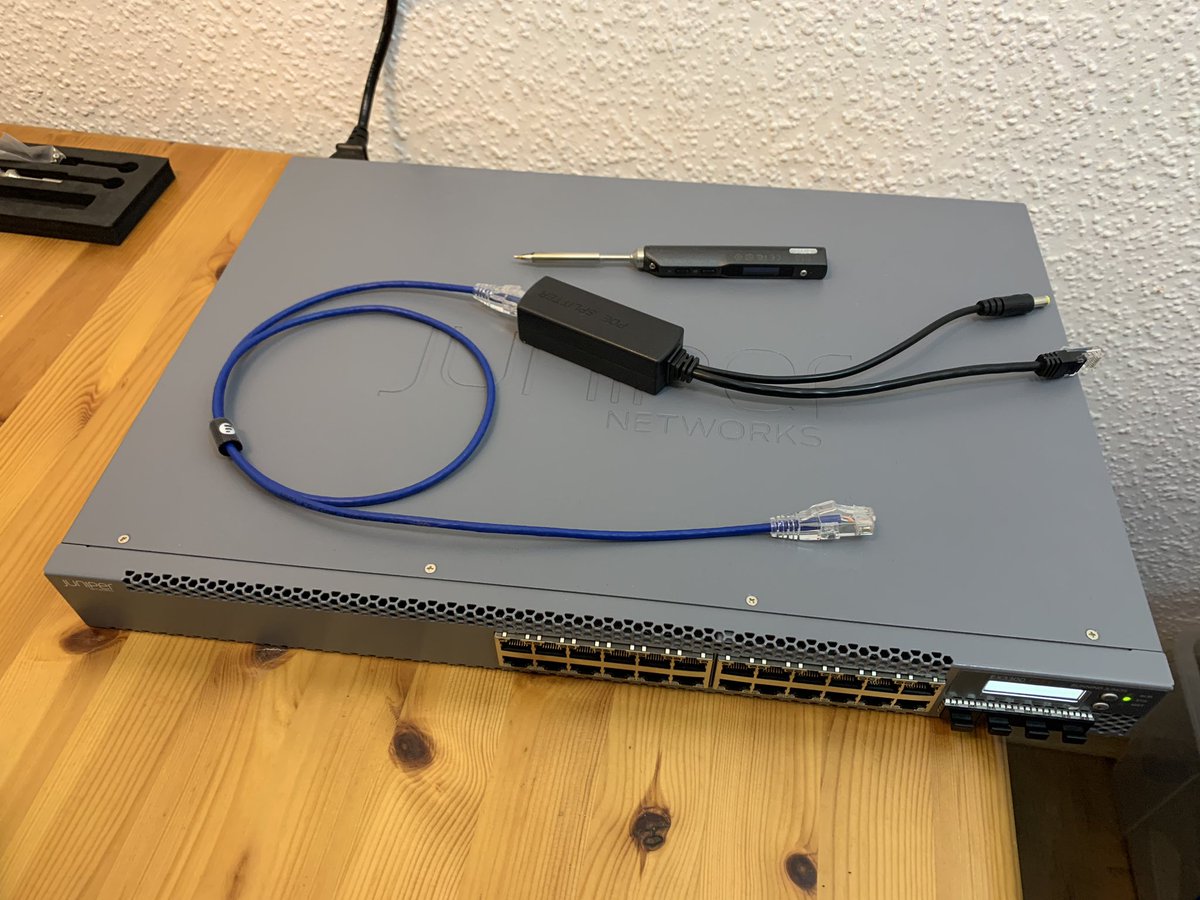
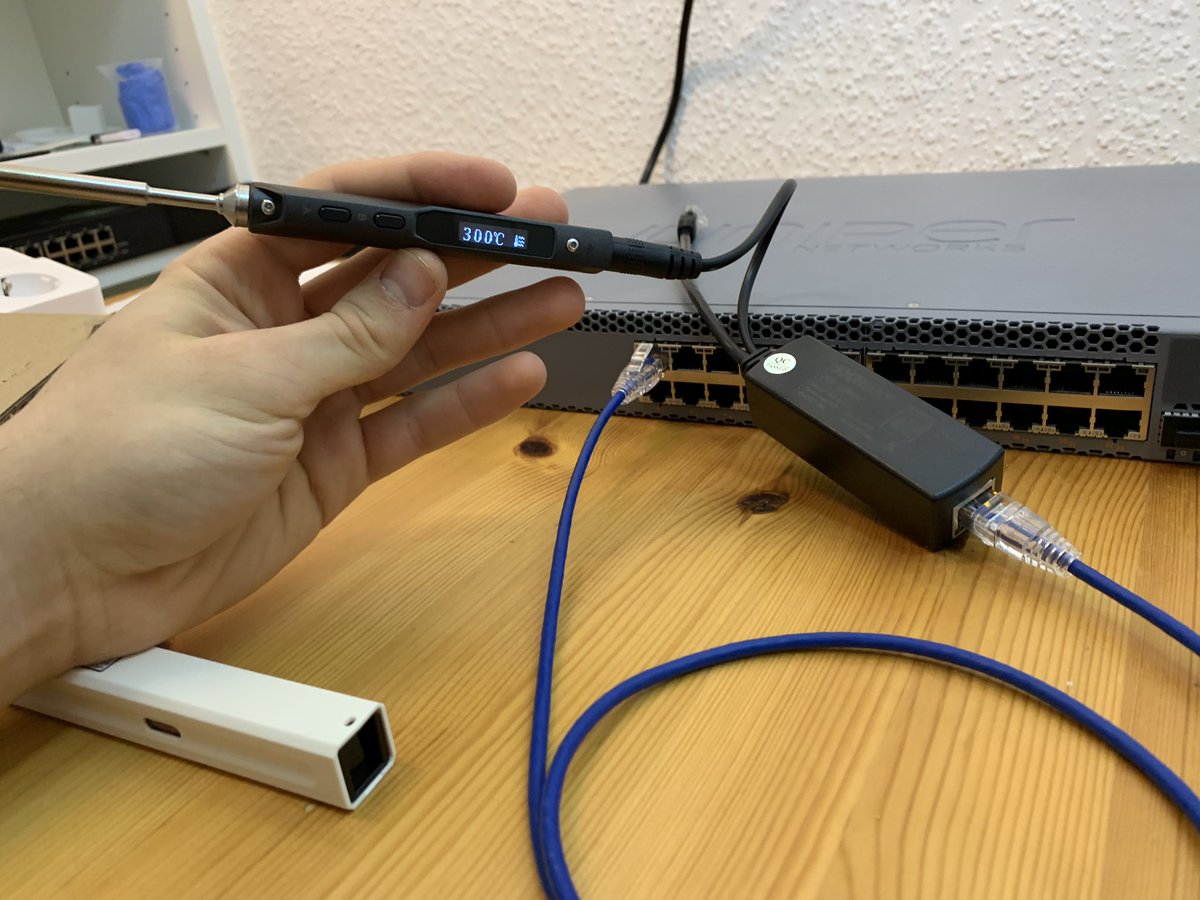
vidister – ☎️ FTTH sur Twitter : “Shitty idea of the day: Powering a soldering iron via PoE.… “

Posted by jpluimers on 2021/09/15

[WayBack] vidister – ☎️ FTTH on Twitter : “Shitty idea of the day: Powering a soldering iron via PoE.… “:

Via: [WayBack] Amy Renee on Twitter : “Soldering the packets together to enable jumbo frames. 😂😂😂… “

–jeroen

Read the rest of this entry »

Posted in Development, Ethernet, Hardware Development, Network-and-equipment, PoE - Power over Ethernet, Power User, Soldering | Leave a Comment »

Shelly Shop USA

Posted by jpluimers on 2021/09/01

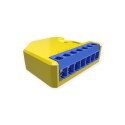
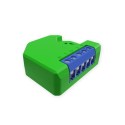
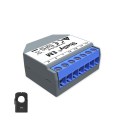
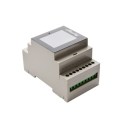
IoT power switching equipment at [WayBack] Shelly Shop Europe:

Via: [WayBack] Tweakers Gift Guide 2019 – Smarthome – Koophulp – Tweakers

–jeroen

Posted in Development, Hardware Development, IoT Internet of Things, Network-and-equipment, Power User | Leave a Comment »

MikroTik RB960PGS hEX PoE powering PoE devices: ensure you get a 48V power supply

Posted by jpluimers on 2021/08/24

By default, the [WayBack] MikroTik RB960PGS hEX PoE comes with a 24V power supply.

Most PoE capable devices cannot be powered by 24V but need 48V. I wrote about this before in the midst of the long post Linus Torvalds – Google+: Working gadgets: Ubiquiti UniFi collection (and a whole bunch of Unifi/Ubiquiti/Ubtn links)

So now I re-mention it in a much smaller post so it easier to find back, and a few links to Power over Ethernet – Wikipedia, where especially these bits are relevant:

  • The PoE Standard implementation for 802.3af (802.3at Type 1) “PoE” requires DC 44.0–57.0 V.
  • Of the PoE Non-standard_implementations, some common Passive specifications include:
    • 24VDC 0.5A 100 Mbit/s or 1 Gbit/s
    • 24VDC 1.0A 100 Mbit/s or 1 Gbit/s
    • 48VDC 1.0A 100 Mbit/s or 1 Gbit/s
    • 56VDC 1.0A and 2.0A 1 Gbit/s (used for 45W+ load point to point microwave and millimeter band radios

The 24V is what MikroTik sticks to with their default power supply.

Read the rest of this entry »

Posted in Internet, MikroTik, Network-and-equipment, Power User, routers, Unifi-Ubiquiti | Leave a Comment »