


I wasn’t expecting it to be so easy to install PowerShell on Mac OS X:
brew install Caskroom/cask/powershell
In the background it executes this script: https://github.com/caskroom/homebrew-cask/blob/master/Casks/powershell.rb. which indirectly goes through the URL template https://github.com/PowerShell/PowerShell/releases/download/v#{version}/powershell-#{version}.pkg.
On other non-Windows systems, you have to go through GitHub yourself: https://github.com/powershell/PowerShell. The PowerShell team at Microsoft has many more repositories including the Win32-OpenSSH port which you can find through https://github.com/PowerShell.
At the time of writing, PowerShell was available for these platforms:
Platform Downloads How to Install Windows 10 / Server 2016 (x64) .msi Instructions Windows 8.1 / Server 2012 R2 (x64) .msi Instructions Windows 7 (x64) .msi Instructions Windows 7 (x86) .msi Instructions Ubuntu 16.04 .deb Instructions Ubuntu 14.04 .deb Instructions CentOS 7 .rpm Instructions OpenSUSE 42.1 .rpm Instructions Arch Linux Instructions Many Linux distributions .AppImage Instructions macOS 10.11 .pkg Instructions Docker Instructions
The first version I installed on Mac OS X was this: ==> Downloading https://github.com/PowerShell/PowerShell/releases/download/v6.0.0-alpha.17/powershell-6.0.0-alpha.17.pkg
By now I really hope it is out of Alpha state.
–jeroen
via:
- [WayBack] http://www.learn.cf/2017/01/how-to-install-and-use-powershell-on.html – Joe C. Hecht – Google+
- [WayBack] Click For Information: How to Install and Use PowerShell on Linux


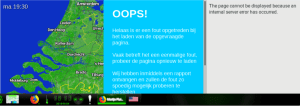 Need to check out which weather widgets I can get working for a really long period of time with a refresh every minute. [
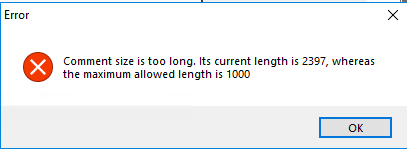 Good job PlasticSCM! Imposing limits on what you can write. Not!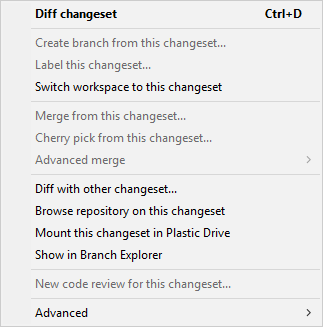
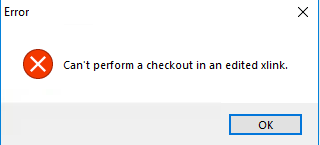 Finally I need to find out the cause of the below message when I click on “Checkin” (i.e. not Checkout):
 The Wiert Corner - irregular stream of stuff