


Lots of interesting profilers in [WayBack] Profiler and Memory Analysis Tools for Delphi – Stack Overflow:
- Non-unicode Delphi
- Unicode Delphi
--jeroen
Posted by jpluimers on 2021/07/27
Lots of interesting profilers in [WayBack] Profiler and Memory Analysis Tools for Delphi – Stack Overflow:
--jeroen

Posted in Delphi, Development, Software Development | 2 Comments »
Posted by jpluimers on 2021/07/27
This is a continuation of yesterdays
Listing information on all active interfaces on MacOS part 1: getting the active interface names.
It is based on ideas in these StackExchange posts:
I threw most of the implementation details in the ideas away, as they were way to much based on empirical trial and error, than proper research.
So I tried doing the research and came up with the things below.
By using the ipconfig command, you can get specific details for a NIC like an IPv4 (with the getifaddr) or DHCP (with the getpacket option to get the latest DHCP packet):
for i in $(ifconfig -l -u); do if ifconfig $i | grep -q "status: active" ; then echo $i; fi; done | xargs -n1 -I_nic_ sh -c 'echo "_nic_: $(ipconfig getifaddr _nic_)"'
or DHCP/BOOTP:
for i in $(ifconfig -l -u); do if ifconfig $i | grep -q "status: active" ; then echo $i; fi; done | xargs -n1 -I_nic_ sh -c 'echo "_nic_: $(ipconfig getpacket _nic_)"'
The latter returns a very long list, which I wanted to shorten into a more readable format.
You can find more information in the [Archive.is] ipconfig(8) [osx man page] / [WayBack] ipconfig Man Page – macOS – SS64.com excerpt:
Posted in *nix, *nix-tools, Apple, bash, Development, DNS, ifconfig, Mac OS X / OS X / MacOS, Power User, Scripting, Software Development | Leave a Comment »
Posted by jpluimers on 2021/07/27
Note that by now, Unifi Controller is usually named Unifi Network Management Controller (somewhere in between it was called Unify Network Controller).
You can either run a local installation on a Linux box (usually Ubuntu), for instance the CloudKey ESXi Appliance, or from a Cloud Key (if you do, do not get a version 1 Cloud Key; too much SD card and other hardware trouble)
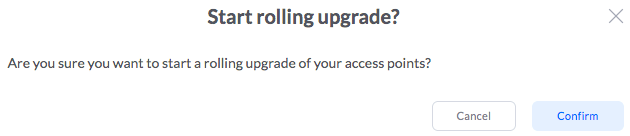
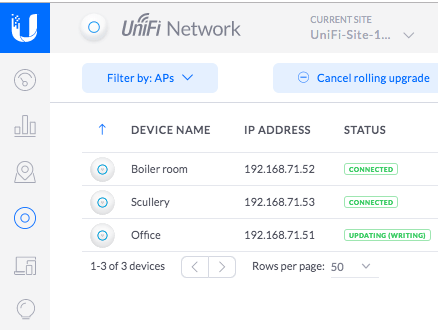
Steps to update both the Unifi Controller Firmware (Cloud Key only) and the Unifi Controller software (both Cloud Key and local installation) are below.
I am assuming that 192.168.71.50 is the IP address of your Cloud Key, and for brevity, I included few screenshots, but opted for URLs.
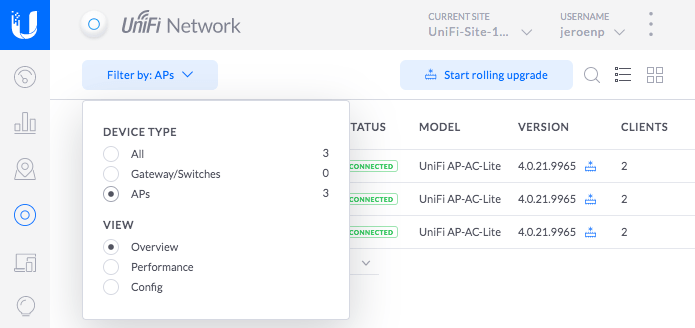
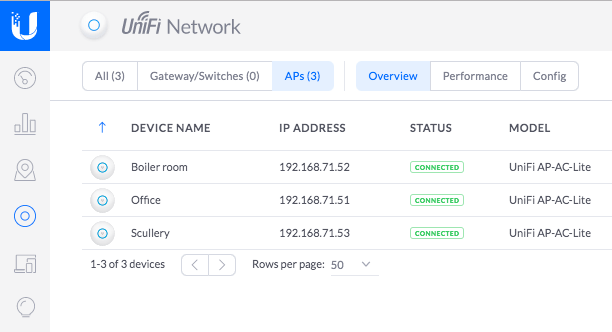
Screenshots for selecting “APs” with narrow and wide tab widths:

Posted in Cloud Key, Network-and-equipment, Power User, Unifi-Ubiquiti | Leave a Comment »
Posted by jpluimers on 2021/07/26
–jeroen

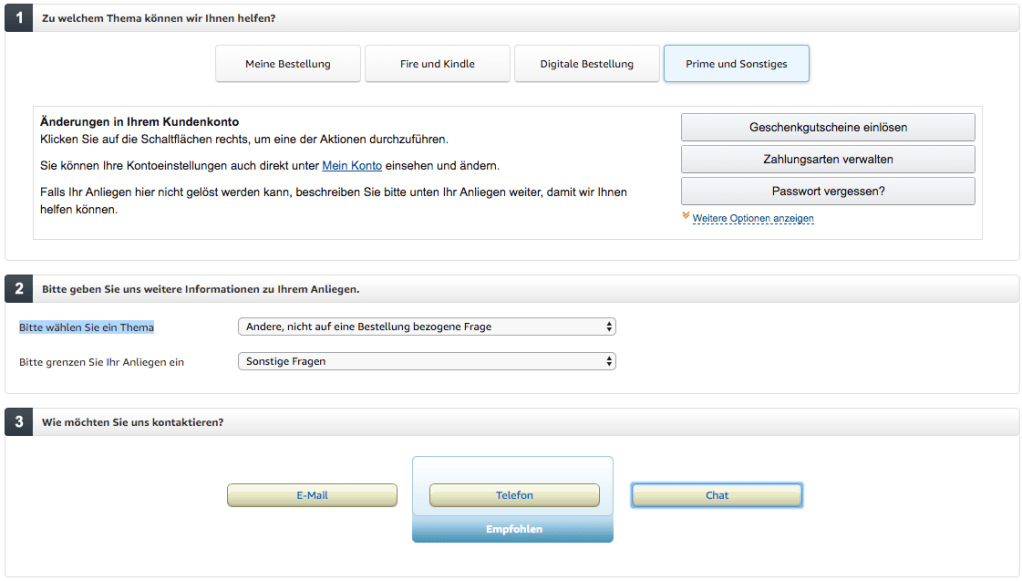
Posted in Amazon.com/.de/.fr/.uk/..., Cloud, Infrastructure, Power User | Leave a Comment »
Posted by jpluimers on 2021/07/26
ADHD is hard. Dani Donovan has some great resources on it.
[WayBack] Dani Donovan on Twitter: ”
therapist: and what do we do when we’re feeling stressed?
me: stop making plans, avoid text messages, and accidentally alienate myself from all of my friends
therapist: no”
Via: [WayBack] Ian Coldwater 📦💥✨ on Twitter: “For extra fun, delete your Twitter and avoid messages from your friends across Signal and 15 different Slack teams… “
Related:
It also taught me about Twitter: Moments – Wikipedia (which have been there for way longer than I thought: 2015! [WayBack] Moments, the best of Twitter in an instant)
–jeroen

Posted in About, LifeHacker, Personal, Power User | Leave a Comment »
Posted by jpluimers on 2021/07/26
I wrote a tiny post about Boxstarter a long time ago, so maybe it is time to look at it again.
By now, there are way more scripts, so here are some links:
Click link to run Description Full Desktop App Windows Desktop App Development (Visual Studio, Windows SDK, C++, UWP, .NET (WPF and Winforms)) UWP Desktop App Windows Desktop App Development (Visual Studio, Windows SDK, UWP) .NET Desktop App Windows Desktop App Development (Visual Studio, Windows SDK, .NET (WPF and Winforms)) C++ Desktop App Windows Desktop App Development (Visual Studio, Windows SDK, C++) Web Web (VS Code, WSL, Multiple Browsers) Web NodeJS Web Dev with NodeJS (Web + NodeJS LTS)¹ Machine Learning Windows Machine Learning with only Windows native tools Machine Learning Linux Machine Learning with Linux tools running on WSL DevOps Azure Client setup for DevOps with Azure
…
Disable-BingSearch
Disables the Bing Internet Search when searching from the search field in the Taskbar or Start Menu.
Enable-RemoteDesktop
Allows Remote Desktop access to machine and enables Remote Desktop firewall rule.
Enable-MicrosoftUpdate
Turns on the Windows Update option to include updates for other Microsoft products installed on the system.
Enable-UAC
Enables UAC.
Install-WindowsUpdate
Finds, downloads and installs all Windows Updates. By default, only critical updates will be searched. However the command takes a
-Criteriaargument allowing one to pass a custom Windows Update query.For details about the
Install-WindowsUpdatecommand, run:Help Install-WindowsUpdate -FullMove-LibraryDirectory
Libraries are special folders that map to a specific location on disk. These are usually found somewhere under $env:userprofile. This function can be used to redirect the library folder to a new location on disk. If the new location does not already exist, the directory will be created. Any content in the former library directory will be moved to the new location unless the DoNotMoveOldContent switch is used. Use Get-LibraryNames to discover the names of different libraries and their current physical directories.
Move-LibraryDirectory "Personal" "$env:UserProfile\skydrive\documents"This moves the Personal library (aka Documents) to the documents folder off of the default SkyDrive directory.
Set-StartScreenOptions
Sets options for the Start Screen in Windows 8/8.1
Set-StartScreenOptions -EnableBootToDesktop -EnableDesktopBackgroundOnStart -EnableShowStartOnActiveScreen -EnableShowAppsViewOnStartScreen -EnableSearchEverywhereInAppsView -EnableListDesktopAppsFirstIt is also possible to do the converse actions, if required.
Set-StartScreenOptions -DisableBootToDesktop -DisableDesktopBackgroundOnStart -DisableShowStartOnActiveScreen -DisableShowAppsViewOnStartScreen -DisableSearchEverywhereInAppsView -DisableListDesktopAppsFirstSet-CornerNavigationOptions
Sets options for the Windows Corner Navigation in Windows 8/8.1
Set-CornerNavigationOptions -EnableUpperRightCornerShowCharms -EnableUpperLeftCornerSwitchApps -EnableUsePowerShellOnWinXIt is also possible to do the converse actions, if required.
Set-CornerNavigationOptions -DisableUpperRightCornerShowCharms -DisableUpperLeftCornerSwitchApps -DisableUsePowerShellOnWinXSet-WindowsExplorerOptions
Sets options on the Windows Explorer shell
Set-WindowsExplorerOptions -EnableShowHiddenFilesFoldersDrives -EnableShowProtectedOSFiles -EnableShowFileExtensions -EnableShowFullPathInTitleBar -EnableOpenFileExplorerToQuickAccess -EnableShowRecentFilesInQuickAccess -EnableShowFrequentFoldersInQuickAccess -EnableExpandToOpenFolder -EnableShowRibbonIt is also possible to do the converse actions, if required.
Set-WindowsExplorerOptions -DisableShowHiddenFilesFoldersDrives -DisableShowProtectedOSFiles -DisableShowFileExtensions -DisableShowFullPathInTitleBar -DisableOpenFileExplorerToQuickAccess -DisableShowRecentFilesInQuickAccess -DisableShowFrequentFoldersInQuickAccess -DisableExpandToOpenFolder -DisableShowRibbonSet-TaskbarOptions
Sets options on the Windows Taskbar
AlwaysShowIconsOn/AlwaysShowIconsOff allows turning on or off always show all icons in the notification area
Set-TaskbarOptions -Size Small -Lock -Dock Top -Combine Always -AlwaysShowIconsOnIt is also possible to do the converse actions, if required.
Set-TaskbarOptions -Size Large -UnLock -Dock Bottom -Combine Never -AlwaysShowIconsOffUpdate-ExecutionPolicy
The execution policy is set in a separate elevated PowerShell process. If running in the Chocolatey runner, the current window cannot be used because its execution policy has been explicitly set.
If on a 64 bit machine, the policy will be set for both 64 and 32 bit shells.
Related: Boxstarter: quickly setup a machine with just a Gist
–jeroen
Posted in Boxstarter, Chocolatey, Power User, Windows | Leave a Comment »
Posted by jpluimers on 2021/07/23
Requires admin privileges, but can be worth your effort: [WayBack] [APP][5.0+][BETA] Island – app freezing, pri… | Android Development and Hacking
“Island” is a sandbox environment to clone selected apps and isolate them from accessing your personal data outside the sandbox (including call logs, contacts, photos and etc) even if related permissions are granted. Device-bound data is still accessible (SMS, IMEI and etc).
Isolated app can be frozen on demand, with launcher icon vanish and its background behaviors completely blocked.
Via:
–jeroen
Posted in Android, Android Devices, Development, Mobile Development, Power User | Leave a Comment »
Posted by jpluimers on 2021/07/23
On an old system, I found some x86 installers with names like RbudLR.cab, RosebudMUI.msi, RosebudMUI.xml, setup.xml.
They appeared to be the (now deprecated and never released as x64): MSDAIPP – Wikipedia (Microsoft Data Access Internet Publishing Provider).
Searching for RosebudMUI many returned detection scams like solvusoft, but somewhere further down was this only meaningful result: [WayBack] What is the RosebudMUI AddOn in Visio 2007?
–jeroen
Posted in Office, Office 2010, Power User, Windows | Leave a Comment »
Posted by jpluimers on 2021/07/23
When local tracking fails use PostNL International Parcel Tracking
Convert the URL
For instance when this happens:
–jeroen

Posted in LifeHacker, Power User | Leave a Comment »
Posted by jpluimers on 2021/07/22
Based on zzz but filters current user, and listener session.
:: https://stackoverflow.com/questions/36715033/how-to-logoff-all-users-on-windows-from-command-line-as-a-domain-administrator
:: The findstr bit filters out the current session (starts with ">") and session 65536 (which is the listener)
for /f "skip=2 tokens=2,3 delims= " %%a in ('query session ^| findstr /v /b ">" ^| findstr /v "65536  Listen"') DO (
    echo %%a|findstr /xr "[1-9][0-9]* 0" >nul && (
      logoff %%a
    )
    echo %%b|findstr /xr "[1-9][0-9]* 0" >nul && (
      logoff %%b
    )
)
goto :eof
–jeroen
Posted in Batch-Files, Development, Scripting, Software Development, Windows Development | Leave a Comment »

 The Wiert Corner - irregular stream of stuff