


Chrome: allow some URLs to “never sleep” (or hibernate/discard)
Posted by jpluimers on 2021/12/29
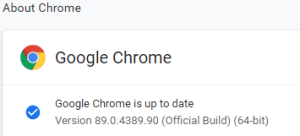 This option in Chrome has moved around a bit, so here is how it was in Version 89.0.4389.90 (Official Build) (64-bit) when I documented it.
- Browse to
chrome://discards/ - Don’t be intimidated by the many rows and columns; only the rightmost 8 (at the time of writing) are interesting:

- Search for the URL (in my chase
https://web.whatsapp.com/, so I searched forwhatsappwhich you see as orange in the screenshots below) for which you want to ensure it will never sleep/hibernate (Chrome calls this “discardable”)

- Click
Toggleunder the checkmark ✔ so it changes into a cross ✘️ (so the URL will never be discarded, hence always stays awake)

Do this only for tabs that are not CPU/memory/traffic intensive
I got there via these posts:
- [Wayback] How to Prevent Chrome from Reloading Tabs When You Switch to Them (which mentions the old style solution browsing to
chrome://flagsthat does not work for this problem any more) - [Wayback] Stop Chrome Tab Sleeping/Hibernating – Stack Overflow which corrects the expired answer by providing a correct
chrome://discardsalternative.
When searching for discards, I found this post: [Wayback] How to Prevent Chrome from Reloading Tabs When You Switch to Them
Chrome has built-in memory management that causes inactive tabs to “sleep” as RAM is filled. When you click the tab again, it has to reload the page. It’s annoying.
–jeroen

 The Wiert Corner - irregular stream of stuff
Leave a comment