Archive for the ‘Hardware Development’ Category
Posted by jpluimers on 2020/05/01
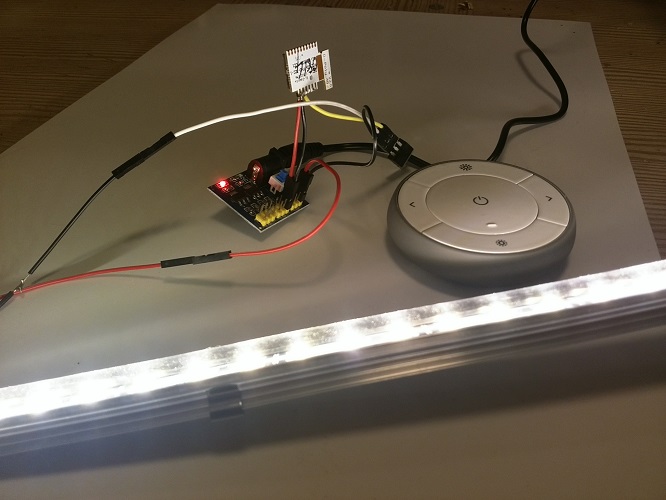
It is easy to replace the halogen bulbs in IKEA track lighting systems like IKEA SANSA or IKEA LINA by LED bulbs (Sansa uses 5.3mm spaced MR16 fitting compatible with both GX5.3 and GU5.3 bulbs, I think LINA uses the same): [WayBack] SM2YER Goran’s Homepage.
There are many other fittings; [WayBack] LED fitting welke moet ik kiezen? | Lampfittingen overzicht has a good list, mentioning these:
- E14
- E27
- GU10
- MR11 (which has slightly thicker pins than G4 and GU4)
- G4 and GU4
(with varying pin thickness)
- G5.3, GX5.3, GU5.3
(with varying pin thickness)
- G6.35, GX6.535, GY6.35, GZ6.35
(with varying pin thickness)
- MR16
- G9
- GU10
- AR111
The problem is the power supplies. They do not like the low wattage, or even burn with low wattage. Two solutions:
- Use at least one 10W bulb, or
- Use a 12V power supply from a laptop or other device that delivers far less power.
Fitting references:
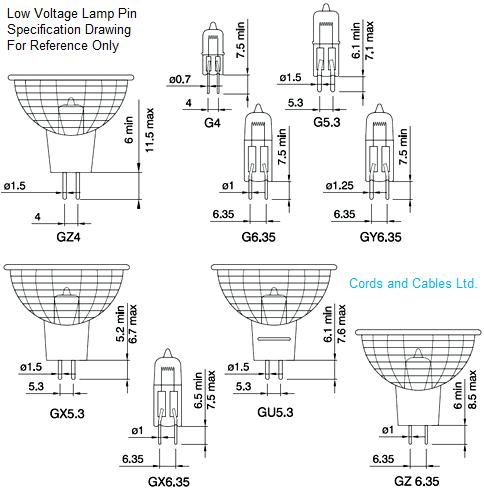
--jeroen
Posted in Development, Hardware Development, IKEA hacks, LifeHacker, Power User | Leave a Comment »
Posted by jpluimers on 2020/04/24
A while ago I had a "fsck.ext4: unable to set superblock flags on ROOT" on an SD card in a Raspberry Pi: it basically means the SD card is dead.
Back then Google found only one entry: [WayBack] Bad Superblock – Raspberry Pi Forums
–jeroen
Posted in *nix, *nix-tools, Development, Hardware Development, Power User, Raspberry Pi | Leave a Comment »
Posted by jpluimers on 2020/04/16
These are cool devices: the [WayBack] LBS008AE and LBS005AE-R2, 10-100 Switches USB powered – Black Box.
Both are the size of a Raspberry Pi and USB powered.
The first is 8-port, the second 5-port. Ideal for a stack of Pis.
There are 5V powered 8-port Gigabyte switches from other vendors as well at around `1A (effectively using ~5W), but they are bigger.
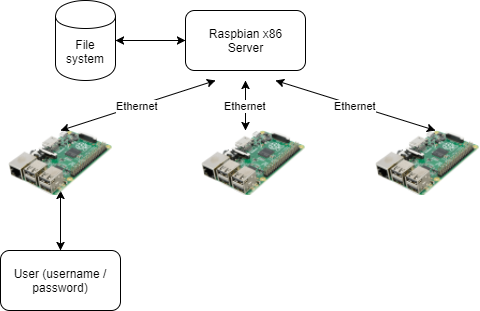
Via: [WayBack] How to Build a Kubernetes Cluster with ARM Raspberry Pi then run .NET Core on OpenFaas – Scott Hanselman
–jeroen
Posted in Development, Hardware Development, Power User, Raspberry Pi | Leave a Comment »
Posted by jpluimers on 2020/03/04
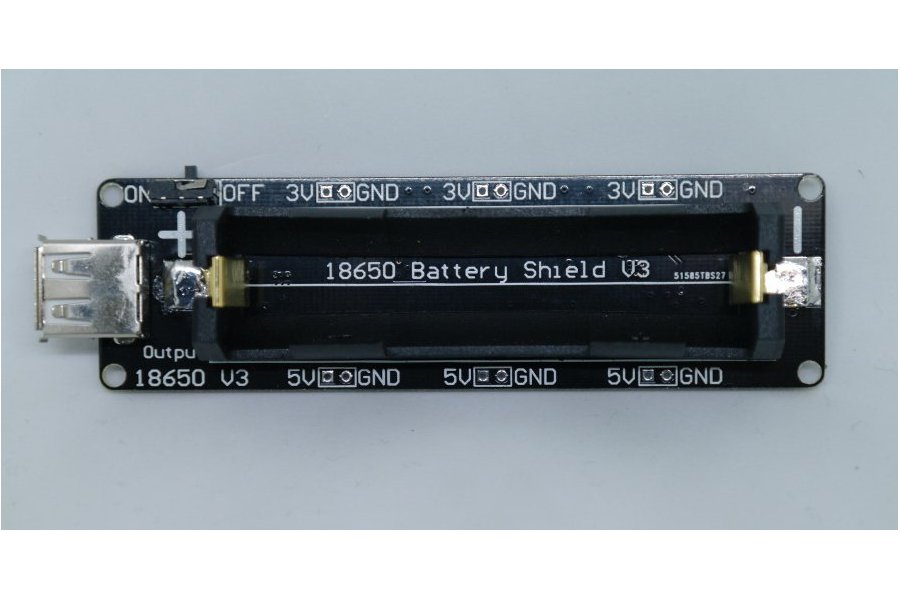
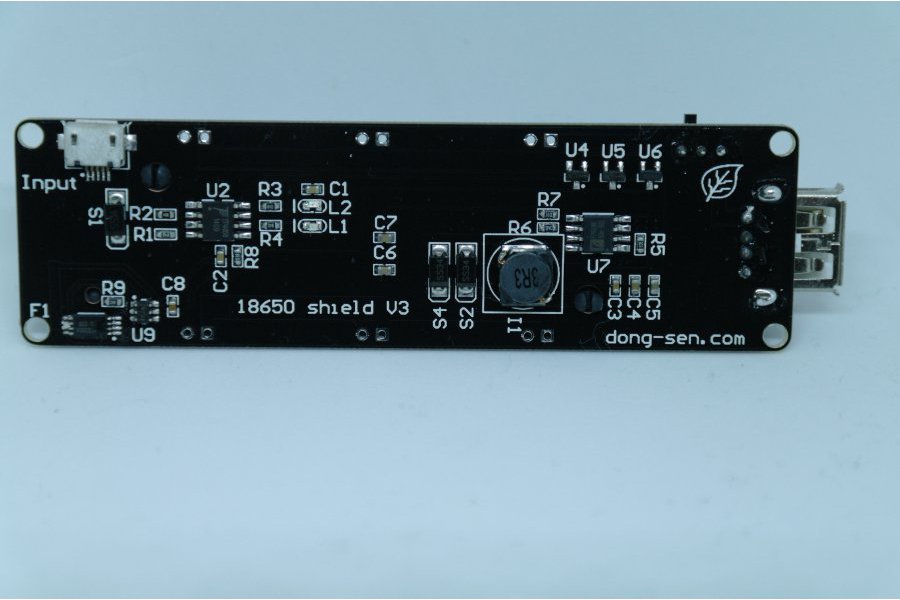
As you know Tesla has thousands of 18650 batteries. The 18650 battery is a strong existence. So we made this 18650 battery shield for maker.
Features:
- Battery protection(Over charge or Over discharge)
- Micro USB port Input
- Type-A USB Output
- 0.5A current charging
- 1 switch control USB output
- 5~8V Input Voltage
- 3V & 1A Output
- 5V & 2A Output
- LED indicate(Green means full,Red means charging)
- 3V output port x3
- 5V output port x3
Charging can only be done at 0.5A, so using it as a sort of UPS seems not possible, but an interesting device nonetheless.
The other products referenced from the same page are interesting too and will undoubtedly bring me some new ideas for some projects.
Source: [WayBack] 18650 Battery shield V3(RaspberryPi&Arduino) from lspoplove on Tindie
Via:
–jeroen
Posted in 18650, Arduino, Batteries, Development, ESP8266, Hardware Development, Li-Ion, Odroid, Power User, Raspberry Pi | Leave a Comment »
Posted by jpluimers on 2020/02/28
Two links that help me identify the Raspberry Pi devices from my collection (which misses quite a few, but is too extensive to get them all right in the blink of an eye):
–jeroen
Posted in *nix, Development, Hardware Development, Power User, Raspberry Pi | Leave a Comment »
Posted by jpluimers on 2020/01/03
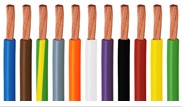
The cool thing about elektronica-shop.nl is that they have [WayBack] Montagedraad in various colours for most diameters:


A short list:
- 0.14 mm2: rood/bruin/blauw/groen/geel/oranje/zwart/wit/grijs
- 0.20 mm2: zwart/bruin/rood/oranje/geel/groen/blauw/paars/grijs/wit
- 0.75 mm2: blauw/bruin/groen-geel/grijs/oranje/wit/violet(paars)/zwart/rood/geel/groen
- 1.00 mm2: zwart/rood
- 1.50 mm2: zwart/rood/blauw/bruin/groen-geel
- 2.50 mm2: zwart/rood
- 4.00 mm2: zwart/rood
- 6.00 mm2: zwart/rood
Translations:
- rood = red
- bruin = brown
- blauw = blue
- groen = green
- geel = yellow
- oranje = orange
- zwart = black
- wit = white
- grijs = grey/gray
- paars = purple
- violet = violet
- groen-geel = green-yellow striped
The maximum current (Amperage) depend on the area through which the current can flow. It can be roughly translated from the AWG (American Wire Gauge). See the table below.
De AWG-code wordt met name in de elektrotechniek om de dikte van elektrische geleiders en de toebehoren daarvan, zoals adereindhulzen, kabelschoenen en -klemmen, aan te duiden.
AWG  -  mm²    -  mm

4   -  21       -   5.2
6   -  13       -   4.1
8   -    8       -   3.2
10   -    6       -   2.6
12   -    4       -   2
14   -    2.5    -   1.6
16   -    1.5    -   1.3
18   -    1       -   1
20   -    0.5    -   0.8
22   -    0.3    -   0.65
24   -    0.2    -   0.5
26   -    0.13  -   0.4
28   -    0.08  -   0.32
30   -    0.05  -   0.25
Posted in Development, Hardware Development, LifeHacker, Power User | Leave a Comment »






 The Wiert Corner - irregular stream of stuff