The Wiert Corner – irregular stream of stuff

Jeroen W. Pluimers on .NET, C#, Delphi, databases, and personal interests

  • My badges

  • Twitter Updates

  • Pages

  • All categories

  • Enter your email address to subscribe to this blog and receive notifications of new posts by email.

    Join 1,839 other subscribers

Archive for the ‘Development’ Category

Berlin 10.1.2 Vcl.RibbonConsts removed, so now Vcl.ScreenTips compilation fails – Pascal Today

Posted by jpluimers on 2019/02/12

The Ribbon controls got removed since Delphi 10.1 Berlin, but the dependency in Vcl.ScreenTips remained, so:

After installing the official Delphi Berlin Update 2 I have faced nasty problem. One of my unit was using the Vcl.ScreenTips unit (for TScreenTipsWindow). And when you compile such a project you ge…

Source: Berlin 10.1.2 Vcl.ScreenTips compilation fail – Pascal Today

In the mean time however, it has been moved to GetIt: [WayBack] Ribbon Controls in RAD Studio 10.1 Berlin.

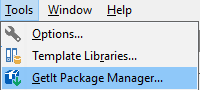
Note that the XE8 introduced [Archive.is] GetIt package manager is under the Tools menu, which is not covered by [Archive.is] IDE Insight – RAD Studio.

Anyway: here you can get it in Delphi 10.1 Berlin (now also in 10.2 Tokyo, where at first it was not available through GetIt):

jeroen

Posted in Delphi, Delphi 10.1 Berlin (BigBen), Delphi 10.2 Tokyo (Godzilla), Development, Software Development | Leave a Comment »

Build a Power Bank in $2: 7 Steps (with Pictures)

Posted by jpluimers on 2019/02/12

Cool: [WayBackBuild a Power Bank in $2: 7 Steps (with Pictures)

Via:

TL;DR:

  1. salvage 18650 batteries from laptop battery packs
  2. test to separate good ones from bad ones
  3. assemble together the good ones
    1. put them in a holders
    2. solder plusses to plusses and minuses to minuses
  4. add charger electronics
  5. test
  6. put acrylic plate on front/back

Stuff you need:

–jeroen


Posted in 18650, Batteries, Development, Hardware Development, Hardware Interfacing, Li-Ion, Power User | Leave a Comment »

Raspberry Pi and relays – follow up on Having one Raspberry Pi reset another Raspberry Pi through relay or transistor

Posted by jpluimers on 2019/02/12

I did some more research because of Having one Raspberry Pi reset another Raspberry Pi through relay or transistor.

  • [WayBackHow To Add a Reset Switch To Your Raspberry PiRemoving and replacing the USB power cable puts undue wear and tear on your Raspberry Pi, particularly the power port itself. What the system really needs is a reset switch, but sadly none was included.
  • Grove Relay board:
    • has two versions; the V1.2 schematic adds a XC6206P302MR voltage regulator to regulate 3V through the relay coil and an extra 47k Ohm pull-down resistor.
    • has a trigger on high supporting a voltage of 3V, so it works with the Raspberry Pi 3.3V GPIO pins.
    • is “normal open”, so suits the reset scenario (connect on trigger) well.
    • has no “normal closed” header, so if you need that, you’re out of luck
    • does not have optocouplers:
      • Be careful with high voltages on supplies that differ from the one powering your Raspberry Pi
        • It’s fine for resetting another Raspberry Pi powered from the same source
      • The relay is rated 250V ~ but I’d be careful (I’m not sure if this is mains electricity 250V RMS or 250V peak; if the latter, it would be suitable to 175V RMS (approximately 250/1.42 volt).
  • An excellent description (sans optocoupler) on how to connect a relay to power, ground, signal-input and both outputs is at [WayBack/Archive.is] gpio – How to add isolation between raspberry pi and relay board? – Raspberry Pi Stack Exchange (thanks [WayBack] ppumkin).
  • Many 5V optocoupler (or optical-isolator, see video below) based relay boards work fine with the 3.3V GPIO pins from the Raspberry Pi.
    If they don’t, then there are two basic solutions:

    1. Easiest: solder an extra resistor next to the signal input of about the same value (so the voltage drop over it halves), see for instance [WayBack] Controlling a relay board from your RPi · foosel/OctoPrint Wiki
    2. Harder: put an extra transistor in between to pump up the voltage to 5V, see one of the schematics below.

Details of the above can be found from the below links and images from those links.

There is also an Android App with a RaspberryPi distribution that allows you to operate relays:

Finally there are USB relays, shown way down in this post.

Often these are part of some home automation (domotica), IoT, or other, so these are relevant too:

Read the rest of this entry »

Posted in Development, Hardware Development, Raspberry Pi | Leave a Comment »

Quantum Computing for Computer Scientists – YouTube

Posted by jpluimers on 2019/02/08

On my list of videos to watch:

Via: [WayBack] Quantum computing for computer scientists, explained by Microsoft. Despite the pop lecturing style the explanation is deep enough. I’ve wondered before… – Sergey Kasandrov – Google+

–jeroen

Posted in Development, Software Development | Leave a Comment »

Why the New V8 is so Damn Fast – NodeSource

Posted by jpluimers on 2019/02/07

Wow, impressive work, and a very good explanation of some of the optimizations that take place and how you can check which ones work on your code: [WayBack] Why the New V8 is so Damn Fast – NodeSource:

The entire V8 compiler pipeline was overhauled and shipped with Node.js version 8. This post investigates what speed improvements we can expect as a result.

Via: [WayBack] Adrian Marius Popa – Google+

–jeroen


Posted in Development, JavaScript/ECMAScript, Node.js, Scripting, Software Development | Leave a Comment »

Why you should always do documentation before development | Opensource.com

Posted by jpluimers on 2019/02/07

Food for thought, especially on the UX side of software: [WayBack] Why you should always do documentation before development | Opensource.com.

Via:

–jeroen

Read the rest of this entry »

Posted in Development, Software Development, User Experience (ux) | Leave a Comment »

Delphi threadvar: TLS thread local storage

Posted by jpluimers on 2019/02/07

Managing TLS correctly with all kinds of dynamic storage seems to be a nightmare.

From what I think it’s safe to use a TStopWatch [WayBackSystem.Diagnostics.TStopwatch (introduced in Delphi XE2) as threadvar (which gets into TLS: Thread-local storage) because it’s a record type and as a bonus will be zero-initialised in something like this:

threadvar
 ThreadStopwatch: TStopwatch; // threadvars are zero-initialised, like TStopwatch.Reset was called. Ensure TStopwatch.InitStopwatchType called before using this.

... thread code:
var
  lThreadElapsedMilliseconds: string;
begin
...
  if not ThreadStopwatch.IsRunning then
    ThreadStopwatch.Start;
  try
    lThreadElapsedMilliseconds := ThreadStopwatch.ElapsedMilliseconds.ToString();
    // log duration of call-to-call somewhere
... logic
    lThreadElapsedMilliseconds := ThreadStopwatch.ElapsedMilliseconds.ToString();
    // log duration of logic somewhere
  finally
    ThreadStopwatch := TStopwatch.StartNew; // resets new count
  end;

As long as I perform this in the main thread somwehere to pre-initialise the class variable, then no thread should have the penalty for that:

TStopwatch.Create(); // ensures non-public TStopwatch.InitStopwatchType is called, enabling the threadvar ThreadStopwatch get the penalty for that

If I ever need to dig deeper into TLS with Delphi, then these are starters:

–jeroen

Posted in Delphi, Development, Software Development | Leave a Comment »

Some links on keystore, encryption and decryption on Android

Posted by jpluimers on 2019/02/06

For my link archive:


Basically:

  • storing encrypted data plus IV in preferences is OK
  • store the symmetric encryption key (for instance an AES one) in the keystore for the application
  • likely a salt is also needed, then store the salt with the IV and encrypted data

–jeroen

Presumptions:

  • The keystore of a specific application UUID is only accessible by only that application UUID when the device has been unlocked by the user
  • The keystore saves credentials in a secure way
  • It is OK to save both the encrypted data and associated IV

Approach (plain data is “hashed application PIN”, encrypted data is “encrypted hashed application PIN”:

  1. store a symmetric AES key in the application key store
  2. after entering application PIN:
    1. hash the application PIN
    2. use the hashed application PIN to to enter the application
    3. from the keystore, obtain the symmetric AES key
    4. create a cipher based on the AES key
    5. use the cipher to obtain an IV, and to encrypt the hashed application PIN
    6. store the encrypted hashed application PIN and IV both in the application preferences
  3. when needing to enter the application, present the user to either enter the application PIN again or proof that they can pass the device unlock sequence (using an unlock activity)
    1. if the user provided the application PIN, then:
      1. hash the application PIN
      2. try to enter the application with the hashed application PIN
    2. proved the device unlock, then:
      1. from the preferences, obtain the IV and encrypted hashed application PIN
      2. from the keystore, obtain the symmetric AES key
      3. create a cipher based on the AES key
      4. decrypt the encrypted hashed application PIN using the cipher and the IV into the hashed application PIN
      5. try to enter the application with the hashed application PIN

Posted in Android, Development, Mobile Development, Software Development | Leave a Comment »

Delphi Declarations and Statements: Hinting Directives

Posted by jpluimers on 2019/02/06

From [WayBackDeclarations and Statements: Hinting Directives you might remember this:

The ‘hint’ directives platformdeprecated, and library may be appended to any declaration. These directives will produce warnings at compile time. Hint directives can be applied to type declarations, variable declarations, class, interface and structure declarations, field declarations within classes or records, procedure, function and method declarations, and unit declarations.

However, it doesn’t as at least these fail:

type
{ [dcc32 Error] ClassConstUsageConsoleProject.dpr(14): E1030 Invalid compiler directive: 'DEPRECATED' }
  TMyProcedure = procedure() of object deprecated 'do not use TMyProcedure';
{ [dcc32 Error] E1030 Invalid compiler directive: 'DEPRECATED' }
  TMyReference = reference to procedure() deprecated 'do not use TMyReference';

These two helped me though:

This fails too:

type
{ [dcc32 Error] E2029 '=' expected but ';' found }
  TArrayChars = array of Char; deprecated;
{ [dcc32 Error] E2029 ';' expected but identifier 'deprecated' found }
  TArrayChars = array of Char deprecated;

But this is a workaround:

type
  TArrayCharsOld = array of Char;
  TArrayChars = TArrayCharsOld deprecated;

Which works for the procedure types as well:

type
  TMyProcedureOld = procedure() of object;
  TMyProcedure = TMyProcedureOld deprecated 'do not use TMyProcedure';
  TMyReferenceOld = reference to procedure();
  TMyReference = TMyReferenceOld deprecated 'do not use TMyReference';

Bug https://quality.embarcadero.com/browse/RSP-18316

–jeroen

Posted in Delphi, Development, Software Development | 1 Comment »

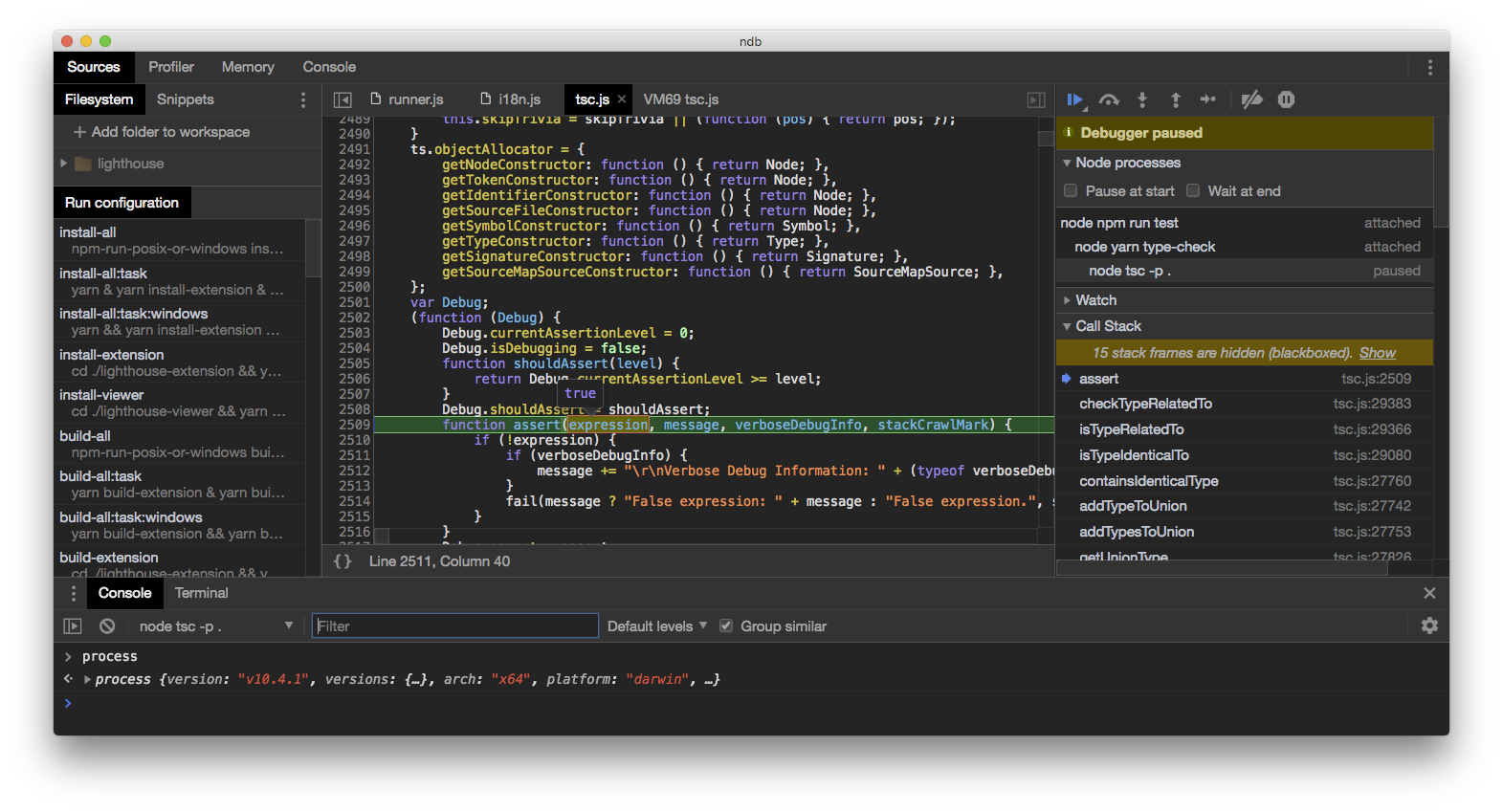
GitHub – GoogleChromeLabs/ndb: ndb is an improved debugging experience for Node.js, enabled by Chrome DevTools

Posted by jpluimers on 2019/02/05

This looks like ndp is a drop in wrapper for node allowing for in depth debugging: [WayBackGitHub – GoogleChromeLabs/ndb: ndb is an improved debugging experience for Node.js, enabled by Chrome DevTools

Via: [WayBack] ndb: An Improved Debugging Experience for Node – Adrian Marius Popa – Google+

–jeroen

Posted in Development, JavaScript/ECMAScript, Node.js, Scripting, Software Development | Leave a Comment »