Archive for the ‘Apple’ Category
Posted by jpluimers on 2013/05/13
Edit:
After writing this, DSA got deprecated then later removed. See [WayBack] Secure Secure Shell.
When working with SSH private/public keys (often because of ssh-keygen), and using DSA for auhtentication, these are the relevant files:
- $HOME/.ssh/id_dsa:
(on the local system)
The $HOME/.ssh/id_dsa file contains the protocol version 2 DSA authentication identity of the user.
- $HOME/.ssh/id_dsa.pub:
(on the local system)
The $HOME/.ssh/id_dsa.pub file contains the DSA public key for authentication when you are using the SSH protocol version 2. A user should copy its contents in the $HOME/.ssh/authorized_keys file of the remote system where a user wants to log in using DSA authentication.
- $HOME/.ssh/authorized_keys:
(on the remote system)
The $HOME/.ssh/authorized_keys file contains authorized DSA public keys (each line is the contents of a $HOME/.ssh/id_dsa.pub file) of users on systems that are auhorized to login on the remote system.
Important:
Be sure to transfer the contents of the local $HOME/.ssh/id_dsa.pub file to the remote system in a secure way.
–jeroen
via ssh-keygen – Wikipedia, the free encyclopedia.
Posted in *nix, Apple, Cygwin, Endian, Linux, Mac, Mac OS X / OS X / MacOS, Mac OS X 10.4 Tiger, Mac OS X 10.5 Leopard, Mac OS X 10.6 Snow Leopard, Mac OS X 10.7 Lion, OS X 10.8 Mountain Lion, Power User | Leave a Comment »
Posted by jpluimers on 2013/05/10
Finder on your Mac by default does not show hidden files, and the console has vi, which lots of people find awkward to use.
There is an easy trick to open a hidden file like ~/.bash_profile (for instance to add an alias) with a visual text editor.
Just execute this in your terminal:
- Always with TextEdit
open -e ~/.bash_profile
- For the default text editor (usually TextEdit)
open -t ~/.bash_profile
- For a specific text editor (in this cast TextWrangler)
open -b com.barebones.textwrangler ~/.bash_profile
The man open(1) page has more information on the parameters you can pass to open.
–jeroen
PS: You can teach Finder to Quickly show and hide hidden files | Finder, Terminal | Mac OS X Tips.
Posted in Apple, bash, Development, Mac, Mac OS X / OS X / MacOS, Mac OS X 10.4 Tiger, Mac OS X 10.5 Leopard, Mac OS X 10.6 Snow Leopard, Mac OS X 10.7 Lion, MacBook, MacBook-Air, MacBook-Pro, OS X 10.8 Mountain Lion, Power User, Scripting, Software Development | 6 Comments »
Posted by jpluimers on 2013/05/08

Lucida Console Sample (thanks Wikimedia!)
I’m in search to see if there is a better programmers font than the monospaced Lucida Console mainly to be used in Visual Studio, Delphi, the Windows console, Xcode and Eclipse. What I love about Lucida Console design is the relatively large x-height combined with a small leading (often called “line height”). This combines very readable text, and a lot of code lines in view. Lucida has two small drawbacks, see the second image at the right:
- The captial O and digit 0 (zero) are very similar.
- Some uppercase/lowercase character pairs are alike (because of the large x-height)
But, since the font hasn’t been updated for a very long time, lots of Unicode code points that are now in current fonts, are missing from Lucida Console (unless you buy the [Wayback] most recent version that has 666 characters from Fonts.com) Well, there are dozens of monospaced fonts around, so I wonder: which ones do you like? In the mean while, I’m going to do some experimenting with fonts mentioned in these lists:
A few fonts I’m considering (I only want scalable fonts, so raster .fon files are out):
I have tried Adobe Source Code Pro about half a year ago. That didn’t cut it: problem with italics in Delphi, and not enough lines per screen. [Wayback] New Open Source monospaced font from Adobe: Source Code Pro.
–jeroen
Posted in .NET, Adobe Source Code Pro, Apple, Delphi, Delphi 2007, Delphi XE3, Development, Encoding, Font, Lucida Console, Mac, Mac OS X / OS X / MacOS, Power User, Programmers Font, Software Development, Typography, Unicode, Visual Studio 11, Visual Studio 2005, Visual Studio 2008, Visual Studio 2010, Visual Studio and tools, Windows, Windows 7, Windows 8, Windows Server 2008 R2, Windows XP, xCode/Mac/iPad/iPhone/iOS/cocoa | 43 Comments »
Posted by jpluimers on 2013/05/06
This 5 year article from 2007 (which was an update for the 2002 version) is still very up to date in 2012: Top Ten Mac OS X Tips for Unix Geeks – O’Reilly Media.
Originally it was to promote Mac OS X for Unix Geeks – O’Reilly Media. In between the updates there was Mac OS X Panther for Unix Geeks, 2nd Edition – O’Reilly Media.
Now it is to promote Mac OS X for Unix Geeks (Leopard), 4th Edition – O’Reilly Media.
Note there is also a nice, but independent presentation with the same title from HTGR-MacOSX.
–jeroen
Posted in *nix, Apple, Mac, Mac OS X / OS X / MacOS, Mac OS X 10.4 Tiger, Mac OS X 10.5 Leopard, Mac OS X 10.6 Snow Leopard, Mac OS X 10.7 Lion, Power User | Leave a Comment »
Posted by jpluimers on 2013/03/27
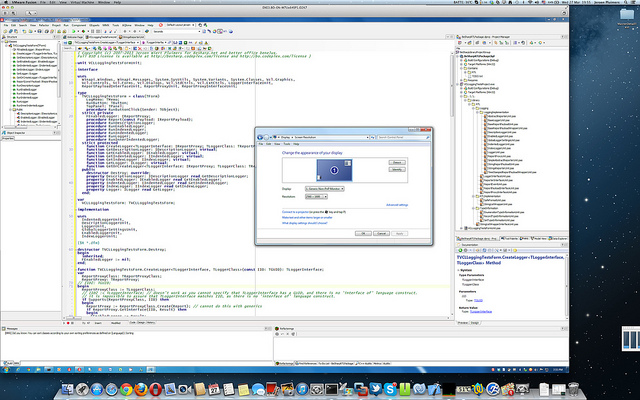
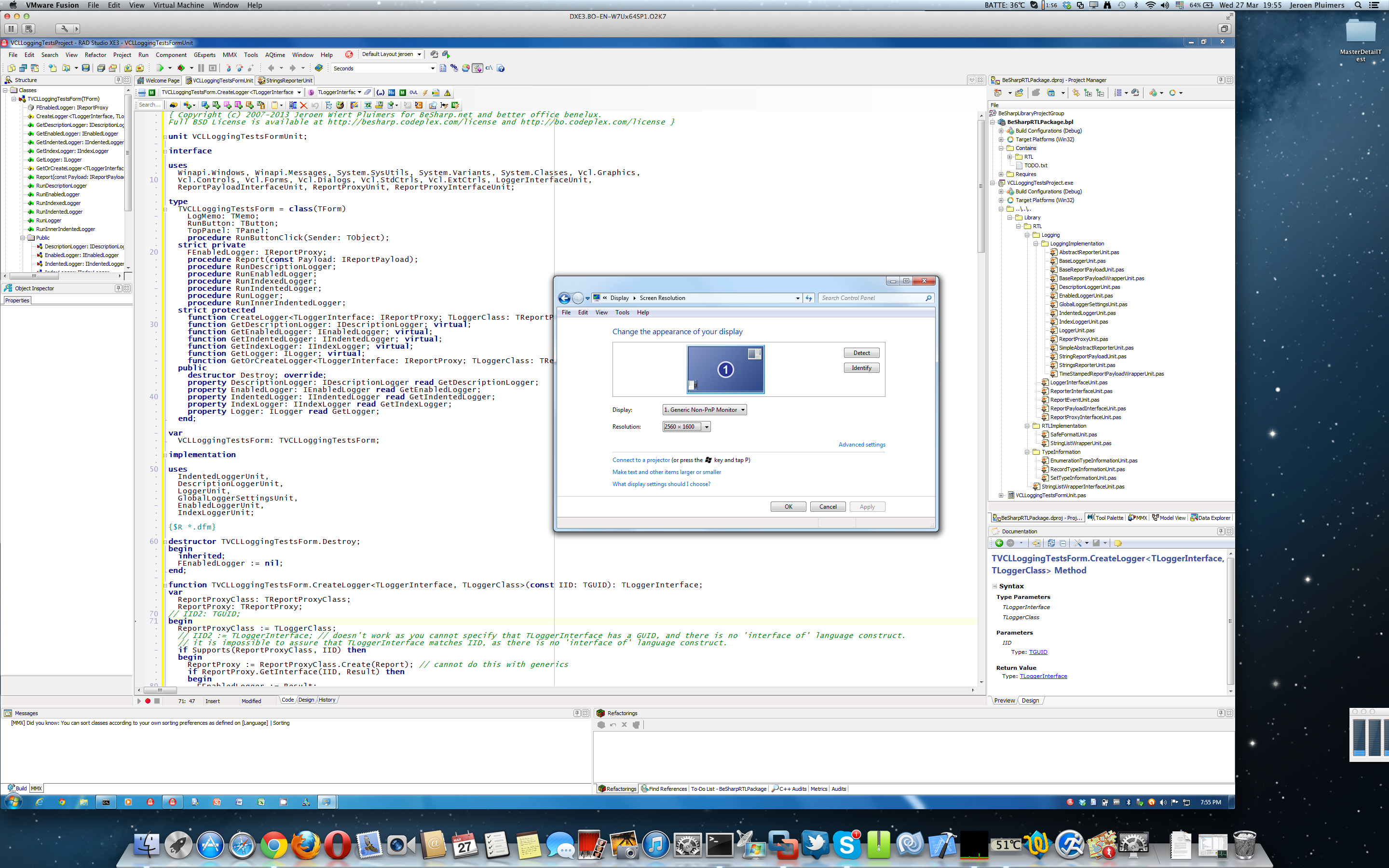
I was amazed that this is still usable:
You can even run VMware Fusion 4 full screen at 2880×1800, but I prefer to have the Mac Desktop and Dock to be visible. I didn’t have any of the VMware Fusion 4 issues mentioned here.
So the only thing you need VMware Fusion 5 for is Windows 8 support.
You need SwitchResX to get the Retina MacBook to use 2880×1800 at all (otherwise you get 1920×1200 at 1.5 scale factor, which is also a 16:10 display ratio).
It really runs 5+ hours on one battery charge, which is much longer than my ThinkPad W701.
All in all, I’m very happy with this setup.
--jeroen
PS:
via: Screen Shot 2013-03-27 at 19.55.39 | Flickr – Photo Sharing!.
Click on the image or here for full size image.
Posted in Apple, Delphi, Delphi XE3, Development, Mac, Mac OS X / OS X / MacOS, MacBook, MacBook Retina, OS X 10.8 Mountain Lion, Power User, Software Development | 7 Comments »
Posted by jpluimers on 2013/03/14
Today, Apple released SMC version 1.1 for MacBook Pro machines that especially Retina owners will like: it fixes their fan issue that has been present for months, but caused some stir lately.
Apple rushed this update. In fact, it is so new, not even EFI and SMC firmware updates for Intel-based Macs lists it.
It affects both mid 2012 and early 2013 models.
This is how to update:
I had the same problem with the basic installation. Just do the OSX updates from the App Store and the problem will disappear.
Lots of users are reporting the below SMC update fixes the fan issue.
It worked for my MacBook Retina too.
–jeroen
via:Apple Releases Retina MacBook Pro SMC Update to Address Gaming Frame Rates and Fan Issues – Mac Rumors.
Posted in Apple, Mac, MacBook, MacBook Retina, Power User | Tagged: Apple, firmware updates, mac rumors, technology | Leave a Comment »
Posted by jpluimers on 2013/03/05
It starts to be not so funny any more: almost every week a new Java security update.
Time to update again, to stay secure and install the patch: Security Alert CVE-2013-1493.
On the funny side: Java 0day countdown.
–jeroen
via: Security Alert CVE-2013-1493.
Posted in *nix, Apple, Development, Java, Mac OS X / OS X / MacOS, Mac OS X 10.4 Tiger, Mac OS X 10.5 Leopard, Mac OS X 10.6 Snow Leopard, Mac OS X 10.7 Lion, OS X 10.8 Mountain Lion, Power User, Software Development, Windows, Windows 7, Windows 8, Windows Server 2003, Windows Server 2003 R2, Windows Server 2008, Windows Server 2008 R2, Windows Vista, Windows XP | Tagged: java security, new java, security alert, software, technology | 2 Comments »
Posted by jpluimers on 2013/02/19
I wrote before on How to solve stuck iPad keeping asking for Exchange password: reset your iPad (or iPod/iPhone if it happens with those).
Actually, you should first verify if your Outlook Web Access still works with the same password, and if it does, then try to restart your iPad/iPod/iPhone, and if that fails, reset it:
Restarting your device
Press and hold the Sleep/Wake button for a few seconds until the red “slide to power off” slider appears, and then slide the slider.
Press and hold the Sleep/Wake button until the Apple logo appears.
Note: Reset your device only if you are unable to restart it.
Resetting your device
Press and hold the Sleep/Wake button and the Home button together for at least ten seconds, until the Apple logo appears.
–jeroen
via iPhone, iPad, iPod touch: Turning off and on (restarting) and resetting.
Posted in Apple, iOS, iPad, iPhone, iPod touch, Power User | Leave a Comment »
Posted by jpluimers on 2013/02/18
Phoenix Slides is a great tiny (about 600 kilobyte) slide show viewer for Mac OS/X that supports directory recursion.
Great! Finally I can use my Mac (-Mini server, or -Book Air) showing pictures the way I want it to show them (:
Features
- fast (pre-cached) full-screen slideshows
- rotate/zoom in slideshow
- fast JPEG thumbnails (uses Epeg)
- lossless JPEG rotation
- view EXIF data, JPEG comments
- search subfolders (recursively) for images
- move files to trash, set image as desktop
- supports drag and drop, Finder aliases
- Localizations: Chinese, German, Spanish, French
- Universal binary (runs on Intel Macs)
–jeroen
via Phoenix Slides.
Posted in Apple, Mac, Mac OS X / OS X / MacOS, Mac OS X 10.4 Tiger, Mac OS X 10.5 Leopard, Mac OS X 10.6 Snow Leopard, Mac OS X 10.7 Lion, MacBook, MacBook-Air, MacBook-Pro, Power User | Leave a Comment »



 The Wiert Corner - irregular stream of stuff