The Wiert Corner – irregular stream of stuff

Jeroen W. Pluimers on .NET, C#, Delphi, databases, and personal interests

  • My badges

  • Twitter Updates

  • My Flickr Stream

  • Pages

  • All categories

  • Enter your email address to subscribe to this blog and receive notifications of new posts by email.

    Join 1,860 other subscribers

Archive for the ‘Hardware’ Category

UniFi USG link dump

Posted by jpluimers on 2021/10/04

I wanted to setup a UniFi USG (Ubiquiti Unifi Security Gateway) with round robin multi-WAN and incoming port forwarding on both WAN connections.

Quite a few links were the result:

Adoption was another headache. Some links on that too:

If you end up in a cannot adopt state, then a reset is the only practical way to go:

–jeroen

Posted in Network-and-equipment, Power User, Unifi-Ubiquiti, USG Ubiquiti Unifi Security Gateway | Leave a Comment »

UCM6200 series IP PBX for Unified Communications- Grandstream Networks

Posted by jpluimers on 2021/10/04

The UCM6200 IP PBX series allows businesses to unify multiple communication technologies, such as voice, video calling, video conferencing, video surveillance, data tools, mobility options and facility access management onto one common network.

[WayBack] UCM6200 series IP PBX for Unified Communications- Grandstream Networks

–jeroen

Posted in Hardware, Network-and-equipment, Power User, Telephony, VoIP | Leave a Comment »

MikroTik PoE: automatically power cycle and reboot device when it becomes unresponsive.

Posted by jpluimers on 2021/09/24

In the past I had these manual scripts to power-cycle a hung RaaspberryPi device:

/interface ethernet poe set ether5 poe-out=off
/interface ethernet poe set ether5 poe-out=forced-on

or on one line:

/interface ethernet poe set ether5 poe-out=off; /interface ethernet poe set ether5 poe-out=forced-on

I am going to try this script for the port having a Raspberry Pi on it (note: this requires a 48V power brick for the Mikrotik!) on RouterOS version 6.48.3 (stable):

/interface ethernet
set [ find default-name=ether5 ] comment="RaspberryPi" poe-out=\
    forced-on power-cycle-ping-address=192.168.124.38 power-cycle-ping-enabled=\
    yes power-cycle-ping-timeout=2m

The above has not worked for a long time as per [Wayback] No POE Power Cycle @ hEX POE – MikroTik:

But it might be fixed as of [Wayback] RouterOS version v6.47.3[stable] as per [Wayback] MikroTik Routers and Wireless – Software: 6.47.3 (2020-Sep-01 05:24):

*) poe – fixed “power-cycle” functionality on RB960GSP;

Similar issues exist on RB760iGS/Hex S, and there the fix requires new hardware in addition to firmware as per [Wayback] POE OUT issue on ether5 rb760igs (no power) – MikroTik

Note that I did disassemble both of these routers for inspection and there are obvious changes to the hardware to correct the PoE problems – most notably a completely different relay, capacitor and some minor circuit design changes.

If it still fails, I might try

[Wayback] No POE Power Cycle @ hEX POE – MikroTik: workaround script

:local ipPing ("x.x.x.x")
:local pingip
#
# pingip below RUNS and sets the variable
# to number of successful pings ie 3 means 3 of 45 success
# can also use ($pingip > 1) or ($pingip >= 1) both TESTED
# ($pingip >= 1) means if only 1 or 0 pings do the IF, not the ELSE
#
:log info ("ping CHECK script IS RUNNING NOW")
# first delay 90 b4 ping test incase this is running at POWER UP
:delay 90
:set pingip [/ping $ipPing count=45]
:if ($pingip <= 3) do={ :log warning (">95% lost ping LOSS to isp GW IP x.x.x.x via ether5 so DO POE powerCYCLE")
  /interface ethernet poe set ether5 poe-out=off
  :delay 12
  /interface ethernet poe set ether5 poe-out=auto-on
  :delay 10
  :log warning ("ether5 POE HAS BEEN TURNED BACK ON")
  :delay 90
  /system script run emailPOEresult
} else={
  :log warning ("PoeCyclePINGcheck ELSE ran so no ping loss detected by script")
}

Based on:

Read the rest of this entry »

Posted in Development, Hardware Development, Internet, MikroTik, Power User, Raspberry Pi, routers | Leave a Comment »

Low cost remote IP KVM and control, is it possible?

Posted by jpluimers on 2021/09/20

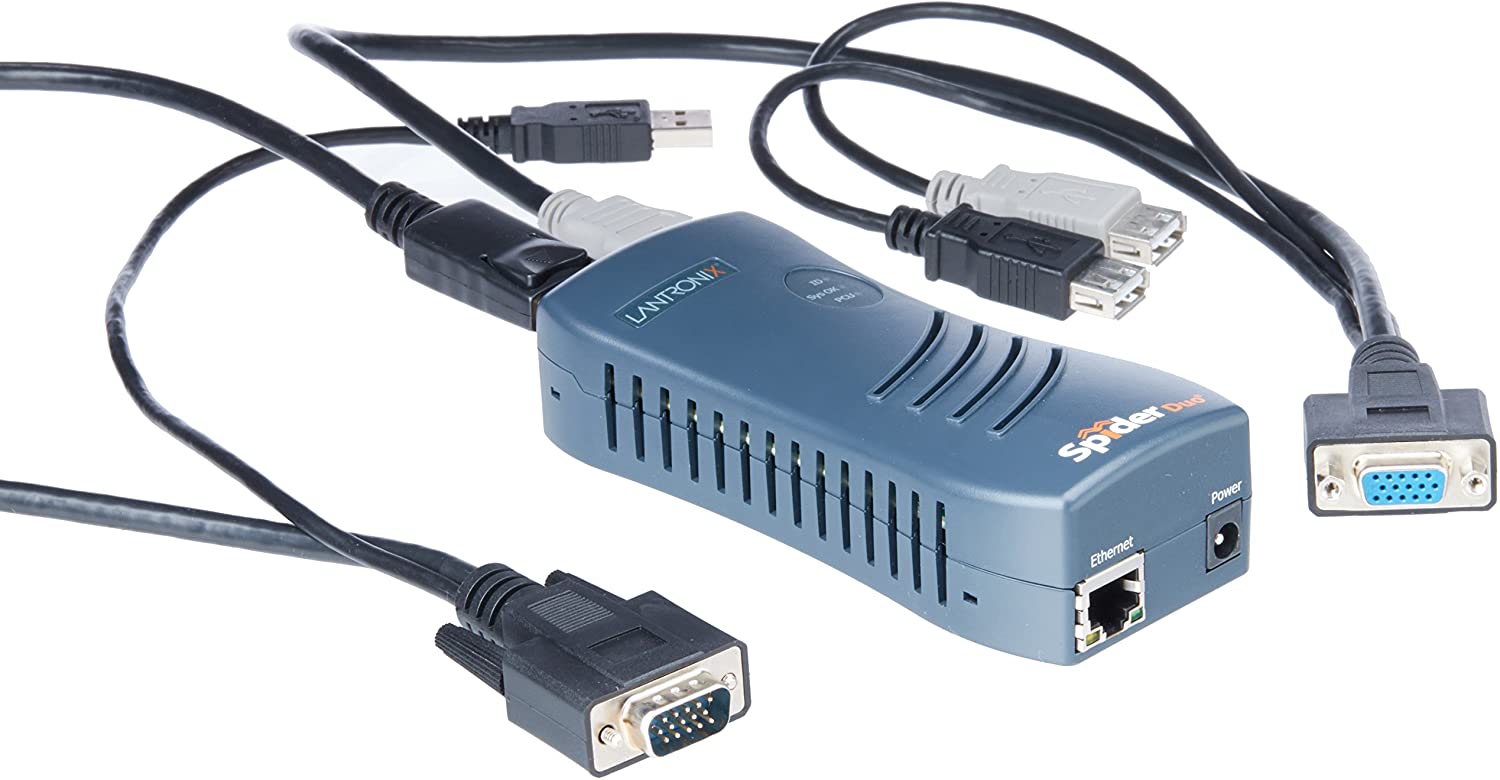
A long time ago, I bought one [Wayback/Archive.is] SpiderDuo Local and Remote KVM Over IP | Lantronix, which – without power control unit – was already some USD 400 (while writing this in fall 2021, the price has increased to almost USD 600 [Archive.is]).

1PORT Local + Remote USB Securelinx Spiderduo KVM Over IP : Electronics - Amazon.com

It was about the only “affordable” remote KVM over IPv4 available and by now has a big drawback: it’s based on Java in the browser, which is a pain in the ass to keep working.

So I went looking for alternatives and found only two reasonable ones:

I will likely go for the Pi-KVM ; it’s on kickstarter right now

Not only that, but I found a few comparisons favouring PiKVM:

I found the Pi-KVM via [Archive.is] Solar Designer on Twitter: “PiKVM v3 HAT, “Raspberry Pi based open-source KVM over IP” by @mdevaev, is now funded on Kickstarter “

At USD 145 or less on kickstarter (excluding a Raspberry Pi 4 or power brick, so add some USD 50 for those), it is way cheaper than the SpiderDuo above which I bought some 5 years ago.

The kickstarter closes in about a week from now, so if you consider one: don’t be late! [Wayback/Archive.is] PiKVM v3 HAT by Maxim Devaev — Kickstarter shows what you get:

  • The PiKVM v3 HAT board for Raspberry Pi 4
  • USB-C bridge board – to connect the HAT with Pi over USB-C
  • ATX controller adapter board and wiring – to connect the HAT to the motherboard (if you want to manage power supply through hardware)
  • 2 flat CSI cables
  • Screws and brass standoffs

You will also need:

  • Raspberry Pi 4 with 2Gb RAM or more
  • MicroSD card
  • USB-C to USB-A cable
  • HDMI cable
  • Straight Ethernet cable (for the ATX expansion board connection)
  • Power supply unit (5.1V 3A USB-C, recommended by the Raspberry Pi)

You can use our free 3D printing case design to build a beautiful complete unit or wait a bit for the official PiKVM metal case we are working on!

–jeroen

Read the rest of this entry »

Posted in Hardware, KVM keyboard/video/mouse, Power User | Leave a Comment »

Mikrotik RouterOS “/ip ssh” setting not available from WinBox and defaulting to insecure?

Posted by jpluimers on 2021/09/20

Still need to research this further:

Somewhere around 6.44, when upgrading an existing RouterOS device, this snippet became part of the configuration:

/ip ssh
set allow-none-crypto=yes forwarding-enabled=remote

A few remarks:

  • I could not find anything in WinBox that is equivalent.
  • This sounds very insecure, so I have run this script:
    /ip ssh
    set allow-none-crypto=no forwarding-enabled=no

    which makes the snippet to disappear (because they are default settings according to [WayBack] Manual:IP/SSH – MikroTik Wiki).

    Like usual, the on-line documentation is dense and insufficiently clear, hence my measure.

In the future, I need to decipher these posts (via [WayBack] winbox ssh allow none crypto – Google Search and [WayBack] winbox ssh forwarding enabled remote – Google Search):

–jeroen

Posted in Internet, MikroTik, Power User, routers | Leave a Comment »

Windows and the current state of S.M.A.R.T. tooling that understands NVMe

Posted by jpluimers on 2021/09/16

I had trouble with two Intel 600p NVMe SSD devices: read-errors.

It appeared only few tools understand how to get S.M.A.R.T. health information from them, and even then they did not explain the read errors.

I’m going to RMA them, but in case anyone else needs to get health information from NVMe SSD devices, here is which tools do what:

So basically, CrystalDiskInfo and HD Tune are my first line of checking for drive issues, followed by smartmontools to get text output, then by vendor specific tools to assist with the RMA.

In the past, I used another smartmontools wrapper, but it was discontinued and had an even older version than GSmartControl: Source: Closed: HDD Guardian – Home.

On Intel 600p becoming locked in read-only mode after failure:

Start of Intel RMA procedure via [Wayback] Warranty Information.

My case looks remarkably similar to [Wayback] Full Diagnostic Scan always fails during Read Scan on my SSD 600p Series 256GB – Intel Community.

A few screenshots of the tools I used for health information:

Read the rest of this entry »

Posted in Hardware, NVMe, Power User, SSD, WayBack machine | Leave a Comment »

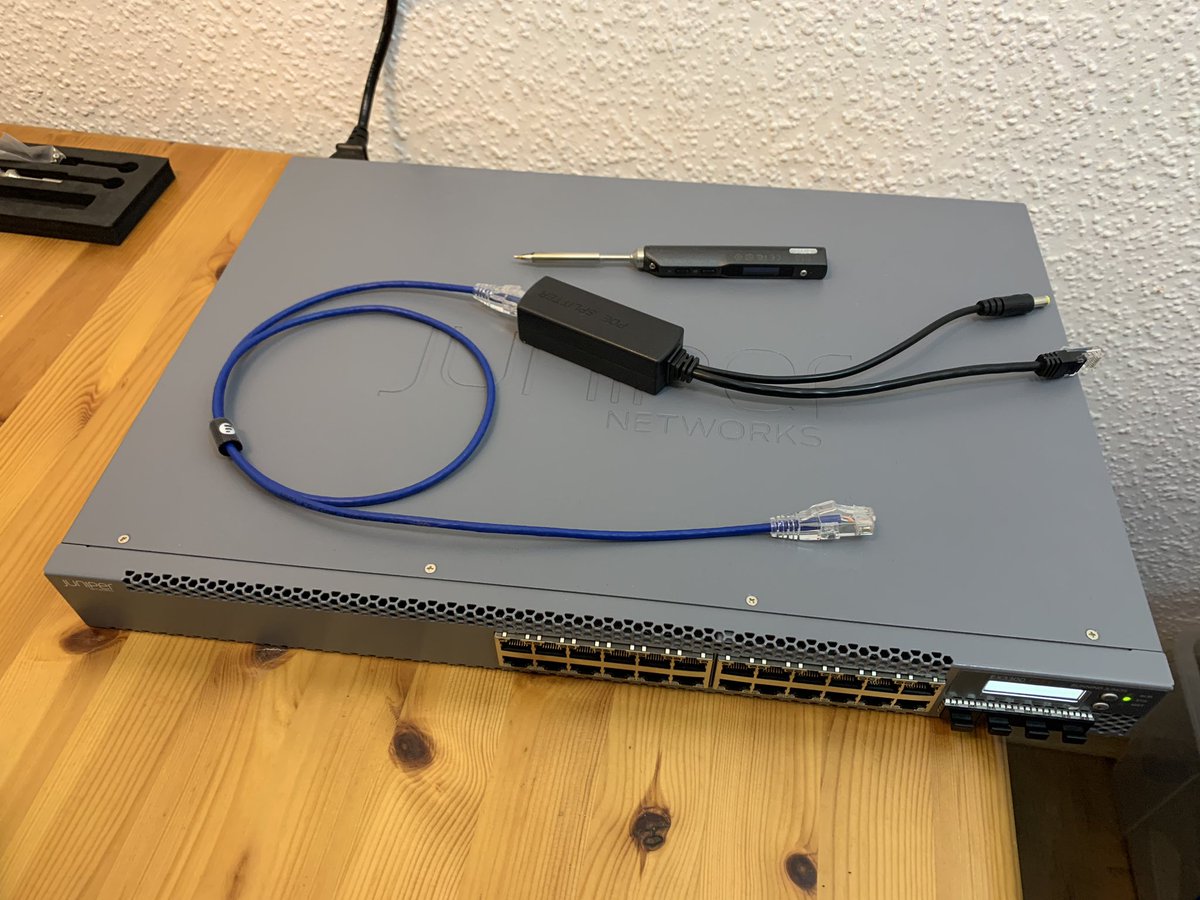
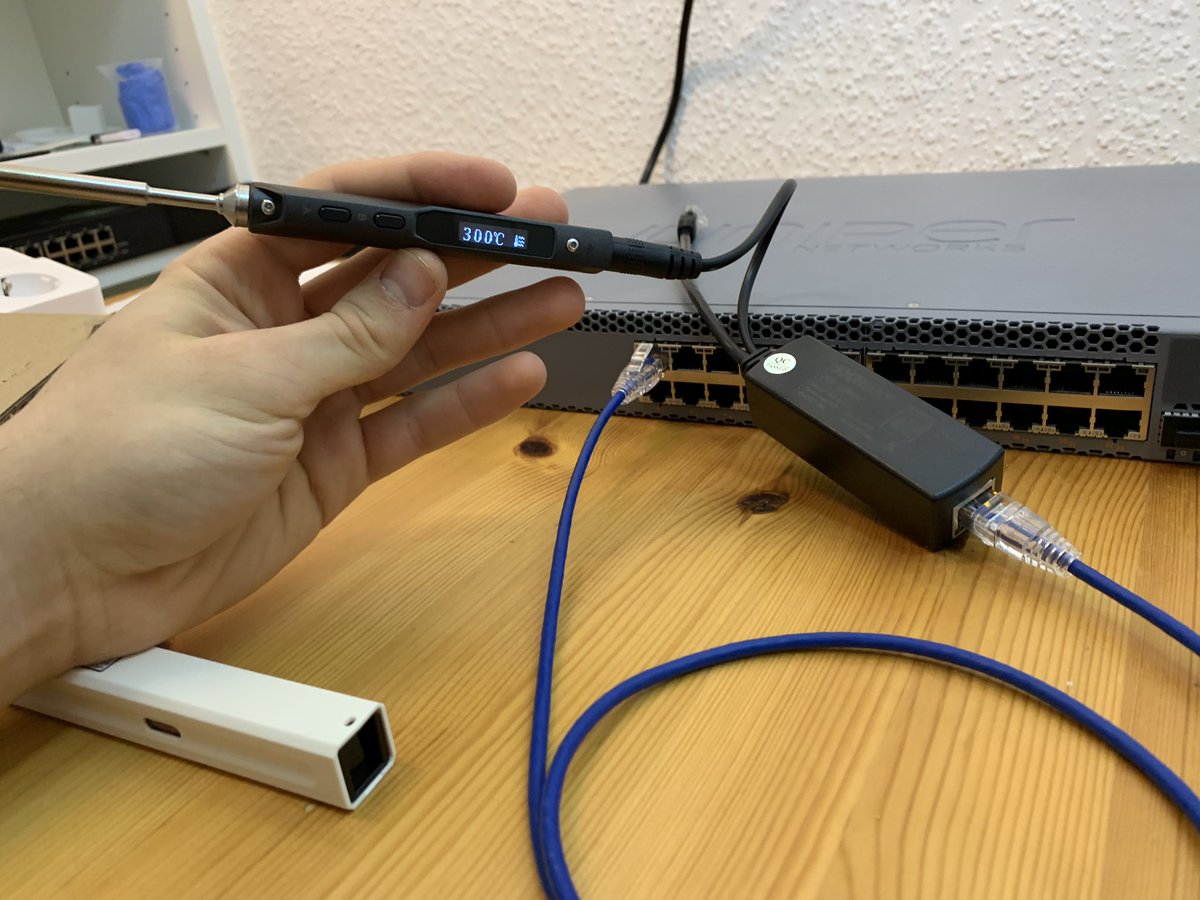
vidister – ☎️ FTTH sur Twitter : “Shitty idea of the day: Powering a soldering iron via PoE.… “

Posted by jpluimers on 2021/09/15

[WayBack] vidister – ☎️ FTTH on Twitter : “Shitty idea of the day: Powering a soldering iron via PoE.… “:

Via: [WayBack] Amy Renee on Twitter : “Soldering the packets together to enable jumbo frames. 😂😂😂… “

–jeroen

Read the rest of this entry »

Posted in Development, Ethernet, Hardware Development, Network-and-equipment, PoE - Power over Ethernet, Power User, Soldering | Leave a Comment »

ScanSnap Home 1.4.0 update and release notes

Posted by jpluimers on 2021/09/10

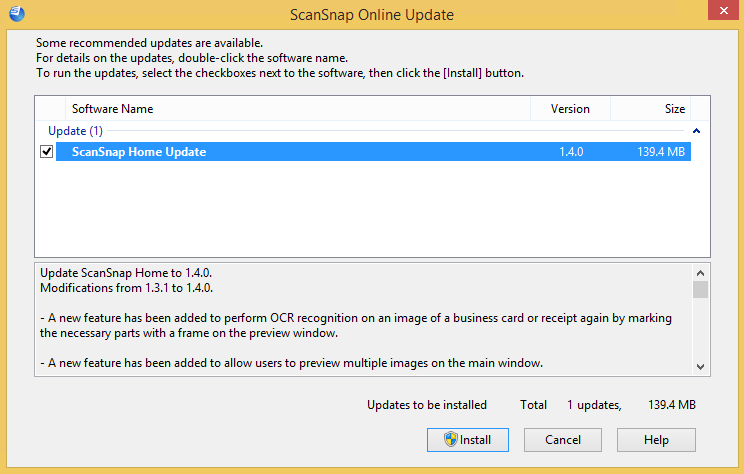
The first stupid thing is that when pressing the “Install” button: it will not ask for UAC elevation, despite the UAC elevation badge:
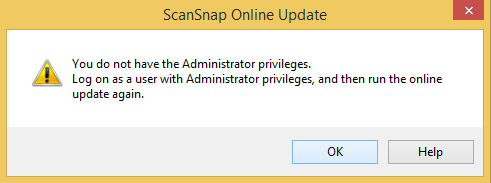
The second is the release notes from the installer indicate there is more information to be found when clicking, but after clicking it shows exactly the same information:

Update ScanSnap Home to 1.4.0.
Modifications from 1.3.1 to 1.4.0.

– A new feature has been added to perform OCR recognition on an image of a business card or receipt again by marking the necessary parts with a frame on the preview window.

– A new feature has been added to allow users to preview multiple images on the main window.

– A new feature has been added to apply [ScanSnap Manager – Profile] to ScanSnap Home.

– Help menus and contents have been improved, allowing users to find information that they want quickly on the Help.

– Operability for linking with cloud services has been improved.

– Operability for adding and editing profiles on the taskbar has been improved.

– A modification has been made so that you can delete a content data record that is managed in ScanSnap Home even after you delete a file for the content data record in Explorer.

– The waiting time it takes after a scan has been reduced.

– A modification has been made which enables users to use the scan window as soon as it is displayed.

– Operability for contacting your support representative has been improved.

– Fixed the problem that occurs on ScanSnap iX500, preventing the Wi-Fi settings from being configured successfully with an SSID that includes double-byte characters.

– Fixed the problem where the Scan buttons for other users may not be disabled on the touch panel when users are switched.

– Fixed the problem where the scanner turns off even if [Automatic power off] is set to [Never].

– Fixed the problem that occurs when the title of a content data record is changed during text recognition, causing the changed title to return back to the original title.

– Fixed the problem that occurs when scanned images are not managed in ScanSnap Home and when they are linked with a certain application, preventing the scanned images from being saved in a specified folder.

– Fixed the problem that occurs when a connection is established with ScanSnap SDK via Wi-Fi, preventing a serial number from being obtained with the GetScannerInfo command.

– Other miscellaneous bug fixes and improvements have been done.

For details, double-click [ScanSnap Home Update].

–jeroen

Posted in Fujitsu ScanSnap, Hardware, ix100, ix1500, ix500, Power User, Scanners | Leave a Comment »

D10U003 Dell OptiPlex 3060 Micro documentation links

Posted by jpluimers on 2021/09/06

For my link archive [WayBack] Support for OptiPlex 3060 | Documentation | Dell US linking to these D10U003 Micro specific documents:

Via Google: [WayBack] optiplex-3060-desktop_specifications3_en-us.pdf

jeroen

Posted in Hardware, Power User | Leave a Comment »

Worlds Smartest Chessboard | Square Off

Posted by jpluimers on 2021/09/03

Cool “gadget”: [WayBack] Worlds Smartest Chessboard | Square Off:

Experience the future of chess with a telerobotic chessboard that would make a worthy gift for anyone!

If you get one, the largest version:

Nice video demonstrating it is below.

–jeroen

Read the rest of this entry »

Posted in Fun, Hardware, Power User | Leave a Comment »