Archive for the ‘Power User’ Category
Posted by jpluimers on 2019/01/24
Migrating KPN ISDN MSNs to XS4ALL VoIP: via https://mijn.xs4all.nl:
Reminder to self to finish this when the final ISDN A/D dependency has been resolved.
–jeroen
Read the rest of this entry »
Posted in ISDN, LifeHacker, Power User, Telephony, VoIP | Leave a Comment »
Posted by jpluimers on 2019/01/22
Note: if the system you SSH from is ever compromised, then assume the passwordless targets are also compromised!
–jeroen
Posted in *nix, *nix-tools, Communications Development, Development, Internet protocol suite, Linux, openSuSE, Power User, SSH, SuSE Linux, TCP, Tumbleweed | Leave a Comment »
Posted by jpluimers on 2019/01/21
Seems my interest in Ubiquiti needs more research: [WayBack] Linus Torvalds – Google+: Working gadgets: Ubiquiti UniFi collection.
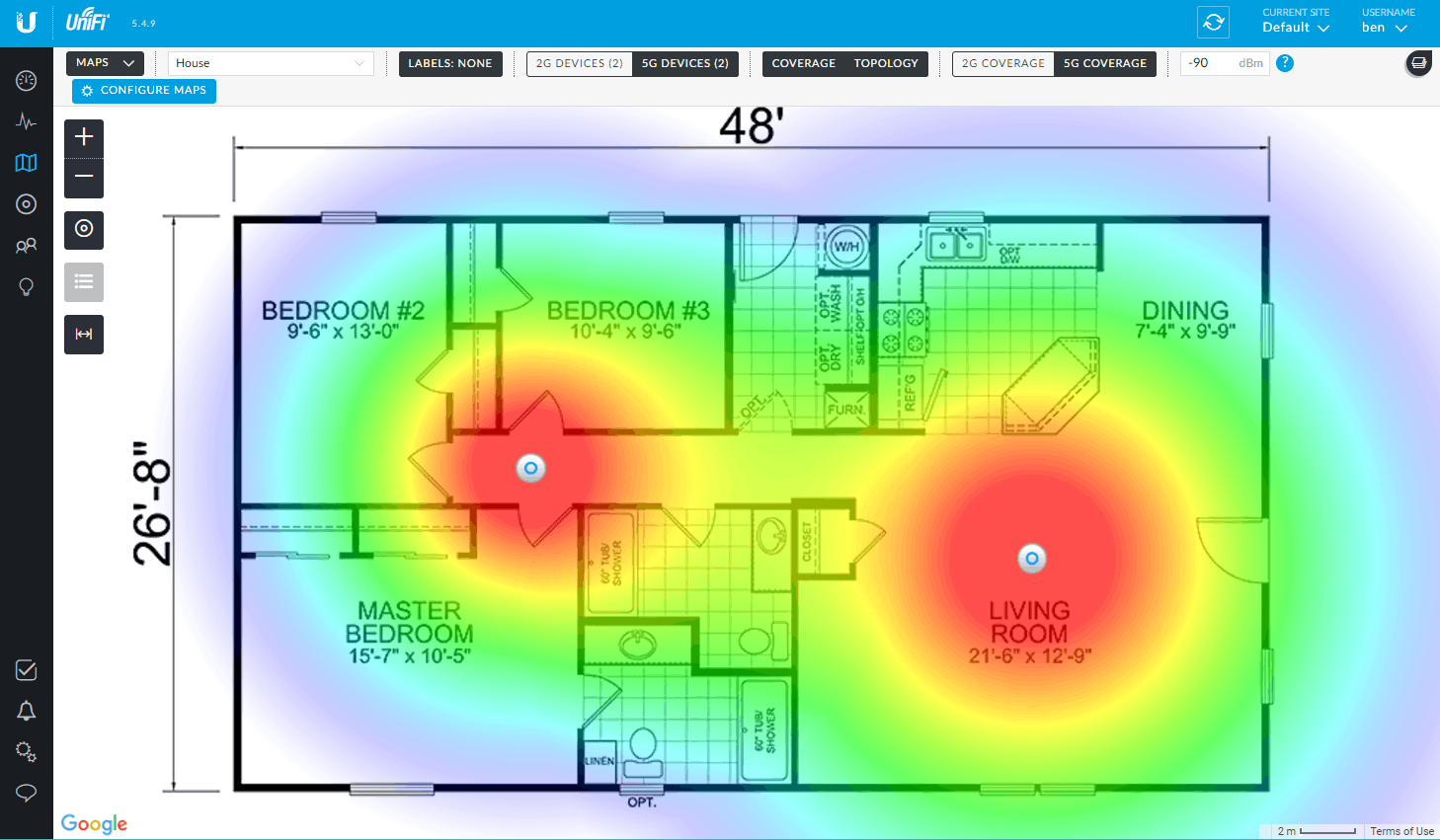
Hopefully by now I’ve time to re-design the WiFi coverage in the house and invest in a few of those access points.
Related:
- [WayBack 1/2/3] Vincent Parrett commented: I have two of these (along with a cloudkey and edgemax switch) in my house, perfect wifi coverage over the whole house. I’m also using ubnt routers and switches for our servers in the US. Less impressed with the edgerouter pro, has overheating issues due to poor thermal design, but still easy to use and configure etc.
- [WayBack 1/2] Dear interwebz, what and how many #Ubiquiti devices do I need to cover 5Ghz WiFi with seamless roaming on 3 stacked floors of 10×10 meter home office se… – Jeroen Wiert Pluimers – Google+
- Tweakers.net:
- PoE from other vendors:
 Controller
- The easiest way to configure, is to have a Unifi Controller running in your network.
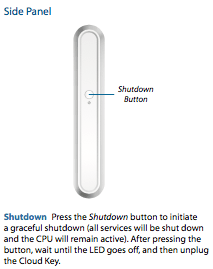
- The controller can be a [WayBack] Ubiquiti Networks – UniFi® Cloud Key, but does not have to be: a VM, Docker Container, Raspberry Pi, or other solution can work just as well.
- Unifi Controller Versions are released at irregular times, usually at least once a month; I used these places to track them:
- When using a CloudKey, please avoid sudden power loss: it can brick the database
- Configuration:
- Online configuration Portal: https://unifi.ubnt.com/
- This works way better at device discovery than the Chrome plugin “Ubiquiti Device Discovery Tool” below
- You can perma-link to your local device; it looks like
https://unifi.ubnt.com/5.8.24.0/unifi/site/default/dashboard?d=############000000000#######000000000#######00000000######## where # are digits, 0 are usually zero digits and 5.8.24.0 is .0 prepended by the first 3 parts of your Unifi Controller Version (mine had Version 5.8.24-11016 at that time).
- [WayBack] Ubiquiti Networks – Search | discovery tool
- Wireshark
- You can capture AP traffic using Wireshark because the Access Points all support SSH
- UniFi information:
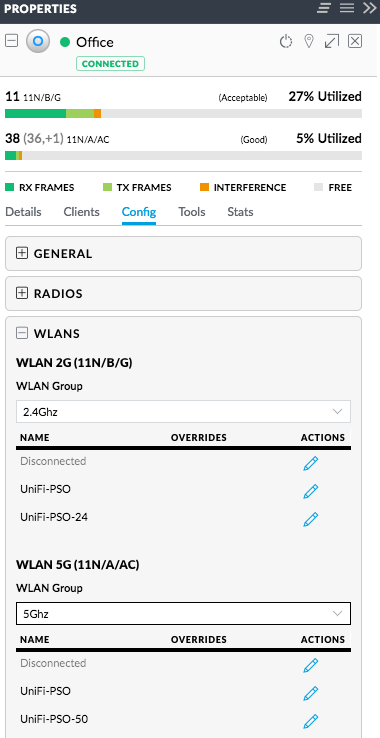 Splitting 5Ghz and 2.4Ghz SSIDs: two ways (I think the second is cleaner)
- Either have one WLAN group with a set of SSIDs, then in each access point disable the 2.4Ghz SSID on the 5GHz radio, and disable the 5Ghz SSID on the 2.4Ghz radio
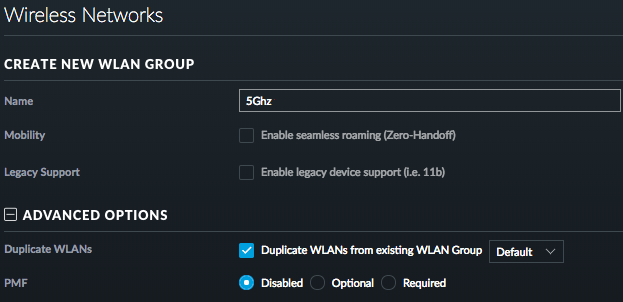
- Have different WLAN groups with an SSID (or set of SSIDs) for each frequency, then in each access point select the appropriate group for each radio
For both the first and second one, you need to configure under “Config” -> “WLANs”.
For the second one, you can clone from the first, then change the SSID names.
–jeroen
Read the rest of this entry »
Posted in Power User, Ubiquiti, WiFi | Leave a Comment »
Posted by jpluimers on 2019/01/21
I have a bunch of [WayBack] FRITZ!WLAN Repeater 1750E | Overview | AVM International devices; this is the quickest way to install them as LAN -> WiFi bridge (connect ethernet to your LAN; use the WiFi as a bridge).
- Connect the FRITZ!WLAN to your LAN
- Connect the FRITZ!WLAN to power
- Connect your laptop to the WiFi SSID
FRITZ!WLAN Repeater 1750E with password 00000000 (that eight times a zero)
- Set your laptop with a fixed IP address
192.168.178.127 with netmask 255.255.255.0 and gateway 192.168.178.2 for WiFi.
- Connect to your FRITZ!WLAN at http://192.168.178.2
- Setup your FRITZ!WLAN for the first time (password, country) and have it reboot
- Logon to the FRITZ!WLAN
- Change the WiFI password and the SSID for 2.4 Ghz and 5.0 Ghz channels (I use a different SSID for both as many Fritz!Box devices have both bad 2.4Ghz performance and a hard time to automatically switch from 2.4Ghz to 5.0Ghz on the same SSID automagically).
- Change your laptop to use DHCP on WiFi
- Reconnect to the Fritz!Box with the new SSID and password
–jeroen
Posted in Fritz!, Fritz!WLAN, Internet, Power User | Leave a Comment »
Posted by jpluimers on 2019/01/18
Two installation options for TigerVNC:
The [WayBack] TigerVNC viewer gives a bit more details on failing VNC connections than the stock OSX Screen Sharing.app does: after performing the logon, the connection would just stall, but TigerVNC would should “write broken pipe (32)” after the logon. Most of the linked search results indicated the VNC server was having a state problem.
So I restarted the VNC server, after which connections could be made again in both tools.
I actually prefer the stock Screen Sharing.app as:
–jeroen
Posted in Apple, Mac OS X / OS X / MacOS, Mac OS X 10.4 Tiger, Mac OS X 10.5 Leopard, Mac OS X 10.6 Snow Leopard, Mac OS X 10.7 Lion, macOS 10.12 Sierra, OS X 10.10 Yosemite, OS X 10.11 El Capitan, OS X 10.8 Mountain Lion, OS X 10.9 Mavericks, Power User, VNC/Virtual_Network_Computing | 2 Comments »
Posted by jpluimers on 2019/01/18
Somehow I managed to get a OnePlus phone to have the read data limit line stuck at ~5 gigabyte whereas the warning was at ~15 gigabyte.
This caused all sorts of havoc when I passed the 5 gigabyte mark: cellular data would turn off, I would get all sorts of warnings and – worst of all – I could not reset the red line.
The solution was at [WayBack] Unable to remove “Cellular data limit exceeded” notification even after changing the data limit on OnePlus 2’s OOS 3.5.5:
There are numerous discussions offering a solution to this:
- Goto
Settings > Backup & reset > Network settings reset.
- Now select the affected SIM card
- Now click
Reset Settings.
–jeroen
Read the rest of this entry »
Posted in Android Devices, OnePlus Two, Power User | Leave a Comment »
Posted by jpluimers on 2019/01/17
Cool stuff if you want to make your own WOL devices out of spare parts.
From old to new:
They can be woken up by anything sending magic WOL packets, including Raspberry Pi (which cannot be woken up by them, though you could use a Whack-on-LAN for that).
Basically the Raspberry Pi cannot be woken up with WOL because of a few reasons:
- The ethernet chip is connected over USB so it cannot pass the WOL result further on.
- If it could, there still is no BIOS to process the WOL result.
- When it is halted but has power, the CPU isn’t active. The GPU is, but cannot process the WOL.
It can be a WOL server though: [WayBack] Raspberry Pi As Wake on LAN Server: 5 Steps (with Pictures)
–jeroen
Posted in Development, Ethernet, Hardware Development, Network-and-equipment, Power User, Raspberry Pi, Wake-on-LAN (WoL) | Leave a Comment »




 The Wiert Corner - irregular stream of stuff