The Wiert Corner – irregular stream of stuff

Jeroen W. Pluimers on .NET, C#, Delphi, databases, and personal interests

  • My badges

  • Twitter Updates

  • My Flickr Stream

  • Pages

  • All categories

  • Enter your email address to subscribe to this blog and receive notifications of new posts by email.

    Join 1,839 other subscribers

Archive for the ‘Power User’ Category

Boot CDs (bootable from USB stick as well) for aiding PC recovery

Posted by jpluimers on 2018/08/10

  • Windows PE 10 x64 based: [WayBack] Hiren’s BootCD PE Hiren’s BootCD PE (Preinstallation Environment) is an emergency boot disk based on Windows 10 PE x64. It is being developed for the new age computers, it supports UEFI booting and requires minimum 2 GB RAM.After boot, it finds and installs many common drivers like graphics, sound, wireless and ethernet card for your hardware. So that you can connect to a WIFI or Ethernet network.
  •  Syslinux/Grub4dos/FreeDOS based: [WayBack] Ultimate Boot CD – Overview

–jeroen

Via:

Posted in Power User, Windows | Leave a Comment »

VLOOKUP Example Spreadsheet & Tutorial | Productivity Portfolio

Posted by jpluimers on 2018/08/10

Because I tend to forget how to use this:

Excel VLOOKUP tutorial with an example spreadsheet & video. The article shows how to lookup the values from one column to use in another worksheet column.

Source: [Archive.isVLOOKUP Example Spreadsheet & Tutorial | Productivity Portfolio

–jeroen

Read the rest of this entry »

Posted in Excel, Office, Power User | Leave a Comment »

How to tell if your site is served via CloudFlare | Igor’s Blog

Posted by jpluimers on 2018/08/10

Based on [Wayback/Archive.isHow to tell if your site is served via CloudFlare | Igor’s Blog, I’ve changed the script a little bit.

I’ve tested it with one of the domains from the Cloudbleed list (a pretty OK indication the site is using cloudflare) and a the example.org site that does not:

# curl -sI https://feedly.com | grep "Server\|__cfduid\|CF-RAY"
Set-Cookie: __cfduid=d779ee6e244349cf06e2707771a9185e21492589239; expires=Thu, 19-Apr-18 08:07:19 GMT; path=/; domain=.feedly.com; HttpOnly
Server: cloudflare-nginx
CF-RAY: 351e5e9af8971497-AMS
# curl -sI https://example.org | grep "Server\|__cfduid\|CF-RAY"
Server: ECS (ewr/15BD)

Domain Source: [Wayback/Archive] pirate/sites-using-cloudflare: Archived list of domains using Cloudflare DNS at the time of the CloudBleed announcement

–jeroen

via: [WayBack] https://www.igorkromin.net/index.php/2017/04/18/how-to-tell-if-your-site-is-served-via-cloudflare/ – Joe C. Hecht – Google+


Posted in *nix, *nix-tools, Cloud, Cloudflare, cURL, Hosting, Infrastructure, Power User | Leave a Comment »

ngHttp2 and OpenSSL win32/i386/x86 and win64/x64_86 (a.k.a. x86_64) builds for Windows

Posted by jpluimers on 2018/08/08

[WayBack] ngHttp2 DLLs has a simple a version scheme. The build inside the Windows PHP distribution includes these version numbers. The TreadSafe versions work as plug in replacement for github.com/grijjy/DelphiScalableClientSockets/tree/master/Bin which is used by github.com/grijjy/GrijjyFoundation/blob/master/Grijjy.Http.pas#L11. You obtain them via [WayBack] PHP For Windows: Binaries and sources Releases; and at the time of writing these were the most recent versions:

[WayBack] OpenSSL DLLs has a much more complex version scheme, as they are numeric but OpenSSL releases are not.

  • DLLs have four numbers a.b.c.d
  • OpenSSL versions have three numbers and a letter a.b.c.x
  • The letter matches the fourth digit, though the ones marked with * have not been used yet:
    # letter # letter # letter # letter # letter remark
    1 a 6 f 11 k 16 p 21 u
    2 b 7 g 12 l 17 q 22 v *
    3 c 8 h 13 m 18 r 23 w *
    4 d 9 i 14 n 19 s 24 x *
    5 e 10 j 15 o 20 t 25 y *
    26 z *

[WayBack] Index of /SSL has “Pre-compiled Win32/64 libraries without external dependencies to the Microsoft Visual Studio Runtime DLLs, except for the system provided msvcrt.dll.”

These work no matter what development/deployment stacks you use (including a Visual Studio based stack).

The most recent version as of writing is 1.0.2o, which maps to 1.0.2.20 which contains libeay32.dll and ssleay32.dll for both the i386-win32 and x86_64-win64 build (not sure why they both use 32 in the name):

openssl-1.0.2o-i386-win32.zip
openssl-1.0.2o-x64_86-win64.zip which supports x86_64 as this site is about the only one using x64_86 in the name

Background reading:

These binaries are for instance used by (most of them are behind or far behind on the OpenSSL version):

  • Avira Antivirus
  • subversion
  • git mingw64
  • VMware Tools
  • Microsoft OneDrive
  • Delphi Indy communications library

Speaking of which: this is a recent Delphi wrapper around libeay32.dll: [WayBack] GitHub – lminuti/Delphi-OpenSSL: Delphi implementation of OpenSSL

–jeroen

Posted in Delphi, Development, OpenSSL, Power User, Security, Software Development | 2 Comments »

The upcoming GMail changes – Learn what’s new in Gmail – Gmail Help

Posted by jpluimers on 2018/08/07

So I won’t forget what was changed: [WayBackLearn what’s new in Gmail – Gmail Help

  • quickly archive/delete/mark-read/mark-unread/snooze from the inbox list
  • snooze
  • smart reply
  • show/hide follow-up reminders
  • expand/shrink inbox
  • hide/show the menu
  • view calendar/tasks/keep/add-ons
  • attachment stuff (expiration date, passwords, prevent forwarding/downloading/copying/pasting)

–jeroen

Posted in GMail, Google, Power User | Leave a Comment »

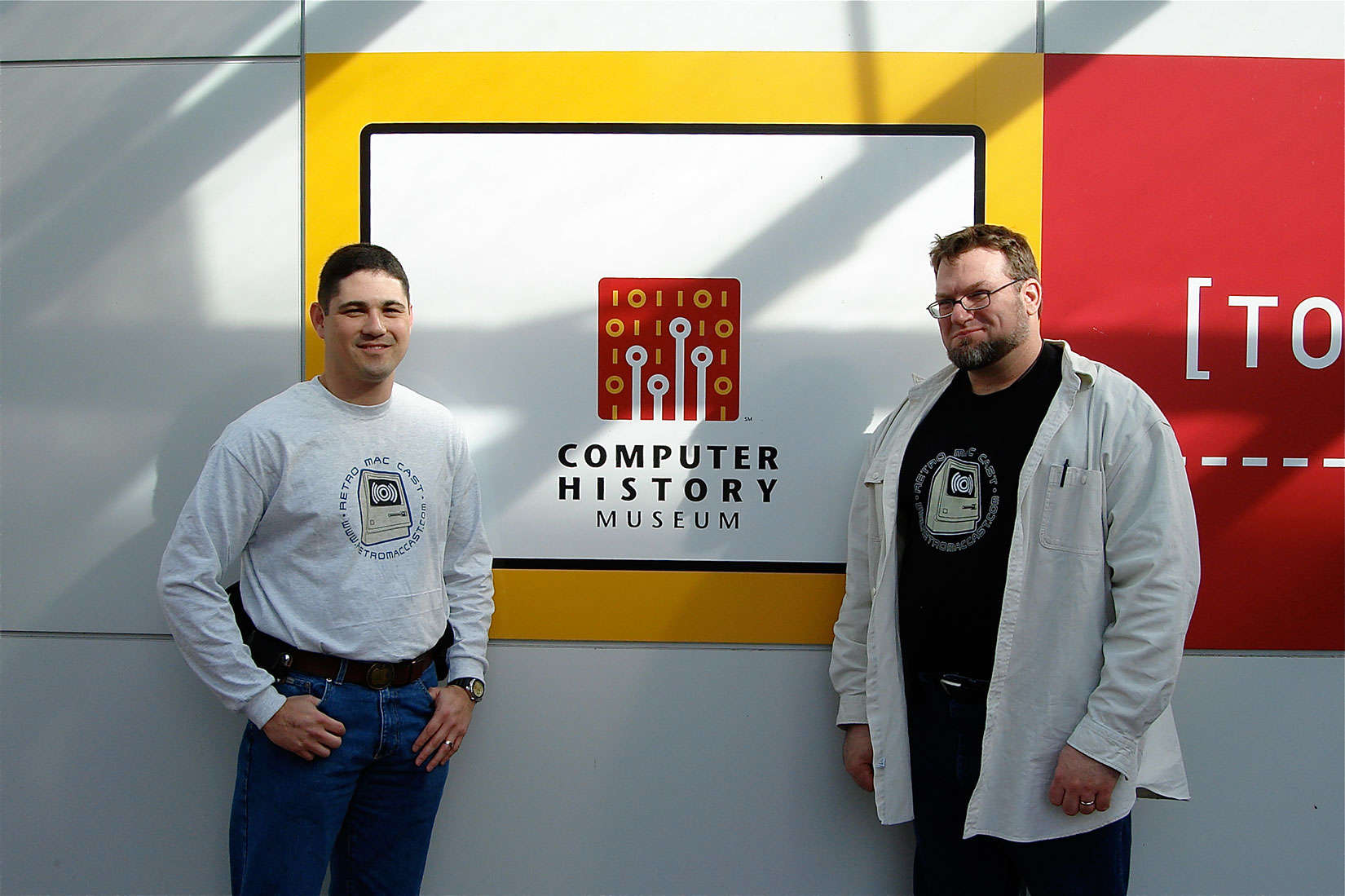
Two fans were podcasting at RetroMacCast before it was cool

Posted by jpluimers on 2018/08/07

Around this time, episode 500 of RetroMacCast should be out.

It’s an “about weekly” podcast centered around classic Apple computers, mainly of the Macintosh kind but occasionally also on the Apple I, ][, //e, //c and ///, IIgs and Lisa kinds.

After all these years since they started in 2006, It’s still fun to listen to.

Occasionally they do a vodcast on YouTube, for instance their 100th show below.

New episodes are announced here:

Source: [WayBackTwo fans were podcasting at RetroMacCast before it was cool

–jeroen

Read the rest of this entry »

Posted in //e, Apple, Apple ][, Classic Macintosh, History, Macintosh SE/30, Power User | Leave a Comment »

Prepaid SIM cards for USA

Posted by jpluimers on 2018/08/06

This thread has some tips on pre-paid SIM cards for use in the USA: [WayBackTelefonie en mobiel internet in de VS deel 2 – Pagina 9 – AllesAmerika.com Forum

This seems to be one of the few allowing for hotspot/tethering use: [WayBack] Arieli Mobile Unlimited + Tethering Data plan | Arieli Mobile – Prepaid USA SIM Card wireless provider

Via: [WayBack] T-Mobile vergroot databundels Travel & Surf-passen voor buiten EU – Tablets en telefoons – Nieuws – Tweakers

–jeroen

Posted in LifeHacker, Power User | Leave a Comment »

Hacking Articles,Ethical Hacking Training in Delhi,Metasploit Training

Posted by jpluimers on 2018/08/06

Nowadays, with tools like Metasploit and what tools leaked from the NSA and other agencies, it is so easy to hack a system even if it is almost up to date.

All the more reason to keep your systems fully patched all the time.

To get a Metasploit impression: [WayBackHacking Articles,Ethical Hacking Training in Delhi,Metasploit Training

–jeroen

via: [WayBack] I gotta find time to look at this… Joe C. Hecht – Google+

Posted in Power User, Security | Leave a Comment »

windows – What is a good light-weight CSV viewer? – Stack Overflow

Posted by jpluimers on 2018/08/06

I use Nirsoft’s [WayBackCSVFileView. It is a simple lightweight read-only csv viewer.

Source [WayBackwindows – What is a good light-weight CSV viewer? – Stack Overflow

Posted in Power User, Windows | 2 Comments »

How I use Wireshark – Julia Evans

Posted by jpluimers on 2018/08/03

Cool set of steps on [WayBackHow I use Wireshark – Julia Evans who uses the combination of tcpdump to dump traffic in pcap files and Wireshark to analyse the pcap files after copying them using scp. On many platforms, Wireshark can also capture the ptrace files for you.

Via: [WayBack] 🔎Julia Evans🔍 on Twitter: “how I use Wireshark https://t.co/j699JXrjaH” which has some nice comments including:

  • adding ptrace to your tool-kit
  • not needing scp for copying, as you can do [WayBack] dumpcap over an existing ssh connection:
    • You might like this snippet, saves you the need to do the scp dance: wireshark -k -i <(ssh <IP> "sudo dumpcap -P -w - -f 'not tcp port 22'")

–jeroen

Posted in *nix, *nix-tools, Conference Topics, Conferences, Event, Power User, Wireshark | Leave a Comment »