


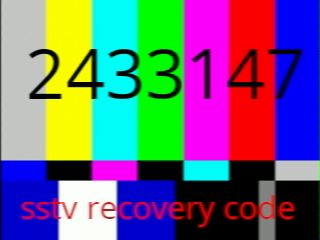
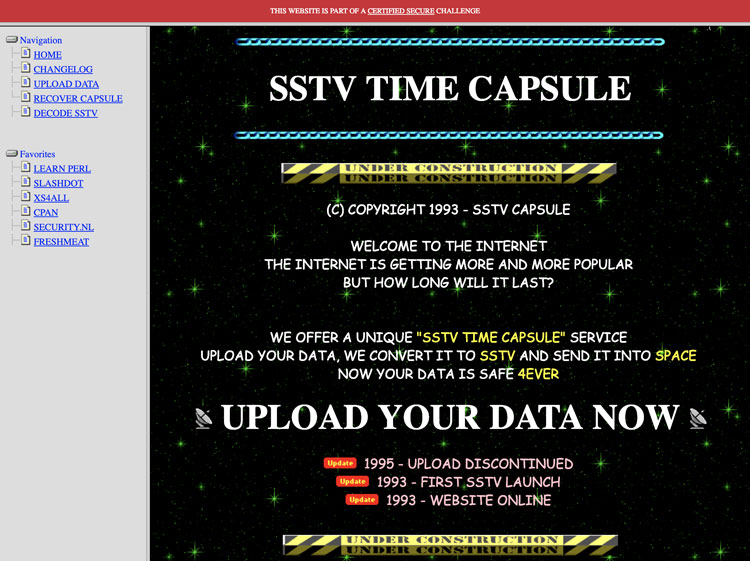
This was a cool one a few years back: [WayBack] Certified Secure – XS4ALL Challenge
–jeroen
Posted by jpluimers on 2021/04/23
This was a cool one a few years back: [WayBack] Certified Secure – XS4ALL Challenge
–jeroen

Posted in Fun, History, Power User, Security | Leave a Comment »
Posted by jpluimers on 2021/04/21
An important concept in [Archive.is] Kristian Köhntopp on Twitter: “<3 “Minimum Defendable Product”. Das ist ein wichtiges Konzept, das übernehme ich in meinen Sprachgebrauch.… “ quoting
[Archive.is] Mario Hachemer on Twitter: “Ich hab einen Vortrag gehalten zu dem Thema IT Security in Start-ups. Einen Begriff den ich zu dem Zweck definiert hab war das “Minimum Defendable Product” im Kontrast zum MVP. Es bietet sich an als Startup kritisch zu ermitteln welche Assetklassen man sichern kann. Das spart.… “
It is from this thread (also a threat) [Archive.is] Kristian Köhntopp on Twitter: “Operational excellence… “:
Operational excellence
Secrets gehören nicht in Source. Keine SSL Keys, keine Datenbank Passworte, und auch sonst nichts.
In Source gehört Code, der Secrets aus einem Secrets Service (Vault et al) holt, oder, wenn man einige Jahre hinterher ist, aus Files, die von hierasecrets gebaut werden.
Auch zum Testen gehören keine Secrets in den Code. auch hier können Testkeys wie in Production provisioniert werden und nach dem Test verworfen werden (wenn man will)Die Option, Secrets im Code zu haben muss im Code Review angemeckert werden.
Willkommen in 2021, willkommen zu Operational Excellence.[Wayback] docs.aws.amazon.com/config/latest/…
Hier die passende AWS OE Security Pillar
The first tweet quoted a surprise about the Luca App (which is highly controversial in Germany: it is a Corona contact tracing app which has some [Wayback] severe security issues):

Posted in Conference Topics, Conferences, Development, Event, Security, Software Development | Leave a Comment »
Posted by jpluimers on 2021/03/23
 Security issues for older models (mainly GATE01 and WV-1716 systems; which used a lot of Climax components):
A more recent security review:
This thesis is about the design of an IoT privacy label and the methodologies to collect the necessary information to populate the privacy label for an IoT product and its entire ecosystem. The privacy risks of IoT ecosystems are determined by testing all components in the ecosystem for vulnerabilities. These vulnerabilities can be found by security scans, penetration tests and audits, and quantified by using the Common Vulnerability Scoring System (CSS). The level of the privacy risk can be determined and expressed by combining the sensitivity of the personal information being processed and the vulnerabilities in the IoT ecosystem. A conceptual six-layer IoT service model has been developed to better understand the architecture of the IoT product and to structurally test all components. Three case studies were performed in this research to assess and improve the methodologies and design of the privacy label.
Key words: IoT ecosystem, privacy risk matrix, privacy label, IoT security testing
Physical security is important too; ensure the system is in an enclosed closet, powered by a UPS and your communication lines are secured as well: [WayBack] Manipulationen an Alarmanlagen verhindern – Smarthomewiki
Dutch links on the hardware connections and protocols used:
More recent information:
API usage:
More subdomains (in 2019) via:
| alarmsysteem.woonveilig.nl |
| mijn.woonveilig.nl |
| srv01.woonveilig.nl |
| http://www.woonveilig.nl |
| dev03.egardia.com |
| stream01.dev03.egardia.com |
| cam05.dev03.egardia.com |
| app01.egardia.com |
| app02.egardia.com |
| cpe01.egardia.com |
| cpe02.egardia.com |
| ftp01.egardia.com |
| ftp02.egardia.com |
| galera01.egardia.com |
| galera02.egardia.com |
| galera03.egardia.com |
| lb01.egardia.com |
| lb02.egardia.com |
| mailout.egardia.com |
| my.egardia.com |
| nfs01.egardia.com |
| nuance01.egardia.com |
| sip01.egardia.com |
| sql01.egardia.com |
| sql02.egardia.com |
| rt.egardia.com |
| srv01.egardia.com |
| http://www.egardia.com |
| stream01.egardia.com |
| stream02.egardia.com |
–jeroen

Posted in Communications Development, Development, Power User, Security, Software Development | Leave a Comment »
Posted by jpluimers on 2021/03/19
A while ago, I suggested to WoonVeilig that it would be really great if you could manage multiple of their alarm systems from one smartphone without the need to re-logon.
Use cases for managing two security systems are like:
- managing home and office security systems
- managing your own security system, and that of a family member in need
- managing the systems of both your permanent and vacation home
Right now, this is not possible from the WoonVeilig app, but there is a little trick to manage 2 systems from one phone.
This tricks works because the WoonVeilig system is developed by Egardia and both [WayBack] WoonVeilig and [WayBack] Egardia use the same back-end, despite their management sites being slightly different:
This also means that if you want to fiddle with the systems, searching for egardia will get you far more results than for woonveilig.
So the trick is to install two apps, and use different credentials for each app. This allows you to manage two security systems at once:
Notes:
woonveiligdemo , or egardia7 to get into a demo environment–jeroen

Posted in Power User, Security | Leave a Comment »
Posted by jpluimers on 2021/03/12
On my reading list, because I saw it suddenly enabled on a domain based Windows network:
[WayBack] Enable Block at First Sight to detect malware in seconds | Microsoft Docs
Enable the Block at First sight feature to detect and block malware within seconds, and validate that it is configured correctly.
It seems to have been introduced early 2018: Windows Defender – Wikipedia: Advanced Features
Windows 10’s Anniversary Update introduced Limited Periodic Scanning, which optionally allows Windows Defender to scan a system periodically if another antivirus app is installed.[5] It also introduced Block at First Sight, which uses machine learning to predict whether a file is malicious.[21]
There is a BAFS – Windows Defender Testground for which you need a Microsoft account.
–jeroen
Posted in Power User, Security, Windows, Windows 10 | Leave a Comment »
Posted by jpluimers on 2021/02/11
I totally agree with Nick Craver “I absolutely hate environmental variables for configuration. They’re brittle, they’re ambient, they can be changed and FUBAR any known state underneath you, they’re an attack vector, just…”.
A little event in the early 1990s made me cautious whenever I see environment variables in use.
One of my clients had a network that had to be separated into three logical areas: one for workstations communicating with a certain server and some equipment, and another for a different server and other equipment, and finally a bunch of semi-local workstations that did some peer-to-peer and specialised equipment communication.
For that era, this was a LOT of stuff to manage.
Since users always were working from the same computers, and there was very little overlap between the areas, I created a bunch of login scripts. Since this was Novell NetWare 3.x era, you only had default, system and user login scripts (see [WayBack] NetWare 3 Login Script Fundamentals), of which only system+default or system+user could be combined. No groups scripts yet (:
So I introduced an environment variable NETWORK that would hold the kind of logical network.
Boy was I surprised that a few days later, the head of administration came to me with a problem: one of his administration programs – despite no documentation mentioning anything about such a feature – suddenly asked for a license!
A few hours of phone calls and trying later, we found the culprit: that software had an undocumented feature: when the NETWORK environment variable was set, it assumed a large corporate, with a very special license feature.
That was the day, I started to be wary of environment variables.
The workaround was simple: have the program being started with a batch file, temporarily clean the NETWORK environment variable, then run the application, and finally restore the environment variable.
Inspired by two tweets I got within a few days time:
Maybe I’m a minority opinion the way things are going, but I absolutely hate environmental variables for configuration. They’re brittle, they’re ambient, they can be changed and FUBAR any known state underneath you, they’re an attack vector, just…ugh. I do not care for them.The most common answer I get on “why?” is “that’s the cross-platform way, everyone supports it”.Okay, yeah sure…I agree that we’re at the least common denominator. My issue is settling for that. I don’t think most things should. We can do far better. Options already exist.
I love the way .NET Core does this – IOptions is very pluggable and one of my favorite API designs because it fits so many scenarios, including complex deployment and multi-tenant things we have here.It’s defaulting straight to “make it an environmental variable” that gets me.
I’ve seen so bugs where a thing works forever but stops because some sysadmin somewhere deployed a GPO that sets an environmental variable deployed to many machines that silently changed behavior of apps that haven’t been deployed in years, just happens on restart and…ugh.That’s just one example, there are many.“It works on my machine” is a problem. Environmental variables magnify that problem immensely. They’re a maybe permanent, maybe ephemeral, maybe local, maybe global external state that adds more to control, break, reason about, and debug.
“Why does this app work, but this one doesn’t?”“After 2 days of debugging we found out this one runs as account X with variables Y and it has the SDK path correctly set, the other one didn’t have that variable”
“…I quit.”
–jeroen
Posted in History, Power User, Security | Leave a Comment »
Posted by jpluimers on 2021/01/28
Interesting read: [WayBack] Deciphering the Messages of Apple’s T2 Coprocessor | Duo Security.
Via:
–jeroen
Posted in Development, Security, Software Development | Leave a Comment »
Posted by jpluimers on 2021/01/27
I am really glad this keynote got recorded. Still very relevant, it is as much about software development as it is about society.
Go watch it, as it gives you reason to think about your role in the software development process, and in the information fire hose at large.
Back in the days, David Intersimone was right when he created the regular blog post “Sip from the Firehose” (for early materials, see [WayBack] GetPublished – Author Information: Firehose).
The talk main thread is about current and ever growing overload of information which basically makes it disinformation, combined with the abundance of “AI” recording devices around you that basically make you the product.
Basically we reached all the tick marks of these books:
The session is not just about “how bad is the situation” (it is very), but also provides directions on how to get out of it for both people in the development process, as well as consumers, producers and sharers of information.
via:
–jeroen
Posted in .NET, Development, Opinions, Power User, Security, Software Development | Leave a Comment »
Posted by jpluimers on 2021/01/25
[Archive.is] PassProtect – Chrome Web Store:
Stop using bad passwords. PassProtect alerts you about breached credentials. Powered by “Have I Been Pwned?”.
Interesting plugin. Will try this soon.
Via:
–jeroen
Posted in Authentication, Chrome, Firefox, LifeHacker, Power User, Security, Web Browsers | Leave a Comment »
Posted by jpluimers on 2021/01/22
Ik had al eerder over woonveilig geschreven (Ik ben wat verward over de @WoonVeilig site. https://t.co/ui8agTkgM9 heeft het bijvoorbeeld over GATE-03 en GATE-02, maar…), nu iets meer over de installatie handleidingen van GATE-03:
Het is weer vakantietijd: een periode waarin we niet al te veel thuis zijn. Voor veel mensen is dat geen probleem, die gooien de deur achter zich dicht en zijn weg, voor anderen een heikel punt:
…
Hieronder de verkorte versie van de handleiding, zodat je een idee hebt van wat je te wachten staat.
…
- Start je computer of tablet op en ga naar www.woonveilig.nl/aanmelden. Daar vul je alle vragen in die je gesteld worden.
De aanmeldprocedure brengt je naar [Archive.is] alarmsysteem.woonveilig.nl/nl_NL_woonveilig/registratie, die voor registratie nog verwijst naar:
Een paar tips tijdens de registratie en gebruik:
Contact loopt dan via [WayBack] Contact | WoonVeilig
www.woonveilig.nl/klantenservice/gebruikersvragen staat bij “Ik wil geen App installeren. Is er ook een mobiele website?” dat je ook naar mobile.woonveilig.nl kunt, maar die doet het niet. Hoe zit dat?”
curl http://mobile.woonveilig.nl
<!DOCTYPE HTML PUBLIC "-//IETF//DTD HTML 2.0//EN">
<html><head>
<title>301 Moved Permanently</title>
</head><body>
<h1>Moved Permanently</h1>
<p>The document has moved <a href="https://www.woonveilig.nl/alarm/dashboard">here</a>.</p>
</body></html>
curl https://www.woonveilig.nl/alarm/dashboard–jeroen

Posted in LifeHacker, Power User, Security | Leave a Comment »

 The Wiert Corner - irregular stream of stuff