


After doing quite a bit of research and testing, these are the steps I used to move my VMs from an ESX 3.5 box to an ESXi 4.1 box. Read the rest of this entry »
Archive for the ‘VMware’ Category
Moving my VMs from ESX 3.5 to ESXi 4.1
Posted by jpluimers on 2010/09/23

Posted in Endian, ESXi4, Power User, Veeam | Leave a Comment »
Talking SOAP to your ESXi box: VMware vSphere Web Services SDK
Posted by jpluimers on 2010/09/22
Note that what you can do through the SDK (and vMA and its’ virtual appliance or that matter) is limited by what your ESX / ESXi license allows.
The VMware KB has more information on this: you will need at least a vSphere Essentials license for your ESXi box to use it..
If you have a free ESXi license, you will often get messages like these:
SOAP Fault:
Fault string: fault.RestrictedVersion.summary
Fault detail: RestrictedVersionFault
Share this:
Posted in Development, ESXi4, Power User, SOAP/WebServices, VMware | Leave a Comment »
x64 support in ESXi4.1 requires VT, I know that! but why warn so late?
Posted by jpluimers on 2010/08/16
I know that ESXi 4.1 requires VT (the Intel support for hardware assisted virtualization) to be enabled to run x64 VMs.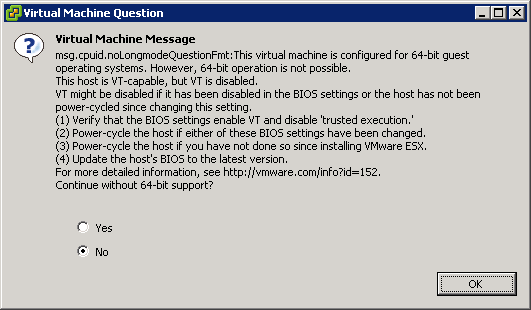
This is the warning that you get when starting an x64 VM, and you don’t have VT enabled:
[Window Title]
Virtual Machine Message
[Main Instruction]
Virtual Machine Message
msg.cpuid.noLongmodeQuestionFmt: This virtual machine is configured for 64-bit guest
operating systems. However, 64-bit operation is not possible.
This host is VT-capable, but VT is disabled.
VT might be disabled if it has been disabled in the BIOS settings or the host has not been
power-cycled since changing this setting.
(1) Verify that the BIOS settings enable VT and disable ‘trusted execution.’
(2) Power-cycle the host if either of these BIOS settings have been changed.
(3) Power-cycle the host if you have not done so since installing VMware ESX.
(4) Update the hosts’s BIOS to the latest version.
For more detailed information, see http://vmware.com/info?id=152
Continue without 64-bit support?
[Yes] [No] [OK]
Share this:

Posted in BIOS, Boot, ESXi4, Hardware, HP XW6600, Power User, Virtualization, VMware, VMware ESXi | 3 Comments »
Veeam FastSCP on ESXi 4.1: “API version on the server does not allow CreateDirectory operation” -> Upgrade to 3.0.3
Posted by jpluimers on 2010/08/13
Last week, I wrote Veeam Backup and Replication on ESXi 4.1: “Input string was not in a correct format.” -> Upgrade to 4.1.2
I was partially wrong in that Veam Backup FastSCP 3.0.2.270 did not work: that the alternative is Veeam Backup and Replication 4.1.2.
Well not completely: Veeam Backup and Replication 4.1.2 works, but a day after they released that 4.1.2 version, they also released Veeam Backup and FastSCP 3.0.3, which works too.
And of course they released it about half a day after I wrote the above post :-) Read the rest of this entry »
Share this:

Posted in ESXi4, Power User, Veeam, VMware | 2 Comments »
VMware ESXi 4.x: meaning of “Create User: User name or password has an invalid format” error
Posted by jpluimers on 2010/08/09
Sometimes when you add a new user to your ESXi 4.x installation, you get this error message (click for the full size picture):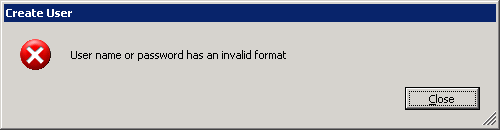
Create User: User name or password has an invalid format
Until now, only a few russian pages described the cause:
Without console login (or SSH – see my blog tomorrow), you cannot see the obvious reason for this message:
Your password does not adhere to the ESXi 4.x password policy, which is more strict than the ESX/ESXi 3.x policy.
vm-help.com has a nice page describing the ESXi 4.x password policy, and how to alter it.
–jeroen
Share this:

Posted in ESXi4, Power User, VMware | 2 Comments »
RDP to VMware host running an XP guest: Invisible Mouse Cursor on Text Editors
Posted by jpluimers on 2010/08/06
Scenario is this;
- RDP into a host running VMware
- Use the VMware client to run XP as guest
- Hover the mouse over a text editor
- The mouse cursor becomes invisible
I have seen it happen under these circumstances: Read the rest of this entry »
Share this:
Posted in Power User, VMware, Windows, Windows 7, Windows Vista, Windows XP | 7 Comments »
Veeam Backup and Replication on ESXi 4.1: “Input string was not in a correct format.” -> Upgrade to 4.1.2
Posted by jpluimers on 2010/08/05
I’m in the process of moving the VMs on my ESX 3.5 box to an ESXi 4.1 box (so I can get ESXi 4.1 installed on the ESX 3.5 box).
I tried copying over the files using the free Veeam Backup and FastSCP 3.0.2.270, but that obviously does not work well: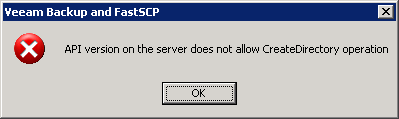
—————————
Veeam Backup and FastSCP
—————————
API version on the server does not allow CreateDirectory operation
—————————
OK
—————————
The free FastSCP works on a file by file base, but that won’t cut it.
Hoping the licensed product would work better, I registered for a trial of Veeam Backup and Replication (it is version 4.x in stead of FastSCP which is still 3.x).
The registration process went swift, but I was just a tad bit too early trying to run it against VMware ESXi 4.x: Read the rest of this entry »
Share this:

Posted in ESXi4, Power User, Veeam, VMware | Leave a Comment »
Using a USB connected APC UPS with Windows Server 2008 and VMware Server 2.0
Posted by jpluimers on 2010/06/24
Recently I took over some system management at a client.
They run Windows 2008 Server x64 and a Windows Server 2008 VM under VMware Server 2.0 and a LAN with some client machines
A lot of things were not covered, backup, power outage, etc, so I’m implementing those step by step.
They now have an APC UPS connected through USB.
There are a lot of references on the internet about the APC software (well, more like UPS vendor supplied software in general) being crap.
Luckily, Windows Server 2008 (and 2003) have built-in support for APC UPSes.
Furthermore when Windows Server shuts down, VMware Server needs to perform some actions on the guests as well.
This post covers the configuration of both :-) Read the rest of this entry »
Share this:

Posted in Power User, VMware | 8 Comments »
Changing a NIC in a VMware VM from a dynamic MAC into a static MAC address
Posted by jpluimers on 2010/06/23
Sometimes you want to hava a NIC in a VMware VM to have a static MAC address in stead of a dynamically generated one.
This sanbarrow.com page explains what to change in the VMX configuration file.
From:
ethernet0.addressType = "generated"
ethernet0.generatedAddress = "00:0c:29:40:7e:22"
ethernet0.generatedAddressOffset = "0"
To:
ethernet0.addressType = "static"
ethernet0.address = "00:50:56:3e:86:29"
VMware also has a few docs on this for workstation and ESX installs and a KB article for both.
–jeroen
Share this:
Posted in Power User, VMware | 1 Comment »
VMware Converter 4.01: “Unable to obtain hardware information” or “Unable to determine Guest Operating System”
Posted by jpluimers on 2010/06/10
Sometimes you get an error message “Unable to obtain hardware information” or “Unable to determine Guest Operating System” when using VMware Converter 4.01.
This happens at least with VMware Converter 4.01 and converting x64 VM’s like “Windows 7” and “Windows Server 2008 R2” from ESXi 4 U1.
Others found out it also happens with some Linux VMs, I have not tried those yet.
A the VMware communitie, user wildblue posted a workaround: Read the rest of this entry »
Share this:
Posted in ESXi4, Power User, Virtualization, VMware, VMware Converter, VMware ESXi | 27 Comments »
 The Wiert Corner - irregular stream of stuff