The Wiert Corner – irregular stream of stuff

Jeroen W. Pluimers on .NET, C#, Delphi, databases, and personal interests

  • My badges

  • Twitter Updates

  • My Flickr Stream

  • Pages

  • All categories

  • Enter your email address to subscribe to this blog and receive notifications of new posts by email.

    Join 1,835 other subscribers

If you change to a 2FA, then do not just mention the month, but also the year

Posted by jpluimers on 2021/12/22

[Wayback] Contact opnemen | Persoonsgebonden budget | SVB had this:

UX: 2FA needed as of October, but which year?

UX: 2FA needed as of October, but which year?

If you are going to introduce a change in a certain period of time, ensure you not just mention only a part of when it occurs: include at least year and month, possibly even day and time.

That way your users know if they still have some time left to setup 2FA, or won’t be able to logon without 2FA at all.

Read the rest of this entry »

Posted in Development, SocialMedia, Software Development, User Experience (ux), WhatsApp | Leave a Comment »

Twitter wayback_exe generates screenshots of old websites in old browsers every two hours

Posted by jpluimers on 2021/12/22

Classic browsers

Classic browsers

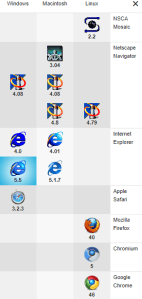
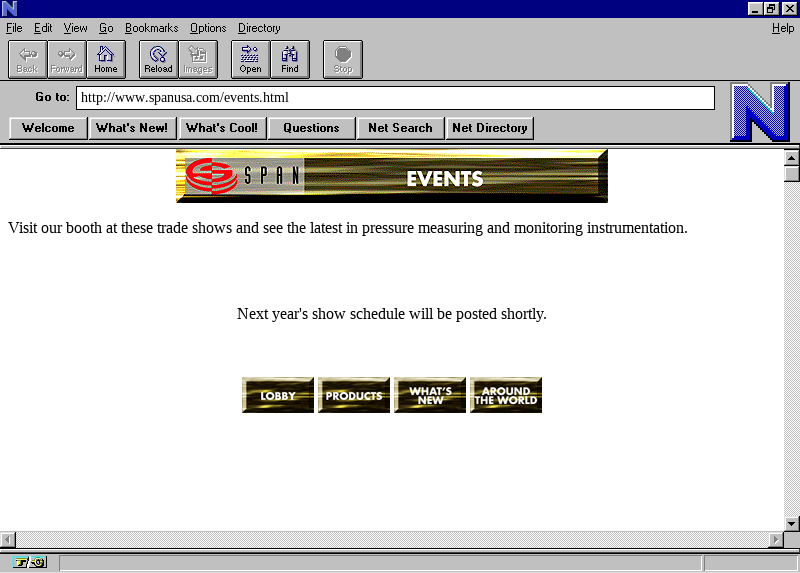
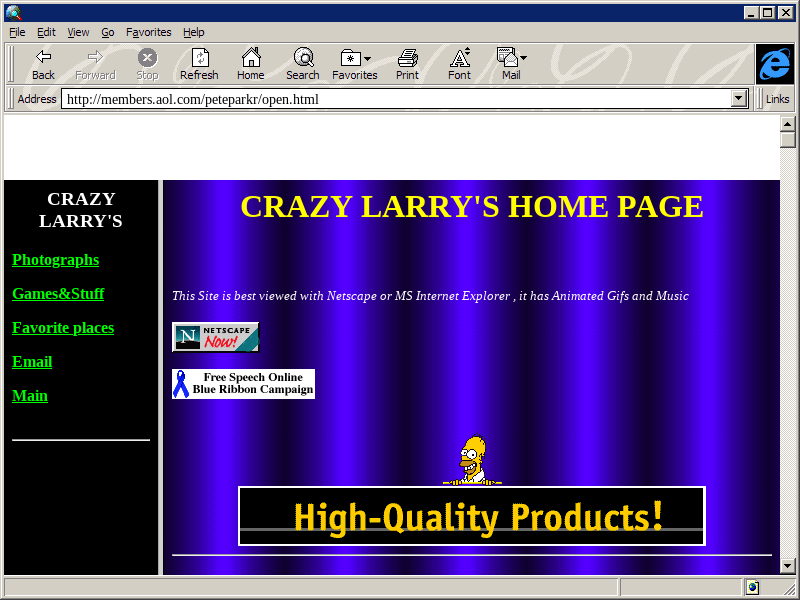
Going back to in time old web-pages using old web-browsers is fun!

[Archive.is] wayback_exe (@wayback_exe) | Twitter automatically does it for you.

A short introduction is at [Wayback] muffinlabs – @wayback_exe.

There is a playground at [Archive.is] oldweb.today where you can choose which classic browser to use for viewing and what page to view with it.

You can fiddle around with the node.js based code that is available on GitHub: [Wayback/Archive.is] muffinista/wayback_exe: code for twitter bot @wayback_exe

Some screenshots:


–jeroen

Read the rest of this entry »

Posted in Development, Fun, JavaScript/ECMAScript, Node.js, Power User, Scripting, Software Development, Web Browsers | Leave a Comment »

Delphi design-time packages: “%1 is not a valid Win32 application”

Posted by jpluimers on 2021/12/22

For my link archive, as I hardly see this (it happens in many Delphi versions and always has to do with missing/wrong DLLs), so always forget how to solve it.

Basically it is the same fix as for Fixing hg.exe “ImportError: DLL load failed: %1 is not a valid Win32 application.”:

If you get the below error when running hg.exe, then you are mixing a 64-bit Mercurial with 32-bit dependencies.

[Wayback] XE2 – “%1 is not a valid Win32 application” when installing a package – embarcadero.delphi.ide with entries by [Wayback] Remy Lebeau and [Wayback] Jeff Overcash:

I don't know what I did, but when trying to install a set of freshly built 
Delphi Win32 packages into the IDE, XE2 is giving me this error message now:

{quote}
Can't load package ...
%1 is not a valid Win32 application.
{quote}

a


> Often that is caused by the same named 32 and 64 bit run time packages
> and the OS finding the 64 bit first when the IDE must load the 32 bit.  If
> that is the case check your path variable and make sure the 32 bit paths
> appear first.

That was the problem.  The Windows PATH variable had a 64-bit folder in front 
of the 32-bit folder.  Deleted the 64-bit files and the error went away. 
 Noe I'm getting a new error:

{quote}
The program can't start because <RuntimePackage>.bpl is missing from
your computer. Try reinstalling the program to fix this problem.
{quote}

But the "missing" package is in the same folder as the design-time package 
I am trying to install.

Since the design time location is known it is explicitely 
loaded, but the run time is implicitly loaded and follows the dll loading rules. 
  Both are dynamically loaded.

The reason you only see this the next time you restart the IDE is because the 
working directory changes to your project directory when you load a project so 
if the runtime is there it is found that way, but the next time you load the IDE 
the working directory starts in the bin directory.

I thought it was, but turns out the 32-bit output folder had been moved and 
the PATH was not updated accordingly.  Fixed the PATH and now the packages 
install.

–jeroen

Posted in Delphi, Development, Software Development | Leave a Comment »

Busybox ash/dash – Hexadecimal To Decimal in Shell Script (via Stack Overflow)

Posted by jpluimers on 2021/12/21

This works fine on “BusyBox v1.29.3 (2019-05-21 15:22:06 PDT) multi-call binary.” that is included with VMware ESXi 6.5 update 3:

[Wayback] bash – Hexadecimal To Decimal in Shell Script – Stack Overflow

Dealing with a very lightweight embedded version of busybox on Linux means many of the traditional commands are not available (bc, printf, dc, perl, python)

echo $((0x2f))
47

hexNum=2f
echo $((0x${hexNum}))
47

Credit to [Wayback] Peter Leung for this solution.

–jeroen

Posted in *nix, *nix-tools, ash/dash, ash/dash development, Development, Power User, Scripting, Software Development | Leave a Comment »

DroidCam – Webcam for PC – Apps on Google Play

Posted by jpluimers on 2021/12/21

Since most phones still have better cameras than most laptops, this is on my list of things to try:

Android app: [Wayback/Archive] DroidCam – Webcam for PC – Apps on Google Play (there is also an iOS app, but I don’t use iOS devices)

Client software for Windows and Linux:  [Wayback/Archive] Dev47Apps

DroidCam turns your phone/tablet into a webcam for your PC.
Use it with chat programs like Zoom, MS Teams, and Skype.

Main Features:
– Chat using “DroidCam Webcam” on your computer, including Sound and Picture.
– Connect over WiFi or USB cable.
– Unlimited free usage at standard definition.
– Keep using your phone with DroidCam in background (Android).
– Simple, safe, efficient, and trusted by millions of people worldwide.

DroidCamX Pro Features:
– Switch to HD Mode for 720p/1080p high definition video.
– Camera controls: toggle light, enable continuous auto focus, zoom in/out.
– Rotate, Flip & Mirror the video to better match your setup.
– Adjust brightness, contrast, add video delay and adjust audio volume (Windows).
– USB-Only mode for extra privacy and security.
– Option to auto-mute phone calls.
– No Ads.

I am really curious how they did this on the software side: developing and signing drivers; low-latency communications protocol, etc.

Via: [Wayback/Archive] Apple deelt workaround die scherm verkleint voor MacBook Pro-notch-problemen – Computer – Nieuws – Tweakers

–jeroen

Posted in Development, Hardware Interfacing, Power User, USB, WebCam | Leave a Comment »

13 Tips for Writing Useful Unit Tests | by Nick Hodges | Better Programming

Posted by jpluimers on 2021/12/21

[Wayback/Archive.is] 13 Tips for Writing Useful Unit Tests | by Nick Hodges | Better Programming (I made direct links to the topics in the below quote):

How you write your tests is as important as writing them

1. Test One Thing at a Time in Isolation
2. Follow the AAA Rule: Arrange, Act, Assert
3. Write Simple “Fastball-Down-the-Middle” Tests First
4. Test Across Boundaries
5. If You Can, Test the Entire Spectrum
6. If Possible, Cover Every Code Path
7. Write Tests That Reveal a Bug, Then Fix It
8. Make Each Test Independent
9. Name Your Tests Clearly and Don’t Be Afraid of Long Names
10. Test That Every Raised Exception Is Raised
11. Avoid the Use of Assert.IsTrue
12. Constantly Run Your Tests
13. Run Your Tests as Part of Every Automated Build

–jeroen

Posted in Agile, Development, Software Development, Unit Testing | Leave a Comment »

Jeff Duntemann on Twitter: “I adapted my book Borland Pascal 7 From Square One for FreePascal. This involved cutting out obsolete stuff like the BGI and TurboVision, and adding a few things here and there. I then released it as a free PDF ebook

Posted by jpluimers on 2021/12/21

Cool!

{Wayback] www.copperwood.com/pub/FreePascalFromSquareOne.pdf

This is the FreePascal adoption of Borland Pascal from Square One: Duntemann, Jeff

Via: [Archive.is] Jeff Duntemann on Twitter: “I adapted my book Borland Pascal 7 From Square One for FreePascal. This involved cutting out obsolete stuff like the BGI and TurboVision, and adding a few things here and there. I then released it as a free PDF ebook: #pascal #programmingisfun … “

–jeroen

Posted in Borland Pascal, Development, FreePascal, Pascal, Software Development | Leave a Comment »

Meldactie: Ervaar jij knelpunten met je Zorgprofiel voor langdurige zorg? – Iederin

Posted by jpluimers on 2021/12/20

Invullen uiterlijk zondag 23 januari 2023:

[Wayback/Archive] Meldactie: Ervaar jij knelpunten met je Zorgprofiel voor langdurige zorg? – Iederin:

Loop jij aan tegen knelpunten met je Zorgprofiel voor langdurige zorg?

Ontvang jij zorg uit de Wlz en ervaar je daarbij knelpunten met je Zorgprofiel? Bijvoorbeeld omdat je in de praktijk niet de zorg krijgt, die in je profiel staat omschreven? Of omdat de inhoud van het profiel niet goed aansluit op de zorg die jij nodig hebt? Laat het ons dan weten.
Via deze link kun je een korte vragenlijst invullen en je ervaringen met ons delen. Dit kan tot en met zondag 23 januari 2023.

Meldpunt: [Wayback/Archive] Meldactie: Knelpunten Zorgprofielen/ZZP Wet langdurige zorg Survey

Via:

–jeroen

Posted in About, Awareness, LifeHacker, Personal, Power User | Leave a Comment »

CoronaCheck app: booster, test of informatie over genezen toevoegen via plusje rechtsboven

Posted by jpluimers on 2021/12/20

Dit wist ik nog niet: [Archive] Wil Hoekstra🍀 on Twitter: “@locuta Ook goed om te weten, via het plusje rechtsboven in je corona cheque app kun je de booster prik toevoegen. met je DigiD (ik deed het 24 uur na de prik)” / Twitter.

Je kunt de + rechtsboven ook gebruiken voor een testbewijs of verklaring dat je genezen bent van corona.

Het staat helaas nergens op de site van de app uitgelegd: [Wayback/Archive] coronacheck app plusje rechtsboven site:coronacheck.nl – Google Search

–jeroen

Posted in Awareness, LifeHacker, Power User | Leave a Comment »

draw.io Floorplan stencils – draw.io

Posted by jpluimers on 2021/12/20

I needed a way to draw floor plans.

PowerPoint solutions were to cumbersome, but then I remembered draw.io: it has [WayBack] draw.io Floorplan stencils – draw.io

Have you tried the floorplan stencils in draw.io? You can open the library directly by using the libs parameter, www.draw.io/?libs=floorplan. Or, you can enable them in your library section by clicking “more shapes” (bottom right) and ticking “floorplans”, then apply:

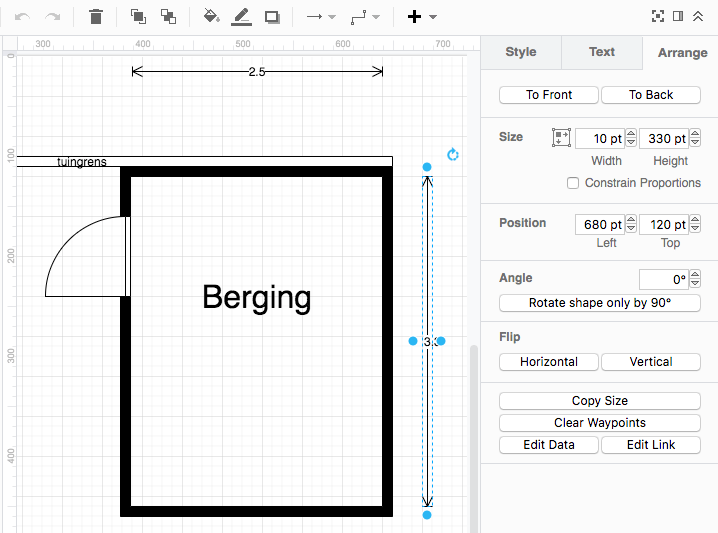
I configured draw.io to show measurements in points, then took 100 points per meter as scale.

At first I most of my measurements were wrong because the I thought the “fat” grid lines were every 50 points. They are not:

  • Light grid lines are 10 points
  • Fat grid lines are 40 points
  • Ruler has small marks every 10 points
  • Ruler has large marks every 50 points
  • Ruler has numbers every 100 points

How confusing!

–jeroen

Read the rest of this entry »

Posted in Cloud Apps, draw.io, Internet, Power User | Leave a Comment »