


Lots of interesting tidbits on unix and NTFS file systems.
If you want to blow up your tooling, try creating a recursive hardlink…, which is likely one of the reasons that nx file systems do not support them.
Covered and related topics:
Posted by jpluimers on 2021/09/21
Lots of interesting tidbits on unix and NTFS file systems.
If you want to blow up your tooling, try creating a recursive hardlink…, which is likely one of the reasons that nx file systems do not support them.
Covered and related topics:

Posted in *nix, Development, File-Systems, History, NTFS, Power User, Software Development, Windows, Windows Development | Leave a Comment »
Posted by jpluimers on 2021/09/21
“Spooky dev environment hack: add 127.0.0.1 xn--9q8h to /etc/hosts and then all your dev servers can be accessed at http://👻 It’s localghost!”
Via:
–jeroen
Posted in Communications Development, Development, HTTP, Internet protocol suite, Power User, Software Development, TCP | Leave a Comment »
Posted by jpluimers on 2021/09/20
Some links:
Voor degenen die het leuk vinden een overzicht van FTU’s van Reggefiber en bijbehorende NT’s van KPN (en anderen)
- GN01 van Genexis
- GN02 van Genexis
- TY01 (ook bekend als UFTU) van Tyco
- mediaconverter
- patchcover voor de TY01 / U-FTU
- TK01 van TKF
- NTU
- patchcover voor deze TK01
Nog even twee foto’s van mijn XS4ALL fiber setup. Wellicht dat iemand hier iets aan heeft qua knutselinspiratie.
De glasvezelkoppeling met een eenvoudig SC koppelstuk.
N.a.v. het vinden van dit YouTube filmpje YouTube: Installatie FttH FTU TY-01 omgebouwd tot dit:
De apparatuur:
- Cisco SG300-10PP met 2 x SFP
- …
Alles uiteraard achter een (te) dikke UPS ;-)
…
Dankzij jouw specificatie van die FTU modules ben ik even gaan googlen. Daar kwam ik uit op dit filmpje: YouTube: Installatie FttH FTU TY-01
Hierdoor kon ik zéér aanvoudig mijn oranje blindplaat ombouwen tot een FTU! Het enige dat nodig was is een kleine uitsparing uitknippen en vijlen.
En tadaaaa!
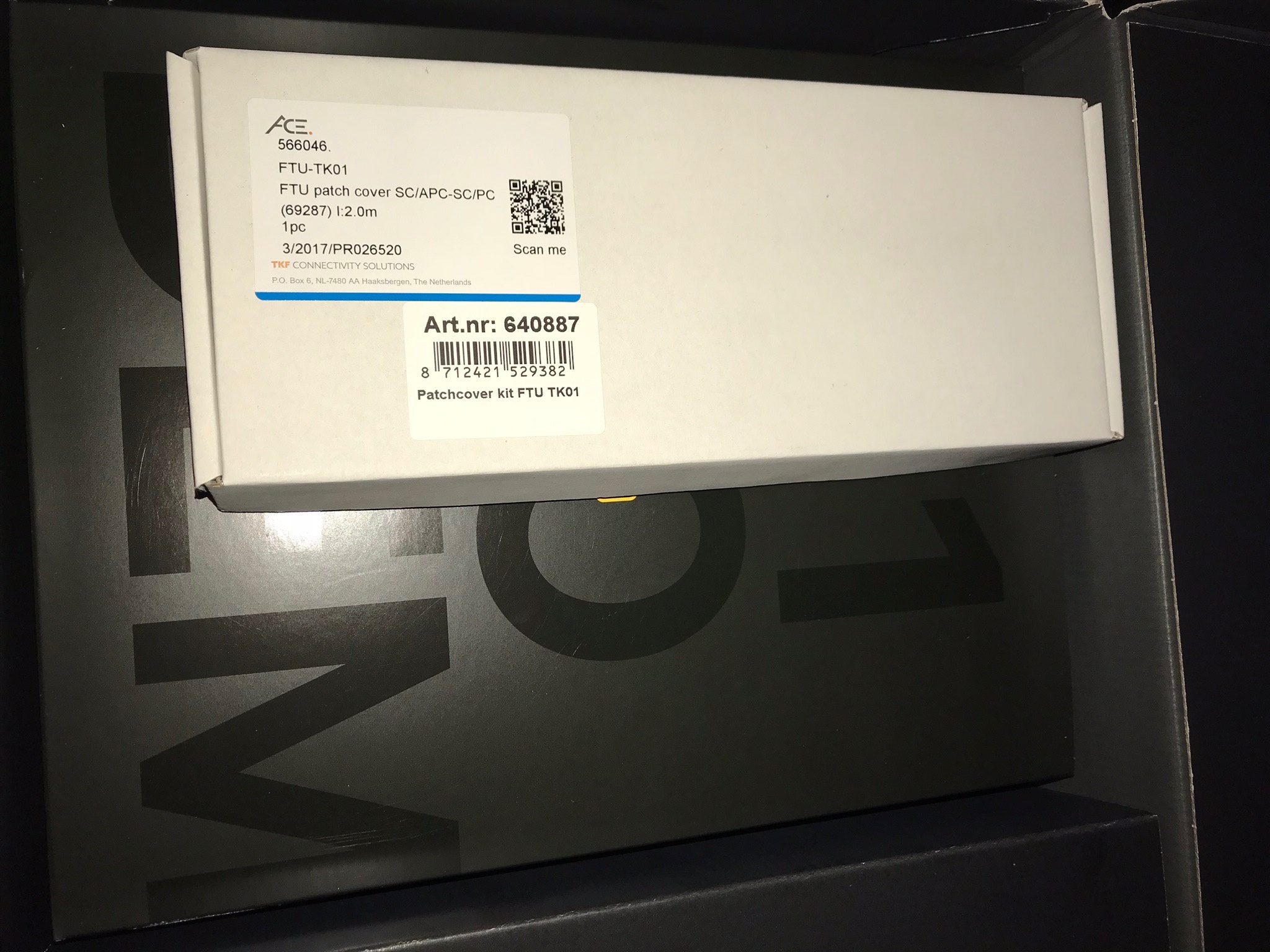
Dat stuk XS4ALL karton was bij mij ook leeg. De patch cover zat in een los klein wit doosje bovenop de doos met de 5490. Zie ook de foto:

…
Zoals geleerd van iemand op dit forum gaat deze patch cover niet passen bij ethweak. Tenzij de lege patch cover nog in huis aanwezig is dan kan de monteur, indien hij de patch cover FTU-TK01 bij hem in de auto heeft, de glasvezelkabel eruit klikken en deze in de lege patch cover die in huis aanwezig is er in klikken. Opgelost.
…
Bij mij zat de patchcover kit in deze grote zwarte doos van XS4all.
Ik heb de smalle witte patchcover kit met een dunne gele glasvezelkabel eraan vast.
Deze cover past op de UFTU waar twee smalle covers naast elkaar zitten.Ik bedoel deze: Mark-NL in “[XS4all Glasvezel] Ervaringen en Discussie”
In principe heb je een SC SFP-module nodig, maar SFP’s met LC-connectoren zijn gangbaarder. Daarom zou ik een SC-SC-koppelstuk en een SC-LC-kabel bestellen samen met de LC SFP-module die ik hier heb voorgesteld:
nescafe in “XS4ALL FIBER FTTH eigen switch welke SFP module en cable?”
(Prijzen excl. EUR 6,60 verzendkosten vanuit DE en excl. BTW)
Let ook even op de connectoren, SC (blauw) of APC-SC (groen). Die moeten matchen (hoewel ik regelmatig groen/blauw heb gemixt en nooit problemen door ondervonden).
De keuze voor SC is niet verplicht.. je kunt prima een LC SFP gebruiken met een SC<>LC-patchkabeltje.
Onlangs deze geplaatst in een Mikrotik hAP ac:
ID: #20184 https://www.fs.com/products/20184.html
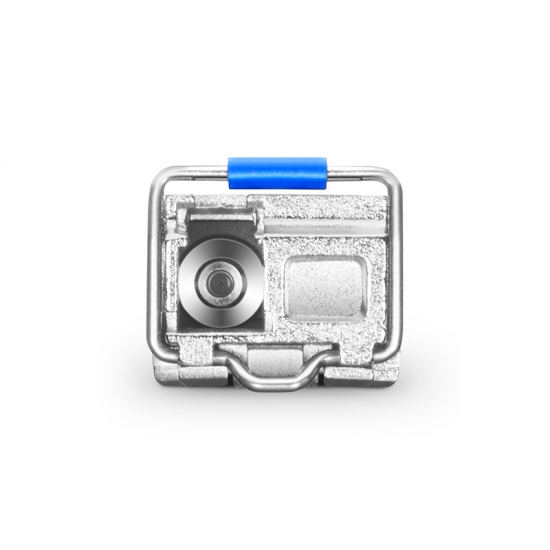
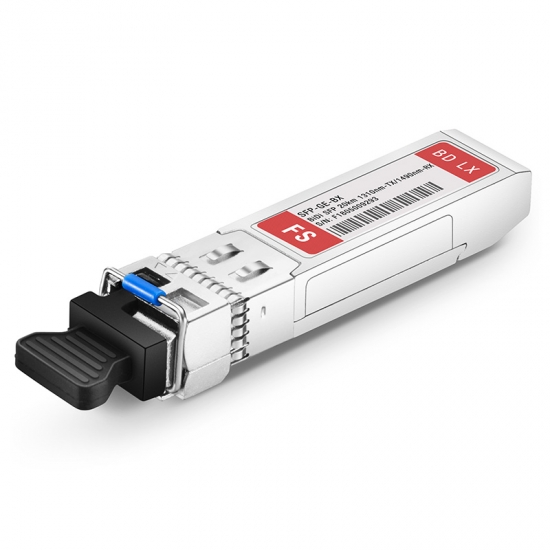
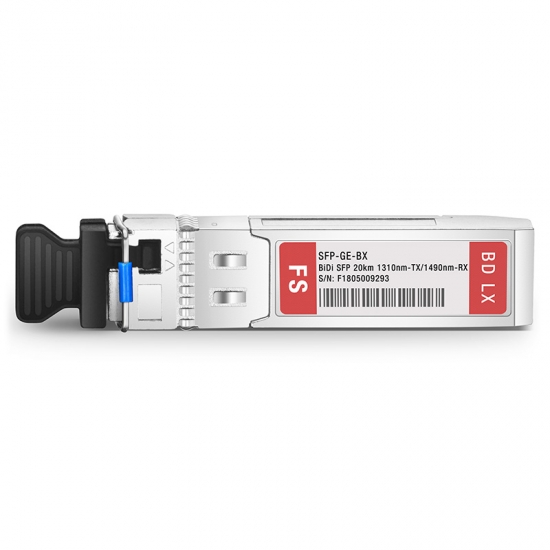
Generic Compatible 1000BASE-BX BiDi SFP 1310nm-TX/1490nm-RX 20km DOM Transceiver ModuleVoordeel is dat FS.com de ‘generic’ modules in Duitsland op voorraad heeft, dat scheelt nogal in verzendkosten ten opzichte van de ‘compatible’ modules die vanuit China verscheept worden.
…
Check FS Compatible 1000BASE-BX SFP transceiver module data sheet (singlemode, 1310nm-TX/1490nm-RX, 20km, LC connector) and price list on FS.COM, buy it now!
[WayBack] 1000BASE-BX SFP (mini-GBIC) 1310nm-TX/1490nm-RX 20km Transceiver | FS Fiberstore
[Archive.is] Joel Haasnoot on Twitter: “Freedom laat je alles zelf doen zonder monteur, maar risico als het stuk gaat is 2000-6000 euro om nieuwe splice te doen. Maar er zijn dus ook geen filmpjes oid :)… “
Joel Haasnoot @webguy· Sep 20Ik moest mij hier een paar maanden gelden hier induiken, maar enigszins bizar hoe weinig documentatie of Google-baar spul is. Er wordt vanuit gegaan dat sysadmins dit maar leren…Jeroen Wiert Pluimers @jpluimers· Sep 20Inderdaad. Helaas is het youtube filmpje inmiddels private. Wat heb jij uiteindelijk gedaan?Joel Haasnoot @webguy· Sep 21Paar problemen, deels omdat ik een van de eerste 128 oid was bij Freedom en er geen verhuisproces was. Had eerst een patchcover nodig voor nieuwe TK-01 (https://www.kpnwebshop.com/modems-routers/producten/patchcover-kit-ftu-tk01/2 …) en daar zat geen patchkabel bij (geen NTU nodig bij Freedom), want dat was opeens een SC ipv LC eind.Joel Haasnoot @webguy· Sep 21Uiteindelijk had KPNNetwerkNL 4 weken nodig om licht op de lijn te krijgen… Ik heb nu nog een patchkabel + optics liggen voor Mikrotik router, maar vooor nu nog maar even via router.Replying to @webguy @jpluimersFreedom laat je alles zelf doen zonder monteur, maar risico als het stuk gaat is 2000-6000 euro om nieuwe splice te doen. Maar er zijn dus ook geen filmpjes oid :)
Videos:
Ik zou graag willen weten of het mogelijk is/word om een FRITZ!Box 5530 Fiber direct op het glas aan te sluiten en hoe ik er achter kan komen welk type aansluiting ik heb (AON of GPON) (een medewerker van de helpdesk wist mij dit niet te vertellen). Alvast bedankt.
- Geschikt voor alle bekende glasvezelverbindingen in Europa: AON, GPON, XGS-PON, via SFP-module (Small Form Factor), BBF.247-gecertificeerd.
- De FRITZ!Box 5530 Fiber voor de retail krijgt een AON- en GPON-module. Bij het aansluiten thuis wordt het type netwerk automatisch herkend.
–jeroen

Posted in fiber, Internet, Power User | Leave a Comment »
Posted by jpluimers on 2021/09/20
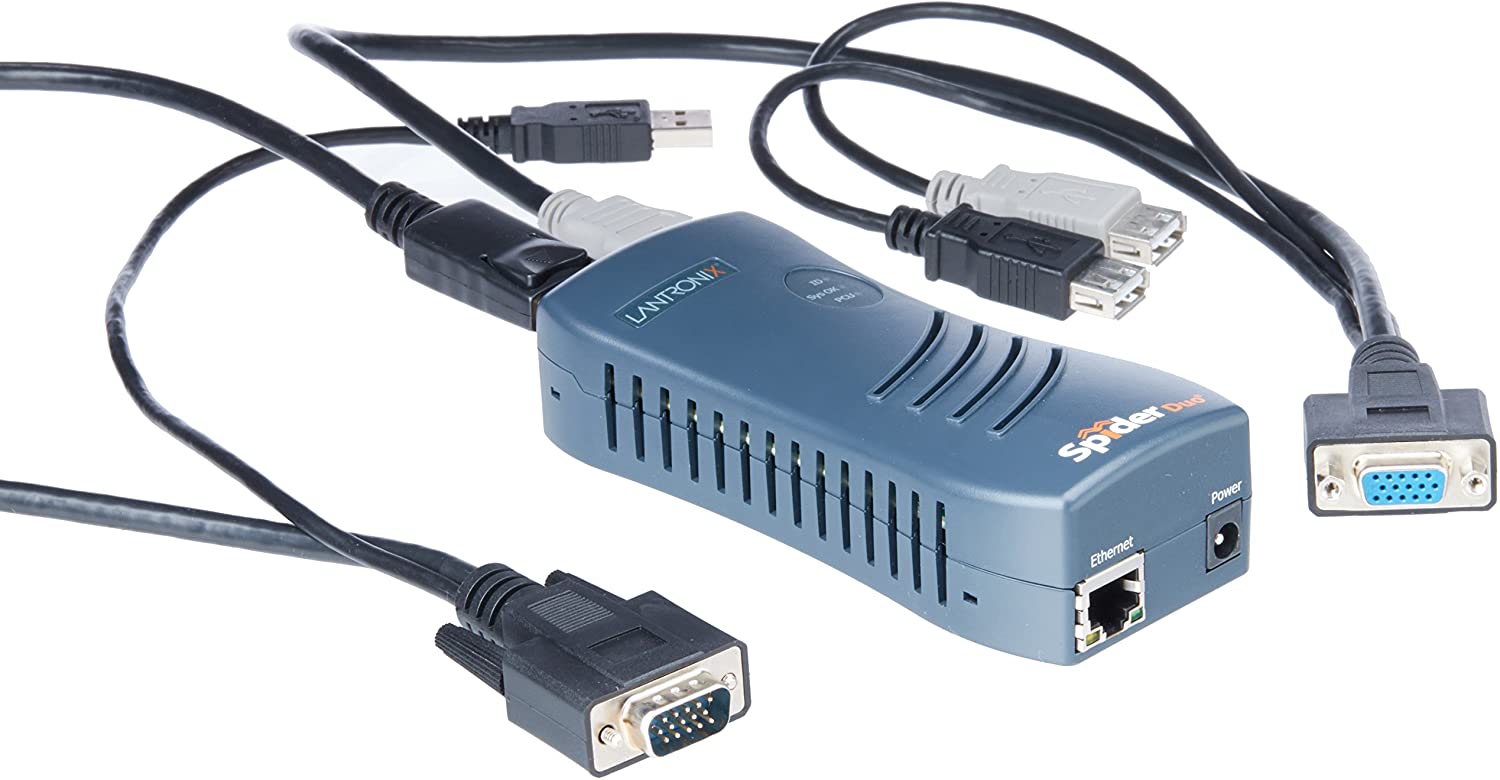
A long time ago, I bought one [Wayback/Archive.is] SpiderDuo Local and Remote KVM Over IP | Lantronix, which – without power control unit – was already some USD 400 (while writing this in fall 2021, the price has increased to almost USD 600 [Archive.is]).
It was about the only “affordable” remote KVM over IPv4 available and by now has a big drawback: it’s based on Java in the browser, which is a pain in the ass to keep working.
So I went looking for alternatives and found only two reasonable ones:
Not only that, but I found a few comparisons favouring PiKVM:
I found the Pi-KVM via [Archive.is] Solar Designer on Twitter: “PiKVM v3 HAT, “Raspberry Pi based open-source KVM over IP” by @mdevaev, is now funded on Kickstarter “
At USD 145 or less on kickstarter (excluding a Raspberry Pi 4 or power brick, so add some USD 50 for those), it is way cheaper than the SpiderDuo above which I bought some 5 years ago.
The kickstarter closes in about a week from now, so if you consider one: don’t be late! [Wayback/Archive.is] PiKVM v3 HAT by Maxim Devaev — Kickstarter shows what you get:
- The PiKVM v3 HAT board for Raspberry Pi 4
- USB-C bridge board – to connect the HAT with Pi over USB-C
- ATX controller adapter board and wiring – to connect the HAT to the motherboard (if you want to manage power supply through hardware)
- 2 flat CSI cables
- Screws and brass standoffs
You will also need:
- Raspberry Pi 4 with 2Gb RAM or more
- MicroSD card
- USB-C to USB-A cable
- HDMI cable
- Straight Ethernet cable (for the ATX expansion board connection)
- Power supply unit (5.1V 3A USB-C, recommended by the Raspberry Pi)
You can use our free 3D printing case design to build a beautiful complete unit or wait a bit for the official PiKVM metal case we are working on!
–jeroen

Posted in Hardware, KVM keyboard/video/mouse, Power User | Leave a Comment »
Posted by jpluimers on 2021/09/20
Still need to research this further:
Somewhere around 6.44, when upgrading an existing RouterOS device, this snippet became part of the configuration:
/ip ssh
set allow-none-crypto=yes forwarding-enabled=remote
A few remarks:
Posted in Hardware, Internet, MikroTik, Network-and-equipment, Power User, routers, WinBox | Leave a Comment »
Posted by jpluimers on 2021/09/17
For a web-dashboard showing both agenda and month-calendar, I wanted to show the daily activities only on the agenda, and all other events on both the agenda and mont-calendar.
For that I needed a sub-Google-calendar for the daily activities next to the main Google-calendar, so I searched for [WayBack] calendar google sub-calendar – Google Search
Google sub calendarsOnce the calendar is created, you’ll see it on your browser and in the app.
- On your computer, open Google Calendar.
- On the left side, above “My calendars,” click Add other calendars New calendar.
- Add a name and description for your calendar.
- Click Create calendar.
Create a new calendar – Calendar Help – Google Support
This wasn’t fully accurate:

Posted in Google, GoogleCalendar, Power User | Leave a Comment »
Posted by jpluimers on 2021/09/17
Logon met postcode, huisnummer+toevoeging, en meternummer:
Meldt aan met postcode, huisnummer+toevoeging, en GSM nummer:
Overige:
–jeroen
Posted in Liander, LifeHacker, Power User | Leave a Comment »
Posted by jpluimers on 2021/09/17
[WayBack] User Manual – Joe’s Own Editor: Command Line Options
Command Line Options
These options can also be specified in the joerc file. Local options can be set depending on the file-name extension. Programs (.c, .h or .p extension) usually have autoindent enabled. Wordwrap is enabled on other files, but rc files have it disabled.
An option is enabled when it’s given like this:
-wordwrapAn option is disabled when it’s given like this:
--wordwrap…
[WayBack] User Manual – Joe’s Own Editor: Word wrap and formatting
Posted in *nix, *nix-tools, joe, Power User | Leave a Comment »
Posted by jpluimers on 2021/09/16
I had trouble with two Intel 600p NVMe SSD devices: read-errors.
It appeared only few tools understand how to get S.M.A.R.T. health information from them, and even then they did not explain the read errors.
I’m going to RMA them, but in case anyone else needs to get health information from NVMe SSD devices, here is which tools do what:
smartctl 6.6 2017-11-05 r4594 [x86_64-w64-mingw32-w10-b19043] (sf-6.6-1)
Copyright (C) 2002-17, Bruce Allen, Christian Franke, www.smartmontools.org
smartctl) supports reading health data on Windows 10 via the Microsoft NVMe drivers (see [Wayback] NVMe_Support – smartmontools and [Wayback] Changeset 4348 – smartmontools); download via [Wayback/Archive.is] S.M.A.R.T. Monitoring Tools – Browse Files at SourceForge.net. I used this command for it:smartctl.exe --xall /dev/sdc smartctl 7.2 2020-12-30 r5155 [x86_64-w64-mingw32-w10-b19043] (sf-7.2-1) Copyright (C) 2002-20, Bruce Allen, Christian Franke, www.smartmontools.org ... Warning Comp. Temp. Threshold: 70 Celsius ... === START OF SMART DATA SECTION === SMART overall-health self-assessment test result: FAILED! - available spare has fallen below threshold - media has been placed in read only mode ...
So basically, CrystalDiskInfo and HD Tune are my first line of checking for drive issues, followed by smartmontools to get text output, then by vendor specific tools to assist with the RMA.
In the past, I used another smartmontools wrapper, but it was discontinued and had an even older version than GSmartControl: Source: Closed: HDD Guardian – Home.
On Intel 600p becoming locked in read-only mode after failure:
Start of Intel RMA procedure via [Wayback] Warranty Information.
My case looks remarkably similar to [Wayback] Full Diagnostic Scan always fails during Read Scan on my SSD 600p Series 256GB – Intel Community.
A few screenshots of the tools I used for health information:

Posted in Hardware, NVMe, Power User, SSD, WayBack machine | Leave a Comment »
Posted by jpluimers on 2021/09/16
Hopefully this becomes available on-line, as this will be a great talk, but Potsdam is out of my reach in my current physical condition.
[Wayback] AgileTD Keynote | Happiness is Quality
In Gwen Diagram’s keynote go on a journey of looking at how to improve happiness in teams for the goal of building quality systems.
How can we build teams that strive to build quality systems? By building in happiness early and often.
Each organisation has a culture which directly affects the quality of their work. Organisations with a lower level of quality; that is, systems that fail more often, longer times to fix and longer times to build often have a few things in common; frustration, apathy and cynicism.
On the other side of the coin, teams with slack, time to learn and time to reflect also have the space to improve their systems. Quality is everyone’s responsibility is an oft quoted phrase. But, how do you actually engage people to build quality systems?
Improving quality should not weigh heavy on the shoulders of the test specialist. Their main role should not be attempting to convince people that unit tests should exist, that systems should be testable and observable or that automated tests will speed up development. Instead, we should be building teams that want to find out together how to build a system that breathes quality.
The way to do this is by improving the happiness of the engineers on the team with learning, autonomy and coaching. So, how can we build teams that strive to build quality systems? By building in happiness early and often. In this talk, we will go on a journey of looking at how to improve happiness in teams for the end goal of building quality systems.
Via: [Wayback] Agile Testing Days on Twitter: “☀️ Here comes the happiness! ☀️ @gwendiagram will take us on a journey of looking at how to improve happiness in teams for the end goal of building quality systems. ➡️ Learn more about the keynote and the speaker: … “
–jeroen
Posted in Agile, Conferences, Development, Event, Power User, Software Development, Testing | Leave a Comment »








 The Wiert Corner - irregular stream of stuff