


Reminder to self:
- Affordable: upstoday.com – Book Your UPS Delivery – Courier Services
- Expensive ups.com – Shipping, Freight, Logistics and Supply Chain Management from UPS
–jeroen
Posted by jpluimers on 2018/02/09
Reminder to self:
–jeroen

Posted in LifeHacker, Power User | Leave a Comment »
Posted by jpluimers on 2018/02/08
An important question for many people, so if you want to know more or get started: [WayBack] Scott Hanselman on Twitter: “Why should I care about Kubernetes, Docker, and Container Orchestration?” followed by:
Yes, AKS is Azure Container Services (go figure!).
diskutil listsudo su -targetDevice with the value from diskutil list
  targetDevice="disk9"

imageName="2017-11-29-raspbian-stretch-lite"

unzip -o ${imageName}.zip

diskutil umount "/dev/${targetDevice}s1"; \

dd bs=1m of="/dev/r${targetDevice}" if=${imageName}; \

sync; \

diskutil list; \

diskutil eject "/dev/${targetDevice}"
–jeroen
Posted in Cloud, Containers, Docker, Infrastructure, Kubernetes (k8n), Power User | Leave a Comment »
Posted by jpluimers on 2018/02/08
 Though sprints help maintaining some rhythm, don’t let them dumb you down:
Have you ever run for real, then run on a treadmill? Running for real means that you have a pace, hopefully sustainable, and off you go. If…
Source: [WayBack] Iterations Mean Rapid Feedback — Agile Heretic Episode Five
Via: [WayBack] Iterative development does not mean timeboxed or repetitive development. – Marjan Venema – Google+ (who is a great coach)
Which reminded me I should order and read [WayBack] Personal Kanban: Mapping Work | Navigating Life: Jim Benson, Tonianne DeMaria Barry: 9781453802267: Amazon.com: Books
–jeroen

Posted in Agile, Development, Software Development | Leave a Comment »
Posted by jpluimers on 2018/02/08
Quite some time ago, I attended a great introductory elasticsearch/kibana workshop by Martijn Laarman (@Mpdreamz, github.com/Mpdreamz and SO martijn-laarman) that lead me into researching a lot of interesting new things:
–jeroen
Posted in Development, JavaScript/ECMAScript, JSON, Scripting, Software Development | Leave a Comment »
Posted by jpluimers on 2018/02/08
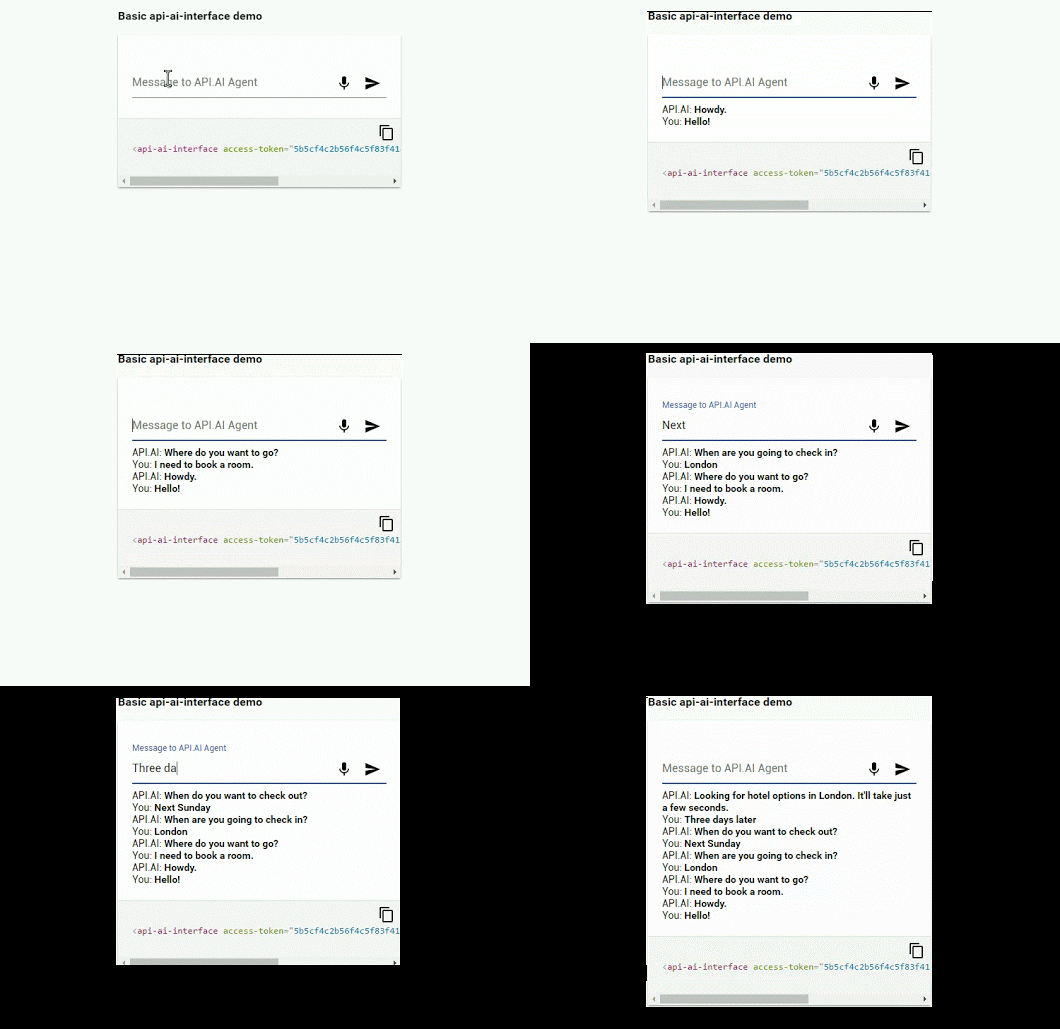
Time to look back to see how this has evolved: [WayBack] api-ai-interface – I started playing with API.AI a while ago (because of Google Actions), and thought it would be nice to have an easy way to include a c… – Gerwin Sturm – Google+
References:
Create conversational experiences across platforms: chatbots, smart home automation, connected cars, mobile and web apps, robots, wearables, Enterprise, etc.
–jeroen

Posted in Cloud Development, Development, Software Development | Leave a Comment »
Posted by jpluimers on 2018/02/07
Via [WayBack] Hi all,I’m a bit stuck here with a “simple” task.Looks like Outlook 2016 doesn’t supports “MAPISendMail”, at least, if i trigger this, Thunderbird… – Attila Kovacs – Google+:
Basically only MAPISendMail works cross architecture and only if you fill all fields.
This edited [WayBack] email – MAPI Windows 7 64 bit – Stack Overflow answer by [WayBack] epotter is very insightful (thanks [WayBack] Rik van Kekem – Google+):
Calls to MAPISendMail should work without a problem.
For all other MAPI method and function calls to work in a MAPI application, the bitness (32 or 64) of the MAPI application must be the same as the bitness of the MAPI subsystem on the computer that the application is targeted to run on.
In general, a 32-bit MAPI application must not run on a 64-bit platform (64-bit Outlook on 64-bit Windows) without first being rebuilt as a 64-bit application.
For a more detailed explanation, see the MSDN page on Building MAPI Applications on 32-Bit and 64-Bit Platforms
–jeroen
Posted in Delphi, Delphi x64, Development, Office, Outlook, Power User, Software Development, x86 | Leave a Comment »
Posted by jpluimers on 2018/02/07
pandas – Flexible and powerful data analysis / manipulation library for Python, providing labeled data structures similar to R data.frame objects, statistical functions, and much more
Pandas is on my research list. Some links to get started:
–jeroen
Posted in Development, Python, Scripting, Software Development | Leave a Comment »
Posted by jpluimers on 2018/02/06
Recommended for any software developer or architect: browse [Archive.is] Anti Patterns Catalog and re-read it 6-12 months later, then contemplate if you have improved.
Summary:
This catalog lists AntiPatterns in two ways:
- General alphabetic classification
- Categorical listing of AntiPatterns with the following sections available
- ArchitectureAntiPatterns (see also CategoryArchitectureAntiPattern)
- DevelopmentAntiPatterns (see also CategoryDevelopmentAntiPattern and DevelopmentAntiPatternRoadMap)
- GreyPatterns
- ManagementAntiPatterns (see also CategoryManagementAntiPattern and ManagementAntiPatternRoadMap)
- UserInterface AntiPatterns
- OrganizationalAntiPatterns (see also CategoryOrganizationalAntiPattern)
–jeroen (who is re-reading right now).
via:
Posted in Design Patterns, Development, Software Development | Leave a Comment »
Posted by jpluimers on 2018/02/06
Thanks [WayBack] Mr. Rick for the answer as this is exactly the bit I needed:
Input:
set widget="a very useful item"
set widget
set widget=%widget:"=%
set widget
Output:
widget="a very useful item"
widget=a very useful item
[WayBack] Removing double quotes from variables in batch file creates problems with CMD environment – Stack Overflow
This trick is convenient in cases like this:
 set LocalHostsFile="%windir%\System32\drivers\etc\hosts"

set LocalHostsTemplate="%LocalHostsFile:"=%.template"
The above replaces ALL double quotes with nothing.
If you want to smart replace (like done when de-quoting CSV), you need a bit more complex code like described in [WayBack] batch file – Remove quotes from named environment variables in Windows scripts – Stack Overflow, where you basically have two options:
Both work because parameters used like %~x do get their quotes removed; you cannot use that syntax on plain variables.
–jeroen
Posted in Batch-Files, Development, Scripting, Software Development | 3 Comments »
Posted by jpluimers on 2018/02/05
Somehow the Odroid C1+ does not support a blinking hardware text cursor. Which means that when you logon to the console in text mode, it is really hard to edit the command-line or text files a there is no visual clue where the cursor is.
It took me to find out the cause, but odroid C1 console no “hardware cursor” got me there: [Archive.is] Arch Linux ARM • View topic – ODROID-C1: No hardware cursor in terminal. The odd thing is that sending escape sequences like mentioned in [WayBack] Cursor Appearance in the Linux Console LG #137 didn’t fix the problem either. For instance, these didn’t help at all:
echo -n -e '\e[?17;14;224c'

echo -e "\e[?16;0;64c"
I tried similar ones from [WayBack] VGA-softcursor.txt as well, but they failed too.
Since I usually ssh into the box, doing without a console cursor usually is no problem except when you run into network trouble and really need the console.
Fixing it took a bit longer to find out, but refining to “odroid C1” console no blinking cursor got this as first hit: [WayBack] ODROID Forum • View topic – fbcon cursor. And it came down to going to the second page of the first archived link above. So I had a kind of “duh” moment. Anyway, at [WayBack] Arch Linux ARM • View topic – ODROID-C1: No hardware cursor in terminal – pagee 2 is the below code which got me a nice large light-blue cursor:
infocmp >> ~/terminfo.txt

sed -i.bak -e 's/?0c/?112c/g' -e 's/?8c/?48;0;64c/g' terminfo.txt

tic terminfo.txt

tput cnorm
These are the commands used:
–jeroen
Posted in *nix, Linux, Power User, Ubuntu | Leave a Comment »

 The Wiert Corner - irregular stream of stuff