


Repeated because it is the most important aspect of software development.
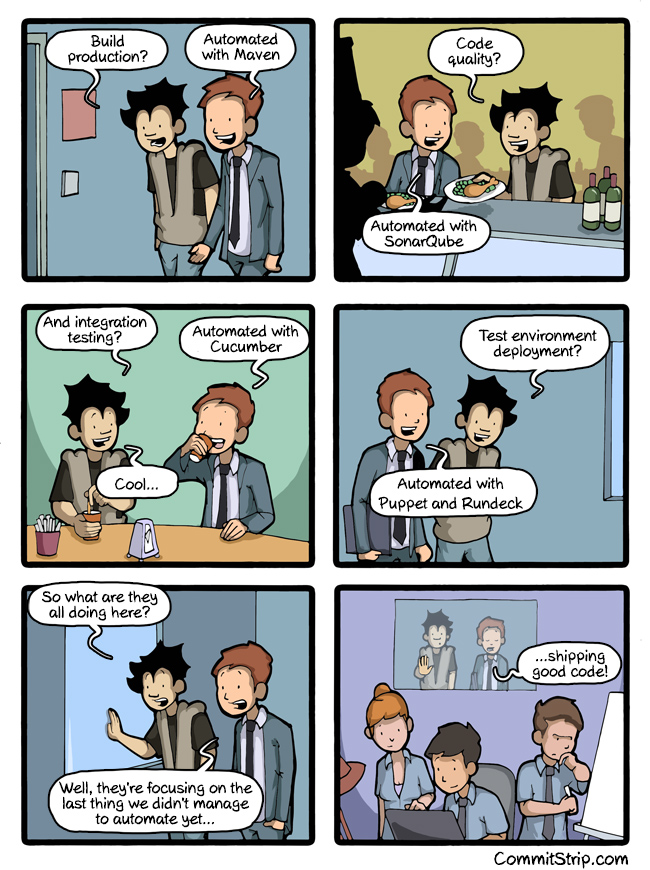
automating everything
–jeroen
via: Can we automate everything? | CommitStrip – Blog relating the daily life of web agencies developers.
Posted by jpluimers on 2016/08/03
Repeated because it is the most important aspect of software development.
automating everything
–jeroen
via: Can we automate everything? | CommitStrip – Blog relating the daily life of web agencies developers.

Posted in Agile, Code Quality, Development, Software Development, Source Code Management | Leave a Comment »
Posted by jpluimers on 2016/08/02
TDD via Dave Hulbert on Twitter: “Yay, all unit tests passing! http://t.co/ax2uxPsZqv”.

Dave Hulbert on Twitter: “Yay, all unit tests passing! http://t.co/ax2uxPsZqv”.
Posted in Agile, Development, Fun, Software Development, Unit Testing | Leave a Comment »
Posted by jpluimers on 2016/08/01
With en empty Group Name you get this:
No Group Name means no connection
The bad thing is: the Fritz!Box will not tell you this in any of the logs.
So don’t forget to set the Group Name to be the same as the Account Name in the ….:
Always enter the Group Name in the Authentication Settings
Then you can successfully connect:
VPN connection succeeded!
–jeroen

Posted in Fritz!, Fritz!Box, Internet, Power User | Leave a Comment »
Posted by jpluimers on 2016/08/01
Oh man, why didn’t they make a line object out of this…
But if you realize it is a bottom border, then deleting is easy:
The answer is something of a trick, as the horizontal line is not a line (or a graphic), it’s a bottom border.
–jeroen
via: Deleting Horizontal Lines From Word.
Posted in Office, Office 2007, Office 2010, Office 2013, Power User | Leave a Comment »
Posted by jpluimers on 2016/07/29
One day I’m going to need this: Make A Bootable Windows 10 USB Install Stick On Linux With WinUSB Fork ~ Web Upd8: Ubuntu / Linux blog
So I’m glad WinUSB (which hadn’t been maintained for a long time) got forked on github by slaka.
Since my day-to-day unix-like system is OS X, I’d love a good working solution there too which means I probably need to investigate a bit along these lines:
–jeroen
via: Make A Bootable Windows 10 USB Install Stick On Linux With WinUSB Fork WebUpd8 – Google+ / DoorToDoorGeek “Stephen McLaughlin” – Google+
Posted in *nix, Apple, BIOS, Boot, BSD, Linux, Mac OS X / OS X / MacOS, OS X 10.10 Yosemite, OS X 10.11 El Capitan, OS X 10.9 Mavericks, Power User, Ubuntu, UEFI, Windows, Windows 10, Windows 7, Windows 8, Windows 8.1, Windows 9, Windows Server 2000, Windows Server 2003, Windows Server 2003 R2, Windows Server 2008, Windows Server 2008 R2, Windows Server 2012, Windows Server 2012 R2, Windows Vista, Windows XP | Leave a Comment »
Posted by jpluimers on 2016/07/29
sponge, a great *nix tool part of moreutils:
sponge: soak up standard input and write to a file
Now need to figure out how to get it on Tumbleweed; maybe http://rpm.pbone.net/index.php3/stat/4/idpl/23781842/dir/opensuse/com/moreutils-0.48-1.1.i586.rpm.html
–jeroen
via: moreutils.
Posted in *nix, *nix-tools, Linux, openSuSE, Power User, SuSE Linux | Leave a Comment »
Posted by jpluimers on 2016/07/28
I’ve quotes two of the G+ comments as they perfectly reflect my point of view: the non-modal search and IDE Insight – introduced somewhere after XE3 – are a dork to use.
I’m doing more Delphi work lately and these being non-modal seriously hinder my work (and it gets progressively worse on a 3K or 4K monitor).
In my book: why implement a feature to emulate the competition when you do it so badly?
So: are there any experts around that bring back the old search and IDE Insight behaviour back?
Asbjørn Heid, Oct 5, 2015:
+Marco Cantù I’m pretty sure I’ve mentioned it before, but hey:
- The new edit field cannot be placed in a position which does not require significant eye-focus change to read. This means it is significantly more cumbersome to use, as focus must be transferred to some “out of sight” area. In addition one does not get the same instant feedback that the IDE did register your F6 keypress. The old one was “in your face” instantly when you pressed F6, so no need to take your eyes off the form you’re designing, and it left no doubt about F6 being registered or not.
- The dropdown list with suggestions that pops up when you type is much more difficult to read than the list in the old one, both due to positioning (thanks to the above) and due to length until it’s heavily constrained by input.
- From what I recall, the new edit field does not behave the same when invoked repeatedly, requiring more keystrokes to get the same effect compared to the old. I haven’t used XE3 in ages though so I don’t recall the specifics anymore, just that the new feels more clunky to use.
That’s just off the top of my head. Yes I still use it, but not nearly as much as I did, and when I do it’s one to two orders of magnitude slower to use compared to the old one. Not because it searches slower, but because of the issues described above.
David Heffernan, Oct 5, 2015:
+Marco Cantù I second what +Asbjørn Heid said. When I press F6 now, I never know where to put my eyes. In XE3 a dialog popped up which took my attention.
Similarly for the non-modal search, although somehow I’m more used to the modern version now. When compared with VS though the Delphi search is very lacking. The great thing about the VS search is that it gives live feedback on which text in the edit window match the text in the search window. If Delphi would do that it would make an immense difference. It’s definitely worth spending some time in VS using their search facility. And indeed in other IDEs / editors.
There was a lot of negative feedback on both of these changes when they were released. Surely Embarcadero noticed that.
–jeroen
via: F6 or [Ctrl] + . does not open IDE Insight on DX. What am I missing?…
Posted in Delphi, Delphi 10 Seattle, Delphi 10.1 Berlin (BigBen), Delphi XE3, Delphi XE4, Delphi XE5, Delphi XE6, Delphi XE7, Delphi XE8, Development, Power User, Software Development | 2 Comments »
Posted by jpluimers on 2016/07/28
It describes why a stable latency helps Google and SysEleven to outperform other cloud providers.
–jeroen
Posted in Cloud, Infrastructure, Power User | Leave a Comment »
Posted by jpluimers on 2016/07/28
In hindsight, what they should have done when ZEROBASEDSTRINGS were introduced (yes, Delphi XE4):
 Matlab and zerobasedstrings
–jeroen
via: At the MathWorks headquarters Source: http://redd.it/3bl5m1 #matlab….

Posted in Delphi, Delphi 10 Seattle, Delphi XE4, Delphi XE5, Delphi XE6, Delphi XE7, Delphi XE8, Development, Software Development | 1 Comment »
Posted by jpluimers on 2016/07/27
Just what I needed: Push a new local branch to a remote Git repository and track it too – Stack Overflow But watch the comments to this answer:
Answer:
In recent versions of Git (1.7.0 and later), you can checkout a new branch:
git checkout -b <branch>Edit files, add and commit. Then push with the
-uoption:git push -u origin <branch>Git will set up the tracking information during the push.
Comments:
–jeroen
Posted in Development, DVCS - Distributed Version Control, git, Software Development, Source Code Management, Visual Studio 2013, Visual Studio 2014, Visual Studio 2015, Visual Studio and tools | Leave a Comment »


 The Wiert Corner - irregular stream of stuff
git push -uwas introduced in Git 1.7.0 (2010-02-12). – Chris Johnsen Jun 4 ’11 at 4:16-uis short for--set-upstream—for what it does and why it’s needed I wouldn’t mind some explanation, too. :) – Anton Strogonoff Mar 9 ’14 at 6:07push.defaultis set toupstream, this will not do what you think it will do. It will try to push over the existing tracking branch. Use:git push -u origin mynewfeature:mynewfeatureor dogit branch --unset-upstreamfirst. – void.pointer May 19 ’14 at 18:07