I’ve got a bunch of PowerShell projects in a solution. In some of them, I can include new files, in others I get the below error.
The diff of a good/bad project is below as well.
Two questions:
Does anybody know how to work around this?
Does anybody know how to find the actual error for this?
---------------------------

Microsoft Visual Studio

---------------------------

The operation could not be completed

---------------------------

OK

---------------------------
Lets start with the second problem: There are various ways to redirect PowerShell output to a file.
Shell redirect with a greater than sign (>) to create/overwrite output or two greater than signs (>>) to append output.
Use Out-File [WayBack] with a filename and either -FilePath (default, similar to >) or -Append (similar >>).
I write “similar” as they are not fully equivalent. That’s where Format-Table [WayBack] with the -AutoSize parameter comes in (with or without a -Wrap parameter).
Apart from Format-Table displaying only 10 columns by default (see below), the -AutoSize will change columns presentation depending not just on the -Wrap parameter but also to the total width it thinks it has available.
Since then I had to maintain too many locales running Windows 10. So here is the batch file:
for /f "delims=" %%A in ('PowerShell -Command "(Get-Culture).Name"') do explorer "%LocalAppData%\Packages\windows.immersivecontrolpanel_cw5n1h2txyewy\LocalState\Indexed\Settings\%%A\AAA_SystemSettings_MusUpdate_UpdateActionButton.settingcontent-ms"
PowerShell 4.0 is madly in love with “English (United States)”
A long time ago I started writing up my blog post like this in March 2015 when I bumped into this the first time when upgrading from PowerShell 2 to PowerShell 4:
Good and not so good news: after reading the below linked posts, this is what works:
PowerShell 4 and up works fine with any [Wayback] Lucida Console size (including 12) and boldness
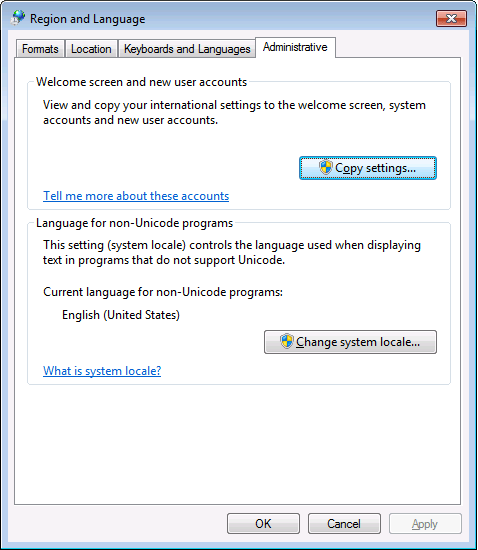
only when the “Language for non-Unicode programs” is set to “English (United States)”.
PowerShell 4 works fine with [Wayback] Consolas on any size and boldness
for any “Language for non-Unicode programs”
So if you’re like me and switch between “Dutch (Netherlands)” and “English (Ireland)” a lot (both use the EURO as currency, but have distinct enough other locale settings to cover a lot of European stuff) then you need to get used to the Consolas font.
This file contains hidden or bidirectional Unicode text that may be interpreted or compiled differently than what appears below. To review, open the file in an editor that reveals hidden Unicode characters. Learn more about bidirectional Unicode characters
@echo off
:: http://superuser.com/questions/768984/show-exe-path-of-running-processes-on-the-command-line-in-windows
  if [%1] == [] goto :help
  PowerShell Get-Process %* ^| Format-List Path
goto :eof
:help
  echo Syntax:
  echo   %0 ProcessName
  echo Shows the full EXE paths of any running process with the ProcessName name.
  echo Example:
  echo   %0 DevEnv
  echo Shows the paths of running Visual Studio processes
The idea is that you solve a task and learn from that, or learn by seeing how others have solved tasks or draft tasks.
So in a sense it is similar to the Rosetta stone: it has different languages phrasing the same tasks.
There are already a whole bunch of languages on RosettaCode (of which a few are in the categories below), and you can even suggest or add your own languages.
When you want to solve tasks, be sure to look at the list unimplemented tasks by language that leads to automatic reports by language (for instance two of the languages I use most often: C# and Delphi).
I was creating installation instructions for getting new development machines set-up
The new machines had to either have a minimum subset of installed Delphi versions + components, or the maximum superset of all the existing development machines
Sifting through the installed Packages in the IDE, or registry by hand was cumbersome



 The Wiert Corner - irregular stream of stuff