The Wiert Corner – irregular stream of stuff

Jeroen W. Pluimers on .NET, C#, Delphi, databases, and personal interests

  • My badges

  • Twitter Updates

  • My Flickr Stream

  • Pages

  • All categories

  • Enter your email address to subscribe to this blog and receive notifications of new posts by email.

    Join 1,854 other subscribers

Archive for the ‘Scripting’ Category

Windows <= 10: batch file to open Windows Update panel

Posted by jpluimers on 2019/02/15

Up until Widows 8.1, you could use wuapp to start the Windows Update panel.

For a while, Windows 10 needed a cumbersome language specific workaround described at Windows 10 – language neutral batch file to start Windows.

That stopped working after a few builds, but I forgot to make a note in which build exactly. Already in Windows 10 build 10122, the icon in wucltux.dll, so this might have been shortly after the initial “RTM” (retroactively named 1507).

So for a while, I had this batch file:

Since then I had to maintain too many locales running Windows 10. So here is the batch file:

for /f "delims=" %%A in ('PowerShell -Command "(Get-Culture).Name"') do explorer "%LocalAppData%\Packages\windows.immersivecontrolpanel_cw5n1h2txyewy\LocalState\Indexed\Settings\%%A\AAA_SystemSettings_MusUpdate_UpdateActionButton.settingcontent-ms"

It uses these tricks:

  1. Set output of a command as a variable (in this case a for loop variable)
  2. Execute PowerShell script in a .bat file
  3. PowerShell Get-Culture (which gets a .NET CultureInfo instance)
  4. CultureInfo.Name property (which has the nl-NL, en-US, etc codes in it)

But now I have extended it to support old and new Windows versions:

if exist %windir%\System32\wuapp.exe (
  %windir%\System32\rundll32.exe url.dll,FileProtocolHandler wuapp.exe
) else (
  %windir%\explorer ms-settings:windowsupdate
)

–jeroen

via: Windows Update Shortcut – Create in Windows 10 – Windows 10 Forums

Posted in Batch-Files, Development, Power User, Scripting, Software Development, Windows | Leave a Comment »

Why the New V8 is so Damn Fast – NodeSource

Posted by jpluimers on 2019/02/07

Wow, impressive work, and a very good explanation of some of the optimizations that take place and how you can check which ones work on your code: [WayBack] Why the New V8 is so Damn Fast – NodeSource:

The entire V8 compiler pipeline was overhauled and shipped with Node.js version 8. This post investigates what speed improvements we can expect as a result.

Via: [WayBack] Adrian Marius Popa – Google+

–jeroen


Posted in Development, JavaScript/ECMAScript, Node.js, Scripting, Software Development | Leave a Comment »

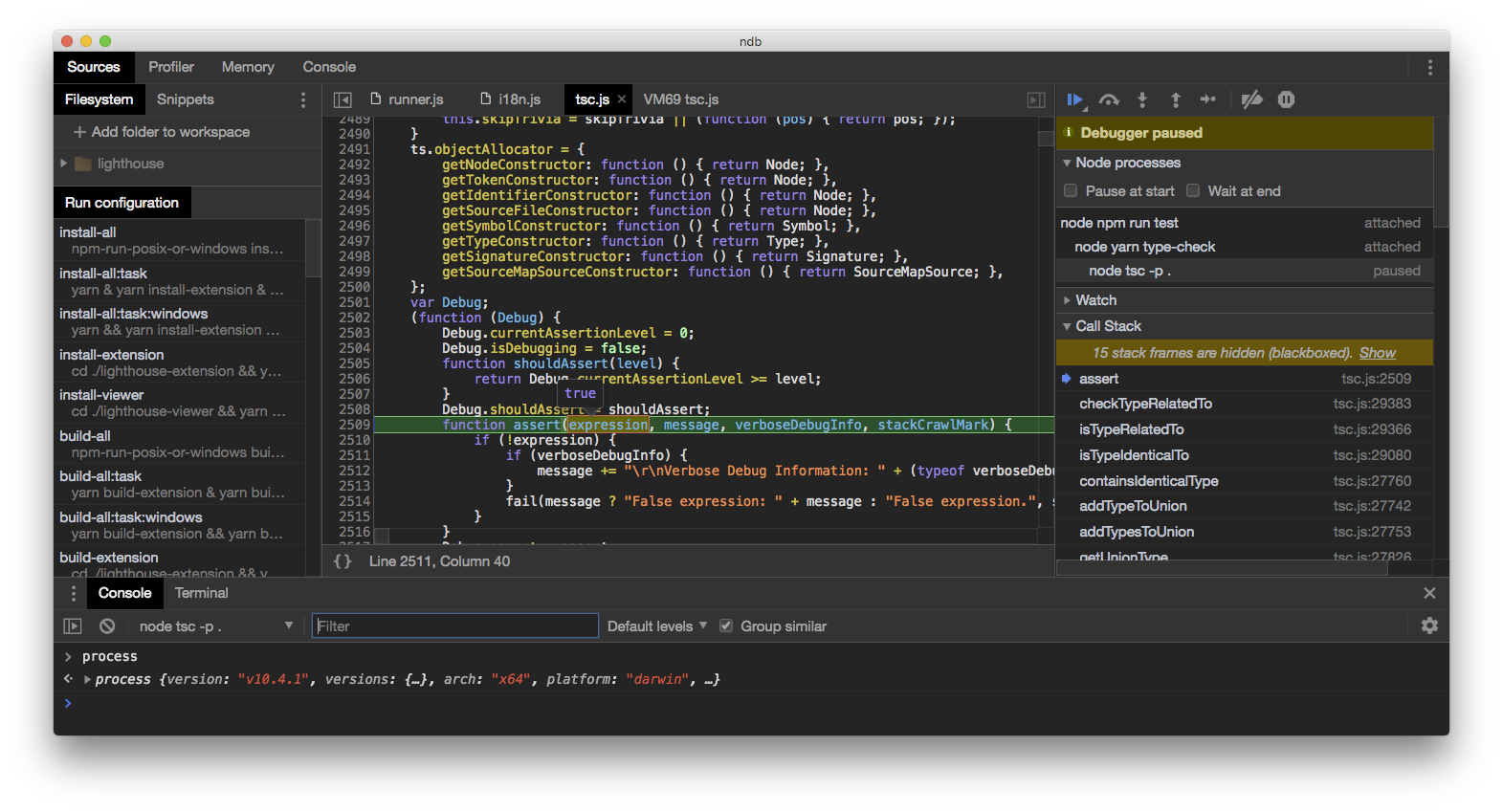
GitHub – GoogleChromeLabs/ndb: ndb is an improved debugging experience for Node.js, enabled by Chrome DevTools

Posted by jpluimers on 2019/02/05

This looks like ndp is a drop in wrapper for node allowing for in depth debugging: [WayBackGitHub – GoogleChromeLabs/ndb: ndb is an improved debugging experience for Node.js, enabled by Chrome DevTools

Via: [WayBack] ndb: An Improved Debugging Experience for Node – Adrian Marius Popa – Google+

–jeroen

Posted in Development, JavaScript/ECMAScript, Node.js, Scripting, Software Development | Leave a Comment »

linux – Test if a port on a remote system is reachable (without telnet) – Super User

Posted by jpluimers on 2019/01/29

Just learned that bash can do TCP and UDP itself:

Bash has been able to access TCP and UDP ports for a while. From the man page:

/dev/tcp/host/port
    If host is a valid hostname or Internet address, and port is an integer port number
    or service name, bash attempts to open a TCP connection to the corresponding socket.
/dev/udp/host/port
    If host is a valid hostname or Internet address, and port is an integer port number
    or service name, bash attempts to open a UDP connection to the corresponding socket.

So you could use something like this:

xenon-lornix:~> cat < /dev/tcp/127.0.0.1/22
SSH-2.0-OpenSSH_6.2p2 Debian-6
^C pressed here

Taa Daa!

This for systems that do not have telnet installed (Windows stopped using this a long time ago, many Linux distributions followed suit) and you cannot to use nc (also known as netcat).

–jeroen: [WayBacklinux – Test if a port on a remote system is reachable (without telnet) – Super User

Posted in *nix, *nix-tools, bash, bash, Development, Power User, Scripting, Software Development | Leave a Comment »

CDATA inside JavaScript or style section of HTML? They are for backward compatibility. Sometimes compatibility with ancient browsers.

Posted by jpluimers on 2019/01/23

As a back-end person, sometimes I wondered about CDATA in front-end HTML code was for, especially in JavaScript and CSS style elements.

[WayBackHTML vs. XHTML – WHATWG Wiki explains how to be compatible with XHTML, HTML, XML based tools and older browsers:

The following code with escaping can ensure script and style elements will work in both XHTML and HTML, including older browsers.

In both cases, XML ignores the first comment and then uses the CDATA section to avoid the need for escaping special characters < and & within the rest of the contents (with subsequent JavaScript comments added within to ensure the HTML-oriented code is ignored by JavaScript).

In HTML, older browsers might display the content without the content being within a comment, so comments are used to hide this from them (while modern HTML browsers will run code inside the comments). The subsequent JavaScript comment is added to negate the text added for the sake of XHTML.

The <style> requires the /**/ comments since CSS does not support the single line ones.

   <!---->
       ...
   //-->
   <style type="text/css"><!--/*--><![CDATA[/*><!--*/
       ...
   /*]]>*/--></style>

If not concerned about much older browsers (from which one is hiding the HTML) one can use the simpler:

   //
   <style>/*<![CDATA[*/
   
   /*]]>*/</style>

Also note that the sequence “]]>” is not allowed within a CDATA section, so it cannot be used in true XHTML-embedded JavaScript without escaping.

–jeroen

via:

Posted in CSS, Development, HTML, HTML5, JavaScript/ECMAScript, Scripting, Software Development, Web Development | Leave a Comment »

In windows, can I redirect stdout to a (named) pipe in command line? – Super User

Posted by jpluimers on 2019/01/14

Interesting thought [WayBackIn windows, can I redirect stdout to a (named) pipe in command line? – Super User.

The only problem seems to be a good way of creating/removing those pipes.

–jeroen

Posted in Batch-Files, Development, Power User, Scripting, Software Development, Windows | Leave a Comment »

Some ideas to show a Google Calendar on a TV using a Raspberry Pi and HDMI output

Posted by jpluimers on 2019/01/10

Using OpenSuSE Tumbleweed E20 on Raspberry Pi 3: accessing the enlightenment desktop over VNC after automatic logon I wanted to buy an on-line read-only diary to help my mentally retarded brother see what his next few days are going to be like.

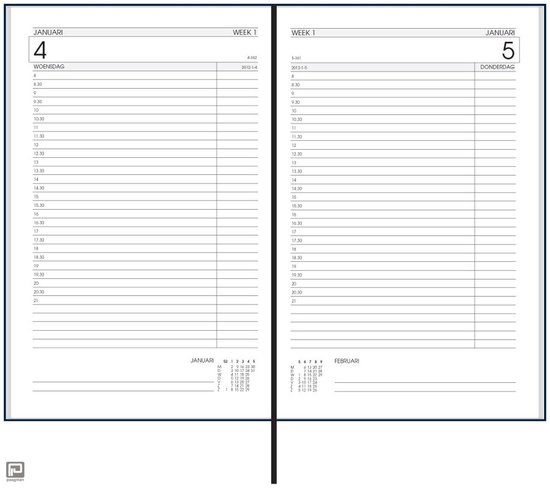
He increasingly has difficulty handling a paper agenda and has an agenda with 30 minute blocks like [Archive.isbol.com | Bureau Agenda 2017 – 1 dag per Pagina | 0041560163422 | Boeken (and the [Archive.is] picture on the right), but actually he needs 15 minute blocks during some portions of the day.

We call that kind “bureau agenda” which I think translates well into “desk diary”.

They were quite different from the agendas I used to have at school (:

[WayBack[Zonder titel] Rijam agenda 1983/84 verzamelen? Stripcatalogus op Catawiki

For most school mates, they were more like this:

Had je een O’Neill of ging je voor De Familie Doorzon? De oude agenda’s uit je middelbare schooltijd zijn de verpersoonlijking van je eigen puber-ik. Afgelopen weekend startte in het Nationaal Onderwijsmuseum in Dordrecht de toffe tentoonstelling Grow Up over die vuistdikke, volgeplakte agenda’s.

[WayBackSchoolagenda vol sentiment | Go with the Vlo

Anyway, some ideas I initially had are below.

This is what I actually did:

Two things for the future:

Initial thoughts

Raspberry based:

Chromecast based:

–jeroen

Read the rest of this entry »

Posted in Development, Google, GoogleCalendar, Hardware Development, JavaScript/ECMAScript, JSFiddle, LifeHacker, Power User, Raspberry Pi, Scripting, Software Development | 2 Comments »

List of Shell GUIDs for various Windows versions for use in shortcuts and batch files

Posted by jpluimers on 2019/01/09

In my search for starting the Windows Credential Manager from the console, I found [WayBackCredential Manager Shortcut – Create – Windows 7 Help Forums explaining:

%windir%\explorer.exe shell:::{1206F5F1-0569-412C-8FEC-3204630DFB70}

This reminded me of From batch file or shortcut: start Windows Update (via: Windows 7 Help Forums) and batch-file trick: Starting Windows Explorer and selecting a file (“explorer” commandline parameters “/n” “/e” “/select” “/root” “/start” site:microsoft.com).

The odd thing is that some of the GUID shortcuts works fine using the shell::: syntax, but fail with the /e:: syntax, for instance Windows Update until Windows 8.1:

%windir%\explorer.exe shell:::{36eef7db-88ad-4e81-ad49-0e313f0c35f8}
%windir%\explorer.exe /e,::{36eef7db-88ad-4e81-ad49-0e313f0c35f8}

One day I’ll create a table of permutations for various Windows versions and execute options.

For now these links need to suffice:

–jeroen

Posted in Batch-Files, Development, Power User, Scripting, Software Development, Windows, Windows 10, Windows 7, Windows 8, Windows 8.1, Windows 9 | 1 Comment »

Easy Running of Scripts at Boot and Shutdown – SUSE Blog | SUSE Communities

Posted by jpluimers on 2019/01/01

Cool:

/etc/init.d/after.local

–jeroen

Posted in *nix, *nix-tools, bash, Development, Linux, openSuSE, Power User, Scripting, Software Development, SuSE Linux, Tumbleweed | Leave a Comment »

Python 2.7 Countdown: a year from now it is unsupported

Posted by jpluimers on 2019/01/01

Besides wishing you a happy new year, also a reminder: [WayBack] Python 2.7 Countdown Python 2.7 will retire on januari 1, 2020. Learn more and see the countdown here.

This is indeed a breaking change for Python users, similar as from Perl 4 to Perl 5, and PHP 4 to PHP 5.

It shows two things:

  • how extremely hard it is to evolve a language without breaking things
  • how long it takes for the community at large to digest breaking changes

And indeed porting of complex systems is hard [WayBack] WIP: Port calibre to python 3 by flaviut · Pull Request #870 · kovidgoyal/calibre · GitHub but doable [WayBack] Bug #1714107 “Python 2 is retiring” : Bugs : calibre.

Via: [WayBack1/WayBack2] Python 3 improves in some ways over Python 2, but also makes a bunch of changes that are breaking, but cosmetic (i.e. renaming methods and functions, or… – Kristian Köhntopp – Google+ (with some interesting comments, but also a rant-sequence of someone who would better use that energy to improve Python than to bash it).

–jeroen

Posted in Development, Python, Scripting, Software Development | Leave a Comment »