Archive for the ‘Google’ Category
Posted by jpluimers on 2018/12/21
Steps:
- visit this URL once: https://google.com/ncr (to fix google.com as search engine)
- define a Google.com search shortcut in chrome://settings/searchEngines
You can use example search shortcuts from Forcing Chrome to use google.com as search engine.
If you forget the first step, then often your search still will go a localised place (except when you are in the USA).
–jeroen
Posted in Google, GoogleSearch, Power User | Leave a Comment »
Posted by jpluimers on 2018/11/12
For a very long time, gMail did nothing with Outlook Calendar entires.
So I had to view at the message source, then translate them to Google Calendar entries myself.
--_000_430b30b9ffd74d959b74ab7ba778b487ultrawarenl_
Content-Type: text/calendar; charset="utf-8"; method=REQUEST
Content-Transfer-Encoding: base64

...
As of late, they seem to be processed into Google Calendar compatible entries. Nice!
–jeroen
Posted in base64, Development, Encoding, GMail, Google, GoogleCalendar, MIME, Office, Outlook, Power User, Software Development, UTF-8, UTF8 | Leave a Comment »
Posted by jpluimers on 2018/10/23
Cool: [WayBack] Just wanted to tell that the Google+ Optimizer now has a cross post to Diaspora – Feature…. – Ole Albers – Google+.
Get it from [WayBack] Ghosttown – Optimizer – Chrome Web Store
The Google+ – Optimizer increases the user experience with Google+ until the bitter end…
With this extension you can modify and arrange your google+ stream just like you want.

Some of the Features:
* Remove unwanted content ("suggested contacts, youtube-comments,animated gifs...)
* Display additional content (stopwatch)
* Filter by Hashtag
* Autosave-Feature
* Bookmark-Feature
... and more
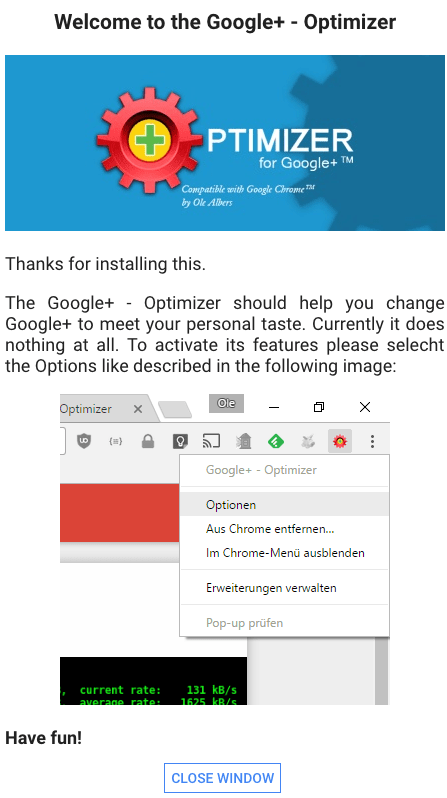
The first time you open a page on plus.google.com, you see this:
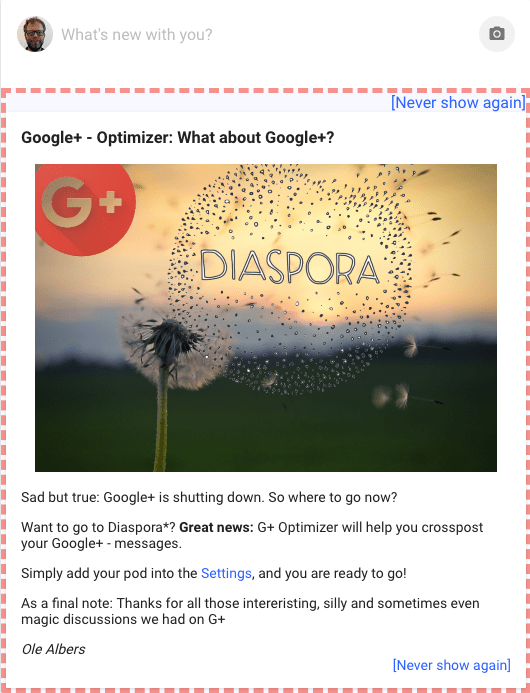
Then when you post a removable information bar:
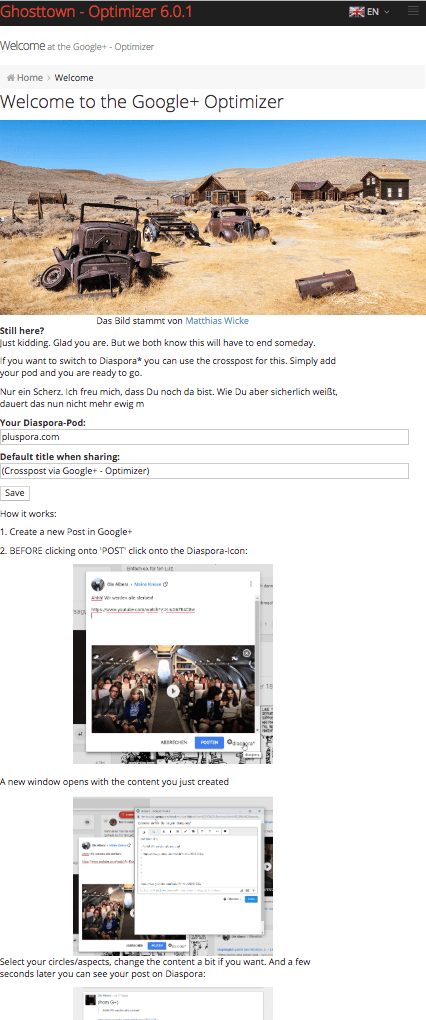
That directs you to the configuration (either right click the icon, or follow http://hurz.me/gplusoptimizer), where in the main item, you can enter your diaspora host (in my case pluspora) information:
–jeroen
Posted in Chrome, G+: GooglePlus, Google, Power User, SocialMedia | Leave a Comment »
Posted by jpluimers on 2018/10/16
tl;dr: Finding event handlers registered using jQuery can be tricky. findHandlersJS makes finding them easy, all you need is the event type and a jQuery selector for the elements where the events might originate.
I need to invest some time in using this: [WayBack] Quickly finding and debugging jQuery event handlers with findHandlersJS – The Blinking Caret
Sourcecode: [WayBack] raw.githubusercontent.com/ruidfigueiredo/findHandlersJS/master/findEventHandlers.js
References:
Via: [WayBack] javascript – Chrome Dev Tools : view all event listeners used in the page – Stack Overflow
–jeroen
Posted in Chrome, Development, Google, JavaScript/ECMAScript, jQuery, Power User, Scripting, Software Development, Web Browsers, Web Development | Leave a Comment »
Posted by jpluimers on 2018/10/15
Try this fix first:
For many, this issue goes away by simply reinstalling our Android app on your phone. We suggest giving this a try first.
That didn’t work, but this did:
Check that the correct device is selected in the top left of the SMS interface.
You may have an old device selected, which is preventing SMS from working correctly. Check that the correct device is selected in the drop down. You can remove old devices here.
It looks like all my old smartphones were still there despite not being a SIM card in them. Removing all but my active phone solved the problem.
Source: [WayBack] Why Are My Text Messages Stuck Pending | Pushbullet Help Central
–jeroen
Posted in Android Devices, Chrome, Google, Power User | Leave a Comment »
Posted by jpluimers on 2018/09/25
A friend of mine tried to get screen mirror (now called “Smart View”) from a Samsung S7 Edge to a Chromecast 2 working, but the connection would time out each try (but not when casting regular content using the Google Home app): try rebooting your S7 Edge.
Got that reboot tip and renamed functionality thanks to the somewhat related [WayBack] Galaxy S7: How to Screen Mirror to any Samsung Smart TV:
In order to connect (screen mirror) you Galaxy S7 or S7 Edge to your Samsung smart TV you need to swipe down to open your notification area, then on the top right click that little down arrow then select “smart view”. Previous Galaxy phones called it screen mirror, not sure why Samsung changed the name in the S7.
Got the renamed functionality via the video below.
–jeroen
Read the rest of this entry »
Posted in Chromecast, Google, Power User | Leave a Comment »
Posted by jpluimers on 2018/09/22
I was shocked reading [WayBack] An alternative to Session Buddy: “Tabs Backup & Restore” · Issue #742 · deanoemcke/thegreatsuspender · GitHub: the save frequency is about 1 per browser restart. Which is quite odd when you use it to protect against tabs messing up (it happens, right when you do not expect it, after which a “Restore” by chrome fails too).
So after years of using
[Archive.is] Session Buddy – Chrome Web Store: Manage Browser Tabs and Bookmarks with Ease
I have switched away to
[WayBack] Tabs Backup & Restore – Chrome Web Store: With ‘Tabs Backup & Restore’ you will never lose your work again! Backup an entire Chrome session (windows and tabs).
–jeroen
Posted in Chrome, Google, Power User | Leave a Comment »
Posted by jpluimers on 2018/09/15
[WayBack] Google Chrome Web Browser 69 changes: most are not talked about (like excess whitespace, address bar search algorithm changes).
–jeroen
Posted in Chrome, Chrome, Google, Power User, Web Browsers | Leave a Comment »


 The Wiert Corner - irregular stream of stuff