The Wiert Corner – irregular stream of stuff

Jeroen W. Pluimers on .NET, C#, Delphi, databases, and personal interests

  • My badges

  • Twitter Updates

  • My Flickr Stream

  • Pages

  • All categories

  • Enter your email address to subscribe to this blog and receive notifications of new posts by email.

    Join 1,854 other subscribers

Archive for the ‘Power User’ Category

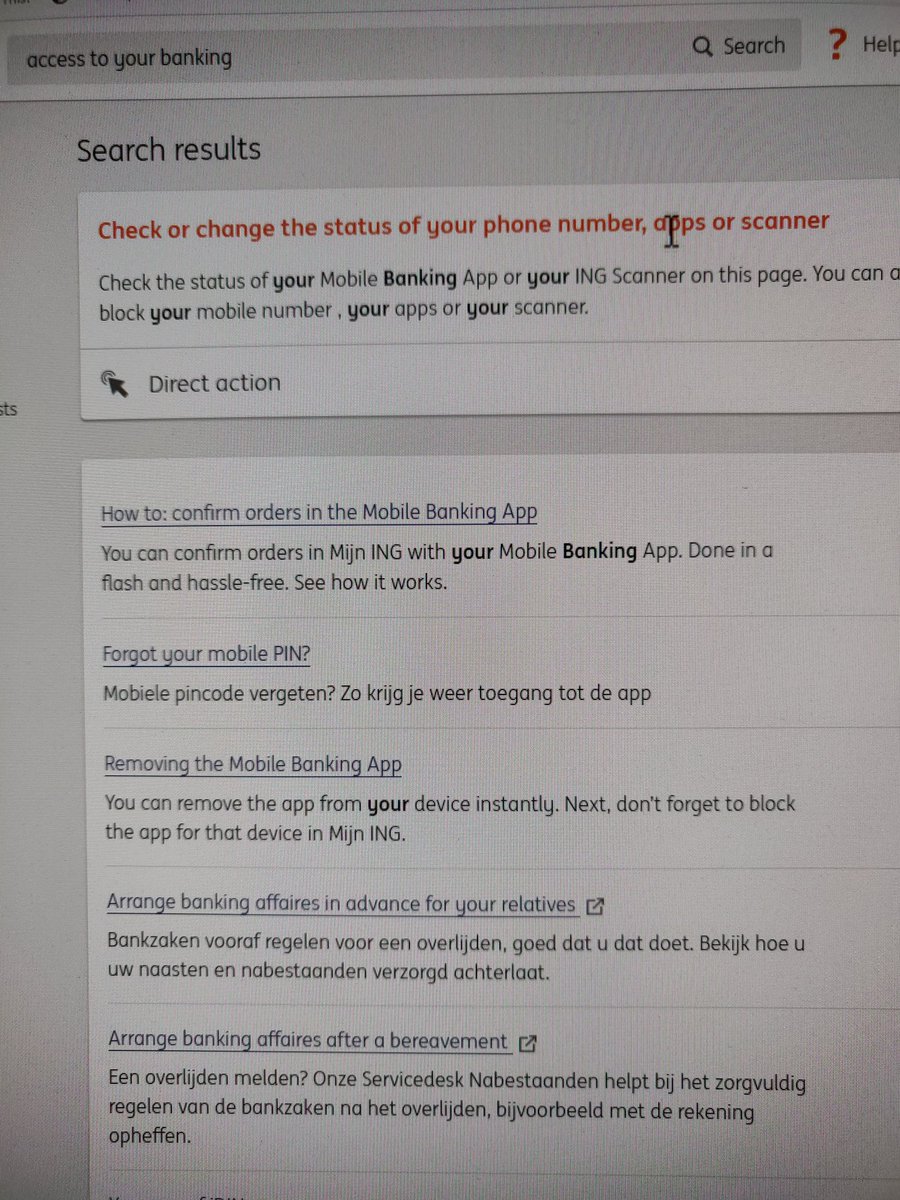
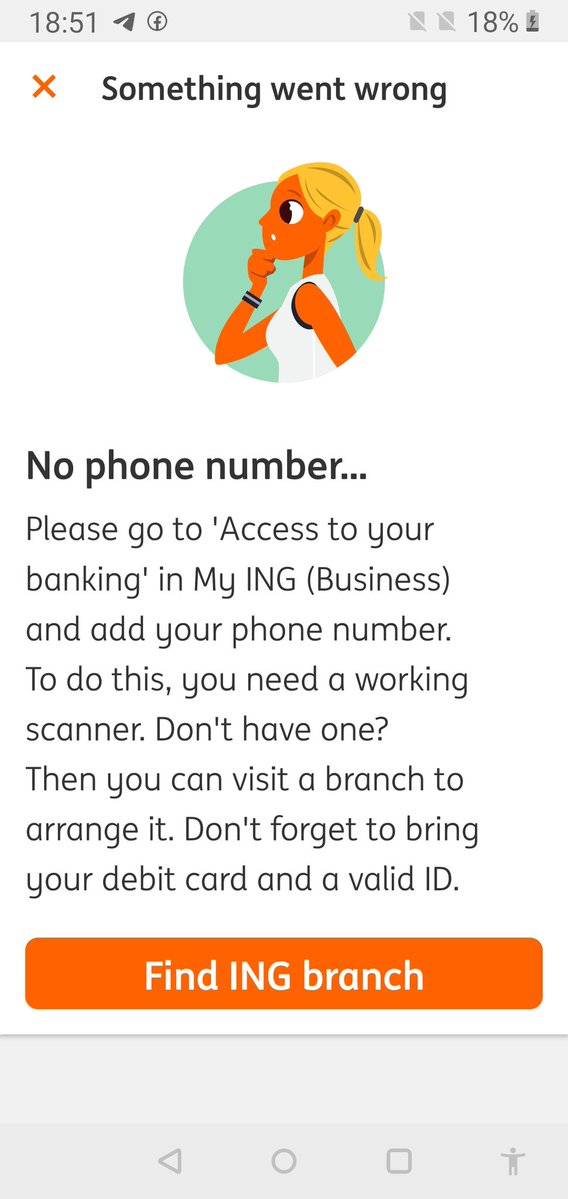
“access to your banking” in mijn ING is named differently from this phrase both in English and Dutch

Posted by jpluimers on 2022/02/25

The target URL is this one: https://mijn.ing.nl/banking/settings/security and titled as such in:

  • English: “Access to your banking”
  • Dutch: “Toegang tot je bankzaken”

The page title “Access to your banking” is not to be found when you search on the Mijn ING site no matter if you configured Engish or Dutch as your Mijn ING language.

[Archive.is] Jeroen Wiert Pluimers on Twitter: “Waar zit in de My ING omgeving van @ingnl “access to your banking”? Ook met de site in het Engels kan ik het niet terugvinden, maar 1 van de apps heeft het wel nodig.… https://t.co/GU3TXwMbjf”

–jeroen

Posted in LifeHacker, Power User | Leave a Comment »

Bash functions to encode and decode the ‘Basic’ HTTP Authentication Scheme

Posted by jpluimers on 2022/02/24

IoT devices still often use the ‘Basic’ HTTP Authentication Scheme for authorisation, see [Wayback] RFC7617: The ‘Basic’ HTTP Authentication Scheme (RFC ) and [Wayback] RFC2617: HTTP Authentication: Basic and Digest Access Authentication (RFC ).

Often this authentication is used even over http instead of over https, for instance the Egardia/Woonveilig alarm devices I wrote about yesterday at  Egardia/Woonveilig: some notes about logging on a local gateway to see more detailed information on the security system. This is contrary to guidance in:

  • RFC7617:
       This scheme is not considered to be a secure method of user
       authentication unless used in conjunction with some external secure
       system such as TLS (Transport Layer Security, [RFC5246]), as the
       user-id and password are passed over the network as cleartext.
  • RFC2617:
       "HTTP/1.0", includes the specification for a Basic Access
       Authentication scheme. This scheme is not considered to be a secure
       method of user authentication (unless used in conjunction with some
       external secure system such as SSL [5]), as the user name and
       password are passed over the network as cleartext.

Fiddling with those alarm devices, I wrote these two little bash functions (with a few notes) that work both on MacOS and in Linux:

# `base64 --decode` is platform neutral (as MacOS uses `-D` and Linux uses `-d`)
# `$1` is the encoded username:password
function decode_http_Basic_Authorization(){
  echo $1 | base64 --decode
  echo
}

# `base64` without parameters encodes
# `echo -n` does not output a new-line
# `$1` is the username; `$2` is the password
function encode_http_Basic_Authorization(){
  echo $1:$2 | base64
}

The first decodes the <credentials> from a Authorization: Basic <credentials> header into a username:password clean text followed by a newline.

The second one encodes a pair of username and password parameters into such a <credentials> string.

They are based on these initial posts that were not cross platform or explanatory:

  1. [Wayback] Decode HTTP Basic Access Authentication – Stack Pointer
  2. [Wayback] Create Authorization Basic Header | MJ’s Web Log

–jeroen

Posted in *nix, *nix-tools, Apple, Authentication, bash, bash, Communications Development, Development, HTTP, Internet protocol suite, Linux, Mac OS X / OS X / MacOS, Power User, Scripting, Security, Software Development, TCP, Web Development | Leave a Comment »

Viewing the last lines of the postfix log with journalctl (with help from Unix & Linux Stack Exchange)

Posted by jpluimers on 2022/02/24

Two command-lines I use to view my Postfix logs:

  1. journalctl --unit postfix --since "2 days ago"
  2. journalctl --unit postfix --pager-end

Note that neither of these work well with the --follow (or equivalent -f) option, as this will effectively disable the pager (which by default is less).

The second is via [Wayback] systemd – How to see the latest x lines from systemctl service log – Unix & Linux Stack Exchange (which got the--pagerend bit wrong, as it misses a dash and should be --pager-end, but still thanks [Wayback] Daniel Kmak):

Just:

journalctl -u SERVICE_NAME -e

Parameter -e stands for:

-e –pagerend

That’s the one ! Other answers will go through the whole log to get to its end, which can be veeeeery long for large syslogs.

The last bit (by [Wayback] Léo Germond, thanks!) is why I like it most.

Similarly, specifying --since in the first example will not go through the whole log.

Some background information:

Read the rest of this entry »

Posted in *nix, *nix-tools, bash, Development, journalctl and journald, Linux, postfix, Power User, Scripting, Software Development, systemd | Leave a Comment »

ESXi: some notes on .vswp files; there are actually two types of them!

Posted by jpluimers on 2022/02/23

Earlier this month, I ended ESXi: editing /etc/vmware/hostd/vmInventory.xml to fix the datastore UUID for unavailable VMs part 2 with this:

A final note: I need to check out if .vswp files need to be there at all, as my ESXi servers have plenty of physical memory in order not to swap out to disk. More on that in a future blog post.

Browsing back through my blog posts, I mentioned .vswp files before, but never really dug into them:

Read the rest of this entry »

Posted in ArchiveTeamWarrior, ESXi6, ESXi6.5, ESXi6.7, ESXi7, Internet, InternetArchive, Power User, Virtualization, VMware, VMware ESXi, WayBack machine | Leave a Comment »

Having wrong address field order is an almost Dark Pattern to me: #mijnOLVG again.

Posted by jpluimers on 2022/02/23

Yesterday I wrote about I consider stealing the user’s time because of a bad UX design among the Dark Patterns.

It was about a site blocking the paste of an e-mail field.

I forgot about an almost Dark Pattern on the same site that might be not obvious for English and French readers, but (though there is little documentation on this) there are a lot of countries having the house number put after the street name.

When filling out forms, it makes a lot of sense to put the house number and street name fields in the order of use for the majority of people living that country.

Not doing so rates a form almost as Dark Pattern, for instance the Dutch “MijnOLVG” site, as this is their account sign-up form:

Read the rest of this entry »

Posted in Dark Pattern, Development, Power User, Software Development, User Experience (ux), Web Development | Leave a Comment »

I consider stealing the user’s time because of a bad UX design among the Dark Patterns

Posted by jpluimers on 2022/02/22

I an with [Wayback] Craig Buckler to consider Dark Patterns being wider than the strict sense.

For me anything that costs a user extra time or makes accessibility harder is a Dark Pattern.

So I agree with the issues he explains at [Wayback] The Web’s Most Annoying Dark Patterns – SitePoint

Does the web delight or displease you? Craig lists his least favourite UI and marketing dark patterns. Have you developed on the dark side?

Paste is enabled, but does not function

Paste is enabled, but does not function

A while ago, I got into one myself. Let me explain.

Having had RSI, I’m dependent on keeping my hands and arms in good shape. This means minimising the use of pointing devices and also trying to minimise typing.

In addition, I have heavily segmented my use of email addresses (among others for cutting down SPAM). Basically any point of contact gets a new email address.

This means I realy on tooling like password managers and email address generators. It means copying and pasting information.

So I bumped into a web-site that disallowed pasting the (unique and long!) email address into the email verification field.

[Archive.is] Jeroen Wiert Pluimers on Twitter: “The @olvg #mijnOLVG site is now on my Dark Patterns list as they make #accessibility harder by blocking pasting into the email address verification field. Blocking the paste-blocker. CC some people advocating mijnolvg.nl @MauricevdBosch @ronklitsie63 @kyntha”

Despite the popup menu, paste didn’t work. Chrome autofill did, but didn’t have the information for this particular (new and unique) email address yet, so could not be used yet.

Disabling the paste block

It is relatively easy to disable a paste block. In this case, I was using chrome, but this can be done with any browser. Some browsers even have optional extensions that can do this for you.

In the case of Chrome, when right clicking, there is an “Inspect” option
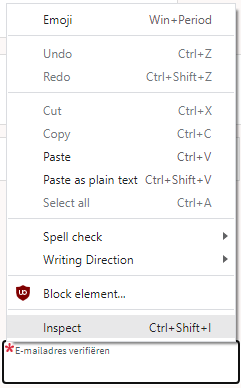
Inspect is enabled and actually works.

Inspect is enabled and actually works.

It inspects the current element, which on this site looks like this:

The element does not contain event handlers. But the code hooks them behind our backs.

The element does not contain event handlers. But the code hooks them behind our backs.

On the “Event Listeners” tab on the right, you can see there are two JavaScript methods hooked to the paste handler:

The paste handlers. The first is OK, the second blocks paste.

The paste handlers. The first is OK, the second blocks paste.

The first one is OK, though I did not really look into what the proxy does.

Second paste event handler: remove this one.

First paste event handler: keep this one.

First paste event handler: keep this one.

The second is not OK, as it effectively prevents the event from being handled any further at all by calling preventDefault

Second paste event handler: remove this one.

Second paste event handler: remove this one.

By clicking on the second Remove button above, the paste blocker is gone and you can paste again.

–jeroen

Read the rest of this entry »

Posted in Chrome, Chrome, Dark Pattern, Development, Google, JavaScript/ECMAScript, Power User, Scripting, Software Development, User Experience (ux), Web Browsers | Leave a Comment »

ESXi: forcing VMKlinux drivers over native drivers, especially at boot time for sort-of supported hardware

Posted by jpluimers on 2022/02/22

Note: the below holds for sure for ESXi 5.x and 6.5; as of ESXi 7.x, the VMKlinux stack is supposed to be gone for good. I still need to verify that as I’m still on ESXi 6.7.

I wrote about ESXi VMKlinux and native drivers before:

Back then, I knew that VMKlinux based drivers were being slowly phased out as of ESXi 5.5. But I didn’t really understand the actual difference.

VMKlinux is a bit like NDISwrapper – Wikipedia: it allows drivers basically written for a different platform to run on your platform. For NDISwrapper, it is about running Windows NDIS drivers on both i386 (née, x86-32, née IA-32) and x86-64 architectures. For VMKLinux, it allows drivers originally written for the Linux Kernel to be run on ESXi through an intermediate wrapper layer.

Usually having both native and wrapped code means that not all functionality is yet available natively. That was indeed the solution for my smartinfo trouble: the native drivers were having latency problems where the VMKlinux drivers were not.

Sometimes it means that hardware is only supported by the VMKlinux drivers, which (since native drives have a higher priority than VMKlinux drivers) means disabling the native driver.

This does not work in the early upgrade/install boot process: there the settings cannot be read from the configuration files yet. ESXi solves this by having a global boot option preferVmklinux=True that you can store in the boot configuration.

Most of the issues this solves are around USB boot sticks and USB disks, but not all of them, see the below links and summaries for more information.

I like the solution by temporarily using preferVmklinux=True, then just disabling the vmkusb best.

  • [Wayback] VMware vSphere 6.5 install can’t find USB device – Gallahad IT Inc.

    Upon rebooting the host, the host will need to use the legacy USB drivers to boot correctly.  At the startup screen, you can press “e” to edit the boot parameters or later you can press “Shift + O” to edit the boot parameters.

    Again add this to the boot parameters: preferVmklinux=TRUE

    Once the system is booted and you can login to the ESXi shell you will need to enter the following commands:

    esxcli system settings kernel set -s preferVmklinux -v FALSE
    esxcli system module set –enabled=false –m vmkusb
    reboot

    Once the system reboots it will boot and discover the USB devices properly.

    It should be noted that only a few systems have problems with the new USB driver.  I had this trouble on an older system.  An HP ML330 G6 gave me the trouble.

  • [Wayback] Installing VMware ESXi 6.7.0 on a Hades Canyon NUC – The NUC Blog

    only one of the two Gigabit Ethernet interfaces will work out of the box. That’s why the interface did not get an IP address in the video above. Both interfaces were detected, but for some reason only the other one was detecting signal when I had an Ethernet cable plugged in.

    using another computer make an SSH connection to the ESXi box, log in as root and execute the two following commands:

    esxcli system settings kernel set -s preferVmklinux -v TRUE
    reboot

    After the reboot your both network interfaces should be working as expected.

  • [Wayback] Solved: Upgrade problem !! – VMware Technology Network VMTN

    After upgrading my ESXi host from 6.0 to 6.5, I am now unable to SSH into it or connect to it in any way. It appears to freeze half way through booting up (last message displayed : nfs41client loaded successfully) … Hardware: MacPro 6,1 Q: What are my options? TIA

  • [Wayback] ESXi 6.5 support for Apple Mac Pro 6,1

    If you prefer not to manually have to add the ESXi boot option by hand, you can create an ESXi bootable USB key and then simply edit both boot.cfg and efi/boot/boot.cfg and append the option as shown below:

    kernelopt=runweasel preferVmklinux=True
  • I got a question from my buddy Paudie O’Riordan this morning where he was noticing a strange issue while trying to upgrade his ESXi hosts from 6.0 to 6.5 (all on the VMware HCL). Like many of…[Wayback] No suitable disk was found when upgrading to ESXi 6.5 on USB?

    The issue looks to be related to the new USB Native Driver (vmkusb) that was introduced in ESXi 6.5 where is it is unable to claim the specific USB device.

    Although you can disable the USB Native Driver and fall back to the legacy driver as mentioned in this VMware KB 2147650, but because this is happening during the installation/upgrade process, it can get a bit tricky.

    workaround

    1. Step 1 – Append preferVmklinux=TRUE to the ESXi’s boot.cfg file whether that is on a USB device which has your ESXi installer or on your PXE Server for ESXi Scripted Installations.Here is an example of what boot.cfg should look like:
      kernelopt=runweasel preferVmklinux=TRUE</pre>
    2. Step 2 – Boot up ESXi and you should now be able to see the USB device and continue with your upgrade.
    3. Step 3 – Once ESXi has been successfully upgraded, go ahead and run the following commands to re-enable the Native Drivers and disable the vmkusb driver (reboot required for changes to go into effect):
      esxcli system settings kernel set -s preferVmklinux -v FALSE esxcli system module set –enabled false -m vmkusb reboot


      Note: If you are doing an ESXi Scripted Installation, you can actually append just the first two commands (replace esxcli with localcli as hostd is not running) as part of the Kickstart %post section.

  • [Wayback] Important information about the new ESXi 6.5 USB driver vmkusb, and the legacy USB drivers (2147650)

    In ESXi 6.5, the legacy USB drivers, including xhci, ehci-hcd, usb-uhci, usb, usb-storage, and so on, are replaced with a single USB driver named vmkusb. The vmkusb driver is loaded by default and it is applied to all the USB Host Controllers (XHCI/EHCI/UHCI/OHCI), USB Keyboard, Mass Storage, and supported USB NIC devices connected to the host.

    You can disable the vmkusb driver by running esxcli system module set -m=vmkusb -e=FALSE. The legacy USB drivers are loaded at the next reboot. To re-enable the vmkusb driver, run esxcli system module set -m=vmkusb -e=TRUE, and reboot the host.

    If the host will not boot completely to use the solution, please follow the below steps:

    1. Reboot the ESXi host.
    2. During the pre-boot splash screen, press SHIFT-O to modify the boot options.
    3. In the resulting screen, add the following to the end of the boot line:
    jumpstart.disable=vmkusb
    1. Press the enter key to resume boot.
    Note: When ESXi host comes up, vmkusb module will be disabled, and the solution can be followed to make the change permanent.
  • Wayback VMware Knowledge BaseL Enabling and Disabling Native Drivers in ESXi (2147565)

    ESXi 6.5 contains many new native drivers that replace the earlier vmklinux drivers. Most of the new native drivers are enabled by default after installation or upgrade.

    Some of the new native drivers are disabled by default, because they do not fully support the functions of the corresponding vmklinux drivers. For example:

    • qflge is a native driver that replaces the vmklinux net-bnx2 driver, but does not support HW iSCSI.
    • qfle3 is a native driver that replaces the vmklinux net-bnx2x driver, but does not support HW iSCSI and SW FCoE.
    • ixgben is a native driver that replaces the vmklinux net-ixgbe driver, but does not support SW FCoE.

    steps for enabling/disabling a native driver (which then overrules the VMKlinux driver)

  • Current versions of ESXi 6.x are shipped with both the VMKlinux and the Native driver stack. Modern hardware is, in many cases, using the new Native drivers. However, older hardware may still depend on a VMKlinux driver module. We announced to deprecate the VMKlinux driver stack back in 2017. This blog post goes into detail … Continued[Archive.is] What is the Impact of the VMKlinux Driver Stack Deprecation? – VMware vSphere Blog

    Since the first days of ESX, we used the Linux derived driver modules to provide support for a large range of hardware devices. Doing so gave us a lot of hardware compatibility, but at the cost of introducing an additional layer of driver emulation. Because ESX is not Linux, we needed a translate layer that provides communication between the VMkernel and the Linux driver modules. This is the imperative layer that is VMKlinux. But since vSphere 5.5, we introduced the Native driver stack with the plan to move away from the VMKlinux driver stack. Please review the following blog posts for more in depth information about both driver stacks:

    The vSphere 6.7 family will be the last vSphere versions that includes the VMKlinux driver stack. Future releases will only ship with the Native driver stack.

    How to check impact on your cluster

    If you run the following command, it will show you if the VMKlinux module is loaded on that specific ESXi host.

    esxcli system module list | grep vmklinux

    When it returns nothing, the system is already in full native mode and there are no VMKlinux dependencies. This however, is an ESXi host only approach. We came up with the following script to assist you in verifying an entire cluster.

    With the help of William Lam, we created a script that identifies ESXi hosts with VMKlinux driver modules loaded. The usage of the script is pretty straightforward. Get, and contribute to, the script here: https://github.com/lamw/vghetto-scripts/blob/master/powershell/VMKLinuxDrivers.ps1.

  • A balanced discussion (despite the title) on two forum pages on ESXi 7 dropping VMKlinux support:
    1. [Wayback] My Rant on ESXI 7.0 | ServeTheHome Forums: page 1
    2. [Wayback] My Rant on ESXI 7.0 | ServeTheHome Forums: page 2

–jeroen

Posted in ESXi6, ESXi6.5, ESXi6.7, ESXi7, Power User, Virtualization, VMware, VMware ESXi | Leave a Comment »

Sendmail queue files: “Mhost map: lookup” deferred

Posted by jpluimers on 2022/02/22

I had forgotten about sendmail mail queue entries that start with Mhost map: lookup.

It it happens for all email then you have a DNS problem.

When it happens only for a few emails, then usually that domain is gone (often because of SPAM reasons).

via: [Wayback] “Mhost map: lookup” – Google Search

–jeroen

Posted in *nix, *nix-tools, Power User, sendmail | Leave a Comment »

Raamwerk ECD portal links

Posted by jpluimers on 2022/02/21

For my link archive:

Notes:

Baffled:

I basically got baffled by the (for me distracting) way the images and icons were situated on the “Cliëntportaal” page: it forced me to the more easily to grasp menu on the right, access the “Aanmelden” page, which had the wrong link.

The (non-blue, and unlike the other red links, non-red) “Log hier in bij het Cliëntportaal” link above the distracting images actually had the correct link to hetraamwerk-ecd.fierit.nl/WebCSS/Home/Login.

Read the rest of this entry »
Posted in DNS, Internet, LifeHacker, Power User | Leave a Comment »

Na Eunice: ’Schade aan zonnepanelen door storm niet altijd verzekerd’ | Geld | Telegraaf.nl

Posted by jpluimers on 2022/02/21

Na storm Eunice:

[Wayback/Archive] ’Schade aan zonnepanelen door storm niet altijd verzekerd’ | Geld | Telegraaf.nl

Check via je tussenpersoon of zelf je verzekeringspolis.

–jeroen

Posted in About, LifeHacker, Personal, Power User | Leave a Comment »