


Nice articles on OAuth2, JWT and other authentication mechanisms:
- [WayBack] JWT authentication with Delphi
- [WayBack] JWT authentication with Delphi. Part 2
- [WayBack] JWT authentication with Delphi. Part 3
via [WayBack] Ondrej Kelle – Google+
–jeroen
Posted by jpluimers on 2019/06/11
Nice articles on OAuth2, JWT and other authentication mechanisms:
via [WayBack] Ondrej Kelle – Google+
–jeroen

Posted in Authentication, Delphi, Development, Power User, Security, Software Development | Leave a Comment »
Posted by jpluimers on 2019/06/10
A problem with ICMP can be that you if you allow File and Printer Sharing, that ICMPv4 and ICMPv6 for both Private and Public networks are only allowed for the Local subnet.
For Domain networks, however it is allowed for Any subnet.
You can see the difference in this picture:

The solution presented at [WayBack] Nobody Can Ping My Computer – Technet MSDN library is to add a less restrictive set of rules:
- In the Windows Firewall with Advanced Security snap-in, click Inbound Rules in the tree, and click New Rule in the Actions Pane.
- Click Custom and click Next.
- Click All programs and click Next.
- For Protocol type, select ICMPv4.
- Click Customize for Internet Control Message Protocol (ICMP) settings.
- Click Echo Request, click OK, and then click Next.
- Under Which local IP address does this rule match? and for Which remote IP address does this rule match click either Any IP address or These IP Addresses. If you click These IP addresses, specify the IP addresses and click Add, then click Next.
- Click Allow the connection, and then click Next.
- Under When does this rule apply?, click the active profile, any or all profiles (Domain, Private, Public) to which you want this rule to apply, and then click Next.
- For Name type a name for this rule and for Description an optional description. Click Finish.
- Repeat steps for ICMPv6, selecting ICMPv6 for Protocol Type instead of ICMPv4.
You can also add these rules using the netsh advfirewall command as shown at [WayBack] How to Allow Pings (ICMP Echo Requests) Through Your Windows Firewall
–jeroen

Posted in Power User, Windows, Windows 10 | Leave a Comment »
Posted by jpluimers on 2019/06/10
Via [WayBack] ms office – Keyboard shortcut to select all text in a cell in Excel – Ask Different a few keyboard tips.
Lets start with the shortest one:
Command–Z or Control–Z to undo the changeThis probably is unintended, but works great: all text is now selected, so you can copy/cut with Command-C/Command–X.
Now the “official” way:
Control–U or F2 to edit the cell (the cursor is now at the end)Shift–Alt–Home or Shift–Control–Home (to select all text)Home can also be Fn–Left.Other selections you can make while the cell is in edit mode:
Shift–Alt–End or Shift–Control–End (to select to the end of the cell)End can also be Fn–Right.Shift–Alt–Right or Shift–Control–Right (to select one word to the right)Shift–Alt–Left or Shift–Control–Left (to select one word to the left)Shift–Alt–Down or Shift–Control–Down (to select to the same position on the line below)Shift–Alt–Up or Shift–Control–Up (to select to the same position on the line up)Keyboard symbols (more at [WayBack] Command, Option, & Shift Symbols in Unicode):
⇧ – Shift^ – Control⌥ – Alt which is the same as Option⌘ – CommandFn – Function–jeroen
Posted in Apple, Excel, Mac, Mac OS X / OS X / MacOS, MacBook, MacBook Retina, MacBook-Air, MacBook-Pro, MacMini, macOS 10.12 Sierra, Office, Office 2011 for Mac, Power User | Leave a Comment »
Posted by jpluimers on 2019/06/10
It was fun while it lasted: [WayBack] Did Apple remove dashboard in MacOS Catalina? – Appleosophy
I especially like the iStat Pro (though unsupported) widget, and that you can have a dashboard without the need to go on-line.
Related: [WayBack] Dashboard (macOS) – Wikipedia
Via: [WayBack] Apple verwijdert dashboard met widgets uit macOS Catalina – Computer – Nieuws – Tweakers
If might be that Übersicht can help me, but I am not sure yet if there is a good iStat Pro equivalent for it.
Future links to investigate:
Übersicht- Keep an eye on what is happening on your machine and in the World.
–jeroen

Posted in Apple, Mac OS X / OS X / MacOS, Power User | Leave a Comment »
Posted by jpluimers on 2019/06/07
For my link archive:
–jeroen
Posted in Apple, iMac, Mac, Mac OS X / OS X / MacOS, MacBook, MacBook Retina, MacBook-Air, MacBook-Pro, MacMini, macOS 10.12 Sierra, macOS 10.13 High Sierra, OS X 10.11 El Capitan, Power User | Leave a Comment »
Posted by jpluimers on 2019/06/07
On my research list as I’m not sure if these are related:
%windir%Temp (usually C:\Windows\Temp) filling up with cab files not being cab files
–jeroen
Posted in Power User, Windows | Leave a Comment »
Posted by jpluimers on 2019/06/07

`ls` colour codes
I got confused as I thought red text would mean an error.
But they’re not: greenish yellow on a read background means error (a symbolic link to a place that’s no longer there).
It’s the output of https://github.com/gkotian/gautam_linux/blob/master/scripts/colours.sh as the one at
Actually the script is here https://raw.githubusercontent.com/gkotian/gautam_linux/master/scripts/colours.sh as the one at [WayBack] command line – What do the different colors mean in the terminal? – Ask Ubuntu failed with errors like this one:
-bash: *.xbm: bad substitution
The full script output is below.
Since various terminals have a different mapping from colours in the ANSI escape code colour table, I used the standard HTML colours using (which slightly differs from the Terminal.app screenshot on the right):
LS_COLORS uses dircolors which depends on the ISO 6429 color encoding) ANSI escape code: Colors.References:
Note that the shell on Mac OS X uses a different way of configuring colours CLICOLOR as described in [WayBack] settings – CLICOLOR and LS_COLORS in bash – Unix & Linux Stack Exchange. I might cover that another day.
Script output:

Posted in *nix, *nix-tools, ANSI escape code, bash, CSS, Development, Encoding, HTML, HTML5, Linux, openSuSE, Power User, Software Development, SuSE Linux, Tumbleweed, Web Development | Leave a Comment »
Posted by jpluimers on 2019/06/05
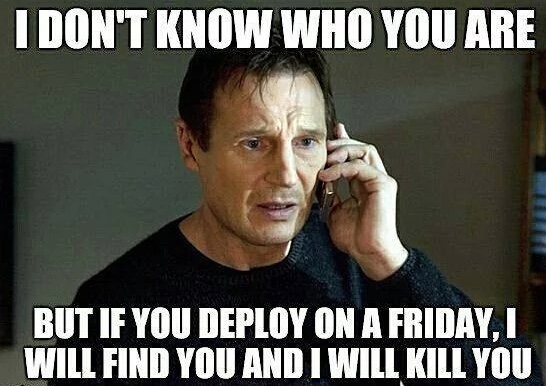 The answer to the meme on the right:
If you are having problems deploying on a Friday, you will have them at any time of the week. Your processes are broken.
Source: [WayBack] Friday Deploys, and other harmful BOFH memes – The Isoblog.
via: [WayBack] Friday Deploys and other harmful BOFH memes – they need to die in a fire… – Kristian Köhntopp – Google+
Kristian argues that people finding the meme funny should get fired.
I still find it funny. Both in a way that I’m surprised so many BOFH are still there, as well as being happy that on many occasions I’ve helped making this a thing of the past or at least make organisations aware of the deployment risks and how to cope with them.
Do I need to change? Definitely: life is all about learning new things every day and change because of that.
Do I need go get out of a job or a new job? Likely at some point because life is all about change. Hopefully I’ve learned enough by then to find another gig where – in addition to applying my tech skills – I can spread awareness and knowledge. And learn new things. Did I tell about life is all about learning?
Related: [WayBack] by michielrook.nl:
https://speakerdeck.com/mrook/i-deploy-on-fridays-and-maybe-you-should-too
Via: [WayBack] @michieltcs: I deploy on Fridays (and maybe you should too): https://speakerdeck.com/mrook/i-deploy-on-
–jeroen

Posted in Development, DevOps, Power User | 1 Comment »
Posted by jpluimers on 2019/06/03
–jeroen
Posted in LifeHacker, Power User | Leave a Comment »
Posted by jpluimers on 2019/06/03
The ll header field in a martian source message on linux is about the [WayBack] Ethernet frame – Wikipedia: Data Link Layer.
The first 6 hex digits are the source MAC address, the next are the destination MAC address:
May 10 08:59:24 linux kernel: IPv4: martian source 255.255.255.255 from 192.168.17.44, on dev eth1

May 10 08:59:24 linux kernel: ll header: 00000000: ff ff ff ff ff ff 00 0c 29 f7 0f fe 08 00 ........).....
In the above example:
ff ff ff ff ff ff (broadcast, which corresponds with IPv4 target 255.255.255.255)00 0c 29 f7 0f fe (specific, which I could verify after checking out the machine having IPv4 192.168.17.44)08 00 (IPv4)Some sources indicate it is a martian, as 255.255.255.255 is never a valid IP address, but [WayBack] Martian packet – Wikipedia: IPv4 disagrees.
References:
–jeroen
Posted in Ethernet, Network-and-equipment, Power User | Leave a Comment »
 The Wiert Corner - irregular stream of stuff