The Wiert Corner – irregular stream of stuff

Jeroen W. Pluimers on .NET, C#, Delphi, databases, and personal interests

  • My badges

  • Twitter Updates

  • My Flickr Stream

  • Pages

  • All categories

  • Enter your email address to subscribe to this blog and receive notifications of new posts by email.

    Join 1,860 other subscribers

Archive for the ‘HTTPS/TLS security’ Category

Facebook ist in Bezug auf Kundenzufriedenheit und Vertrauen in Umfragen zieml…

Posted by jpluimers on 2020/10/16

Nice thread as it talks a bit about how keep your own stuff secure with companies doing MitM, or have VPN infrastrcuture.

[WayBack] Facebook ist in Bezug auf Kundenzufriedenheit und Vertrauen in Umfragen zieml…

Most larger TLS based web-sites now have HSTS so detect MitM.

Having a proxy locally helps checking the certificates.

Corporate laptops usually has device management. If they use MitM, their root certificates are usually put back automatically. But not all software uses the same root certificate store (:

In the past, I have used [WayBack] cntlm, or VPN (routing only corporate traffic over VPN).

There are corporate VPN variants, which take over the complete routing table or even run arbitrary scripts as root on your box on connect in order to do “endpoint validation”. And then there is OpenVPN, which routes the traffic that the company shall see to the company and lets you use normal connectivity for the rest.

You want openvpn, in all cases.

Another trick I have used is to VPN/SSH out of a corporate box and route some of the traffic over it.

Finally, for some larger corporate VPN software, there is an open source replacement that has better configuration options: OpenConnect supports AnyConnect, Juniper and GlobalProtect.

Related: picture on the right via [WayBack] Torsten Kleinz – Google+

–jeroen

Posted in Cntlm, Encryption, HTTPS/TLS security, Power User, Security, Windows, Windows-Http-Proxy | Leave a Comment »

SSL certificates – not optional | Open Query Pty Ltd

Posted by jpluimers on 2020/09/04

Some tips on using the certbot for Let’s Encrypt and the support for wildcard certificates through DNS updates: [WayBack] SSL certificates – not optional | Open Query Pty Ltd

–jeroen

Posted in Encryption, HTTPS/TLS security, Let's Encrypt (letsencrypt/certbot), Power User, Security | Leave a Comment »

Hardening: sshd_config – How to configure the OpenSSH server | SSH.COM

Posted by jpluimers on 2020/06/05

If you want to harden your ssh server, read at least [WayBack] sshd_config – How to configure the OpenSSH server | SSH.COM.

After that use some ssh tools to check your config from the outside world. They work in a similar way as the TLS/SSL/https scans from Source: SSL Server Test (Powered by Qualys SSL Labs) or these console based scans and documentation references:

Simiarly for SSH:

Then read further on more in depth SSH topics around key management:

–jeroen


Posted in Encryption, Hashing, https, HTTPS/TLS security, OpenSSL, Power User, Security, testssl.sh | Leave a Comment »

Expect your sites to be accessed over https and ensure your certificates match

Posted by jpluimers on 2020/05/22

igOver the last lustrum, there has been a steady increase in https usage. It crossed the 30% mark early 2016, crossing the 50% mark early 2017 and 80% mark early 2018, even the https-by-default configuration is now pretty large:

Ever since 2012, but especially with the increased HTTPS adoption, you can expect more and more users to run plugins like HTTPS Everywhere – Wikipedia which switch a request from insecure http to secure https.

Read the rest of this entry »

Posted in Encryption, HTTPS/TLS security, Let's Encrypt (letsencrypt/certbot), Power User, Security | Leave a Comment »

SSH through HTTPS

Posted by jpluimers on 2020/05/04

Often, hotspots only allow http/https traffic. Other traffic – like SSH – is blocked. Nowadays, fewer hotspots block that, but too many still do.

So it can be worth a while to route your SSH server through HTTPS (I don’t like Web-based SSH that much as terminal emulation in browsers isn’t that well yet, but that seems to change rapidly, more on that in the “Further reading” section below).

After some background reading at apache – Tunnel over HTTPS – Stack Overflow, here are a few links that help you do it:

Server side: DAG: Tunneling SSH over HTTP(S).

You need:

  • An internet connected Apache server (eg. with IP address 10.1.2.3)
  • A FQDN that points to this IP address (eg. ssh.yourdomain.com)
  • A virtual host configuration in Apache for this domain (eg. /etc/httpd/conf.d/ssh.yourdomain.com.conf)
  • A configuration to adapt ssh to use the HTTP tunnel

Read more at DAG: Tunneling SSH over HTTP(S) and SSH over SSL, a quick and minimal config..

Client side: Using SSH over the HTTPS port · GitHub Help.

Steps:

  1. Test of it works at all
  2. Edit your local ~/.ssh/config file to redirect SSH to HTTPS

Read more at Using SSH over the HTTPS port · GitHub Help.

Using Putty and an HTTP proxy to ssh anywhere through firewalls | Me in IT.

the Digital me: SSH Tunneling Proxy using Putty on Windows and Linux (Unblock YouTube / Orkut / Facebook).

Tunneling SSH through HTTP proxies using HTTP Connect – ArchWiki.

HTTP Tunneling – ArchWiki.

Running SSHD on port 443.

Not all proxy configurations and hotspots support this. But it might be worth a look: SSH Over Proxy.

Further reading: Web-based SSH.

SSH plugins for browsers:

Web based SSH:

–jeroen

Posted in Communications Development, Development, Encryption, HTTP, https, HTTPS/TLS security, Internet protocol suite, Power User, Security, SSH, TCP | Leave a Comment »

CAA Mandated by CA/Browser Forum | Qualys Blog

Posted by jpluimers on 2019/07/22

[WayBack] CAA Mandated by CA/Browser Forum | Qualys Blog

Certification Authority Authorization (CAA), specified in RFC 6844 in 2013, is a proposal to improve the strength of the PKI ecosystem with a new control to restrict which CAs can issue certificates…

Related:

–jeroen

Posted in Conference Topics, Conferences, DNS, Encryption, Event, HTTPS/TLS security, Internet, Power User, Security | Leave a Comment »

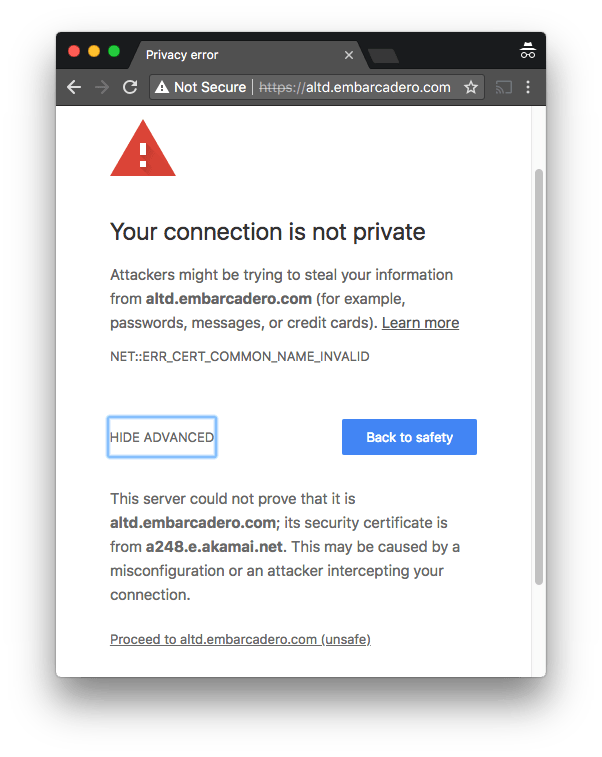
https://altd.embarcadero.com/ TLS certificate does not match domain name

Posted by jpluimers on 2018/09/07

One of the domains not yet monitored at embarcaderomonitoring.wiert.me, was the altd download server for ISOs and installers on http and https level. Ultimately you want https, as most of these are about installers, so you do not want any man-in-the-middle to fiddle with them.

TLS on altd fails

Upitmerobot is not yet smart enough to check validity of TLS certificates on https connections.

Chrome, Firefox, Safari, Internet Explorer, wget, curl and ssllabs however are.

altd hides as much from itself as possible

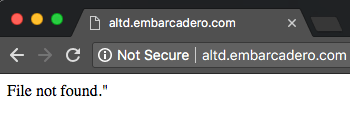
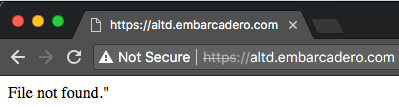
Uptimerobot did not like monitoring the plain http://altd.embarcadero.com/ and https://altd.embarcadero.com/ URLs, because the altd is not browsable, so it tries to hide most of its structure from access. This means they both return an odd response:

Those responses are actually 404 errors (note the - minus sign after curl --trace-ascii: it sends the trace to stdout):

$ wget http://altd.embarcadero.com/
--2018-09-05 10:44:23-- http://altd.embarcadero.com/
Resolving altd.embarcadero.com (altd.embarcadero.com)... 88.221.144.40, 88.221.144.10
Connecting to altd.embarcadero.com (altd.embarcadero.com)|88.221.144.40|:80... connected.
HTTP request sent, awaiting response... 404 Not Found
2018-09-05 10:44:23 ERROR 404: Not Found.

$ curl --verbose http://altd.embarcadero.com/
*   Trying 88.221.144.40...
* TCP_NODELAY set
* Connected to altd.embarcadero.com (88.221.144.40) port 80 (#0)
> GET / HTTP/1.1
> Host: altd.embarcadero.com
> User-Agent: curl/7.54.0
> Accept: */*
> 
< HTTP/1.1 404 Not Found
< Server: Apache
< Content-Type: text/html; charset=iso-8859-1
< Content-Length: 16
< Date: Wed, 05 Sep 2018 08:45:57 GMT
< Connection: keep-alive
< 
* Connection #0 to host altd.embarcadero.com left intact
File not found."

$ curl --trace-ascii - http://altd.embarcadero.com/
== Info:   Trying 88.221.144.40...
== Info: TCP_NODELAY set
== Info: Connected to altd.embarcadero.com (88.221.144.40) port 80 (#0)
=> Send header, 84 bytes (0x54)
0000: GET / HTTP/1.1
0010: Host: altd.embarcadero.com
002c: User-Agent: curl/7.54.0
0045: Accept: */*
0052: 
<= Recv header, 24 bytes (0x18)
0000: HTTP/1.1 404 Not Found
<= Recv header, 16 bytes (0x10)
0000: Server: Apache
<= Recv header, 45 bytes (0x2d)
0000: Content-Type: text/html; charset=iso-8859-1
<= Recv header, 20 bytes (0x14)
0000: Content-Length: 16
<= Recv header, 37 bytes (0x25)
0000: Date: Wed, 05 Sep 2018 08:47:19 GMT
<= Recv header, 24 bytes (0x18)
0000: Connection: keep-alive
<= Recv header, 2 bytes (0x2)
0000: 
<= Recv data, 16 bytes (0x10)
0000: File not found."
File not found."== Info: Connection #0 to host altd.embarcadero.com left intact

This is also the reason that WayBack does not want to archive that link, but it can be archived at [Archive.ishttps://altd.embarcadero.com/.

Luckily, a Google search for site:altd.embarcadero.com revealed there is a non-installer file short enough (~72 kibibytes) for Uptime robot to check, so it now verifies it can access these:

–jeroen

Read the rest of this entry »

Posted in *nix, *nix-tools, cURL, Encryption, HTTPS/TLS security, Monitoring, Power User, Security, Uptimerobot, wget | Leave a Comment »

Use TLS 1.2 or higher, as TLS 1.1 is phased out on many sites, after TLS 1.0/SLL has been disabled by most for a while now

Posted by jpluimers on 2018/07/23

If you get an error like this in one of your tools

OpenSSL: error:1407742E:SSL routines:SSL23_GET_SERVER_HELLO:tlsv1 alert protocol version

it means you are using a tool not yet properly supporting TLS 1.2 or higher.

Or in other words: update your tool set.

The reason is that – after turning off TLS 1.0 a while ago – more and more sites do the same for TLS 1.1.

A prime example of a site that warned on this in a clear way very early on is github:

Others have done this too, for instance:

TLS 1.0 is vulnerable to many attacks, and certain configurations of TLS 1.1 as well (see for instance [WayBack] What are the main vulnerabilities of TLS v1.1? – Information Security Stack Exchange), which means that properly configuring the non-vulnerable TLS 1.1 over times gets more and more complex. An important reason to say goodbye to that as well, as TLS 1.2 (from 2008) is readily available for a long time. The much more recent TLS 1.3 (from 2018) will take a while to proliferate.

I ran in the above error because on one of my systems, an old version of wget was luring around, so I dug up the easiest place to download recent Windows binaries for both win32 (x86) and win64 (x86_64):

[WayBack] eternallybored.org: GNU Wget for Windows having a table indicating the OpenSSL version for each wget build.

–jeroen

Reference: Transport Layer Security – Wikipedia: History and development

Posted in *nix, https, HTTPS/TLS security, OpenSSL, Power User, Security, wget | Leave a Comment »

Packet Sender is a good tool when debugging protocols: free utility to send & receive network packets. TCP, UDP, SSL

Posted by jpluimers on 2018/03/07

It was fitting to bump into [WayBack] Packet Sender is a good tool when debugging protocols…” Written by Dan Nagle… – Lars Fosdal – Google+ on the day presenting [WayBack] Conferences/Network-Protocol-Security.rst at master · jpluimers/Conferences · GitHub

It also means that libssh2-delphi is getting a bit more love soon and will move to github as well after a conversion from mercurial.

Some of the things I learned or got confirmed teaching the session (I love learning by teaching):

Here is some more info:

–jeroen

Read the rest of this entry »

Posted in Communications Development, Delphi, Development, Encryption, Hardware, Harman Kardon, Home Audio/Video, HTTP, https, HTTPS/TLS security, Internet protocol suite, Let's Encrypt (letsencrypt/certbot), OpenSSL, Power User, Security, Software Development, TCP, TLS | Leave a Comment »

SSLLabs security reports for some embarcadero subdomains

Posted by jpluimers on 2018/01/09

I hope this is a coincidence. Before Nick Hodges left, the TLS security of the various embarcadero https servers was increased, most from grade F. Now they might soon be grade F again.

Hopefully somebody in IT has time to take a renewed look as security needs constant attention.

I’ve only included a fraction of their sub-domains, as really this is a job for the Embarcadero IT department.

Related:

Posted in Encryption, HTTPS/TLS security, Power User, Security | Leave a Comment »