Archive for the ‘Windows 7’ Category
Posted by jpluimers on 2018/01/12
This is not what you like when you reboot a VM in Proxmox:
Booting from Hard disk...

Missing operating system

Booting from Hard disk… Missing operating system
This case was a Windows 7 UK Professional x64 SP1 virtual machine.
Luckily the ISO is at https://archive.org/download/en_windows_7_professional_with_sp1_x64_dvd_u_676939_201606/en_windows_7_professional_with_sp1_x64_dvd_u_676939.iso via https://archive.org/details/en_windows_7_professional_with_sp1_x64_dvd_u_676939_201606 (later I found out I had the image in my backup vault as well).
I put that one in /var/lib/vz/template/iso so proxmox will automagically provide it in the local storage of iso images.
Now for some screenshots some based on what I learned at [Archive.is] How to use System Recovery Options for repairing Windows Vista or 7 installations:
Read the rest of this entry »
Posted in Power User, Proxmox, Virtualization, Windows, Windows 7 | Leave a Comment »
Posted by jpluimers on 2017/12/29
For shrinking VM disk images, it’s important to consolidate NTFS free space towards the end of the this.
I’ve tried many tools, starting with defrag C: /X (which tries, but doesn’t give good results) and found out these steps give the best results:
- Perform an Ultradefrag full optimisation,
- Perform a MyDefrag
Consolidate free space script on the drive.
If shrinking still fails then:
- Try the Ultradefrag at boot time
- Note you have to install the normal version, as you cannot enable boot time defragmentation from the portable version:
- Verify what kind of file(s) prevent shrinking: they show up in red after the MyDefrag session:
- Zoom in them (they can initially as small as 1 red pixel) by clicking on or near them, repeating the zoom long enough so you can hover over with the mouse and the lower part of the screen shows a filename like

 where you cannot find much information about “$badclus:$bad:$data” but appear to be clusters marked as
 bad on NTFS level using something like chkdsk /B.
- If it was a bad sector like above, then try to resolve it with [WayBack]
ntfsfix which ships with GParted live boot:
- boot a [WayBack] GParted — Live CD/USB/PXE/HD drive,
- run GParted to see the drive path (for instance /dev/sda1)
- start a terminal
- run this command:
ntfsfix -b /dev/sda1
which will give output like this:
Mounting volume... OK
Processing of $MFT and $MFTMirr completed successfully.
Checking the alternate boot sector... OK
NTFS volume version is 3.1.
Going to un-mark the bad clusters ($BadClus)... OK
NTFS partition /dev/sda1 was processed successfully.
- boot back into Windows
- on an administrative command prompt run this for the affected drive letter:
chkdsk D: /B
(reboot if needed)
- Shrink the drive using
diskmgmt.msc
If you still cannot shrink, then try [WayBack] http://ftp.raxco.com/pub/download/pd14.0/pd14.0_pro.exe PerfectDisk by Raxco free trial.
Note:
MyDefrag (formerly named JkDefrag) is not maintained any more but the 4.3.1 version in the WayBack machine still works very well as the underlying defragmentation APIs in Windows haven’t changed.
References:
For FAT32:
For GParted / ntfsfix:
PerfectDisk via:
–jeroen
Posted in Power User, Windows, Windows 10, Windows 7, Windows 8, Windows 8.1, Windows Server 2008, Windows Server 2008 R2, Windows Server 2012, Windows Server 2012 R2, Windows Server 2016, Windows Vista | Leave a Comment »
Posted by jpluimers on 2017/12/18
This will bite me some time for sure, so for my link archive: [WayBack] TRestClient and Cipher restrictions to TLSv1.2 does not work on Windows7 and Server2008R2 … and how it can be solved… – Günther Schoch – Google+
References:
For at least some Windows 7 and Server 2008 R2 systems, that update (KB3140245) doesn’t automatically turns up in the Windows Update list.
To make matters worse, the page cannot be archived in either the WayBack machine or Archive.is (I tried multiple times with empty results).
Luckily, there is a copy at [WayBack] KB3140245 DefaultSecureProtocols – Security.NL.
After installing the update, you have to ensure you set the DefaultSecureProtocols registry value to the bitmap value that indicates with SSL/TLS versions you want to support:
The DefaultSecureProtocols registry entry can be added in the following path:
HKEY_LOCAL_MACHINE\SOFTWARE\Microsoft\Windows\CurrentVersion\Internet Settings\WinHttp
On x64-based computers, DefaultSecureProtocols must also be added to the Wow6432Node path:
HKEY_LOCAL_MACHINE\SOFTWARE\Wow6432Node\Microsoft\Windows\CurrentVersion\Internet Settings\WinHttp
The registry value is a DWORD bitmap. The value to use is determined by adding the values corresponding to the protocols desired.
| DefaultSecureProtocols Value |
Protocol enabled |
| 0x00000008 |
Enable SSL 2.0 by default |
| 0x00000020 |
Enable SSL 3.0 by default |
| 0x00000080 |
Enable TLS 1.0 by default |
| 0x00000200 |
Enable TLS 1.1 by default |
| 0x00000800 |
Enable TLS 1.2 by default |
For example:
The administrator wants to override the default values for WINHTTP_OPTION_SECURE_PROTOCOLS to specify TLS 1.1 and TLS 1.2.
Take the value for TLS 1.1 (0x00000200) and the value for TLS 1.2 (0x00000800) then add them together in calculator (in programmer mode), the resulting registry value would be 0x00000A00.
–jeroen
Posted in .NET, Delphi, Development, Power User, Software Development, Windows, Windows 7, Windows Server 2008 R2 | 2 Comments »
Posted by jpluimers on 2017/12/11
schtasks /End [/S <system> [/U <username> [/P [<password>]]]] /TN taskname
[WayBack] End a Running Task
Every now and then you have those Scheduled Tasks consisting of batch files that – despite trying – still ask for user input.
If – even after a reasonable time out – the Task Scheduler still hasn’t killed them, you can kill them by hand with the above schtasks in a snap.
–jeroen
Posted in Console (command prompt window), Power User, Windows, Windows 10, Windows 7, Windows 8, Windows 8.1, Windows Server 2008, Windows Server 2008 R2, Windows Server 2012, Windows Server 2012 R2, Windows Server 2016 | Leave a Comment »
Posted by jpluimers on 2017/09/25
Posted in Power User, Windows, Windows 10, Windows 7, Windows 8, Windows 8.1, Windows 9, Windows Server 2003, Windows Server 2003 R2, Windows Server 2008, Windows Server 2008 R2, Windows Server 2012, Windows Server 2012 R2, Windows Server 2016, Windows Vista, Windows XP | Leave a Comment »
Posted by jpluimers on 2017/09/04
Many applications cannot not do that (Paint.net is one of them), but Paint can at least in Windows XP, 7, 8. and 8.1 (I need to check other Windows versions).:
In any case, here’s what you do:
- Open the image you’d like to print in Paint
- Select: Print -> Page Setup (Vista and 7), or File -> Page Setup (in XP)
- Under Scaling, select Fit to and change the setting to something like “3 by 2 page(s)”
- Click OK
- Print the image from Paint, and make sure to select “All Pages”
Source: How to Easily Print a Large Image to Multiple Pages in Windows | Scottie’s Tech.Info [WayBack]
Note the “3 by 2” has the order “horizontal by vertical”.
–jeroen
Posted in Power User, Windows, Windows 7, Windows 8, Windows 8.1, Windows XP | 2 Comments »
Posted by jpluimers on 2017/06/26
Source: The Most Common VPN Error Codes Explained
- VPN Error 800 “Unable to establish connection”
- VPN Error 619 “A connection to the remote computer could not be established”
- VPN Error 51 “Unable to communicate with the VPN subsystem”
- VPN Error 412 “The remote peer is no longer responding”
- VPN Error 721 “The remote computer did not respond”
- VPN Error 720 “No PPP control protocols configured”
- VPN Error 691 “Access denied because username and/or password is invalid on the domain”
- VPN Errors 812, 732 and 734 “The connection was prevented because of a policy configured on your RAS/VPN server”
- VPN Error 806 “A connection between your computer and the VPN server has been established but the VPN connection cannot be completed.”
–jeroen
via: Could be useful. – Joe C. Hecht – Google+
Posted in Power User, Windows, Windows 10, Windows 7, Windows 8, Windows 8.1, Windows Server 2008, Windows Server 2008 R2, Windows Server 2012, Windows Server 2012 R2, Windows Vista, Windows XP | Leave a Comment »
Posted by jpluimers on 2017/06/05
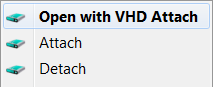 Brilliant:
This is small tool that adds Attach and Detach option to contextual (aka right-click) menu of Virtual disk (vhd) files. That enables those operations to be done without trip to Disk Management console. Detach option is available on hard drive contextual menu also (if selected in options).
Source:
–jeroen
Posted in Power User, Windows, Windows 10, Windows 7, Windows 8, Windows 8.1, Windows Server 2012, Windows Server 2012 R2 | Leave a Comment »
Posted by jpluimers on 2017/05/26
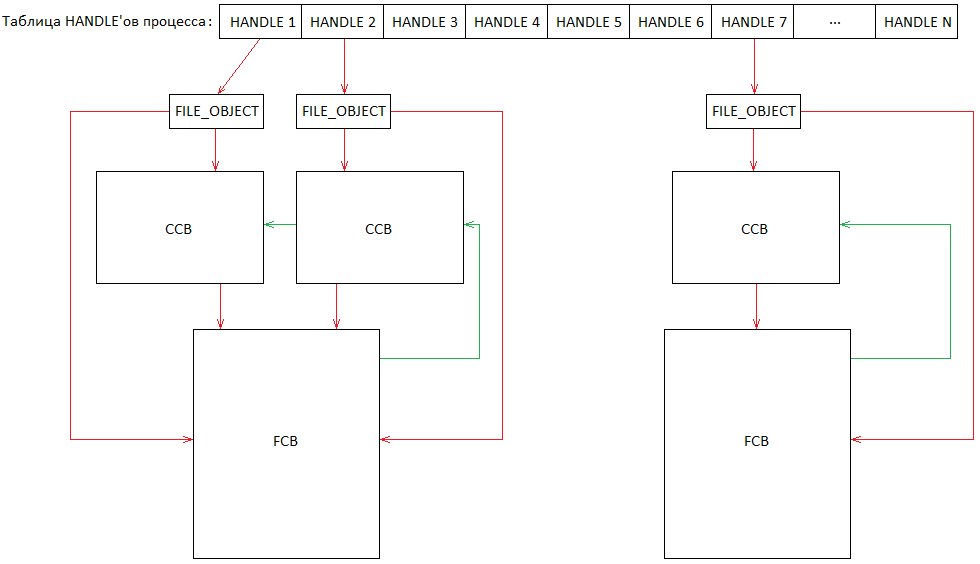 Source:
History repeating itself: [Archive.is] 31607 – C:\nul\nul crashes/BSOD then, now it’s this:
Via:
All versions prior to Windows 10 and Windows Server 2016 seem vulnerable.
So add $MFT to this list:
Oh BTW: history repeated itself this year too. With NUL
In short, Steven Sheldon created a rust package named nul which broke the complete package manager on Windows:
BTW: one of my gripes on learning new languages is that they come with a whole new idiom of their ecosystem: rust, cargo, crates, all sound like being a truck mechanic to me.
–jeroen
Read the rest of this entry »
Posted in Development, Microsoft Surface on Windows 7, NTFS, Power User, Security, Software Development, The Old New Thing, Windows, Windows 10, Windows 7, Windows 8, Windows 8.1, Windows 9, Windows 95, Windows 98, Windows Defender, Windows Development, Windows ME, Windows NT, Windows Server 2000, Windows Server 2003, Windows Server 2003 R2, Windows Server 2008, Windows Server 2008 R2, Windows Server 2012, Windows Server 2012 R2, Windows Server 2016, Windows Vista, Windows XP | Leave a Comment »


 The Wiert Corner - irregular stream of stuff