Archive for the ‘Hardware’ Category
Posted by jpluimers on 2021/07/02
Having it accidentally made it to the CBL (Composite Blocking List – Wikipedia) a long time ago, I discovered the page started with (WayBack link mine):
IMPORTANT: Many CBL/XBL listings are caused by a vulnerability in Mikrotik routers. If you have a Mikrotik router, please check out the [WayBack] Mikrotik blog on this subject and follow the instructions before attempting to remove your CBL listing.
It wasn’t one of my Mikrotik devices, as first of all they had all being patched out of the box from a really empty internal network before being externally exposed to the internet or more busy internal networks, and second because the CBL entry was a one off on one specific day where someone used our guest network.
Some CBL entries in the range where it was displayed, quite a while after CVE-2018-14847 became public:
Read the rest of this entry »
Posted in Firewall, Hardware, Infrastructure, Internet, MikroTik, Network-and-equipment, Power User, routers, SPAM, WinBox | Leave a Comment »
Posted by jpluimers on 2021/06/17
First of all: incoming Fritz!Box VPN behind an Experiabox version 10A fails, because the DMZ implementation of the Experiabox is faulty.
This worked just fine with the Fritz!Box as DMZ host behind a Ziggo Connectbox ([WayBack] Connectbox | Klantenservice | Ziggo).
First a few things to get regular TCP stuff to work: having your Fritz!Box as the DMZ host of an Experiabox.
I had a hart time figuring out some of them, so further below are also quite a few links just in case you bump into simular things.
- On the back of the Experiabox version 10A you find the SSDI and WiFi password on what appears to be a sticker, but is in fact a small piece of cardboard paper.

- Behind that cardboard paper is a sticker with the initial administrator password: shove out the piece of cardboard to reveal the sticker.
- After login (you cannot change the username, which is
ADMIN or KPN) you have to choose a new password, which has these undocumented restrictions:
- It cannot be the old password
- The password must contain at least 1 special character (
!@#$%^&*()_+|~- =\`{}[]:";'<>?,./).
- The password must contain at least 1 number character.
- The password must contain at least 1 uppercase letter.
- Other restrictions I have not bumped into
- The default address of the Experiabox V10a is 192.168.2.254. Do NEVER change it, as KPN totally does not support that scenario and will force you to reset it before starting to help you out with anything. Logon as Administrator to the Experiabox at 192.168.2.254.
- Setting fixed DHCP leases was hard to find (I was looking for fixed DHCP, not DHCP reservation): Network -> LAN -> LAN DHCP (dropdown next to LAN) -> DHCP Reservation (up to 10 computers).

- The DMZ setting was not where I expected it: Network -> Firewall -> DMZ (dropdown next to Firewall)

External port checker: [WayBack] Open Port Checker & Scanner | Test Port Forwarding | Internet Protocol Tools
Related:
- Passwords and SSID on the back of the device:
- Use of your own internal routers behind the Experiabox:
- Incoming SMTP port 25 could be blocked:
- DHCP configuration:
- You can only configure 32 DHCP Bindings (this used be an even more mediocre 10 DHCP bindings), which is a laugh:
- There have been quite a few issues in the past that have been solved with firmware updates; I’m still not sure how to update it apart from doing a hard reset.
- Wall mounting:
- Manuals and such:
- Service tool (be careful: anyone on the internal network can run these if they know the last 3 digits of your bank account!):
- Without Experiabox seems to be only possible for Telfort, not for KPN:
–jeroen
Posted in Network-and-equipment, Power User, VPN | Leave a Comment »
Posted by jpluimers on 2021/06/14
Details at [WayBack] Keyboard Shortcuts, Markdown, and Autocomplete – Atlassian Documentation; summary:
To view all Confluence keyboard shortcuts, do any of the following:
- Choose the help icon
 from the universal sidebar, then choose Keyboard Shortcuts.
- When viewing a page, press shift+?
- While editing a page, choose the question mark icon from the editor toolbar.
a list of some of the most common shortcuts:
…
Markdown
Use markdown shortcuts to format text from the comfort of your keyboard.
…
Use autocomplete for links
- Either:
- Type [ and then the first few characters of the page title, user’s name, image name or file name.
- Type the first few characters of the page title, user’s name, image name, or file name (or select relevant text) and then press ctrl+shift+k.
- Click the relevant link from the list of suggestions.
If the item you need is not in the list, either choose Search for ‘xxx’ to continue looking for the page within Confluence, or Insert Web Link to link to an external page.
…
When a Windows shortcut has Ctrl in it, the MacOS shortcut uses Command.
–jeroen
Posted in Development, Keyboards and Keyboard Shortcuts, Lightweight markup language, MarkDown, Power User, Software Development | Leave a Comment »
Posted by jpluimers on 2021/06/07
Posted in *nix, Cloud Key, ESXi6, ESXi6.5, ESXi6.7, Internet, Network-and-equipment, Power User, Unifi-Ubiquiti, Virtualization, VMware, VMware ESXi | Leave a Comment »
Posted by jpluimers on 2021/06/04
For my link archive: [WayBack] Grote Google-storing trof Gmail, YouTube en diensten van derden – IT Pro – Nieuws – Tweakers.
It has some interesting tips for IoT video doorbell products that are less depending on single-choice clouds:
Er bestaan er minimaal eentje; smart deurbel met camera en evt speaker, eigen intern netwerk, compatible met SIP (en video), zelf verantwoordelijk voor opnamen, etc. Enige nadeel is dan wel de prijs, het is een Duits kwaliteitsproduct, dus reken rond de 350 euro voor het absolute basismodel.
Doorbird heet het; oa te koop bij Robbshop en CoolBlue of direct bij de fabiraknt’s website.
Je moet je huis flink geautomatiseerd hebben wil je echt nut van die api willen hebben.
als je alles zelf in de hand wil hebben doe je dat ook. Je zorgt er zelf voor dat je webinterface via een externe URL bereikbaar is en dan is het enkel je eigen hardware en internetverbindingen die als SPOF dienen en je kan dan ook makkelijker van solution-provider wisselen zonder vast te zitten.
–jeroen
Posted in Cloud Apps, Internet, IoT Internet of Things, Network-and-equipment, Power User | Leave a Comment »
Posted by jpluimers on 2021/05/31
If any of your Fritz!Box devices under “Wireless” -> “Radio Channel” -> “5-GHz band” the indicates “Radar detection enabled. At the moment no wireless LAN connection (5 GHz) is possible; please wait.” – Google Search:
- Click on the “Refresh Auto Channel” button
- Wait until it has chosen a new 5Ghz channel
- Verify you can connect over 5Ghz
- If you still cannot connect, retry steps 1…3 once.
I had this only happen on 1750E repeaters so far, but others seem to have had it on other Fritz!Box devices as well.
In the Netherlands, potentially affected channels seem to be 52 through 140.
Related:
–jeroen
Posted in Fritz!, Fritz!Box, Fritz!WLAN, Internet, Power User | Leave a Comment »
Posted by jpluimers on 2021/05/24
I had something odd on one SuperMicro systeem:
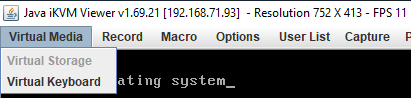
The “Virtual Storage” menu item under “Virtual Media” was marked grey (gray?) as being unavailable.
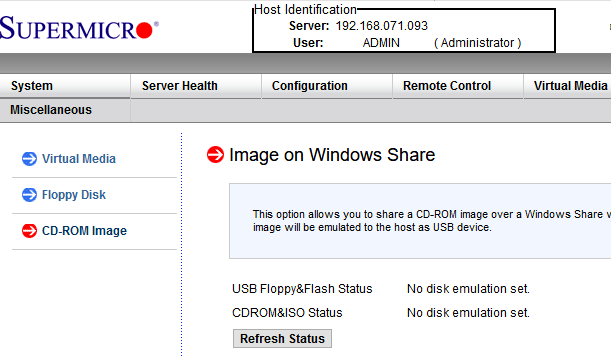
Despite that, no disk image was shown mounted according to the web interface at menu path “Virtual Media” -> “CD-ROM Image“:
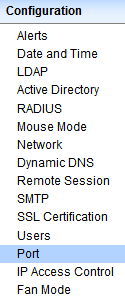
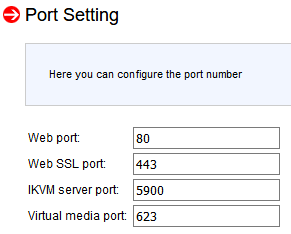
Port settings were good though as seen in menu path “Configuration” -> “Port“:
Even nmap did not show significant differences between the various systems (partial dump here; full dump below)
Discovered open port 443/tcp on 192.168.71.96
Discovered open port 5900/tcp on 192.168.71.96
Discovered open port 80/tcp on 192.168.71.96
Discovered open port 22/tcp on 192.168.71.96
Discovered open port 5985/tcp on 192.168.71.96
Discovered open port 623/tcp on 192.168.71.96
I use alias alias nmap-fingerprint_host_all-ports-even-if-ping-fails='sudo nmap -O -v -A -p- -Pn' here as it usually gives best results for port scans on a single machine.
“Secret” setting
The secret is in a different menu entry under menu path “Maintenance” -> “IKVM reset“:
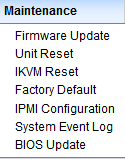
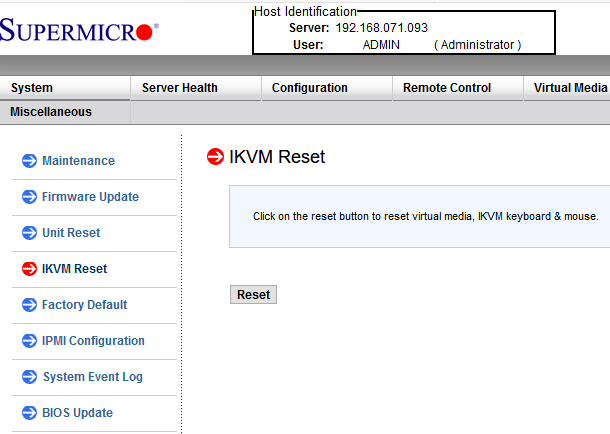
After pressing the Reset button, then restarting the iKVM client, “Virtual Media” -> “Virtual Storage” is nog grey any more, and just works:
Read the rest of this entry »
Posted in Hardware, IPMI, Mainboards, Power User, SuperMicro, X9SRi-F | Leave a Comment »
Posted by jpluimers on 2021/05/21
I while ago I needed to upgrade a processor in a LGA 2011 socket
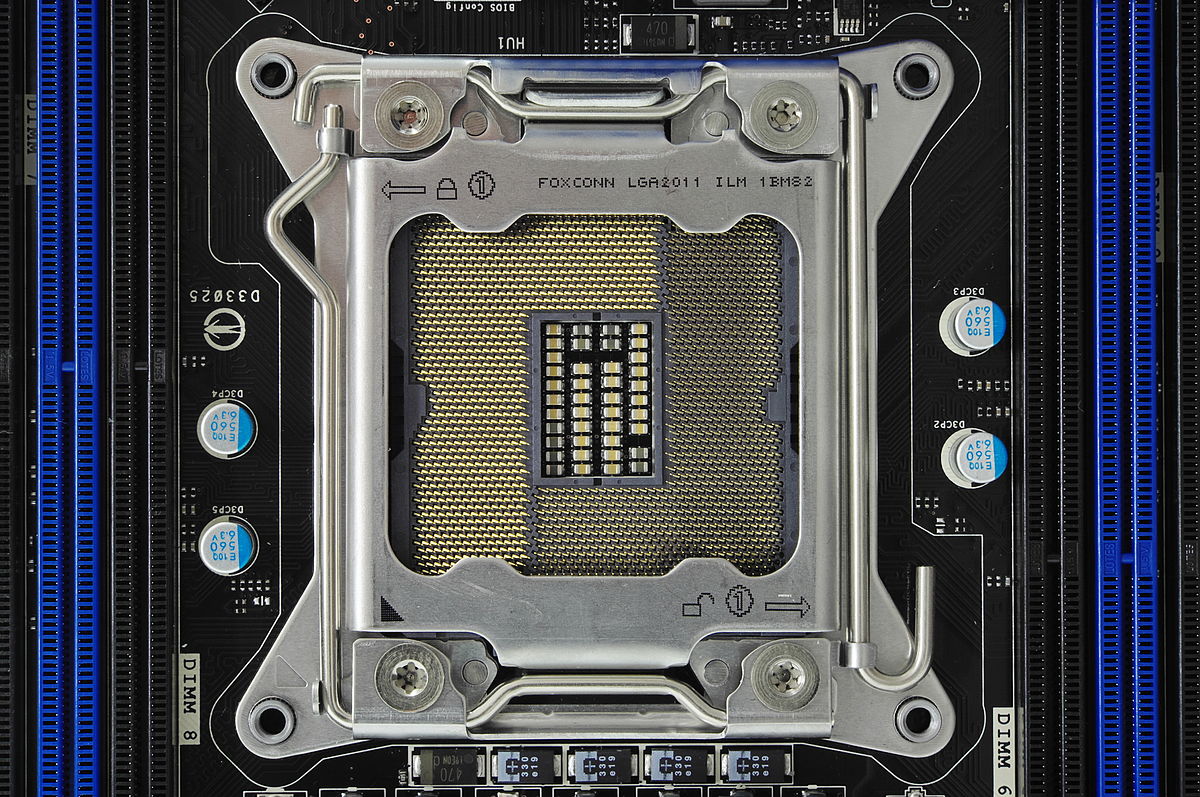
If you know what the icons mean they are simple.
- The (1) lock on the top left means that lever (with the triangle bend in it) needs to be done first when locking
- The (1) unlock on the bottom right means that lever (with the rounded end) needs to be done first when unlocking
More details at:
–jeroen
Read the rest of this entry »
Posted in Hardware, Mainboards, Power User | Leave a Comment »
Posted by jpluimers on 2021/05/17
I have seen this happen on various Supermicro X9/X10/X11 systems including X9SRi-F/X9SRi-3F/X10SRH-CF/X11SPM-F boards:
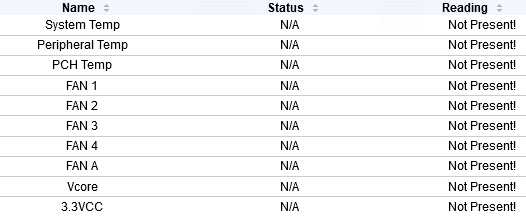
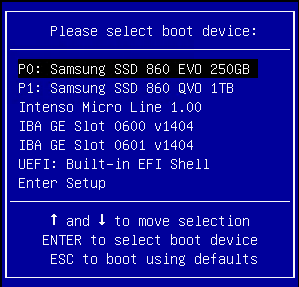
I found this via:
- [WayBack] IPMI no sensor readings and already reset | iXsystems Community
- [WayBack] Supermicro X10 and X11 motherboard FAQ | iXsystems Community
All the sensors read N/A
First of all, make sure you’re not in the BIOS setup menu. IPMI monitoring of sensors isn’t available there.
If that is not the case, the procedures listed under “The CPU/PCH temperatures read N/A” may help.
The CPU/PCH temperatures read N/A
While the exact cause is unknown, the BMC may enter a faulty state, requiring a reset.
The following options were recommended to me by Supermicro:
- Start by power cycling the IPMI. This can be done from the web interface.
- If that doesn’t work, reset it to factory defaults via the web interface and power cycle it (it will not work until it is properly power cycled).
–jeroen
Posted in Hardware, IPMI, Power User, SuperMicro | Leave a Comment »
Posted by jpluimers on 2021/05/10
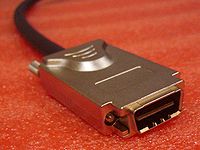
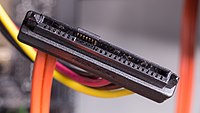
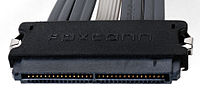
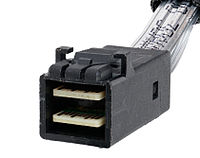
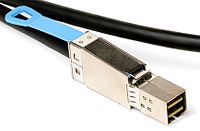
Since I always get confused with SAS and SATA connectors, some tables from Wikipedia:
- Serial Attached SCSI Connectors- Wikipedia
| Codename |
Other names |
Ext./int. |
Pins |
No of devices / lanes |
Comment |
Image |
| SFF-8086 |
Internal mini-SAS, internal mSAS |
Internal |
26 |
4 |
This is a less common implementation of SFF-8087 than the 36-circuit version. The fewer positions is enabled by it not supporting sidebands. |
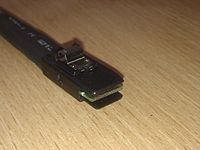 |
| SFF-8087 |
Internal mini-SAS, internal mSAS, internal iSAS, internal iPass |
Internal |
36 |
4 |
Unshielded 36-circuit implementation of SFF-8086. Molex iPass reduced width internal 4× connector, 12 Gbit/s capability. |
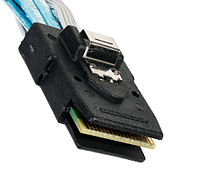 |
| SFF-8088 |
External mini-SAS, external mSAS, external iSAS, external iPass |
External |
26 |
4 |
Shielded 26-circuit implementation of SFF-8086. Molex iPass reduced width external 4× connector, 12 Gbit/s capability. |
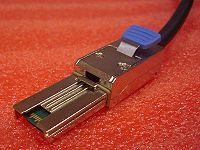 |
| SFF-8470 |
InfiniBandCX4 connector, Molex LaneLink |
External |
34 |
4 |
High-density external connector (also used as an internal connector). |
 |
| SFF-8482 |
|
Internal |
29 |
2 lanes |
This form factor is designed for compatibility with SATA but can drive a SAS device. A SAS controller can control SATA drives, but a SATA controller cannot control SAS drives. |
 |
| SFF-8484 |
|
Internal |
32 or 19 |
4 or 2 |
High-density internal connector, 2 and 4 lane versions are defined by the SFF standard. |
 |
| SFF-8485 |
|
|
|
|
Defines SGPIO (extension of SFF 8484), a serial link protocol used usually for LED indicators. |
|
| SFF-8613 (SFF-8643) |
|
Internal |
36 |
4 or 8 with dual connector |
Mini-SAS HD (introduced with SAS 12 Gbit/s) |
 |
| SFF-8614 (SFF-8644) |
|
External |
|
4 or 8 with dual connector |
Mini-SAS HD (introduced with SAS 12 Gbit/s) |
 |
| Sideband connector |
|
Internal |
|
|
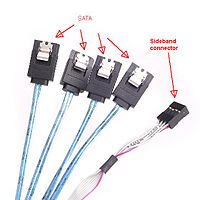
Often seen with 1× SFF-8643 or 1× SFF-8087 on the other end – internal fan-out for 4× SATA drives. Connects the controller to drives without backplane or to the (SATA) backplane and optionally, to the status LEDs. |
 |
| SFF-8680 |
|
Internal |
|
|
SAS 12 Gbit/s backplane connector |
|
| SFF-8639 |
|
Internal |
68 |
|
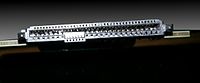
- SAS 12 Gbit/s backplane connector;
- revision of the SFF-8680.
- Also known as “U.2”.[17]
|
 |
| SFF-8638 |
|
|
|
|
- Four 1x ports at up to 24 Gb/s each;
- two 2x ports at up to 48 Gb/s each;
- one 4x port at up to 96 Gb/s.
|
|
| SFF-8640 |
|
|
|
|
- Four 1x ports at up to 24 Gb/s each;
- two 2x ports at up to 48 Gb/s each;
- one 4x port at up to 96 Gb/s.[18]
|
|
| SFF-8681 |
|
|
|
|
- Two 1x ports at up to 24 Gb/s each;
- one 2x ports at up to 48 Gb/s each.
|
|
- Serial ATA: Cables, connectors, and ports – Wikipedia
Data
Standard connector, data segment[42]
| Pin # |
Mating |
Function |
|
1 |
1st |
Ground |
|
2 |
2nd |
A+ (transmit) |
| 3 |
2nd |
A− (transmit) |
|
4 |
1st |
Ground |
|
5 |
2nd |
B− (receive) |
| 6 |
2nd |
B+ (receive) |
|
7 |
1st |
Ground |
| — |
Coding notch |
-
A seven-pin SATA data cable (left-angled version of the connector)
-
SATA connector on a 3.5-inch hard drive, with data pins on the left and power pins on the right. The two different pin lengths ensure a specific mating order; the longer lengths are ground pins and make contact first.
Power
Standard
Standard connector, power segment
| Pin # |
Mating |
Function |
| — |
Coding notch |
|
1 |
3rd |
3.3 V Power |
| 2 |
3rd |
| 3 |
2nd |
Enter/exit Power Disable (PWDIS) mode
(3.3 V Power, Pre-charge prior to SATA 3.3) |
|
4 |
1st |
Ground |
| 5 |
2nd |
| 6 |
2nd |
|
7 |
2nd |
5 V Power, Pre-charge |
| 8 |
3rd |
5 V Power |
| 9 |
3rd |
|
10 |
2nd |
Ground |
|
11 |
3rd |
Staggered spinup/activity |
|
12 |
1st |
Ground |
|
13 |
2nd |
12 V Power, Pre-charge |
| 14 |
3rd |
12 V Power |
| 15 |
3rd |

A fifteen-pin SATA power connector (this particular connector is missing the orange 3.3 V wire)
Slimline
Slimline connector, power segment
| Pin # |
Mating |
Function |
| — |
Coding notch |
|
1 |
3rd |
Device presence |
|
2 |
2nd |
5 V Power |
|
3 |
2nd |
|
4 |
2nd |
Manufacturing diagnostic |
|
5 |
1st |
Ground |
|
6 |
1st |
-
A six-pin slimline SATA power connector
-
The back of a SATA-based slimline optical drive
Micro
Micro connector, power segment
| Pin # |
Mating |
Function |
|
1 |
3rd |
3.3 V Power |
|
2 |
2nd |
|
3 |
1st |
Ground |
|
4 |
1st |
|
5 |
2nd |
5 V Power |
|
6 |
3rd |
|
7 |
3rd |
Reserved |
| — |
Coding notch |
|
8 |
3rd |
Vendor specific |
|
9 |
2nd |

A 1.8-inch (46 mm) micro SATA hard drive with numbered data and power pins on the connector.
–jeroen
Posted in Hardware, Power User, SAS/SATA, SFF-8087 | Leave a Comment »


 The Wiert Corner - irregular stream of stuff