The IP you are accessing the site with (037.153.243.242) has been blocked because it has triggered one of our security measures. Please see the reason below:
Block reason: This IP was identified as infiltrated and is being used by sci-hub as a proxy.
To restore access, please contact onlinesupport@sagepub.com citing this message in full.
I checked the router and web-proxy for any suspicious activity. There is none.
I do run the ArchiveBot by the ArchiveTeam to support the WayBackMachine of the InternetArchive and the great team Mark Graham has there providing some bandwidth and CPU/memory resources helping them archive public internet content for posterity.
If you do not access Cloud Shell for 120 days, we will delete your home disk. You will receive an email notification before we do so and simply starting a session will prevent its removal.
This only applies to the home directory of your Cloud Shell instance (you may want to store it on Cloud Storage anyway if you want to keep it). Any other Google services you use will be unaffected.
I hardly use the cloud shell, as it is a last resort to shell out from overly protected networks. Fewer and fewer environments restrict so much, so I’ve bumped into the home directory deletion a few times now.
I might use it more in the future, as I recently discovered there is a URL trick so you can start a cloud shell with parameters like an initial git repository: [WayBack] Open in Cloud Shell | Google Cloud
The Open in Cloud Shell feature allows you to publish a link that opens the Cloud Console and either automatically clones a Git repository into Cloud Shell or starts Cloud Shell with a custom image. It also allows for instructions to be printed to the terminal to help users interact with the content.
The Open in Cloud Shell feature helps developers experiment with code samples and APIs without having to worry about downloading Cloud SDK, installing required dependencies, or searching for relevant source files. This page explains how to add this feature to your Git repository.
Currently, only GitHub and Bitbucket repositories are whitelisted. If you would like to add a different repository, send feedback with the repository type you’d like to use with Open in Cloud Shell.
Setting up the home directory with my scripts can be a curse, so I have contemplated on these kinds of solutions:
store scripts in Google Drive, and mount part of Google Drive into the Cloud Shell
store scripts in Google Cloud Storage
script the setup of the home directory via a bash script in a gist
Cloud Shell inactivity: If you do not access Cloud Shell for 120 days, your home disk will be deleted. You will receive an email notification before its deletion and simply starting a session will prevent its removal. Please consider a different solution on Google Cloud storage for sensitive data you wish to store long term.
Non-interactive usage: Cloud Shell is intended for interactive use only. Non-interactive sessions will be ended automatically after a warning. Note that Cloud Shell sessions are capped at 12 hours, after which sessions are automatically terminated. You can use a new session immediately after.
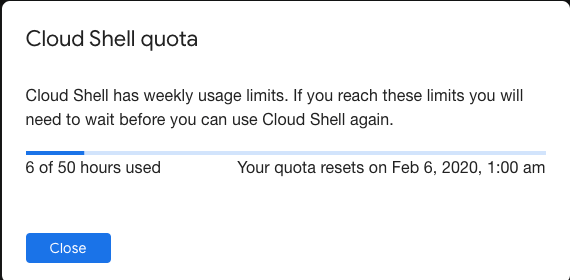
Weekly usage: Cloud Shell also has weekly usage limits. If you reach your usage limit, you’ll need to wait until the specified time (listed under Usage Quota, found under the three dots menu icon) before you can use Cloud Shell again.
Restoring a session after a service limit violation: If your session is terminated or cannot be established because you exceeded a service limit, Cloud Shell will display an error with a link to a form that allows you to appeal the limit violation. Click the feedback link and submit the form with more information about the tasks you were performing before your session was terminated.
In the past I had these manual scripts to power-cycle a hung RaaspberryPi device:
/interface ethernet poe set ether5 poe-out=off
/interface ethernet poe set ether5 poe-out=forced-on
or on one line:
/interface ethernet poe set ether5 poe-out=off; /interface ethernet poe set ether5 poe-out=forced-on
I am going to try this script for the port having a Raspberry Pi on it (note: this requires a 48V power brick for the Mikrotik!) on RouterOS version 6.48.3 (stable):
Note that I did disassemble both of these routers for inspection and there are obvious changes to the hardware to correct the PoE problems – most notably a completely different relay, capacitor and some minor circuit design changes.
:local ipPing ("x.x.x.x")
:local pingip
#
# pingip below RUNS and sets the variable
# to number of successful pings ie 3 means 3 of 45 success
# can also use ($pingip > 1) or ($pingip >= 1) both TESTED
# ($pingip >= 1) means if only 1 or 0 pings do the IF, not the ELSE
#
:log info ("ping CHECK script IS RUNNING NOW")
# first delay 90 b4 ping test incase this is running at POWER UP
:delay 90
:set pingip [/ping $ipPing count=45]
:if ($pingip <= 3) do={ :log warning (">95% lost ping LOSS to isp GW IP x.x.x.x via ether5 so DO POE powerCYCLE")
  /interface ethernet poe set ether5 poe-out=off
  :delay 12
  /interface ethernet poe set ether5 poe-out=auto-on
  :delay 10
  :log warning ("ether5 POE HAS BEEN TURNED BACK ON")
  :delay 90
  /system script run emailPOEresult
} else={
  :log warning ("PoeCyclePINGcheck ELSE ran so no ping loss detected by script")
}
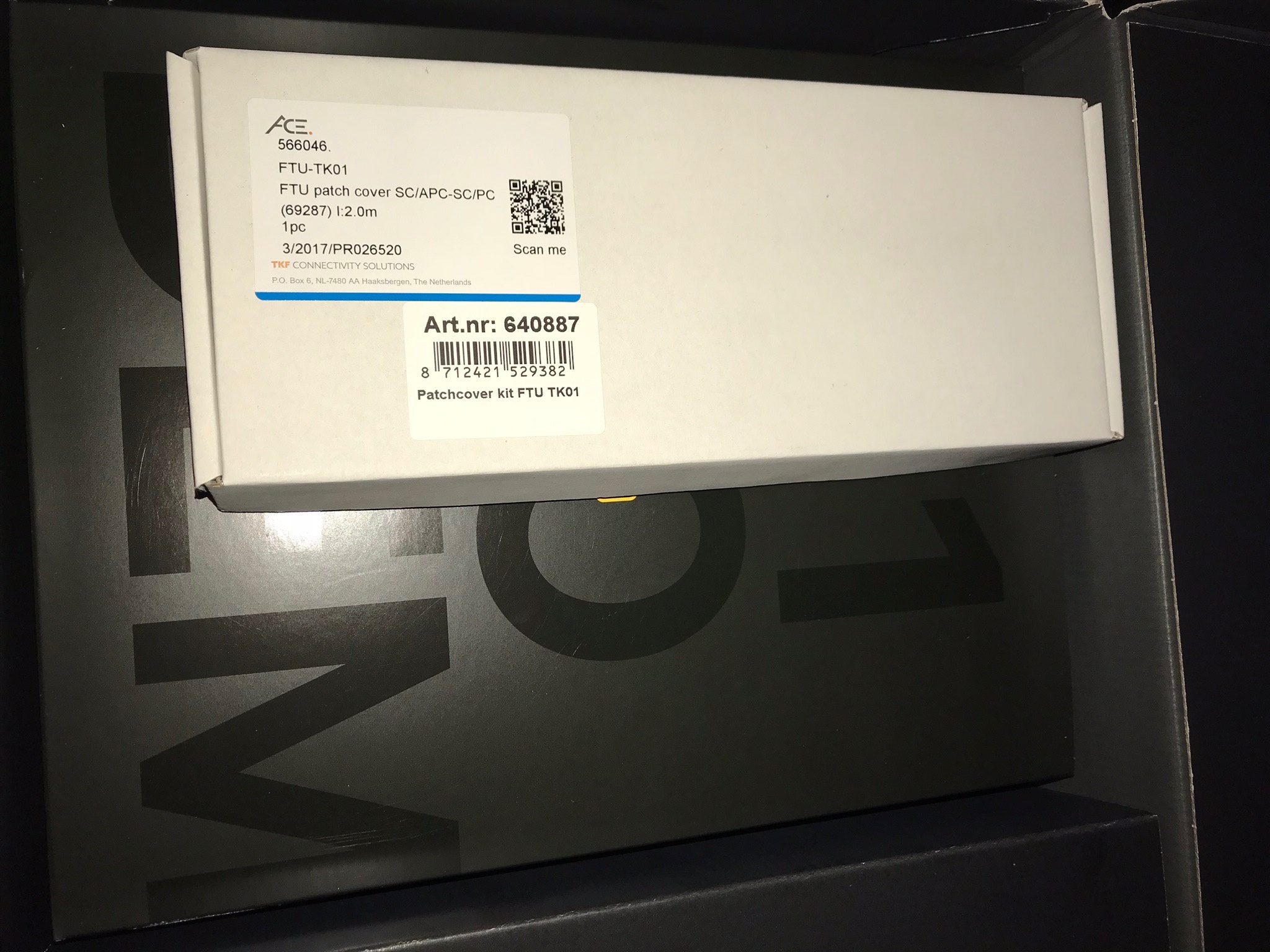
Dat stuk XS4ALL karton was bij mij ook leeg. De patch cover zat in een los klein wit doosje bovenop de doos met de 5490. Zie ook de foto:
…
Zoals geleerd van iemand op dit forum gaat deze patch cover niet passen bij ethweak. Tenzij de lege patch cover nog in huis aanwezig is dan kan de monteur, indien hij de patch cover FTU-TK01 bij hem in de auto heeft, de glasvezelkabel eruit klikken en deze in de lege patch cover die in huis aanwezig is er in klikken. Opgelost.
…
Bij mij zat de patchcover kit in deze grote zwarte doos van XS4all.
Ik heb de smalle witte patchcover kit met een dunne gele glasvezelkabel eraan vast.
Deze cover past op de UFTU waar twee smalle covers naast elkaar zitten.
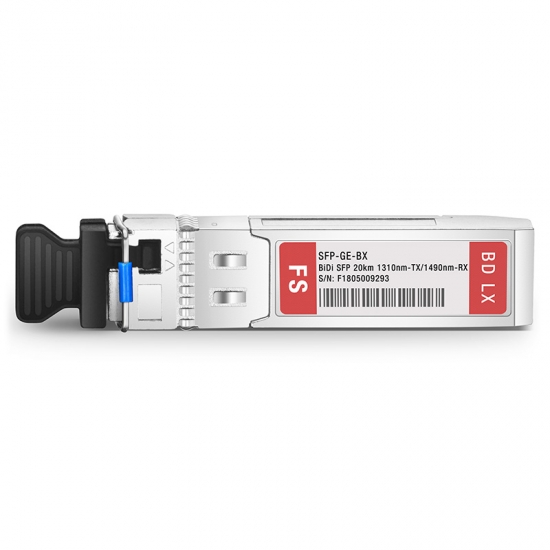
In principe heb je een SC SFP-module nodig, maar SFP’s met LC-connectoren zijn gangbaarder. Daarom zou ik een SC-SC-koppelstuk en een SC-LC-kabel bestellen samen met de LC SFP-module die ik hier heb voorgesteld:
(Prijzen excl. EUR 6,60 verzendkosten vanuit DE en excl. BTW)
Let ook even op de connectoren, SC (blauw) of APC-SC (groen). Die moeten matchen (hoewel ik regelmatig groen/blauw heb gemixt en nooit problemen door ondervonden).
Voordeel is dat FS.com de ‘generic’ modules in Duitsland op voorraad heeft, dat scheelt nogal in verzendkosten ten opzichte van de ‘compatible’ modules die vanuit China verscheept worden.
…
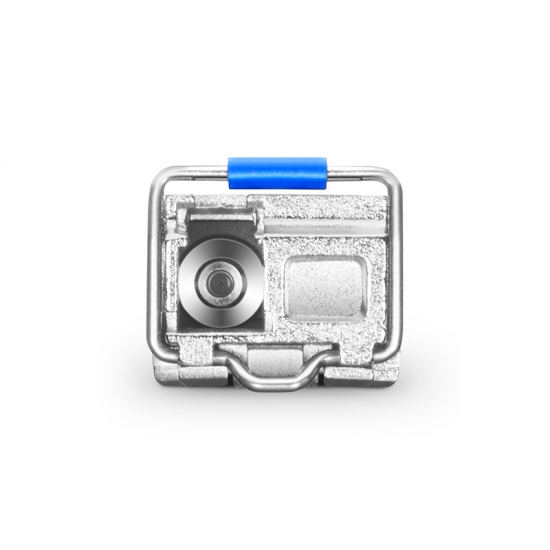
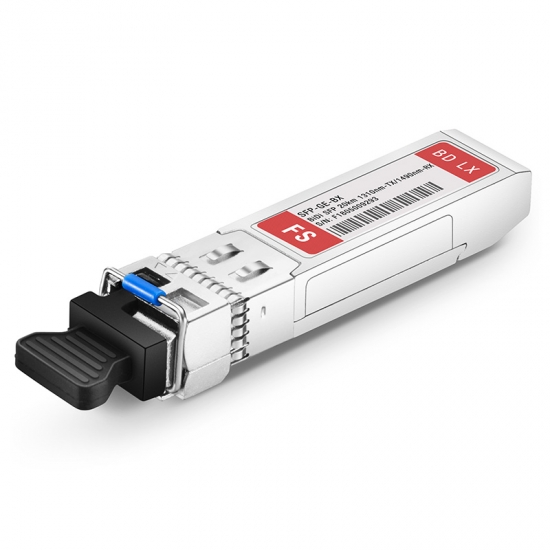
Check FS Compatible 1000BASE-BX SFP transceiver module data sheet (singlemode, 1310nm-TX/1490nm-RX, 20km, LC connector) and price list on FS.COM, buy it now!
Ik moest mij hier een paar maanden gelden hier induiken, maar enigszins bizar hoe weinig documentatie of Google-baar spul is. Er wordt vanuit gegaan dat sysadmins dit maar leren…
Paar problemen, deels omdat ik een van de eerste 128 oid was bij Freedom en er geen verhuisproces was. Had eerst een patchcover nodig voor nieuwe TK-01 (https://www.kpnwebshop.com/modems-routers/producten/patchcover-kit-ftu-tk01/2 …) en daar zat geen patchkabel bij (geen NTU nodig bij Freedom), want dat was opeens een SC ipv LC eind.
Uiteindelijk had KPNNetwerkNL 4 weken nodig om licht op de lijn te krijgen… Ik heb nu nog een patchkabel + optics liggen voor Mikrotik router, maar vooor nu nog maar even via router.
Freedom laat je alles zelf doen zonder monteur, maar risico als het stuk gaat is 2000-6000 euro om nieuwe splice te doen. Maar er zijn dus ook geen filmpjes oid :)
Ik zou graag willen weten of het mogelijk is/word om een FRITZ!Box 5530 Fiber direct op het glas aan te sluiten en hoe ik er achter kan komen welk type aansluiting ik heb (AON of GPON) (een medewerker van de helpdesk wist mij dit niet te vertellen). Alvast bedankt.
I had trouble with two Intel 600p NVMe SSD devices: read-errors.
It appeared only few tools understand how to get S.M.A.R.T. health information from them, and even then they did not explain the read errors.
I’m going to RMA them, but in case anyone else needs to get health information from NVMe SSD devices, here is which tools do what:
[Wayback] CrystalDiskInfo version CrystalDiskInfo 8.12.7 ([Wayback/Archive.is] source code) can read the health data, and immediately showed one of the SSDs as bad, but not do a full read-scan of the device.
[Wayback] HD Tune version 2.55, though old as in 2008 old, can do a full disk scan and shows the read errors perfectly.
[Wayback/Archive.is] GSmartControl version 1.1.3 – despite being a few months old – cannot read the health data as it uses a far outdated smartmontools version 6.6:
smartctl 6.6 2017-11-05 r4594 [x86_64-w64-mingw32-w10-b19043] (sf-6.6-1)
Copyright (C) 2002-17, Bruce Allen, Christian Franke, www.smartmontools.org
smartctl.exe --xall /dev/sdc
smartctl 7.2 2020-12-30 r5155 [x86_64-w64-mingw32-w10-b19043] (sf-7.2-1)
Copyright (C) 2002-20, Bruce Allen, Christian Franke, www.smartmontools.org
...
Warning  Comp. Temp. Threshold:     70 Celsius
...
=== START OF SMART DATA SECTION ===
SMART overall-health self-assessment test result: FAILED!
- available spare has fallen below threshold
- media has been placed in read only mode
...
So basically, CrystalDiskInfo and HD Tune are my first line of checking for drive issues, followed by smartmontools to get text output, then by vendor specific tools to assist with the RMA.
In the past, I used another smartmontools wrapper, but it was discontinued and had an even older version than GSmartControl: Source: Closed: HDD Guardian – Home.
On Intel 600p becoming locked in read-only mode after failure:
Mikrotik needs to make up their mind, as they ship a 24V power supply which cannot power any 802.3af/802.3at devices. The 48POW power supply enables 802.3af for the RB960PGS hEX PoE: [WayBack] hEX PoE (RB960PGS) – Need 48V Power Supply – MikroTik
So now I re-mention it in a much smaller post so it easier to find back, and a few links to Power over Ethernet – Wikipedia, where especially these bits are relevant:


 [
[






 The Wiert Corner - irregular stream of stuff