The Wiert Corner – irregular stream of stuff

Jeroen W. Pluimers on .NET, C#, Delphi, databases, and personal interests

  • My badges

  • Twitter Updates

  • My Flickr Stream

  • Pages

  • All categories

  • Enter your email address to subscribe to this blog and receive notifications of new posts by email.

    Join 1,862 other subscribers

Archive for the ‘Linux’ Category

Using a Mac for prepping the SD-card for an ODROID-C1+

Posted by jpluimers on 2018/02/12

Some notes based on The woods and trees of OpenSuSE on single-board computers – image abbreviations – and getting it installed using OS X « The Wiert Corner – irregular stream of stuff.

I needed to get Ubuntu on an ODROID-C1+ (as it looks like nobody is maintaining a current OpenSuSE for it).

Installing the ODROID-C1+ image using OS X

Download image

Download either of these (note that “minimal” is different from “mate minimal”; see https://www.youtube.com/watch?v=jOYWx_YToh8) from de.eu.odroid.in/ubuntu_16.04lts:

Put image on SD card

I installed on a 8 gigabyte SD card that revealed itself as /dev/disk1 using this diskutil command (via osx – List all devices connected, lsblk for Mac OS X – Ask Different [WayBack])

diskutil list

So this wrote the image to SD card in a sudo su - prompt:

targetDevice="disk1"
unxz --keep ubuntu-16.04-minimal-odroid-c1-20160817.img.xz; \
diskutil umount "/dev/${targetDevice}s1"; \
dd bs=1m of="/dev/r${targetDevice}" if=ubuntu-16.04-minimal-odroid-c1-20160817.img; \
sync; \
diskutil list; \
diskutil eject "/dev/${targetDevice}"

Boot and first time steps on Odroid

Use the default user and password that [WayBackODROID Forum • View topic – Ubuntu Minimal User / Password mentions:

odroid login: root
Password: odroid

From there, create a new user and add it to the sudo group (I used visudo to check the correct group for sudoers) :

adduser jeroenp
addgroup jeroenp sudo

And then hook it up to the network and get the IP address:

ifconfig

Now you can ssh into the odroid with user jeroenp and the password assigned to it. You can also perform a sudo su - to get to root level.

ssh and configure a few things

First of all, install etckeeper as it’s a life saver:

apt-get install etckeeper

This will install some other packages, but that’s OK; it will end suggesting you to enter email address, name and perform an initial commit:

Initialized empty Git repository in /etc/.git/

*** Please tell me who you are.

Run

  git config --global user.email "you@example.com"
  git config --global user.name "Your Name"

to set your account's default identity.
Omit --global to set the identity only in this repository.

fatal: unable to auto-detect email address (got 'root@odroid.(none)')
etckeeper commit failed; run it by hand

Do that:

cd /etc
git config --global user.email "example@example.org"
git config --global user.name "Example User"
git commit -m "initial commit"

Now perform these steps:

  1. Change the root password
  2. Disable etckeeper daily autocommits
  3. Change the hostname
  4. Update/Upgrade/Distribution-upgrade
  5. Fix the cursor in console mode

Change root password:

# sudo su -
# passwd
Enter new UNIX password:
Retype new UNIX password:
passwd: password updated successfully

Disable etckeeper daily autocommits involves one line in /etc/etckeeper/etckeeper.conf:

-#AVOID_DAILY_AUTOCOMMITS=1
+AVOID_DAILY_AUTOCOMMITS=1

Change the hostname; assuming your new host name is newHostName.

  1. edit /etc/hosts and replace the old hostname with newHostName
  2. Perform these commands:
    hostnamectl set-hostname newHostName
    exec bash
    hostname -f

Both the command prompt and the hostname output should show newHostName.

Update/Upgrade:

apt-get update
apt-get upgrade

Fix the cursor in console mode:

Somehow the Odroid C1+ does not support a blinking hardware text cursor.


–jeroen

Posted in *nix, *nix-tools, Development, etckeeper, Hardware Development, Linux, Odroid, openSuSE, Power User, Raspberry Pi, SuSE Linux, Tumbleweed, Ubuntu | Leave a Comment »

On my research list: migrate from OpenSuSE SuSEfirewall2 to firewalld

Posted by jpluimers on 2018/02/11

The [WayBack] github.com/openSUSE/susefirewall2-to-firewalld is on my research list as right before going on holiday, upgrading broke my firewall configuration (:

Tumbleweed sometimes means living on the bleeding edge (which forces you to learn new things faster), so I knew things like this could be coming.

Related:

From the IRC chat at -factory:

[5:25pm] <wiert> Something odd happened today: on an x64 system, I did zypper dist-upgrade, and now apache2 ports 80 and 443 are not reachable from the outside any more (only on localhost)
[5:25pm] <wiert> sysconf_addword /etc/sysconfig/SuSEfirewall2 FW_CONFIGURATIONS_EXT apache2
[5:25pm] <wiert> "apache2" already present
[5:26pm] <wiert> same fore apache2-ssl
[5:27pm] <wiert> sshd on the same line works fine. Apache runs.
[5:30pm] <wiert> What could I have broken? I went from 20180129 to 20180209
[5:30pm] Son_Goku joined the chat room.
[5:31pm] <wiert> Ah, I see that /etc/sysconfig/SuSEfirewall2.d/services/apache2 and /etc/sysconfig/SuSEfirewall2.d/services/apache2-ssl got deleted. Why?
[5:32pm] <simonizor> AFAIK, it was replaced by firewalld
[5:33pm] <simonizor> Both use iptables as a backend, so functionality should be relatively the same
[5:34pm] <wiert> Any URLs for migration tips?
[5:35pm] <wiert> For now I’ve done sysconf_addword /etc/sysconfig/SuSEfirewall2 FW_SERVICES_EXT_TCP 80
[5:35pm] <wiert> and sysconf_addword /etc/sysconfig/SuSEfirewall2 FW_SERVICES_EXT_TCP 443
[5:35pm] <wiert> now it “works” but I need to migrate one day.

From a different system when I applied the firewall rules after updating:

# SuSEfirewall2 
<38>Mar 12 15:40:13 SuSEfirewall2[20606]: Setting up rules from /etc/sysconfig/SuSEfirewall2 ...
<38>Mar 12 15:40:13 SuSEfirewall2[20606]: using default zone 'ext' for interface eth0

iptables-batch v1.6.2: unknown protocol "submission" specified
Try `iptables-batch -h' or 'iptables-batch --help' for more information.
<35>Mar 12 15:40:17 SuSEfirewall2[20606]: Error: iptables-batch failed, re-running using iptables
iptables v1.6.2: unknown protocol "submission" specified
Try `iptables -h' or 'iptables --help' for more information.
ip6tables-batch v1.6.2: unknown protocol "submission" specified
Try `ip6tables-batch -h' or 'ip6tables-batch --help' for more information.
<35>Mar 12 15:40:17 SuSEfirewall2[20606]: Error: ip6tables-batch failed, re-running using ip6tables
ip6tables v1.6.2: unknown protocol "submission" specified
Try `ip6tables -h' or 'ip6tables --help' for more information.
<38>Mar 12 15:40:18 SuSEfirewall2[20606]: Firewall rules successfully set

–jeroen

Posted in *nix, openSuSE, Power User, SuSE Linux, Tumbleweed | Leave a Comment »

Odroid-C1 (and likely others): fixing the textmode cursor on the physical console

Posted by jpluimers on 2018/02/05

Somehow the Odroid C1+ does not support a blinking hardware text cursor. Which means that when you logon to the console in text mode, it is really hard to edit the command-line or text files a there is no visual clue where the cursor is.

It took me to find out the cause, but odroid C1 console no “hardware cursor” got me there: [Archive.isArch Linux ARM • View topic – ODROID-C1: No hardware cursor in terminal. The odd thing is that sending escape sequences like mentioned in [WayBackCursor Appearance in the Linux Console LG #137 didn’t fix the problem either. For instance, these didn’t help at all:

echo -n -e '\e[?17;14;224c'
echo -e "\e[?16;0;64c"

I tried similar ones from [WayBackVGA-softcursor.txt as well, but they failed too.

Since I usually ssh into the box, doing without a console cursor usually is no problem except when you run into network trouble and really need the console.

Fixing it took a bit longer to find out,  but refining to  “odroid C1” console no blinking cursor got this as first hit: [WayBackODROID Forum • View topic – fbcon cursor. And it came down to going to the second page of the first archived link above. So I had a kind of “duh” moment. Anyway, at [WayBackArch Linux ARM • View topic – ODROID-C1: No hardware cursor in terminal – pagee 2 is the below code which got me a nice large light-blue cursor:

infocmp >> ~/terminfo.txt
sed -i.bak -e 's/?0c/?112c/g' -e 's/?8c/?48;0;64c/g' terminfo.txt
tic terminfo.txt
tput cnorm

These are the commands used:

–jeroen

Posted in *nix, Linux, Power User, Ubuntu | Leave a Comment »

When clonezilla shows “overlayfs missing workdir” during boot, then hangs

Posted by jpluimers on 2018/01/22

Clonezilla is a nice partition cloning tool, but sometimes booting it just gives you this message on the screen:

overlayfs missing workdir

As it’s the first message during boot, searching for clonezilla “overlayfs missing workdir” returns no meaningful results towards the top of the list.

From what I could trace back from the search results is that somewhere before 2.4.x this started to happen in the “stable” branch.

There are actually two branches that in practice are stable on the http://clonezilla.org/downloads.php:

  • alternative stable (which doesn’t have a version number but a YYYYMMDD date followed by -yakketty)
  • stable (which has a version number)

I think because of the naming, people usually start downloading the stable version. That doesn’t boot on most of the physical and virtual machines I’ve tried.

In my experience however, alternative stable doesn’t suffer from the overlay missing workdir issue on all the physical and virtual machines I’ve tried booting it with so far.

So I did some digging:

  • alternative stable is often referred to a alternative but it’s an Ubuntu-based branch running the same clonezilla software as the stable branch
  • stable is the Debian-based branch.
  • Ubuntu is based on Debian but Ubuntu releases in a much faster pace than the release frequency of Debian Stable.
  • Ubuntu has support for more recent hardware than Debian

TL;DR: Use alternative stable when stable fails to boot.

–jeroen

Posted in *nix, Debian, Power User, Ubuntu | Leave a Comment »

Ubuntu – changing hostname without rebooting

Posted by jpluimers on 2018/01/15

Assembled from various bits in [WayBackHow do I change the hostname without a restart? – Ask Ubuntu.

Assume your new host name is newHostName.

  1. edit /etc/hosts and replace the old hostname with newHostName
  2. Perform these commands:
    hostnamectl set-hostname newHostName
    exec bash
    hostname -f

Both the command prompt and the hostname output should show newHostName.

Note: if you get this when performing hostname -f then you forgot to edit /etc/hosts as per [WayBack] Just so everyone knows, the edit of /etc/hosts did the trick the 12.04 – Why I get hostname: Name or service not known error? – Ask Ubuntu:

hostname: Name or service not known

–jeroen

Posted in *nix, Linux, Power User, Ubuntu | Leave a Comment »

LAUNCHED https://uberpdf.org/

Posted by jpluimers on 2018/01/01

It is a lot (~300 megabyte compressed download!), but worth it.

Here are the links:

And the quote from [WayBack] LAUNCHED https://uberpdf.org/ … – Joe C. Hecht – Google+

LAUNCHED https://uberpdf.org/

337 MB of source and utils in 2,308 Files, 910 Folders before you build (not counting 3rd party source UberBuild downloads).

It’s a start, with much to come.It will get easier now that UberBuild is clean.

I will be updating the docs and website in the next few days.

Special thanks …

I already see room for improvement (such as a setup screen for extra compilers such as Delphi and Free Pascal to keep folks out of shell scripts and from hunting for help in the documentation).

–jeroen

Posted in *nix, C, C++, Delphi, Development, Linux, Power User, Software Development, Windows | 3 Comments »

OpenSuSE on ODROID? Maybe one day I get to researching that

Posted by jpluimers on 2018/01/01

For my research list (thanks Mariusz Fik ‏@Fisiu):

Actually: this was more of a reminder checking out if someone else by now has made OpenSuSE Tumbleweed builds for ODROID (:

–jeroen

via:

Posted in *nix, Linux, openSuSE, Power User, SuSE Linux | Leave a Comment »

htop – an interactive process viewer for Unix

Posted by jpluimers on 2017/12/25

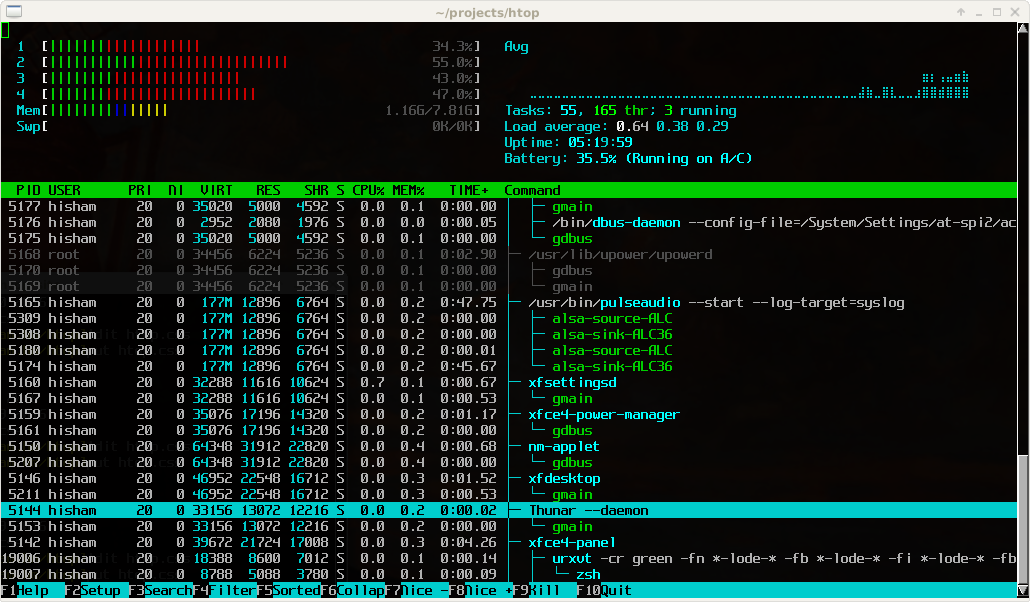
Great tool: [WayBackhtop – an interactive process viewer for Unix because it’s both interactive and supports a wide range of OSes: Linux, FreeBSD, OpenBSD and Mac OS X.

Thanks to Warren Postma who suggested it in his comment at [WayBack18 Useful Commands to Get Hardware Information on Linux – Linuxslaves.

Note that on OS X you get this warning after brew install htop :

htop requires root privileges to correctly display all running processes,
so you will need to run `sudo htop`.
You should be certain that you trust any software you grant root privileges.

On Linux you don’t get this message as there you have the /proc file system providing enough information as explained at [WayBackosx – Why does htop on Mac OS X require root privileges to see data for all processes, but on Linux it runs without root – Super User.

A workaround (involving the setuid bit) is at [WayBackRunning htop on Mac OS X needs root. Why?! | Blog | JoeNyland.me or by running visudo ensuring you don’t need a password for it at [WayBackosx – htop isn’t returning CPU or memory usage!? – Super User

–jeroen


Posted in *nix, *nix-tools, Apple, BSD, Linux, Mac OS X / OS X / MacOS, macOS 10.12 Sierra, OS X 10.11 El Capitan, OS X 10.9 Mavericks, Power User | Leave a Comment »

Some notes on having static-web site owners upload their content over SFTP

Posted by jpluimers on 2017/12/14

Yes, there are still static web-sites. A long time ago, they were uploaded over FTP. Now many use more secure protocols.

So here are some links and notes to allow this on a Linux based host running OpenSSH.

I got to the above via these two links:

An alternative might be web-dave, but that would probably mean some hassle to separate uploading the site from accessing the site.

[Archive.isHow To Set Up WebDAV With Apache2 On OpenSUSE 12.2

–jeroen

Posted in *nix, Communications Development, Development, Internet protocol suite, Linux, openSuSE, Power User, SSH, SuSE Linux, TCP | Leave a Comment »

Pi-hole v3.2 Introduces Long-term Statistics, An Audit Log, Colours, and More! – Pi-hole®: A black hole for Internet advertisements

Posted by jpluimers on 2017/12/08

Cool: [WayBackPi-hole v3.2 Introduces Long-term Statistics, An Audit Log, Colours, and More! – Pi-hole®: A black hole for Internet advertisements.

Via: Ronald van Bolhuis

–jeroen

Read the rest of this entry »

Posted in *nix, Linux, Power User | Leave a Comment »