Archive for the ‘View’ Category
Posted by jpluimers on 2022/03/22
In 2015, I posted P2V of an existing XP machine to Hyper-V to have an emergency fallback when retiring old XP physical machines and did a short edit on 20210727 promising about a future article on trying to fix the [Wayback] stop 0x0000007B blue screen.

This stop can that can happen during boot when the converted Windows XP requires different disk drivers than the physical Windows XP. Windows Vista and up are smarter to figure out the required changes, but Windows XP wasn’t.
The above screenshot is actually from the same physical Windows XP machine after doing the conversion, I wanted to try and run the virtual machine on physical hardware close to the original before moving it to the actual VMware host (yup, the Windows XP machine had been used as a VMware host before, so it had both VMware Workstation 6.5 and VMware Converter 4.01 installed).
The reason I wanted to move my last Windows XP machine to a virtual machine was that it was the only computer that could still print to my old, but nice, Olympus P-400 color dye sublimation printer. I mentioned this in 2015 when Installing the PIXMA mini260 – Canon Europe drivers under Windows 8.1 x64 – trying to say goodbye to Windows XP
I need to find a way to get my [Wayback/Archive.is] Olympus Camedia P-400 Digital Color Photo Printer. That is a lot harder: the latest Windows [Wayback] P-400 Printer > Software Downloads are for Windows XP.
At the end, of the blog post are a few links on the stop 0x0000007B and the Universal Boot CD for Windows workaround.
Read the rest of this entry »
Posted in Fusion, Hyper-V, Power User, View, Virtualization, VMware, VMware Converter, VMware ESXi, VMware Workstation, Windows, Windows XP | Leave a Comment »
Posted by jpluimers on 2020/01/20
Rephrased from [WayBack] Jeroen Wiert Pluimers – Google+:
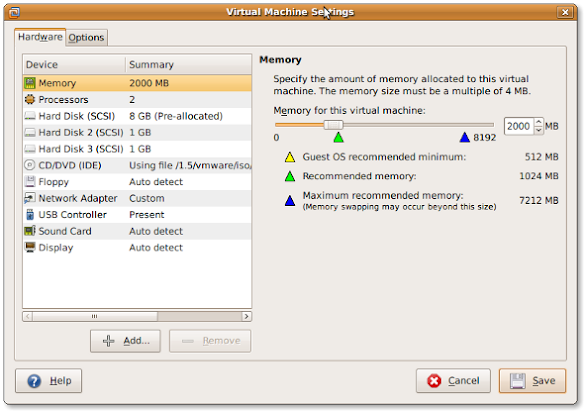
If you install a virtual machine, ensure the disk controller and disks are SCSI based.
This has many advantages, including:
- speed (usually the SCSI drivers can be paravirtualised)
- hot addition of new disks
It holds for virtually any virtualization platform including all non-ancient (less than ~10 year old) versions of:
- VMware (Workstation, Viewer, but I expect this also to work on vSphere, ESXI, Fusion)
- Hyper-V
- KVM (and therefore Proxmox)
- VirtualBox
Based on my notes in the above link and the links below:
Note this isn’t just for Linux guests/hosts: Most guests (including Windows) can do a SCSI bus re-scan and detect new SCSI devices.
The trick here is that the guest must already have a virtual SCSI controller (adding that will require a reboot of the guest).
Then adding a new SCSI disk on that controller from any host (Windows, Mac, ESXi, vSphere) should work fine.
–jeroen
Posted in ESXi4, ESXi5, ESXi5.1, ESXi5.5, ESXi6, ESXi6.5, Fusion, Hyper-V, KVM Kernel-based Virtual Machine, Power User, Proxmox, View, VirtualBox, Virtualization, VMware, VMware ESXi, VMware Workstation | Leave a Comment »
Posted by jpluimers on 2018/10/30
Cool repository, but contact your cloud provider before trying…: [WayBack] airbus-seclab/crashos.
via:
–jeroen
Posted in Fusion, Hyper-V, KVM Kernel-based Virtual Machine, Power User, Proxmox, View, VirtualBox, Virtualization, VMware, VMware ESXi, VMware Workstation | Leave a Comment »
Posted by jpluimers on 2018/10/08
Posted in *nix, *nix-tools, Fusion, Hyper-V, KVM Kernel-based Virtual Machine, Power User, Proxmox, View, VirtualBox, Virtualization, VMware, VMware ESXi, VMware Workstation | Leave a Comment »
Posted by jpluimers on 2016/09/20
In the 2009 past, sdelete used the -c parameter to zero wipe clean a hard drive and -z would clean it with a random pattern.
That has changed. Somewhere along the lines, -c and -z has swapped meaning which I didn’t notice.
This resulted in many of my virtual machines image backups were a lot larger than they needed to be.
The reason is that now:
-c does a clean free space with a random DoD conformant pattern (which does not compress well)-z writes zeros in the free space
Incidently, -c is a lot slower than -z as well.
TL;DR: use this command
sdelete -z C:
Where C: is the drive to zero clean the free space.
–jeroen
Posted in Batch-Files, Development, Fusion, Hyper-V, Power User, Proxmox, Scripting, sdelete, Software Development, SysInternals, View, VirtualBox, Virtualization, VMware, VMware ESXi, VMware Workstation, Windows | Leave a Comment »
Posted by jpluimers on 2012/02/24
Somehow, I have the impression that not all VMware View Client network admins fully read and understand the “PCoIP Protocol Virtual Desktop Network Design Checklist”
That checklist is important, as it is easy to get things wrong and dissatisfy your users without reason (heck, they get worse than mediocre RDP performance experience, so you could’ve saved you the work of PCoIP in the first place).
So please do read the “PCoIP Protocol Virtual Desktop Network Design Checklist“.
It starts with
The PCoIP protocol provides a real-time delivery of a rich user desktop experience in virtual desktop and remote workstation environments.
To ensure a responsive desktop, the PCoIP protocol must be deployed across a properly architected virtual desktop network infrastructure that meets bandwidth, QoS, latency, jitter, and packet loss requirements.
CheckPoint VPN sometimes can be a dork combined with PCoIP. and at least make sure UDP works well over your VPN.
–jeroen
via: “PCoIP Protocol Virtual Desktop Network Design Checklist”
(Some more backgorund reading and even more)
(fixed typo: one of the PCoIP occurances was PCiOP, luckily, Google knows better :)
Posted in Power User, View, VMware | 2 Comments »
Posted by jpluimers on 2012/02/09
Lets start post 800 by mentioning it took quite a bit of time to solve the connection problem to VDI. I hope it will help others, and if I ever run into this again myself: now I know where to look :)
Some clients make heavy use of VMware VDI (Virtual Desktop Infrastructure) which moves the desktop into the VMs in the data center.
A while ago I spent most of the day tracking down a “Connect Desktop Failed” error with VMware View Client running on a Windows 7 x64 workstation to connect to a VDI VM. It would connect to the VDI server, authenticate, start the Desktop, but could not connect to the Desktop.
The amazing thing is that the VMware view client worked fine on an XP VM workstation (with and without SNX) XP physical machine with SNX, and another Windows 7 x64 VM workstation (also with and without SNX) and Windows 7 x64 physical machine with SNX.
Clearly something was wrong with this particular Windows 7 x64 workstation that is host of most of my development VMs so I didn’t want to do a re-install.
I tried many obvious things on the Windows 7 x64 workstation:
- reboot
- disable firewall
(that would have indicated some of the ports required by VMware view were not open: in practice not all ports mentioned in the list are used)
- uninstall software from various vendors that might interfere with network activity
- disabled virus scanner
- step down from VMware View Manager 5 client to VMware View Manager 4.6 client
- circumvented SNX (CheckPoint SSL VPN extender) making sure I was on the same WAN and later LAN of the VDI
- verified twice I had indeed Windows 7 SP1 applied
- laughed about the SSE support required by VMware view client
Since the “Connect desktop failed” does not return many English search results, I started browsing the Russian ones. Read the rest of this entry »
Posted in Power User, View, VMware | Leave a Comment »
Posted by jpluimers on 2009/09/18
Some things to check when clipboard sharing for Remote Desktop (RDP/MSTSC) or VMware is broken. Read the rest of this entry »
Posted in Fusion, Power User, Remote Desktop Protocol/MSTSC/Terminal Services, View, VMware, VMware Workstation, Windows, Windows 7, Windows Server 2000, Windows Server 2003, Windows Server 2003 R2, Windows Server 2008, Windows Server 2008 R2, Windows Vista, Windows XP | Leave a Comment »


 The Wiert Corner - irregular stream of stuff