Archive for the ‘Windows 10’ Category
Posted by jpluimers on 2017/12/11
schtasks /End [/S <system> [/U <username> [/P [<password>]]]] /TN taskname
[WayBack] End a Running Task
Every now and then you have those Scheduled Tasks consisting of batch files that – despite trying – still ask for user input.
If – even after a reasonable time out – the Task Scheduler still hasn’t killed them, you can kill them by hand with the above schtasks in a snap.
–jeroen
Posted in Console (command prompt window), Power User, Windows, Windows 10, Windows 7, Windows 8, Windows 8.1, Windows Server 2008, Windows Server 2008 R2, Windows Server 2012, Windows Server 2012 R2, Windows Server 2016 | Leave a Comment »
Posted by jpluimers on 2017/11/03
[WayBack] Anyone having trouble with Windows 10 latest update (build 1709)? – Agustin Ortu – Google+
It looks that for some people, Windows 10 version 1709 (the Fall Creators Update) uninstalls applications.
Not good.
–jeroen
Posted in Power User, Windows, Windows 10 | 1 Comment »
Posted by jpluimers on 2017/09/25
Posted in Power User, Windows, Windows 10, Windows 7, Windows 8, Windows 8.1, Windows 9, Windows Server 2003, Windows Server 2003 R2, Windows Server 2008, Windows Server 2008 R2, Windows Server 2012, Windows Server 2012 R2, Windows Server 2016, Windows Vista, Windows XP | Leave a Comment »
Posted by jpluimers on 2017/09/22
Yay!
Windows 10 automatically restart the PC whenever it installed updates that required a mandatory reboot in order to finish installed. User can no longer delay or postpone a restart indefinitely. […]
The source Permanently Disable & Prevent Automatic Restart of Windows Update in Windows 10 – Tech Journey [WayBack] describes steps to fix a bunch of scenarios:
- Disable Reboot Task
- Stop the re-enabling of Reboot task
- Group Policy (but people reported that Windows 10 ignores the policy when comes to mandatory reboot required for installing updates)
- Prevent Updates from Installing by forcing your WiFi to act like a “metered” connection
- Prevent Updates from Installing by setting the Configure Automatic Updates setting in your Local Group Policy Editor
- For Windows 10 Home edition (that misses the Local Group Policy Editor) setting the above value directly in the registry
–jeroen
via: How to prevent Windows10 from automatically installing updates & rebooting – Primož Gabrijelčič – Google+ [WayBack]
Posted in Power User, Windows, Windows 10 | 2 Comments »
Posted by jpluimers on 2017/06/26
Source: The Most Common VPN Error Codes Explained
- VPN Error 800 “Unable to establish connection”
- VPN Error 619 “A connection to the remote computer could not be established”
- VPN Error 51 “Unable to communicate with the VPN subsystem”
- VPN Error 412 “The remote peer is no longer responding”
- VPN Error 721 “The remote computer did not respond”
- VPN Error 720 “No PPP control protocols configured”
- VPN Error 691 “Access denied because username and/or password is invalid on the domain”
- VPN Errors 812, 732 and 734 “The connection was prevented because of a policy configured on your RAS/VPN server”
- VPN Error 806 “A connection between your computer and the VPN server has been established but the VPN connection cannot be completed.”
–jeroen
via: Could be useful. – Joe C. Hecht – Google+
Posted in Power User, Windows, Windows 10, Windows 7, Windows 8, Windows 8.1, Windows Server 2008, Windows Server 2008 R2, Windows Server 2012, Windows Server 2012 R2, Windows Vista, Windows XP | Leave a Comment »
Posted by jpluimers on 2017/06/13
It looks like Microsoft and Embarcadero solved their ends for [WayBack] Windows 10 Creators update and Delphi debugging don’t go well… :
The issue was caused by the Windows LoadLibrary trying to optimise loading which backfired for libraries (PE files like DLL/EXE…) that have multiple import tables in them as generated by the Delphi and C++ Builder linker (and maybe other linkers as well).
Microsoft finetuned their optimisation whereas a future update to Delphi and C++ Builder will generate more optimised import tables.
–jeroen
via [WayBack] Blog post “The Issue with Delphi Runtime Packages and Windows 10 Creators Update”… – Marco Cantù – Google+
Posted in Delphi, Development, Power User, Software Development, Windows, Windows 10 | Leave a Comment »
Posted by jpluimers on 2017/06/05
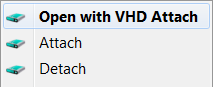 Brilliant:
This is small tool that adds Attach and Detach option to contextual (aka right-click) menu of Virtual disk (vhd) files. That enables those operations to be done without trip to Disk Management console. Detach option is available on hard drive contextual menu also (if selected in options).
Source:
–jeroen
Posted in Power User, Windows, Windows 10, Windows 7, Windows 8, Windows 8.1, Windows Server 2012, Windows Server 2012 R2 | Leave a Comment »
Posted by jpluimers on 2017/05/26
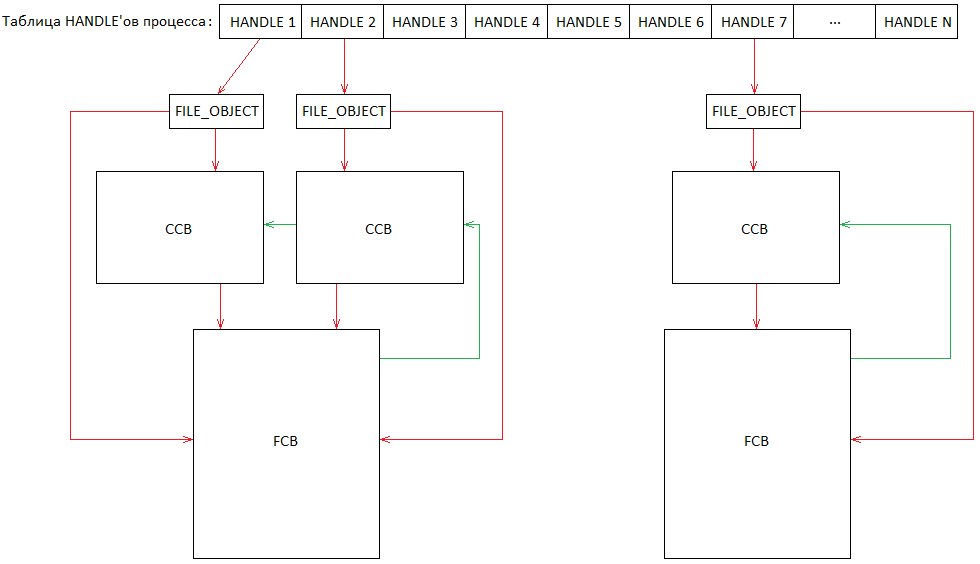 Source:
History repeating itself: [Archive.is] 31607 – C:\nul\nul crashes/BSOD then, now it’s this:
Via:
All versions prior to Windows 10 and Windows Server 2016 seem vulnerable.
So add $MFT to this list:
Oh BTW: history repeated itself this year too. With NUL
In short, Steven Sheldon created a rust package named nul which broke the complete package manager on Windows:
BTW: one of my gripes on learning new languages is that they come with a whole new idiom of their ecosystem: rust, cargo, crates, all sound like being a truck mechanic to me.
–jeroen
Read the rest of this entry »
Posted in Development, Microsoft Surface on Windows 7, NTFS, Power User, Security, Software Development, The Old New Thing, Windows, Windows 10, Windows 7, Windows 8, Windows 8.1, Windows 9, Windows 95, Windows 98, Windows Defender, Windows Development, Windows ME, Windows NT, Windows Server 2000, Windows Server 2003, Windows Server 2003 R2, Windows Server 2008, Windows Server 2008 R2, Windows Server 2012, Windows Server 2012 R2, Windows Server 2016, Windows Vista, Windows XP | Leave a Comment »


 The Wiert Corner - irregular stream of stuff