The Wiert Corner – irregular stream of stuff

Jeroen W. Pluimers on .NET, C#, Delphi, databases, and personal interests

  • My badges

  • Twitter Updates

  • Pages

  • All categories

  • Enter your email address to subscribe to this blog and receive notifications of new posts by email.

    Join 1,854 other subscribers

Mikrotik CCR devices based on NAND memory will eventually die

Posted by jpluimers on 2021/08/16

If you own a Mikrotik CCR device based on NAND memory, then be prepared that it will die.

I had this on a (now discontinued [WayBack] MikroTik Routers and Wireless – Products: CCR1009-8G-1S-1S+PC, superseded by the less functional [WayBack] MikroTik Routers and Wireless – Products: CCR1009-7G-1C-1S+PC, which is also NAND based).

Many more people had this or very similar problems:

It also happens due to bad capacitors on the (also discontinued) [WayBack] MikroTik Routers and Wireless – Products: RB1200:

There have been quite a few NAND related changes to the firmware over the years that have to do with handling corruption:

If you are really lucky (I was not), then it is a bad power supply: [WayBack] bootloop on CCR1036-12g-4s (almost 5 years old) [SOLVED] – MikroTik.

Sometimes you can partially recover using the Console port or NetInstall, but eventually you will trip another part of the faulty NAND storage and it will die again, until it has spent all its lives.

Unlike a cat, those are usually far less than 9 lives.

If you do need to recover, the links might help you:

–jeroen

Posted in Internet, MikroTik, Power User, routers | Leave a Comment »

OCR on documents with Adobe Acrobat XI Standard

Posted by jpluimers on 2021/08/16

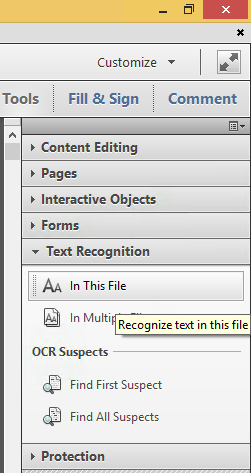
Steps to convert PDF to OCR on all pages in Acrobat XI Standard (STD) via [WayBack] PDF to text, how to convert a PDF to text | Adobe Acrobat DC:

  1. Open a PDF file containing a scanned image in Acrobat.
  2. Click on the Edit PDF tool in the right pane. Acrobat automatically applies optical character recognition (OCR) to your document and converts it to a fully editable copy of your PDF.
  3. Choose File > Save As and type a new name for your editable document.

Screenshots:

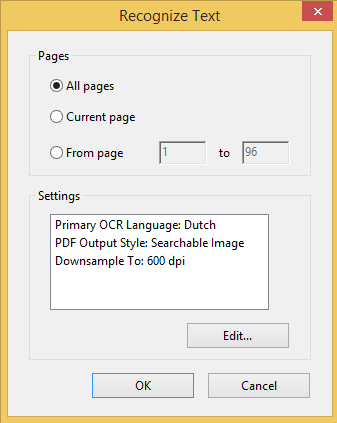
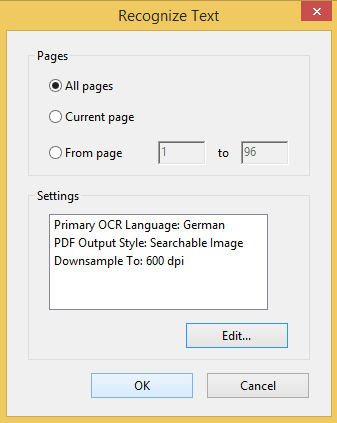
You can select from many OCR languages:

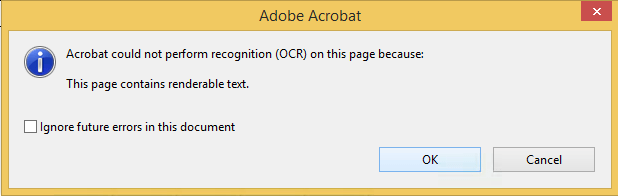
On pages without bitmap content, you see this message:

Only in Acrobat XI or older

Note that Acrobat XI was the last version where this was possible in the Standard edition.

More recent versions of Acrobat, need the Pro version for OCR:

Read the rest of this entry »

Posted in Adobe, Adobe Acrobat, Fujitsu ScanSnap, Hardware, ix100, Power User, Scanners | Leave a Comment »

IPMI will not grab IP even with DHCP turned on : homelab

Posted by jpluimers on 2021/08/13

TL;DR

  1. ensure the IPMI network cable is connected before connecting the power cable
  2. ensure the IPMI LAN is using the dedicated interface
  3. ensure the IPMI LAN interface is connected to a “non green” port of your network switch
  4. ensure the DHCP server has been cold rebooted
  5. ensure the IPMI VLAN configuration matches your network
  6. ensure the IPMI firewall configuration matches the network you try to reach IPMI from
  7. ensure the motherboard does not have a short-circuit anywhere

Otherwise SuperMicro devices might not get a DHCP address on the IPMI (BMC) interface, despite the tooling like [WayBack] ipmicfg indicating getting DHCP was succesful.

This especially holds for X9 boards, likely for newer boards as well.

Personally I never had the 4. and up above, but I bumped into 1. and 2. with SuperMicro boards and 3. with other devices.

Based on

Read the rest of this entry »

Posted in Hardware, Mainboards, Power User, SuperMicro, X9SRi-3F, X9SRi-F | Leave a Comment »

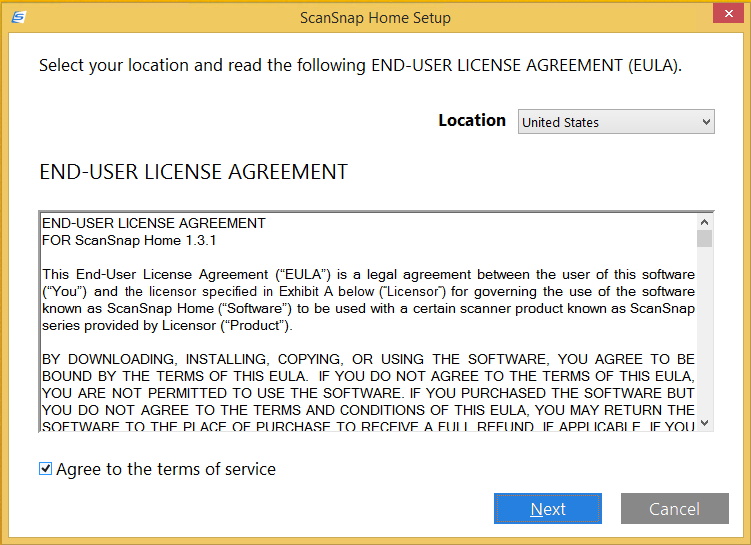
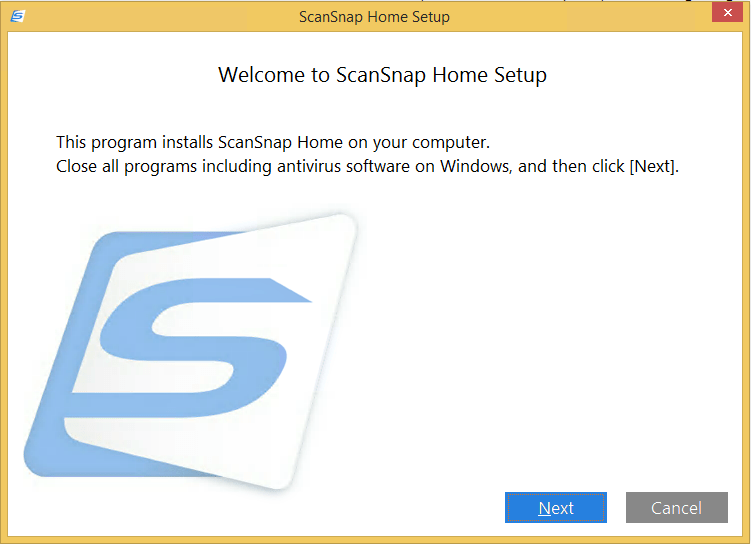
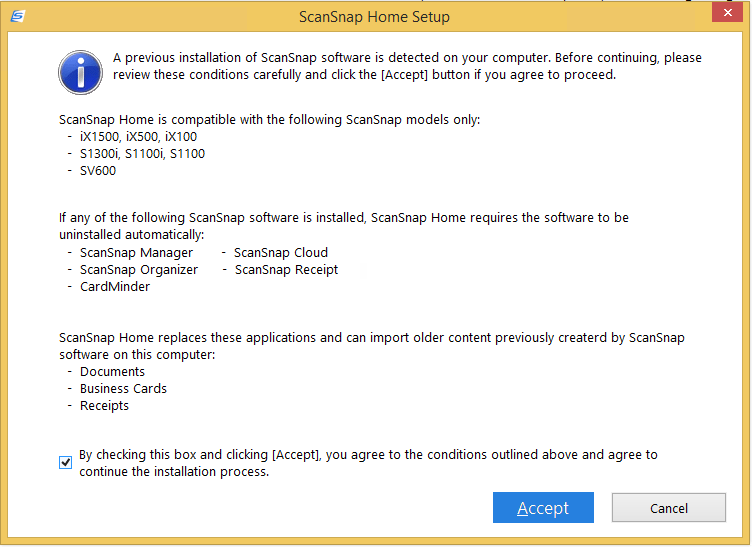
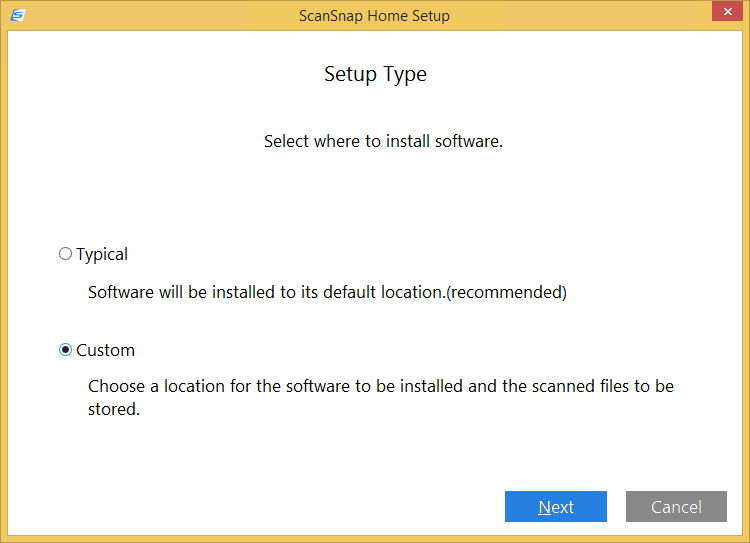
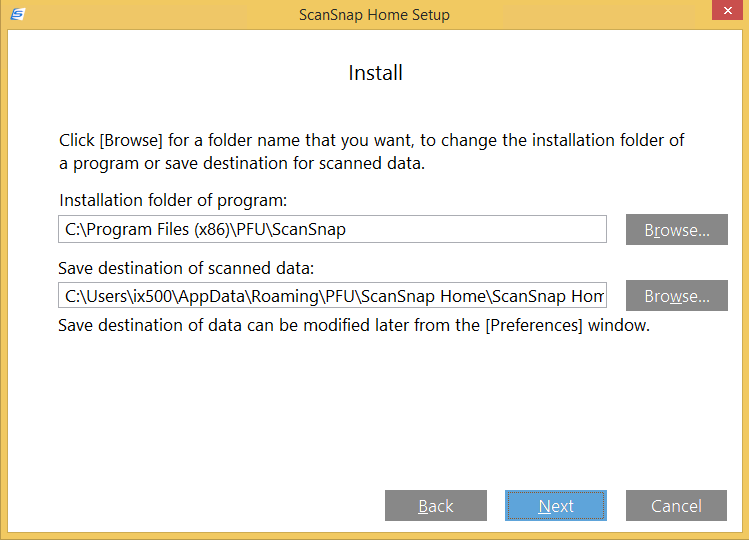
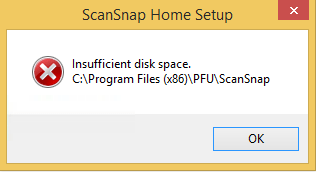
Installing a Fujitsu PFU ScanSnap ix1500: ScanSnap Home upgrade screenshots

Posted by jpluimers on 2021/08/13

For my screenshot archive:

A retry with about 5 gigabyte of free space went further:

Read the rest of this entry »

Posted in Fujitsu ScanSnap, Hardware, ix1500, Power User, Scanners, Windows, Windows 8.1 | Leave a Comment »

ScanSnap Advanced Operation Guide (Mac OS) Creating Searchable PDF Files

Posted by jpluimers on 2021/08/13

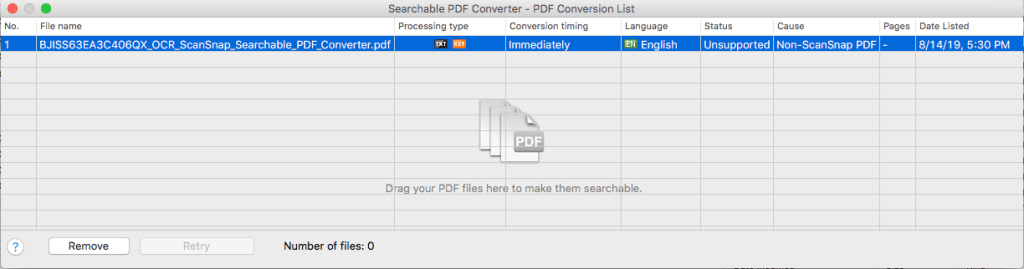
This works only for PDF files originally created by ScanSnap (otherwise “Unsuccessful” with “Non-ScanSnap PDF”: [WayBack] ScanSnap Advanced Operation Guide (Mac OS) Creating Searchable PDF Files

ATTENTION

  • Vertical text can be searched with Adobe Acrobat, but not with Spotlight or Preview.

HINT

The [Searchable PDF Converter] icon Searchable PDF Converter Icon appears in the status menu of the menu bar while Searchable PDF Converter is running. For details, refer to the ScanSnap Manager Help.

  1. Click the [Searchable PDF Converter] icon Searchable PDF Converter in the Quick Menu.
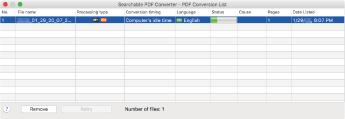
    • The [Searchable PDF Converter – PDF Conversion List] window appears, and conversion starts.
      Searchable PDF Converter

    HINT

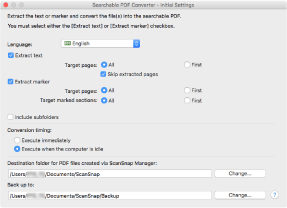
    On a window that appears when [Searchable PDF Converter] is started for the first time, click the [OK] button to open the [Searchable PDF Converter – Initial Settings] window. In the [Searchable PDF Converter – Initial Settings] window, specify the processes that are to be performed, the conversion timing, and the folder to which the converted files are saved while conversion into searchable PDF files is being performed.

    Searchable PDF Converter - Initial Settings

When using different kinds of PDFs, you get this error:

I have not figured out yet how it recognises ScanSnap generated PDF files.

–jeroen

Posted in Fujitsu ScanSnap, Hardware, ix500, Power User, Scanners | Leave a Comment »

The continued Windows PrintNightmare saga: no more printer Plug&Play for end-users on Windows

Posted by jpluimers on 2021/08/12

It was fun while it lasted, and puts other operating systems at an advantage.

[Wayback] Jeroen Wiert Pluimers on Twitter: “Bye bye printer Plug & Play on Windows for end-users: … Though MacOS has its share of printer driving issues (like only printing monochrome to colour printers), this is a serious step back on Windows compared to MacOS.”

More on the MacOS printer woes in a later blog post.

Web related:

Twitter related:

–jeroen

Read the rest of this entry »

Posted in Hardware, Power User, Printer drivers, Printers, Windows, Windows 10, Windows 7, Windows 8, Windows 8.1 | Leave a Comment »

Attacking Technical Debt – ardalis

Posted by jpluimers on 2021/08/12

Interesting approach in [WayBack] Attacking Technical Debt – ardalis.

The tech stuff is C# and .NET based, but the general approach can be applied in a universal way.

via: [WayBack] Jim Holmes on Twitter “Great post by @ardalis on attacking Technical Debt. … You should also read my series on creating a Technical Debt Payment Plan, starting here: …”

So also read

–jeroen

Posted in .NET, C#, Development, Software Development, Technical Debt | Leave a Comment »

css color picker – Google Search

Posted by jpluimers on 2021/08/12

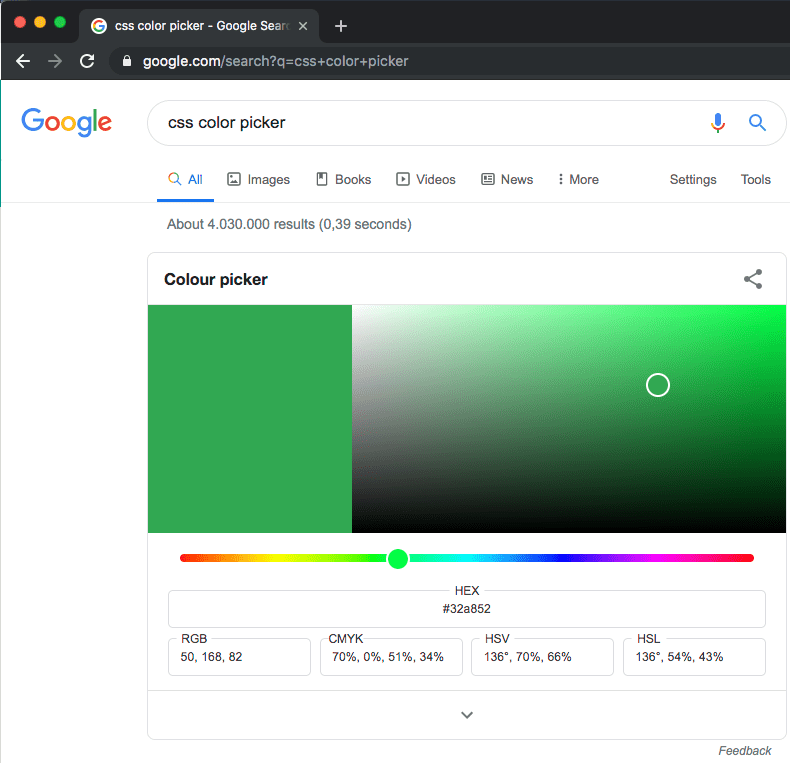
Probably old, but there is an embedded [WayBack] css color picker – Google Search that on each refresh switches colours:

–jeroen

Posted in Color (software development), CSS, Development, Google, GoogleSearch, HTML, Power User, Software Development, Web Development | Leave a Comment »

Some links on the Delphi VolatileAttribute

Posted by jpluimers on 2021/08/12

Some links, because I had a hard time finding good documentation on VolatileAttribute (which is the name of the type; you use it as [Volatile] on variables, parameters and fields.

TL;DR

Volatile

The volatile attribute is used to mark fields that are subject to change by different threads, so that code generation does not optimize copying the value in a register or another temporary memory location.

You can use the volatile attribute to mark the following declarations:

You cannot use the volatile attribute to mark the following declarations:

type
    TMyClass = class
    private
        [volatile] FMyVariable: TMyType;
    end;

Searches

Read the rest of this entry »

Posted in Delphi, Development, Software Development | Leave a Comment »

Simple iframe clock via Free Clocks for Your Website

Posted by jpluimers on 2021/08/11

Using [WayBack] Free Clocks for Your Website, I created this clock for a 1920×1080 web dashboard which is a web page hosted on [WayBack] raw.githack.com with an iframe hosted at www.timeanddate.com

I know that is a risk, but that is OK for now: that site has existed for a very long time and probably will last a while.

There is a truckload of options you can use, despite the clock being simple. Luckily the [WayBack] FAQ: Free Clocks for Your Website explains these options.

This is the gist of the above “this clock” page:


<!DOCTYPE html>
<html>
<head>
<meta charset="UTF-8">
<meta http-equiv="content-type" content="text/html; charset=UTF-8">
<meta name="robots" content="noindex, nofollow">
<meta name="googlebot" content="noindex, nofollow">
<style type="text/css">
body {
margin: 0; /* override browser setting for body `margin: 8px;` */
overflow: hidden; /* remove scroll bars; does not work for iframes */
}
.box {
float: left;
width: 100vw; /* Firefox/Chrome outside Mac OS X: force viewport-width */
overflow: hidden; /* remove scroll bars; does not work for iframes */
background-color: azure;
}
iframe {
border-width: 0; /* override browser setting for iframe `border-width: 2px; */
height: 100vh;
width: 50vw;
}
.clock_iframe {
float: right;
height: 30vh;
width: 16vw;
}
</style>
<title>Clock in frame</title>
</head>
<body>
<div class="box">
<iframe class="clock_iframe" src="https://freesecure.timeanddate.com/clock/i6xvy9ve/n16/szw300/szh300/hoc000/cf100/hgr0/fiv0/fas34/fdi74/mqv0/mhc000/mhs3/mhl20/mhw1/mhd84/mmv0/hhs1/hms1/hsc000/hss1&quot; frameborder="0" width="300" height="300">
<!– https://www.timeanddate.com/clocks/free.html –>
</iframe>
</div
</body>
</html>

–jeroen

Posted in CSS, Development, HTML, Power User, Software Development, Web Development | Leave a Comment »