


mymaps – How to change the road color in Google My Maps – Stack Overflow
Posted by jpluimers on 2026/10/16
The colour of a directions layer in Google My Maps is always blue.
You cannot change it in that layer, despite it being a long standing feature request: [WaybackSave/Archive] how can i use a different line color on each layer for my bike routes? – Google Maps Community
If you are creating Directions layers on My Maps it is not possible to change the color of the lines. It is a often requested feature but so far Google has not implemented it.
There is however w workaround answered in [Wayback/Archive] mymaps – How to change the road color in Google My Maps – Stack Overflow (thanks [Wayback/Archive] Ben for asking and [Wayback/Archive] Richard de Ree for answering):
There is a work around to do this
- create your route with all the points
- export your map as KMZ
- create a new map
- import this KMZ file in a new layer
- Select “individual styles“
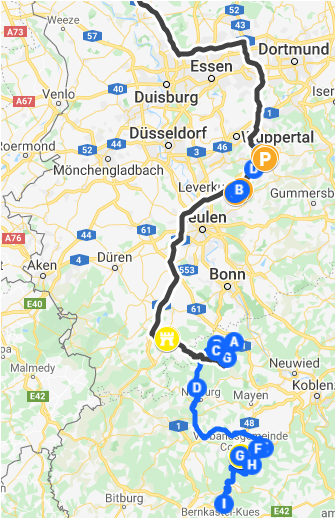
Now you suddenly can choose for the the option “individual styles” Click this option Then click the the name of your route and you can change the colors of the route
(In de picture I made a part of my route black)
Query: [Wayback/Archive] google my maps change color of directions at DuckDuckGo
--jeroen

Leave a Comment