


On MacOS, Chrome 156 lies in their What’s New about the new “Media understanding” #WhyCantWeHaveNiceThings
Posted by jpluimers on 2026/10/29

Chrome 156 – Settings – main column of settingLast night (I have a lot of open tabs, so it needs a while to re-open), I upgrade Chrome to Version 156.0.8078.49 (Official Build) (arm64).
This morning, it had restarted with a new chrome://whats-new/ page (note WordPress does not allow thechrome scheme in URLs to be in links so I highlight all of these as code).
That page lied.
The What’s New page mentions «To turn off this feature, go to Chrome’s settings > AI in Chrome > Gemini in Chrome. Then, turn off the “Media understanding” setting.» and a link Learn more¹ which in turn indicates the setting is at chrome://settings/ai/gemini
That setting does not exist. It redirects to chrome://settings/, which does not have an “AI in Chrome” entry, see the screenshot on the right and the ones below.
Searching for “AI in” also is of limited use. chrome://settings/?search=ai+in finds “Skills in Chrome” which is chrome://settings/ai/skills under the setting “AI innovations” at chrome://settings/ai. The good thing is that it made me turn off the “Enable Skills in Chrome” setting.
BTW: This was the update to Version 156.0.8078.49 (Official Build) (arm64).
--jeroen
¹ I archived the info, as that pages gets modified every few Chrome versions. Today’s version is at
Screenshots
chrome://whats-new/
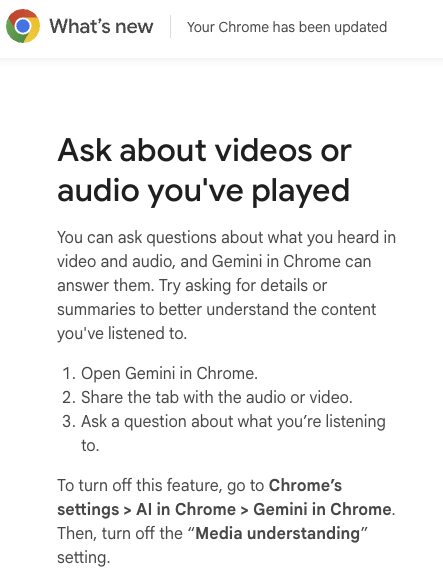
Chrome 156 – What’s New
chrome://settings/ (left column)
Chrome 156 – Settings – main column of settings
chrome://settings/?search=ai+in (searching for “AI in”)

Chrome 156 – Settings – search “AI in”
chrome://settings/ai/skills
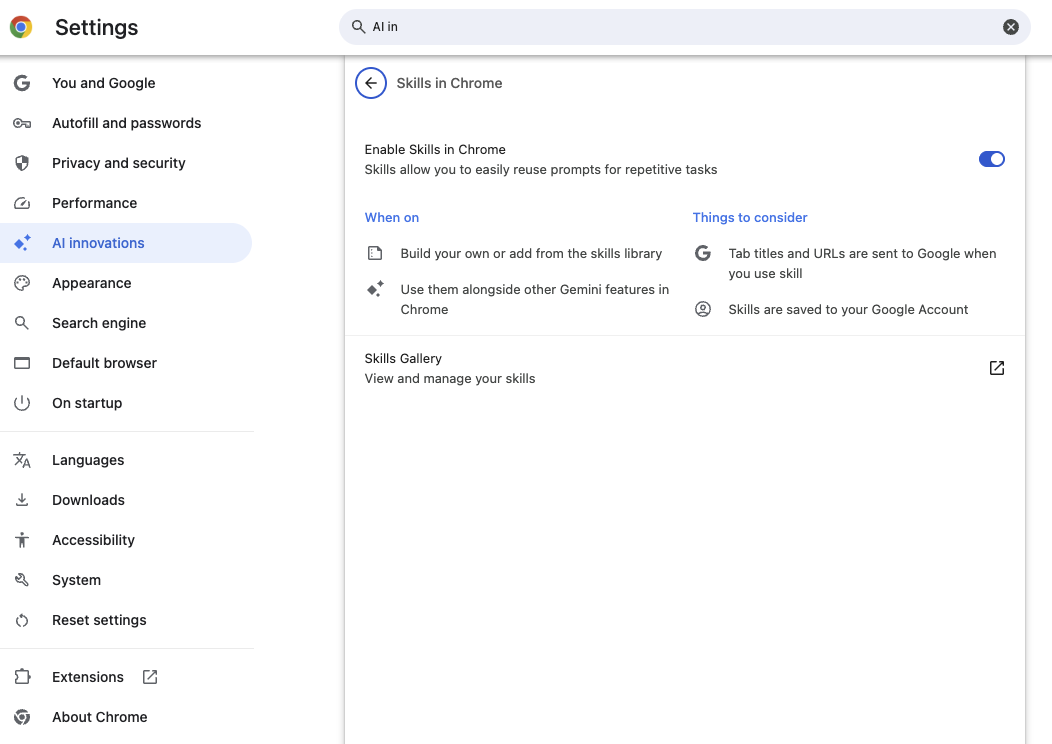
Chrome 156 – AI Innovations – Skills in Chrome

Leave a Comment